Last updated: September 10, 2026
An image-to-video API turns an existing image into motion programmatically.
Instead of asking an AI model to invent an entire scene from text, developers can provide a product photo, character image, illustration, first video frame or other visual asset and instruct the model how that scene should move.
That makes image-to-video particularly useful for advertising, e-commerce, social content, character animation and branded creative workflows, where visual consistency matters more than unrestricted generation.
The strongest image-to-video options to evaluate in 2026 include Token360, Seedance 2.5, Kling 3.0, Google Veo 3.1, Wan 3.0, MiniMax H3 and Runway Dev.
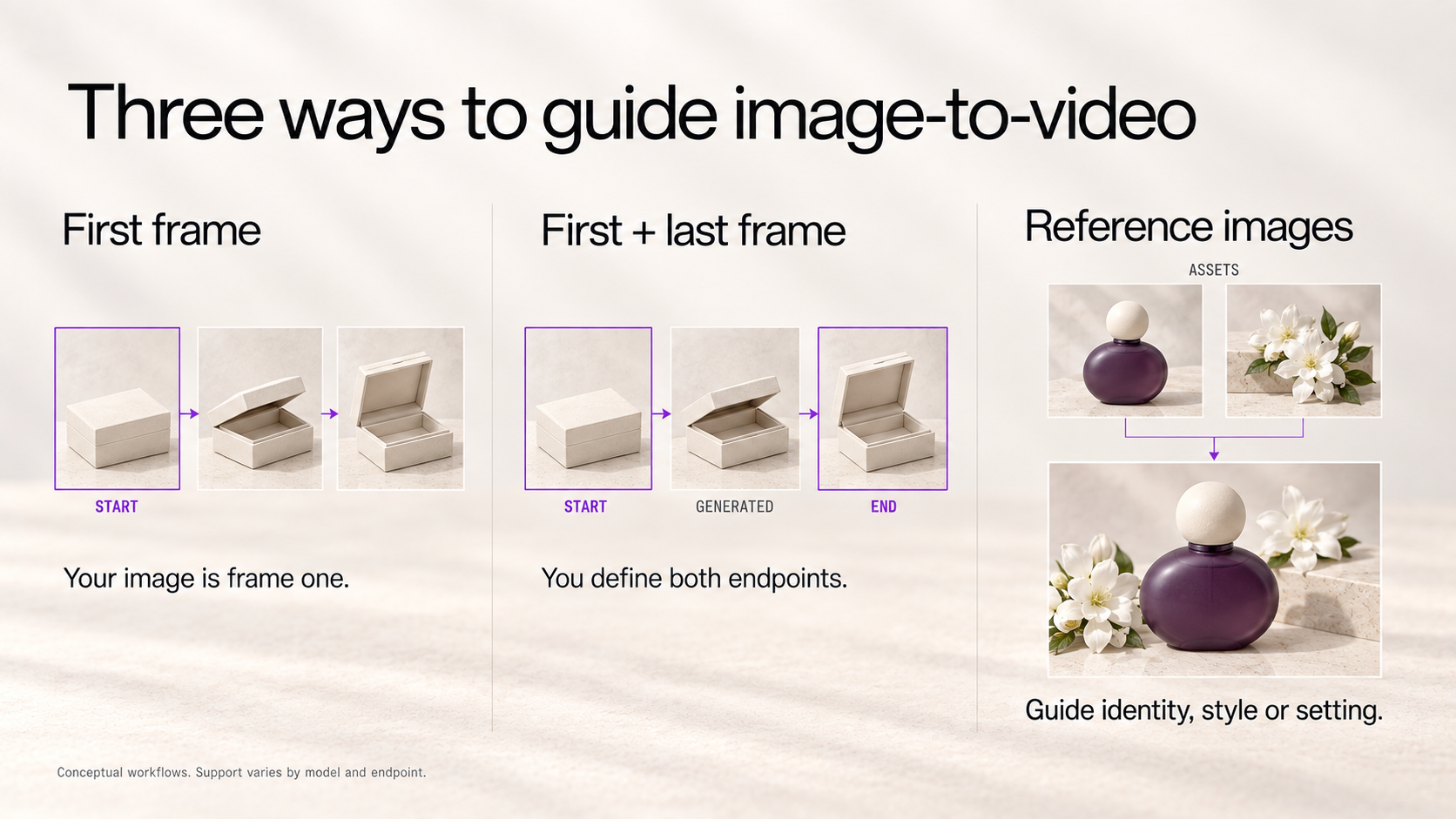
The important distinction is that these APIs do not all interpret “image-to-video” in the same way. Some animate one first frame. Others support both a first and last frame. Newer models can use multiple images as references rather than treating one image as the literal opening frame.
That difference often matters more than raw model count.
Best Image-to-Video APIs at a Glance
Important: “image-to-video,” “reference-to-video,” and “first-and-last-frame generation” are related but not identical workflows. Always check the exact endpoint and model schema rather than assuming every API handles reference images the same way.
What Is an Image-to-Video API?
An image-to-video API takes at least one image as input and generates a moving video based on that visual information.
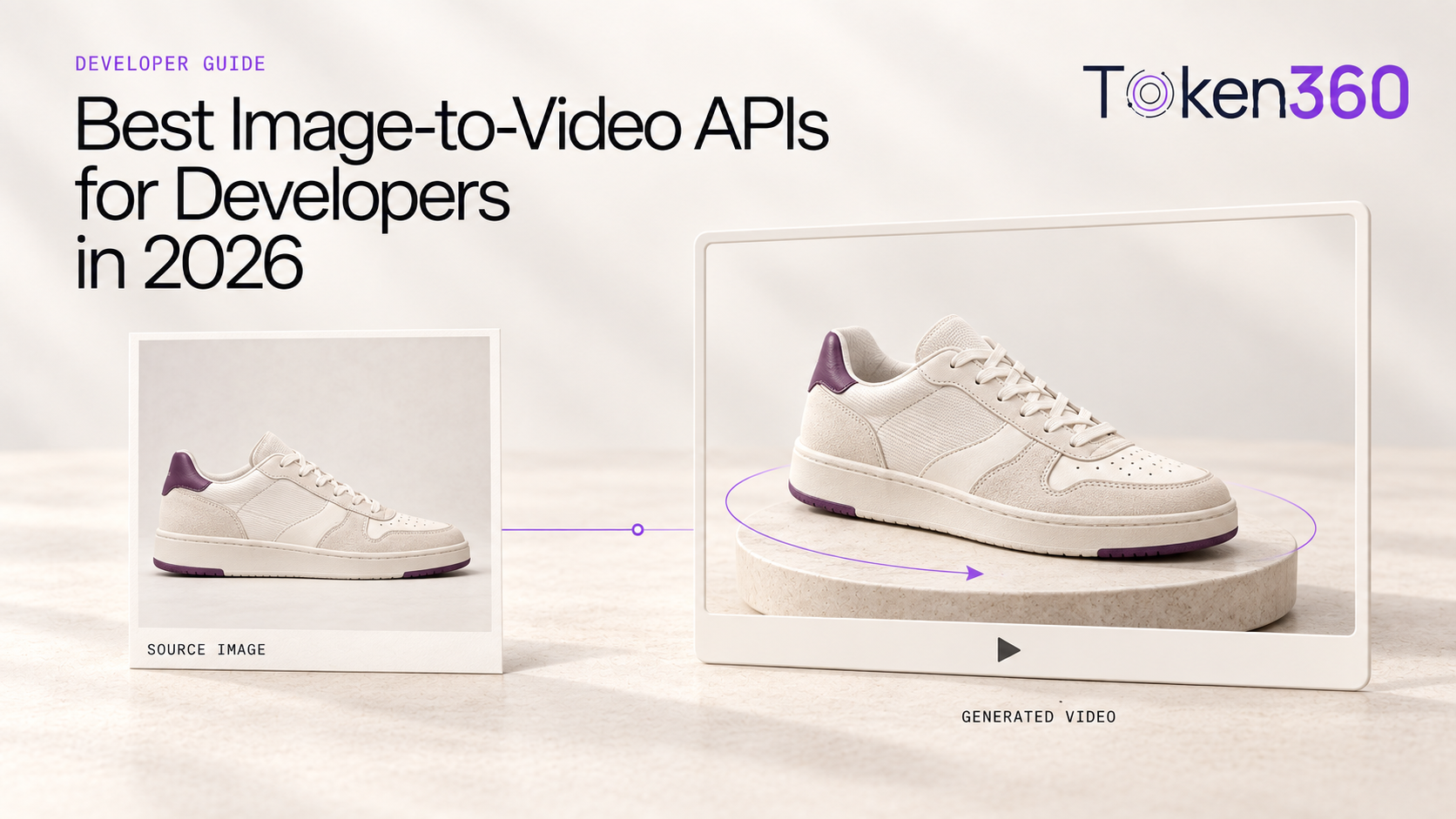
For example, an e-commerce application might provide a static sneaker product photo and a prompt such as:
Slowly rotate the camera around the shoe while soft studio lighting shifts across the surface. Keep the product design, logo and colors unchanged.
The image establishes the product's appearance. The prompt controls what happens next.
That is fundamentally different from text-to-video, where the model must first decide what the shoe, scene, lighting and composition should look like.
For branded and product-oriented applications, that added visual constraint can be extremely valuable.
text-to-video API
First-Frame vs First-and-Last-Frame vs Reference Images
First-frame image-to-video
The uploaded image becomes the opening frame.
The model then generates movement from that starting point.
Typical use:
Product photo → camera movement → short product video.
First-and-last-frame generation
The developer supplies both the opening image and the desired ending image.
The model generates the motion between them.
Google's Veo 3.1 supports this through Vertex AI, including separate first- and optional last-frame inputs. Wan 3.0 and multiple Token360-supported workflows also expose first/last-frame generation.
Typical use:
Closed product box → generated transition → opened product box.
Reference-image generation
A reference image does not necessarily have to become frame one.
Instead, it tells the model:
“This is what the person, product, object, style or environment should look like.”
Seedance 2.5 takes this significantly further: ByteDance documents support for up to 30 image references, 10 video references and 10 audio references in a single generation.
That makes modern image-to-video workflows much broader than simply “animate this picture.”
How We Compared Image-to-Video APIs
For this comparison, the most important criteria are input-image fidelity, first/last-frame control, reference-image support, subject consistency, motion control, duration, resolution, native audio, API workflow and pricing transparency.
We do not assign arbitrary visual-quality scores. A fair quality benchmark would require identical source images, prompts, seeds where available, multiple samples and blinded human evaluation.
Disclosure: This article is published by Token360, which appears in the comparison. Model capabilities are based primarily on official vendor documentation available as of September 10, 2026.
Token360 — Best for Accessing Multiple Image-to-Video Models Through One API
Best for: applications that expect to use several image-to-video models rather than build a separate integration for every provider.
Token360 handles supported video workflows through one normalized endpoint:
POST /v1/videos
The API automatically infers the requested workflow from fields such as frame_images and input_references. Token360 currently documents separate modes for first-frame image-to-video, first-and-last-frame generation, reference-image generation, multimodal references, video editing and video extension.
For frame-based generation, an image can be assigned the role:
first_frame
or:
last_frame
The exact duration, resolution, audio and reference options remain model-specific. Token360 explicitly recommends checking each model's parameter schema rather than assuming every video model accepts the same controls.
Why This Matters for Image-to-Video
Image-to-video models change quickly.
A creative application might prefer one model for product animation, another for people and another for longer cinematic shots.
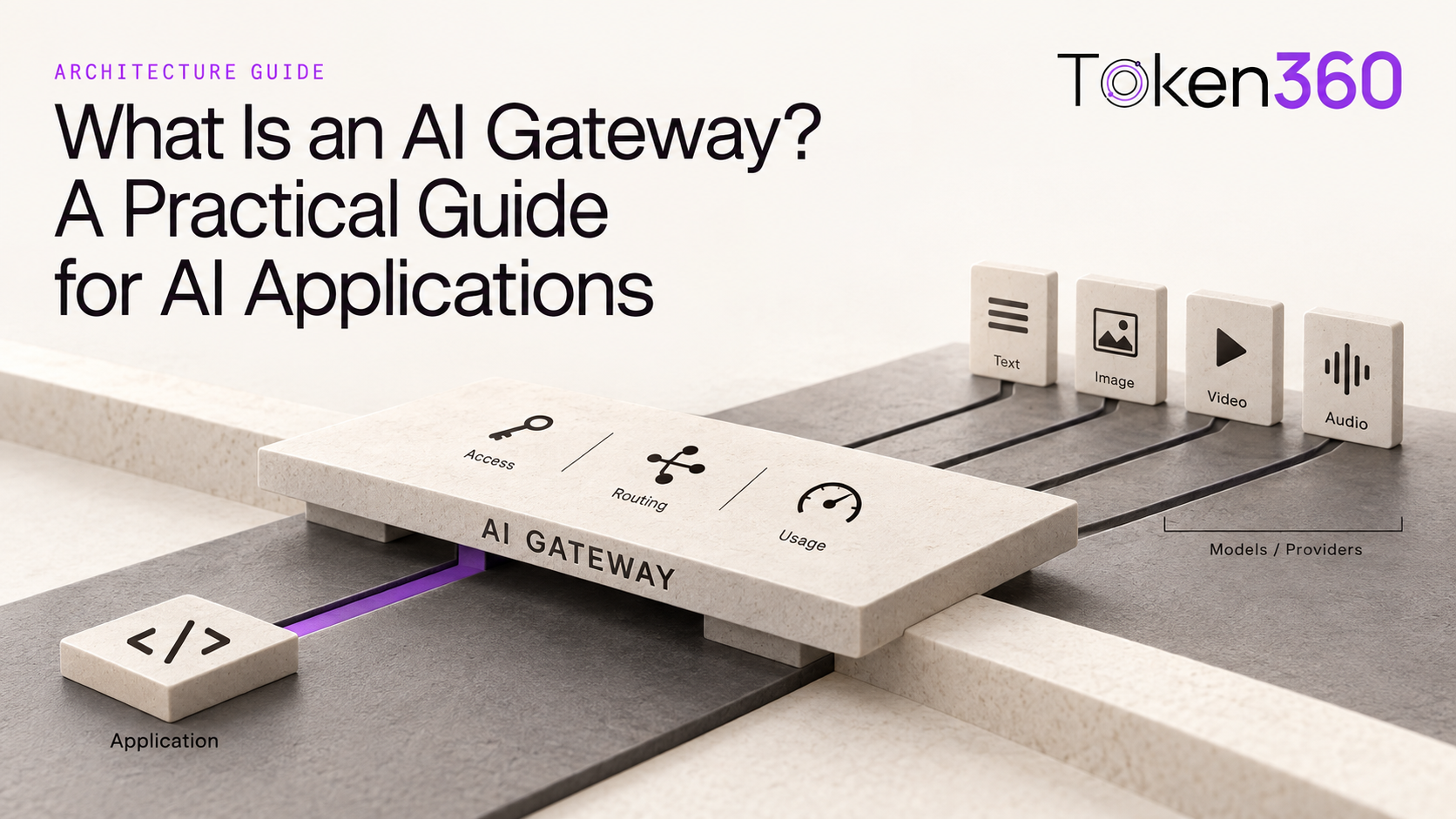
Without a normalized layer, the architecture can become:
App → Provider A I2V API
App → Provider B I2V API
App → Provider C I2V API
With Token360, supported models can share the higher-level:
App → /v1/videos → selected video model
The current Token360 production catalog includes Seedance 2.5, Wan 3.0, MiniMax H3 variants and Veo 3.1 among its video-generation models.
Token360 Trade-Off
Normalization does not mean all models suddenly support the same image-control features.
A model with only first-frame I2V will still have fewer reference capabilities than a model that supports multiple image references. Developers still need to understand the selected model's capabilities.
image-to-video API
Seedance 2.5 — Best for Complex Reference-Driven Image-to-Video
Best for: advertising, film and branded creative workflows that need several visual references rather than one static first frame.
Seedance 2.5 is particularly strong because ByteDance does not restrict reference generation to a single image.
The model can accept up to 30 images, 10 video clips and 10 audio clips as reference materials in one generation. ByteDance says the model can understand visual composition, scenes, styles, characters and props across those references while maintaining subject characteristics through more complex sequences.
This changes what “image-to-video” can mean.
Instead of:
Image 1 = first frame.
a production prompt can behave more like:
Image 1 = location
Image 2 = character
Image 3 = product
Image 4 = clothing
Image 5 = visual reference
and then ask the model to combine those elements into one generated sequence.
Seedance 2.5 Duration and Control
Seedance 2.5 supports up to 30 seconds in one generation, with further extension supported. ByteDance also highlights improved motion, camera, lighting and editing control.
That makes it particularly relevant when a still image is only one component of a larger creative specification.
A Practical Use Case
Imagine an apparel brand already has:
a model photo, product images, a reference location and a visual mood board.
Instead of forcing one image to act as the literal first frame, Seedance's reference system can use those assets as creative context for the generated sequence.
That is a different workflow from traditional first-frame animation.
Seedance 2.5 Trade-Off
More reference inputs do not automatically make a workflow simpler.
Applications have to decide which assets represent identity, style, composition or motion, and sophisticated reference workflows can require more careful prompt and asset management.
Seedance 2.5 official page
Kling 3.0 — Best for Character Consistency and Cinematic Image-to-Video
Best for: character-led scenes, cinematic animation and workflows where the source image's subject needs to remain recognizable.
Kling AI 3.0 supports text-to-video, image-to-video, reference-to-video and video editing inside its multimodal video architecture. Kuaishou says the 3.0 series improved consistency, prompt adherence and narrative control, with video generation up to 15 seconds and native audio.
The official Kling product page also specifically describes starting from either a text prompt or a static image, then controlling motion while preserving character consistency.
For image-to-video, that makes Kling particularly relevant when the still image contains a recognizable human subject or character.
Where Kling Is Strong
A common I2V failure mode is identity drift:
the face changes, clothes change, object proportions shift, or the subject becomes less recognizable over time.
Kling's current product positioning emphasizes improved subject and character consistency alongside cinematic generation and motion control.
That makes it worth testing for character-oriented:
advertising, influencer content, storytelling, short-form scenes and cinematic social video.
Kling Trade-Off
“Character consistency” is still a model-quality claim that can vary heavily by source image and motion complexity.
Kling is designed with character and subject consistency as a core capability.
Kling AI video generation
Google Veo 3.1 — Best for First-and-Last-Frame Control
Best for: developers who need explicit start/end frame control and already operate within Google Cloud.
Veo 3.1 provides one of the clearest documented first-and-last-frame workflows among the major commercial video APIs.
Through Vertex AI, developers can upload a first image and optionally a last image. Veo then generates the sequence between them. Google documents the feature for both veo-3.1-generate-001 and veo-3.1-fast-generate-001.
Current Veo 3.1 documentation also supports:
Why First-and-Last-Frame Matters
Traditional image-to-video tells the model:
Start here and decide what happens next.
First-and-last-frame generation says:
Start here, finish here, and generate the transition.
That can be much more useful for controlled production.
For example:
Frame one: unopened perfume bottle.
Last frame: bottle surrounded by flowers and mist.
The model's job becomes generating a visually coherent transformation between known endpoints.
Google itself highlights first-and-last-frame generation as a specific Veo capability.
Veo Trade-Off
Veo's current documented duration remains 4, 6 or 8 seconds, so its image-to-video workflow is better suited to controlled short clips than a 30-second single-pass sequence.
Google Veo first-and-last-frame documentation
Wan 3.0 — Best for Long First/Last-Frame Image-to-Video
Best for: longer image-to-video generation with explicit first/last frames and clear duration/resolution controls.
Wan 3.0 supports both:
first-frame image-to-video
and:
first-and-last-frame image-to-video.
On Token360, the current Wan 3.0 implementation exposes frame_images with a first frame and optional last frame, with generation durations from 2 to 30 seconds and output resolutions of 480p, 720p and 1080p.
This creates a useful middle ground between a simple animation API and a more complex multi-reference system.
Wan 3.0 Image-to-Video Workflow
Suppose a product application has:
Starting image: a car parked outside a hotel.
Ending image: the same car on a coastal highway.
Providing both endpoints allows the model to generate the movement between those two states rather than guessing the entire destination.
Wan 3.0 also supports image, video and audio reference generation beyond frame-based I2V. Token360 currently documents up to 10 image, five video and five audio references in that implementation.
Wan 3.0 Pricing
Wan is also one of the easier models to reason about economically because current implementations use duration and resolution as major billing dimensions.
Wan Trade-Off
Longer maximum duration is useful, but it does not prove better motion quality or image fidelity.
A 30-second specification should therefore be presented as a capability advantage, not evidence that Wan is universally better than an eight-second model.
Wan 3.0 API
MiniMax H3 — Best for Image-to-Video With an Open Deployment Path
Best for: teams that want image-driven video generation, native stereo audio and the option to work with an open model.
MiniMax H3 is a general-purpose multimodal video model that understands text, images, video and audio and can generate video with native stereo audio at resolutions up to 2K and durations up to 15 seconds. MiniMax open-sourced H3 in August 2026.
MiniMax's video API documentation distinguishes multiple generation modes, including image-to-video, first-and-last-frame video and subject-reference video.
For traditional I2V, the first image defines the opening visual state and the prompt describes how it should move.
MiniMax H3 Pricing
MiniMax currently lists H3 API generation at:
For H3 input materials, the first five image references are currently free, with additional images billed at $0.04 each.
That distinction is useful because reference-image cost can become relevant when applications use many assets rather than one first frame.
MiniMax Trade-Off
“Open source” does not mean “zero-cost infrastructure.”
Self-hosting modern video generation still requires substantial GPU resources, serving infrastructure and operational expertise. The open model is most valuable when infrastructure control is worth that extra responsibility.
MiniMax H3 official release
Runway Dev — Best Dedicated Multi-Model Image-to-Video Developer Platform
Best for: creative products that want one dedicated I2V interface across multiple modern video models.
Runway exposes a dedicated:
runwayml/v1/image_to_video
endpoint.
Its current developer interface supports multiple image-to-video models including Gen-4.5, Gen-4 Turbo, Veo 3.1, Seedance 2.5, MiniMax H3 and Wan 3.0.
That makes Runway interesting because it is not just exposing one house model anymore.
For example, Runway's current Seedance 2.5 endpoint accepts several image references, optional audio references and output up to 30 seconds, while its Wan 3.0 interface supports start/end keyframes plus video and audio references.
Runway Gen-4.5
Runway's own Gen-4.5 model supports both text-to-video and image-to-video. Its image-to-video endpoint takes an input image plus an optional motion prompt, with current developer pricing displayed at 12 credits per second.
Runway Trade-Off
Runway is specialized around creative-media development.
For teams whose architecture also needs a broad set of language, speech and general AI inference models, a broader multimodal gateway may make more sense at the platform level.
Runway image-to-video API
Which Image-to-Video API Is Best for Your Use Case?
Instead of pretending one model wins every category, use this selection framework:
Image-to-Video vs Text-to-Video: Which Should You Use?
Text-to-video is useful when the application starts with an idea.
Image-to-video is useful when it starts with an asset.
Consider an e-commerce company creating a campaign for an existing handbag.
With text-to-video, the prompt might say:
A luxury black leather handbag rotates on a marble platform.
The model still has to invent the handbag.
With image-to-video, the actual product photograph is supplied first.
Now the prompt can focus on motion:
Slowly orbit around the handbag as warm studio light moves across the leather. Keep the exact product shape, color, stitching and logo unchanged.
That makes image-to-video a more natural architecture for product catalogs, branded assets, licensed characters and existing campaign photography.
best text-to-video APIs
Why Image Consistency Matters More Than Raw Visual Quality
A visually impressive video can still be unusable for production if the source asset changes.
For image-to-video, developers should pay attention to:
identity preservation, meaning whether a person remains recognizable;
product fidelity, meaning whether logos, proportions and physical details remain stable;
composition preservation, meaning whether important spatial relationships survive motion;
and motion plausibility, meaning whether movement looks intentional rather than simply distorting the original image.
This is why image-to-video models should ideally be tested with your own asset category.
A model that performs well on cinematic portraits may not be the best model for shoes, packaging, architecture or illustrated characters.
That statement is both more credible and more useful than a generic “Model X has the best quality.”
Example: Generate Image-to-Video With Token360
Token360's normalized API uses frame_images to identify first- and last-frame inputs. The API documentation defines first_frame and last_frame as explicit frame roles.
A first-frame request can follow this structure:
curl -X POST https://api.token360.ai/v1/videos \
  -H "Authorization: Bearer $TOKEN360_API_KEY" \
  -H "Content-Type: application/json" \
  -d '{
    "model": "wan3.0-video",
    "prompt": "Slow cinematic camera orbit around the product while soft studio light moves across the surface",
    "frame_images": [
      {
        "type": "image_url",
        "frame_type": "first_frame",
        "image_url": {
          "url": "https://example.com/product-image.jpg"
        }
      }
    ],
    "duration": 8,
    "resolution": "1080p"
  }'
Token360 creates an asynchronous task. The returned video ID can then be polled using:
GET /v1/videos/{video_id}
until the status becomes completed or failed.
full video generation API reference
When Should You Use First-and-Last-Frame Generation?
First-and-last-frame generation is particularly useful when the desired destination matters.
A normal first-frame I2V request says:
Here's where the scene begins.
A first-and-last-frame request says:
Here's where the scene begins and where it must end.
That makes it useful for controlled transitions such as:
Veo 3.1 and Wan 3.0 both provide documented first-and-last-frame generation workflows.
Reference Image vs First Frame: What Is the Difference?
A first frame defines where the output video literally begins.
A reference image defines something the model should preserve or borrow—such as a character, product, location or visual identity—but does not necessarily have to become frame one.
This distinction is increasingly important.
Seedance 2.5's reference architecture can combine many images, video clips and audio clips in one generation. Veo 3.1 supports asset reference images as well as first/last frames. Token360's normalized API separates frame_images from more general input_references.
For developers, that means the input schema itself increasingly expresses why an image is being supplied, not simply the fact that an image exists.
How Much Does an Image-to-Video API Cost?
There is no universal image-to-video price.
The cost may depend on output duration, resolution, native audio, number of reference images, input video references and the API provider through which the underlying model is accessed.
MiniMax H3, for example, currently lists $0.08/sec for 768p and $0.13/sec for 2K, while its first five image references are included before additional-image charges apply.
Runway currently prices Gen-4.5 image-to-video at 12 developer credits per second, while Wan 3.0 through its Runway endpoint is listed at 5 credits/sec for 480p, 10 for 720p and 20 for 1080p.
The safest production comparison is therefore:
Price the same source asset, duration, resolution and required capabilities across the APIs you are actually considering.
Don't compare a 480p silent five-second clip from one model against a 1080p audiovisual generation from another and call the cheaper number the “cheapest API.”
Direct Image-to-Video API vs Multi-Model API
Direct integration makes sense when one model is central to the product.
For example:
Application → Vertex AI → Veo 3.1
The advantage is access to Google's provider-native API and its latest supported Veo controls.
A multi-model architecture can instead look like:
Application → Token360 → Seedance / Wan / MiniMax / Veo
The advantage is lower switching friction when different source images or creative jobs perform better on different models.
The trade-off is the same as with text-to-video: a normalized API may not expose every provider-specific feature immediately.
So the architectural decision is not simply:
Direct API bad, aggregator good.
It is:
How much do we value model-specific control versus model flexibility?
That balanced wording is much better for credibility.
Frequently Asked Questions About Image-to-Video APIs
What is the best image-to-video API in 2026?
There is no universal best option. Seedance 2.5 is notable for extensive multimodal references and 30-second generation; Kling 3.0 emphasizes character and narrative consistency; Veo 3.1 offers well-documented first-and-last-frame control; Wan 3.0 combines first/last frames with generation up to 30 seconds; and MiniMax H3 combines multimodal generation with an open-model path. Token360 and Runway Dev are useful when developers want access to several models through one higher-level API.
Which image-to-video API supports first and last frames?
Google Veo 3.1, Wan 3.0 and MiniMax video APIs all document first-and-last-frame workflows. Token360's normalized video API also explicitly supports first_frame and last_frame roles for models that provide those capabilities.
Which image-to-video model supports the most reference images?
Among the models covered here, Seedance 2.5 documents particularly extensive reference capacity: up to 30 images, 10 videos and 10 audio clips in one generation.
Which image-to-video API can generate 30-second videos?
Seedance 2.5 and Wan 3.0 both document video generation up to 30 seconds.
Can image-to-video APIs generate audio too?
Yes. Current model families including Seedance, Kling, Veo, Wan and MiniMax support native audiovisual generation in at least some current versions. Exact audio controls depend on the model and API provider.
Can I use multiple image-to-video models through one API?
Yes. Token360 exposes supported video-generation workflows through one normalized /v1/videos endpoint, while Runway Dev offers a dedicated image-to-video endpoint with several selectable model families.
Build Image-to-Video Workflows With Multiple Models
Image-to-video is becoming less about simply “making a photo move” and more about controlling identity, products, references, opening frames, ending frames, motion and audio.
As model capabilities continue to change, applications that need more than one video model can benefit from separating their product workflow from a single vendor-specific integration.
Token360 exposes supported video models through one normalized API alongside language, image and audio models. Its current production catalog includes Seedance 2.5, Wan 3.0, MiniMax H3 variants and Veo 3.1.
Explore the Token360 model catalog
Read the Token360 API documentation


 Tutorial
 Comparison
 Comparison