AI video API pricing starts with a billing unit: output seconds, generated items, or compute time. Production economics depend on how much you spend to deliver a video that meets the brief.
A low price per second can still produce an expensive deliverable if the workflow requires repeated generations, manual repair, or substantial editing. A more expensive configuration can be economical when it produces acceptable results with fewer attempts.
To compare options, first match the model settings and billing basis. Then measure rejected output, supporting services, editorial work, and delivery costs.
This guide includes a dated example of published Veo rates, hypothetical cost calculations, and a framework for planning production spend. It does not present measured acceptance rates or a cheapest-provider ranking.
Token360 publishes this guide. Direct-provider prices below are reference points and should not be treated as Token360 quotes.
Before you read: Start with Veo API Guide for generation settings and task handling, or AI Model Evaluation Framework to define acceptance criteria before comparing costs.
Decide Which Pricing Question You Are Answering
Three comparisons require different controls.
For model selection, a higher-quality result may justify additional generation spend.
For provider selection, changing the model version at the same time makes it harder to attribute differences to the provider.
For production planning, generation is only one stage. You may also need reference images, narration, review, compositing, storage, and delivery.
Label the comparison before collecting prices. Otherwise, a table can combine unlike configurations and imply savings that the application cannot realize.
A Dated Example: Published Veo 3.1 Rates
The following rates were listed on Google’s Gemini API pricing page when checked on October 8, 2026.
They are Google direct API prices in USD for video with audio. The eight-second column is rate multiplication for an illustrative 720p generation, excluding surrounding workflow costs.
| Configuration |
720p USD per output second |
1080p USD per output second |
Illustrative 8-second 720p generation |
| Veo 3.1 Standard with audio |
$0.40 |
$0.40 |
$3.20 |
| Veo 3.1 Fast with audio |
$0.10 |
$0.12 |
$0.80 |
| Veo 3.1 Lite with audio |
$0.05 |
$0.08 |
$0.40 |
Google separately lists 4K rates of $0.60 per second for Standard and $0.30 for Fast; Lite does not support 4K output on that pricing table. See the official Gemini API pricing page.
These rows establish published rates, not equivalent quality or identical feature coverage. Verify supported durations and generation modes before treating a configuration as available.
Recheck the price when budgeting or publishing. Preserve the provider, model identifier, settings, currency, and check date alongside any quoted number.
Normalize the Billing Unit
“Per second” can mean output-video duration or execution time. Those are different quantities.
Replicate’s pricing page distinguishes time-based billing from model-specific input or output billing. It also describes dedicated private-model billing that can include setup and idle time. Check the applicable model and deployment path rather than applying one platform-wide formula. See Replicate pricing.
WaveSpeedAI documents per-model pricing and distinguishes input-based estimates from a base-price preview. A displayed base price should not automatically be treated as the final price of a configured request. See WaveSpeedAI’s pricing guide.
Keep subscription allowances separate from API usage unless the provider explicitly connects them. Also distinguish public list prices, account discounts, temporary credits, and actual charges.
Define a Usable Clip Before Measuring Cost
Technical success and creative acceptance are separate outcomes.
A successfully generated video may still fail because it changes a product label, omits a required action, assigns dialogue to the wrong speaker, or ends on an unusable frame.
Write acceptance rules before reviewing the candidates:
Define what you count as one deliverable. Several acceptable variations for the same brief should not inflate the denominator if the business only needs one final clip.
Keep rejection reasons and all attempts in the evaluation record. They explain whether spend is being driven by model behavior, an unsuitable brief, or an integration problem.
Calculate Generation Cost per Accepted Clip
Use actual billed generation spend:
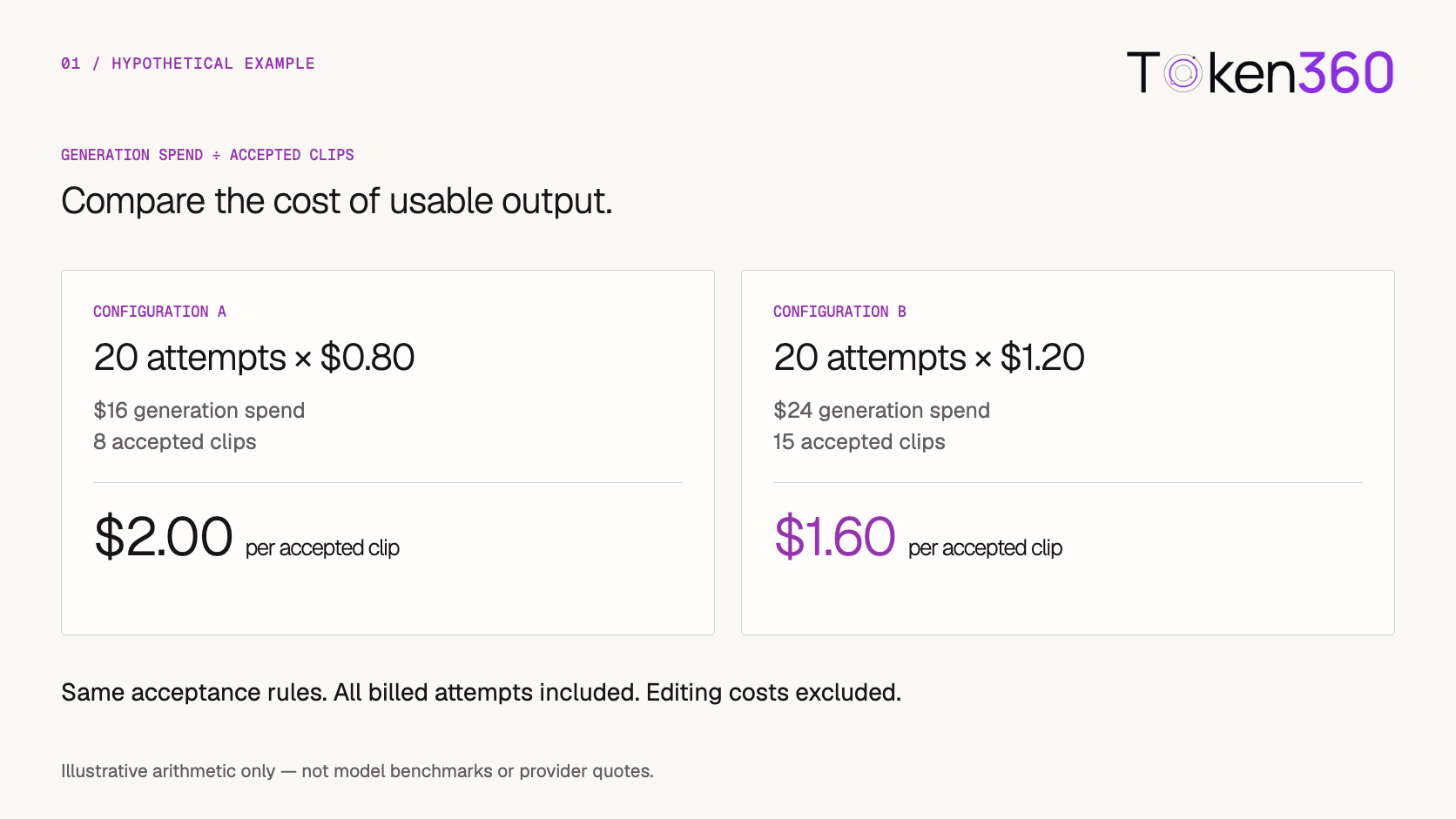
Generation cost per accepted clip = total billed generation spend ÷ accepted clips
Consider two hypothetical configurations evaluated against the same acceptance rules.
| Hypothetical configuration |
Attempts |
Cost per attempt |
Total generation spend |
Accepted clips |
Cost per accepted clip |
| A |
20 |
$0.80 |
$16.00 |
8 |
$2.00 |
| B |
20 |
$1.20 |
$24.00 |
15 |
$1.60 |
Configuration B costs more per attempt but less per accepted clip under these assumptions.
These are invented teaching examples, not observed model performance or provider quotes. The $0.80 assumption is not evidence that any particular model achieves the illustrated acceptance rate.
Keep billing and acceptance denominators explicit. Some failed attempts may be unbilled, while technically successful but rejected outputs may still incur charges.
If there are no accepted clips, report the spend and zero-acceptance result. Cost per accepted clip is undefined; it is not zero.
Include the Surrounding Production Work
Generation cost is useful for model analysis. Production cost is more useful for planning delivery.
Production cost per accepted clip = total attributable workflow cost ÷ accepted clips
Include the stages your workflow actually uses:
Use consistent labor-rate assumptions when monetizing editorial effort. Separate one-time integration work from recurring delivery costs so a temporary setup expense does not distort the ongoing rate.
Preserve successful intermediate assets. If narration fails after a usable video has been generated, retrying the entire pipeline adds avoidable cost.
Similarly, a failed download should first trigger retrieval recovery where possible. It should not automatically create another paid generation.
Forecast With Explicit Scenarios
A new workflow rarely has a trustworthy acceptance rate immediately. Start with a bounded pilot and update the forecast from observed results.
For a simplified planning model:
Estimated generation spend ≈ target accepted clips × average billed spend per attempt ÷ acceptance rate
Here, acceptance rate means accepted deliverables per submitted attempt under a consistent counting policy. Average spend per attempt must include the same attempt population.
For 100 accepted clips, assuming $0.80 average billed spend per attempt, the arithmetic is:
| Hypothetical acceptance rate |
Estimated generation spend |
| 25% |
$320.00 |
| 50% |
$160.00 |
| 75% |
$106.67 |
These are hypothetical sensitivity scenarios, not forecasts for a named model. They exclude editing and other workflow costs.
The formula assumes a reasonably stable request mix and average attempt cost. Actual results can vary with brief difficulty, prompt revisions, and stopping rules.
A maximum attempt limit also means some briefs may remain incomplete. A spending forecast does not guarantee delivery of the target number of clips.
Separate Failure Types and Billing Outcomes
“Failed generation” is too broad for cost analysis.
Do not infer billing from a local exception alone.
Retain the provider request or task identifier and reconcile against usage records. Track pending charges, adjustments, and refunds separately from your initial estimate.
A retry policy should distinguish a failed business operation from a failed network interaction. Resubmitting after every timeout can create duplicate work when the original request was already accepted.
Keep model-specific billing policies attached to the tested route rather than turning one provider’s rule into a general assumption.
Reserve Budget for Work Already in Flight
A dashboard total may omit pending or unsettled work.
If several concurrent requests each check the same remaining allowance before any charge appears, they can collectively exceed the intended application budget.
A useful application-level model is:
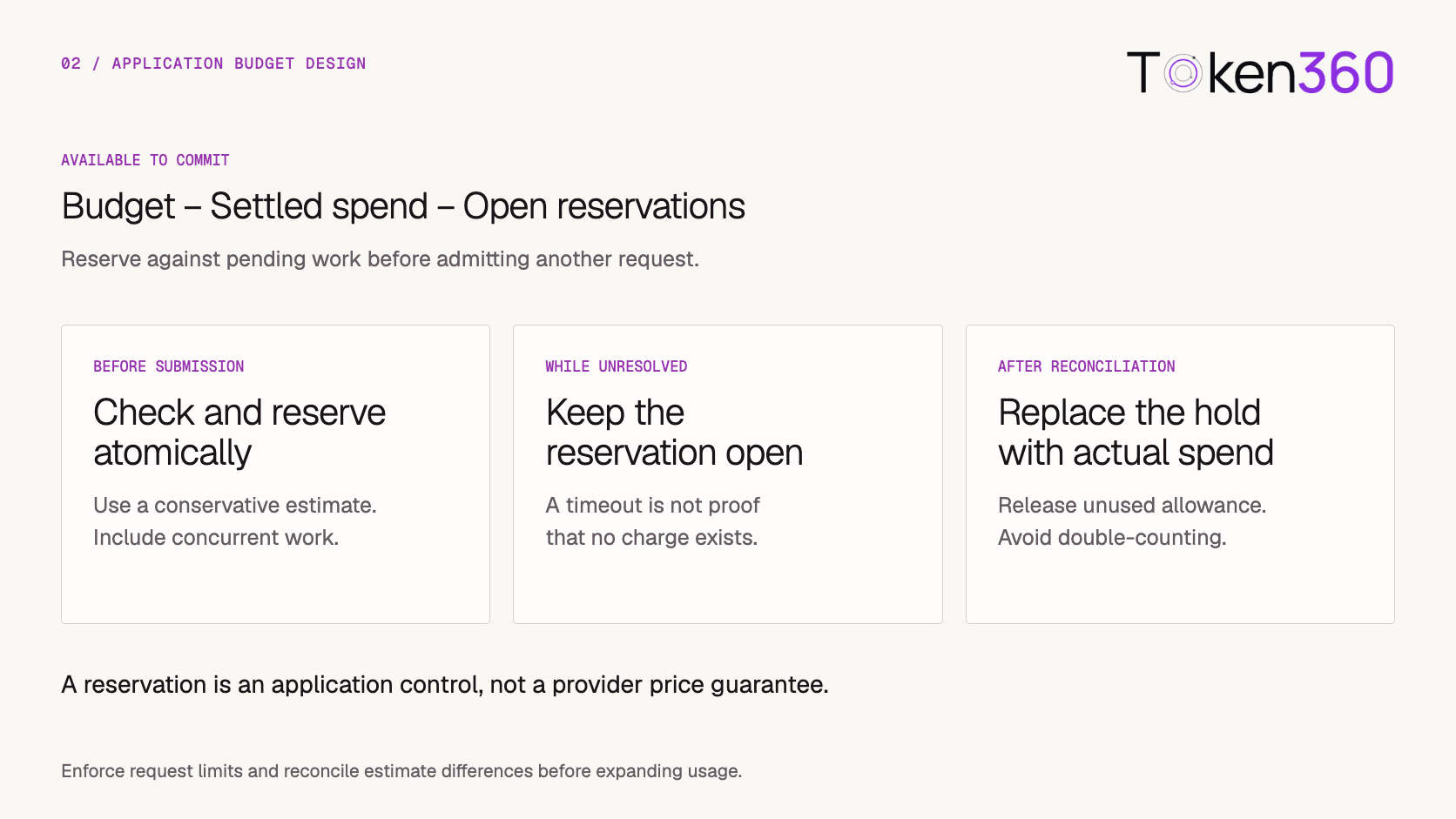
Available to commit = budget − settled spend − open reservations
Before submitting a request, check the allowance and create its reservation atomically. This prevents multiple workers from independently claiming the same remaining budget.
Use a conservative estimate based on the allowed configuration. Keep the reservation open while the task or billing outcome remains unresolved.
When the charge is reconciled, replace the reservation with actual spend and release any unused allowance. Avoid counting both the full reservation and the settled charge for the same work.
Reservations are application controls, not provider price guarantees. If the eventual charge can exceed the estimate, combine reservations with request limits, headroom, and discrepancy handling.
For implementation details, continue with How to Control AI Video API Costs in Production.
Build a Comparison Record You Can Audit
Preserve enough context to reproduce the decision.
Compare results by brief type when the work differs materially. A single average can hide an expensive dialogue workflow inside an otherwise efficient product-shot batch.
When evaluating Token360, identify the exact operation through the model catalog, then confirm the current rate for the selected configuration. Use the API overview as the integration starting point.
The Google prices in this article are an external reference. They do not establish Token360’s account-specific charges.
Choose the Workflow With the Right Economics
Use the result that matches your original decision.
For model selection, compare accepted-output cost at a defined quality bar. For provider selection, compare equivalent configurations where available. For production planning, use the complete delivered workflow.
A cheaper attempt is valuable when it maintains the required outcome. A higher-priced attempt may be justified when it reduces rejection or finishing work. Neither conclusion should be assumed before testing.
Document the scope of the decision: workload, model, route, settings, sample size, and test date.
Keep the older evaluation when prices or versions change, but label it as historical. Recheck the affected assumptions before applying the conclusion to a new configuration.
Explore models on Token360 and estimate a small pilot using your own acceptance criteria.
Frequently Asked Questions
Does the cheapest price per second produce the cheapest clip?
Not necessarily. Rejected outputs, repeated attempts, and editing can outweigh the unit-price difference. Compare cost per accepted deliverable using the same quality requirements.
Are failed generations always free?
No universal rule applies. Check the provider, model, and failure stage, then reconcile actual usage. A local timeout does not prove that no billable task was created.
Should I include human editing?
Include it when estimating production cost. Keep it separate from generation-only cost so you can understand what changes when you switch models or workflows.
Can I use a subscription price as an API rate?
Only when the provider explicitly defines how the allowance applies to API usage. Otherwise, treat subscription access and API billing as separate products.
How often should a published pricing guide be updated?
Recheck quoted rates before publication and whenever the provider changes the relevant model, tier, or billing rules. Retain a visible verification date and the exact pricing source.
What if my pilot produces no usable clips?
Report the total spend, attempt count, and rejection reasons. Revise the workflow or candidate before expanding usage. A zero-acceptance pilot cannot support a usable cost-per-deliverable estimate.
What to read next



 Comparison
 Comparison
 Comparison