AI Video Continuity Problems: When to Regenerate and What to Change
Diagnose AI video continuity problems with bookshop and train examples. Learn when to rerun, what to change, and how to compare results without cherry-picking.
Regenerate an AI video when it fails a requirement that matters to the shot. First identify the failure: an unwanted cut, a broken motion path, a changing object, or an action that does not match the prompt. Preserve the original, then compare an unchanged rerun with one deliberate revision.
A different-looking result is not automatically a better result. A smooth train shot can still enter from the wrong direction; a bookshop scene can change framing without violating its original brief. Your acceptance criteria should decide what needs another attempt.
Prepared by Token360. Sources checked October 23, 2026. This guide uses two historical production examples and their October 21 review records. We rechecked the sampled-frame contact sheets for this article; those sheets cannot establish frame-by-frame continuity or audio correctness. The controlled reruns below are a proposed test, not completed measurements.
“Not continuous” is a useful first reaction, but it is too broad for a controlled revision. Record the timestamp, what was expected, and what changed. Separate a cut between viewpoints from an object that changes shape inside one viewpoint.
Symptom
Check against the brief
First intervention to test
Unexpected cut or reframing
Was one uninterrupted shot actually required?
State the continuous-shot requirement explicitly.
Teleporting or broken motion
Does a subject change position without a plausible path?
Reduce simultaneous actions while retaining the main trajectory.
Object or identity drift
Which feature changes, and when?
Check reference consistency before increasing prompt detail.
Wrong action or direction
Is the requested action visible and unambiguous?
Clarify one spatial relationship or remove one competing action.
Wrong dialogue or sound
Was the sound requested, and was audio enabled?
Review audio separately; a smooth picture does not validate it.
These interventions are hypotheses, not guaranteed fixes. Google's video prompt guide distinguishes shot viewpoint from camera movement, including static shots. That vocabulary helps describe an intended result; it does not guarantee every generation will follow it.
What our bookshop and train examples actually show
The historical review contains two eight-second, 1280 × 720 files with audio tracks. Their production brief specified Veo 3.1, text-to-video, 16:9, audio enabled, and no fixed seed. However, the archive does not include the original task IDs and complete request records. Treat the model and settings as the intended setup, not independently verified execution metadata.
Example
Recorded observation
What it supports
05 · Bookshop
The review notes a change of framing around two seconds. Sampled images show an entrance view followed by a closer counter view.
A single-shot requirement would need a different candidate. The original prompt did not prohibit cuts.
16 · Train arrival
The train approaches from the central distance toward the left foreground. The review also flags passenger movement around three to five seconds as not clearly one step.
The direction does not clearly match “enters from the left.” Exact step count still needs continuous playback.
The earlier review inspected nine sampled frames from each contact sheet and checked media decoding. Audio content was not listened to during that review. An audio track's presence therefore does not prove the correct bell, spoken line, or synchronization.
These are two selected troubleshooting examples, not a random benchmark. They cannot establish a model failure rate, prove which prompt is better, or quantify how many retries a typical user needs. They do establish a practical distinction: the bookshop needs a clearer editorial requirement, while the train needs closer checking against an existing action requirement.
Save the original output and settings
Keep the original even if it will not be the article's hero example. Save the exact prompt, source media, output file, model ID, route, duration, resolution, aspect ratio, audio setting, seed if supplied, job ID, actual charge, and time measurement method. Label missing fields as unknown.
A request ID or task ID is the service's identifier for a generation. It helps reconnect a file with the settings and billing record; it is not an API key. Keep credentials out of the evaluation log.
Use filenames such as bookshop-original.mp4, bookshop-baseline-01.mp4, and bookshop-continuous-shot-01.mp4. Do not overwrite an unsuccessful candidate with the improved version. Preserve the evidence needed to explain why the final clip was selected.
Before starting new work, verify the exact route and options on the Token360 Veo model page. A matching marketing name across providers is not enough to establish an identical execution path.
Choose between an unchanged rerun and one controlled revision
An unchanged rerun asks whether the same brief can produce an acceptable candidate. A controlled revision asks whether one specific instruction is useful. If you change the model, prompt, duration, reference image, and camera movement together, you may improve the clip, but you will not know which change mattered.
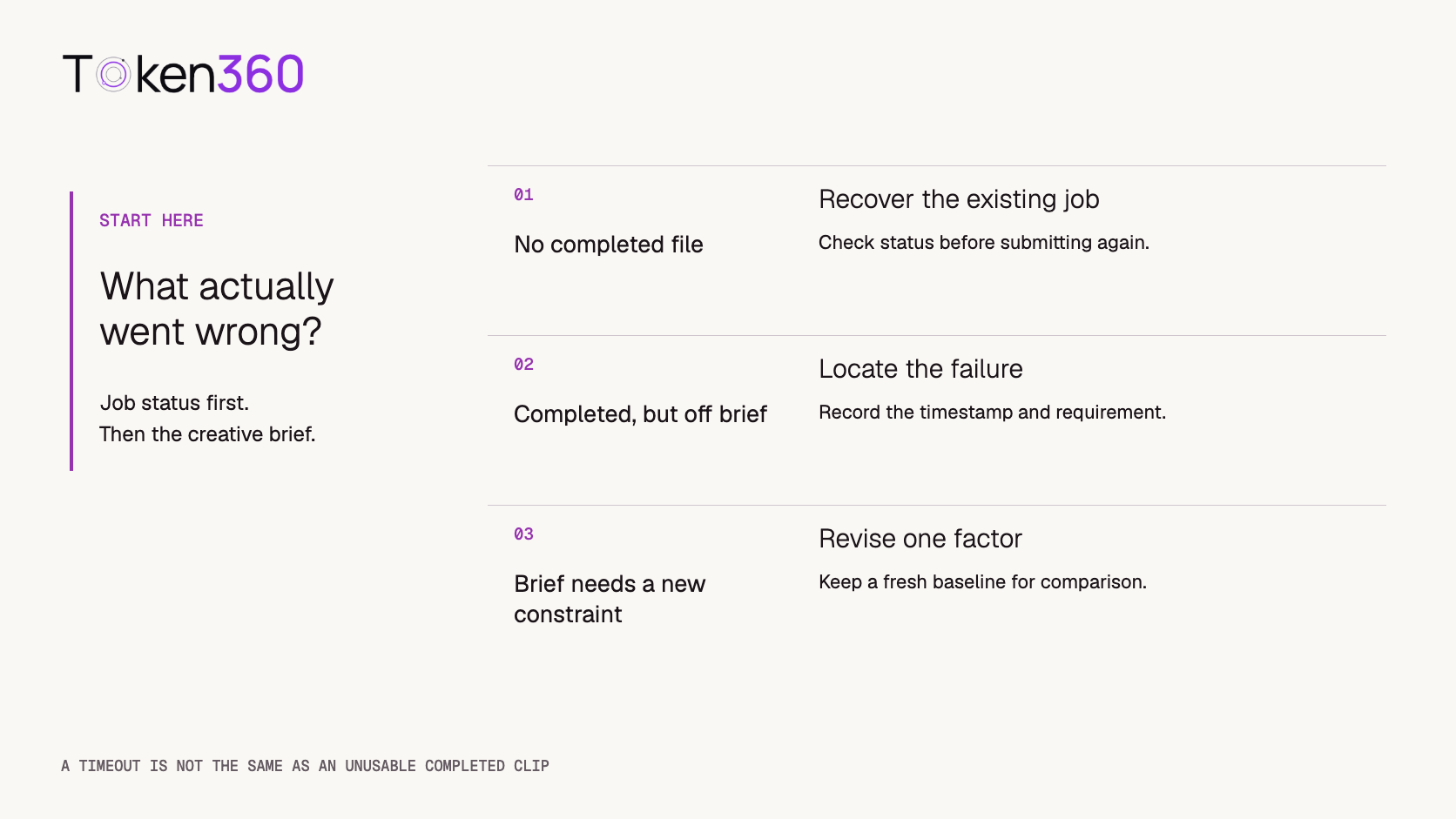
Technical recovery and creative regeneration require different decisions.
Bookshop: make the uninterrupted-shot requirement explicit
The original production prompt was:
A visitor enters a small bookshop and stops near the counter. A quiet door bell rings as the visitor enters. The bookseller looks up and says, “The reading starts at six.” The visitor smiles without speaking. Keep the room ambience soft and the dialogue clear. No music.
For the revised condition, keep that text and append only:
Present the entire scene as one continuous, uninterrupted shot.
This tests a missing shot-continuity instruction. It does not simultaneously demand a new lens, fixed camera, or altered dialogue. Score the added no-cut requirement separately from the original actions and audio requirements. If the entrance and counter cannot remain legible in one shot, a later experiment can test composition.
Train: reduce competing action without rewriting the scene
The original production prompt was:
A wide view of a quiet rural railway platform in overcast daylight. A train enters slowly from the left. One passenger in a dark coat takes a single step away from the platform edge. The camera remains fixed throughout the shot.
For one diagnostic revision, replace the passenger-action sentence with:
One passenger in a dark coat stands still away from the platform edge.
Leave every other sentence unchanged. This tests whether reducing passenger movement helps the train's trajectory and shot stability. It does not produce an equivalent version of the original brief: the requested step has been removed. A good result is a simplification candidate, not proof that the model can perform the one-step instruction.
If the direction still fails, test spatial wording in a separate round—for example, explicitly locating the train off-screen on the left at the start. Do not combine that change with the first revision and attribute the result to reduced action alone. The original train prompt contains no specific audio instruction, so do not score missing train sounds as a violation of that prompt.
Use a small matched batch instead of cherry-picking one success
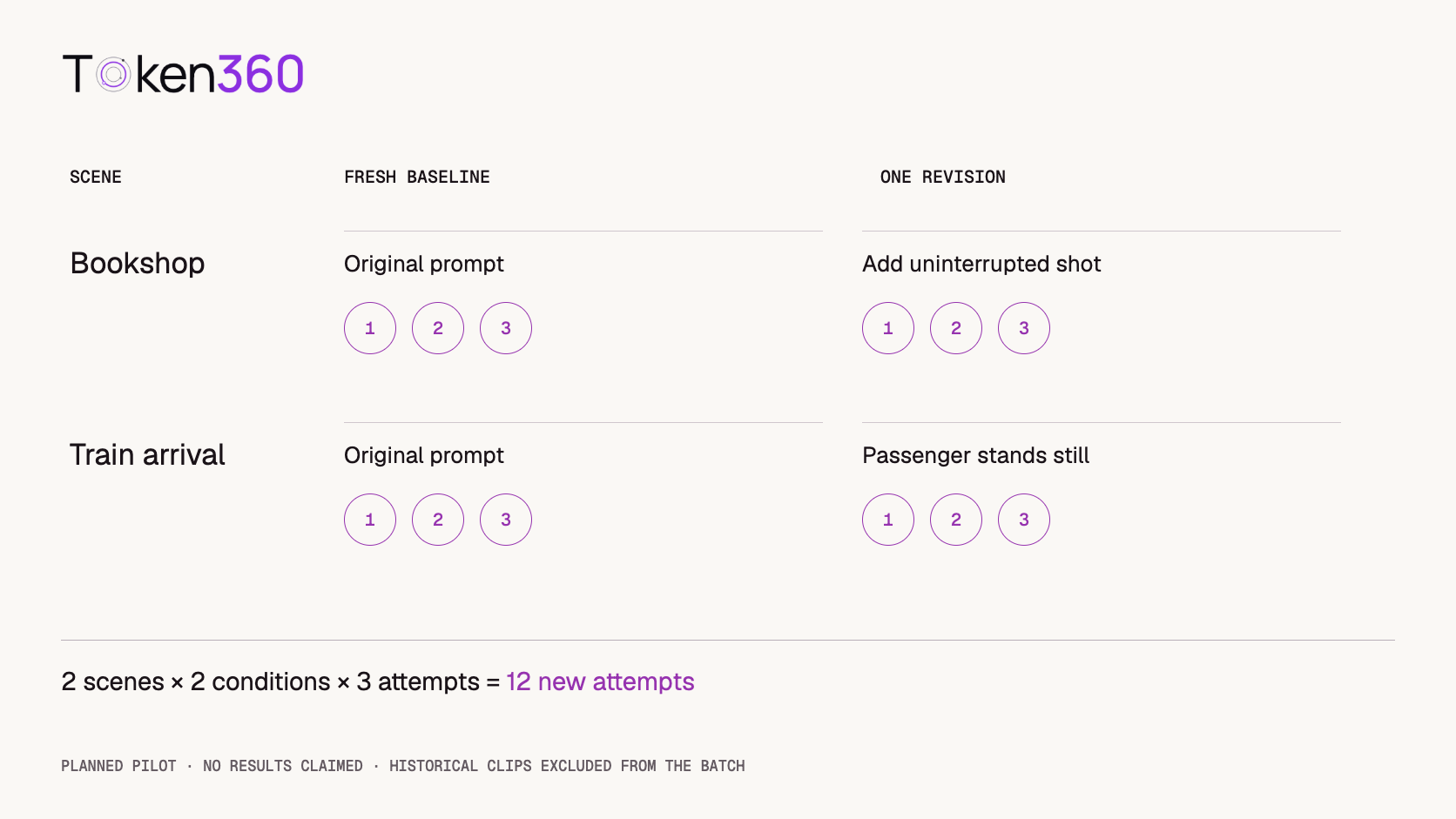
A practical pilot is three fresh baseline attempts and three revised attempts for each scene: 12 new attempts total. The two historical clips stay outside this batch because they were selected after problems were noticed.
Proposed pilot only. Historical examples are not counted as fresh baseline attempts.
Keep the same route and output settings for the batch. Alternate baseline and revision submissions to reduce ordering effects. If the route supports useful seed control, preselect three seeds and pair each baseline with its revision; record them. Otherwise leave the seed policy consistent and document that attempts are unpaired stochastic outputs. A seed is not a promise of identical results across provider or version changes.
Do not call three outputs per condition statistically conclusive. Report each outcome and the denominator. “Two of three passed our no-cut check in this pilot” is narrower and more useful than “this prompt fixes continuity.” No such result has been measured for the proposed revisions in this article.
Score visual continuity separately from audio accuracy
Review the full clip at normal speed, then replay the suspected interval slowly. Contact sheets locate large changes but can miss a brief cut, malformed intermediate frame, or timing error. Evaluate against a checklist written before seeing the candidates.
Shot continuity: does the shot remain uninterrupted when required?
Motion and identity: do position, direction, body, and object features remain coherent?
Action compliance: are the requested entrance, stop, step, or smile visible?
Audio: are the requested words, speaker, sound events, and timing correct?
Delivery: is the file complete and usable in its intended context?
Use pass, fail, and not reviewed for each criterion. Add a timestamp and short reason for every failure. A bookshop clip can pass visual continuity and remain unapproved because its dialogue has not been checked. Do not average a missing required sentence away with a high visual score.
If identity drift is the central issue, use the character consistency guide. If the clip uses incompatible start and end images, inspect those inputs using the first-and-last-frame guide before paying for more reruns.
Set a stopping rule and record the real retry cost
For this pilot, stop after the planned batch and review it before spending again. A second round should have a named hypothesis. If a required action keeps failing, simplify the shot, change the reference setup, or split it into separately generated shots when the deliverable permits editing.
Batch spend = sum of actual charges across all attempts
Accepted-clip cost = batch spend / clips passing every required check
If none passes, report the spend and zero accepted clips; the ratio has no finite value. Include charged rejected attempts. Keep generation expense separate from editing and human review. For elapsed time, label manual timing as manual submission-to-result time, not model inference latency. We do not have verified generation charges or latency for these two historical videos, so this article makes no cost or speed claim about them.
Do not submit a new creative attempt simply because a client stopped waiting. For example, fal's queue documentation explains that a client timeout can stop polling while the server job continues. Check the existing job state first; the behavior of another service must be verified separately. See our API error-handling guide for technical recovery.
Decide what belongs in the published guide
Use an accepted clip as a successful example only when it demonstrates the claim beside it. If you trimmed, replaced audio, or assembled multiple shots, disclose the edit. Do not describe a selected third attempt as the first output.
An unsuccessful clip can be useful beside its exact prompt, timestamped failure, and revision hypothesis. Label it as a failure example. A decorative scene change may be acceptable for an atmosphere video, while the same cut undermines a tutorial demonstrating continuous motion.
Next step: choose one failed requirement, preserve the original, and run a bounded comparison with a verified route from the Token360 model catalog. Review the candidates before increasing the batch.
FAQ
Should I regenerate every imperfect AI video?
No. Regenerate when the imperfection breaks a required action, continuity rule, identity feature, audio requirement, or delivery constraint. An acceptable creative variation may not need another attempt.
Does an unexpected cut mean the model failed?
Only if it violates the brief or makes the output unsuitable for its intended use. Our bookshop prompt did not request an uninterrupted shot, so its change of framing is not sufficient evidence of prompt noncompliance.
Does one better rerun prove that my revised prompt works?
No. It gives you a candidate. Compare fresh baseline and revised attempts under consistent settings, disclose the small sample, and report the failures as well as successes.
Should I keep the same seed?
If the route supports seed control, paired seeds can help structure a comparison. Record the model, provider, and settings too; matching seed values alone do not establish reproducibility across routes or updates.
Can a failed output be included in a blog?
Yes, when labeled clearly and used to explain a specific limitation. Keep it distinct from accepted output, state what was inspected, and do not claim that an untested revision solves the problem.
Should I fix audio and visual continuity in the same rerun?
For a diagnostic test, change one factor at a time and score both tracks separately. For production, broader edits may be practical, but they will not isolate why the result improved.



 Tutorial
 Tutorial
 Tutorial