Useful Veo prompts make a scene easy to observe: who or what appears, what happens, where the camera is, and what the audience hears.
Start with one coherent event. Then describe the framing, relevant sound sources, and details that should remain consistent. For dialogue, identify the speaker and write the intended line explicitly.
The challenge is often the relationship between these elements. A baker may look convincing while speaking too early. Rain may sound plausible while the picture shows a dry scene. A correct sentence may come from the wrong character.
This guide provides original prompts and a review process that separates visual action, audio accuracy, and synchronization. The examples are test briefs, not demonstrated Veo results or guarantees of exact behavior.
Before you read: Veo API Guide for Asynchronous Video Generation explains the implementation context. Confirm the model and input mode before testing a prompt that depends on references, frame controls, or native audio.
For the workflow connecting model inputs, operations, and generated assets, start with Multimodal API Guide: Text, Image, Video, and Audio Workflows.
Confirm the Model and Input Mode
A prompt expresses creative intent. The selected interface determines which controls are available.
Google’s Veo API documentation describes native audio, image guidance, frame-specific generation, and extension workflows for supported configurations. Check the selected model variant and mode before combining those features. See the official Veo API guide.
Record your starting configuration:
Use documented request fields for technical settings where available. Writing a resolution or duration into prose does not replace configuring the request.
Also distinguish general prompting guidance from an API contract. Google Cloud guidance can help describe a scene, but it does not establish the fields accepted by a Gemini API or third-party endpoint.
Begin With One Observable Event
“A train arrives” leaves the composition, movement, and timing largely open.
A more testable brief is:
A wide view of a quiet rural railway platform in overcast daylight. A train enters slowly from the left. One passenger in a dark coat takes a single step away from the platform edge. The camera remains fixed throughout the shot.
This gives a reviewer visible requirements: entry direction, pace, one passenger action, and a fixed viewpoint.
Do not make a short clip establish a city, follow several characters, cross multiple locations, and finish with a conversation. Identify the event the shot must communicate.
Google’s video prompt guide discusses subjects, actions, scene context, and cinematic direction. Use those concepts to resolve creative decisions. See the official video prompt guide.
A practical drafting checklist is:
Scene → event → camera → sound → ending
This is an editorial structure, not special Veo syntax. Omit an element when it adds no useful direction.
Keep Sound Attached to a Source
Separate environmental sound, action-linked effects, and speech in your brief.
Google recommends separate sentences for audio direction and distinguishes sound effects, ambience, and dialogue in its prompting guidance.
A sound source can be offscreen. Distant traffic is reasonable at a bus stop even if no car appears. The important point is that the sound has a clear role in the scene.
Music and voiceover are different creative choices. If you want them, specify their purpose instead of leaving the model to infer a soundtrack from a mood adjective.
Original Prompt: Rain and Environmental Sound
A close view of rain falling onto a red umbrella at a quiet bus stop. The camera remains still as droplets collect and run from the umbrella’s edge. Soft rain patters on the fabric, with faint road noise in the distance. The soundscape contains only rain and distant traffic. The shot ends while the umbrella remains steady.
Use it for: testing a simple relationship between a visible environment and its sound.
Visual checks: Are droplets visible? Does the umbrella remain coherent? Does the camera stay still?
Audio checks: Is the rain audible without overwhelming the scene? Does unexpected speech or music appear?
Synchronization checks: Does the overall rain intensity plausibly match the picture?
Do not require a precisely identifiable sound for every tiny droplet. Define the level of timing accuracy the deliverable actually needs.
If the audio is too busy, revise the sound description first while keeping the visual brief unchanged. That gives the next test a clear purpose.
Original Prompt: One Speaker and a Short Performance
Dialogue works as part of an event, not merely as text attached to a face.
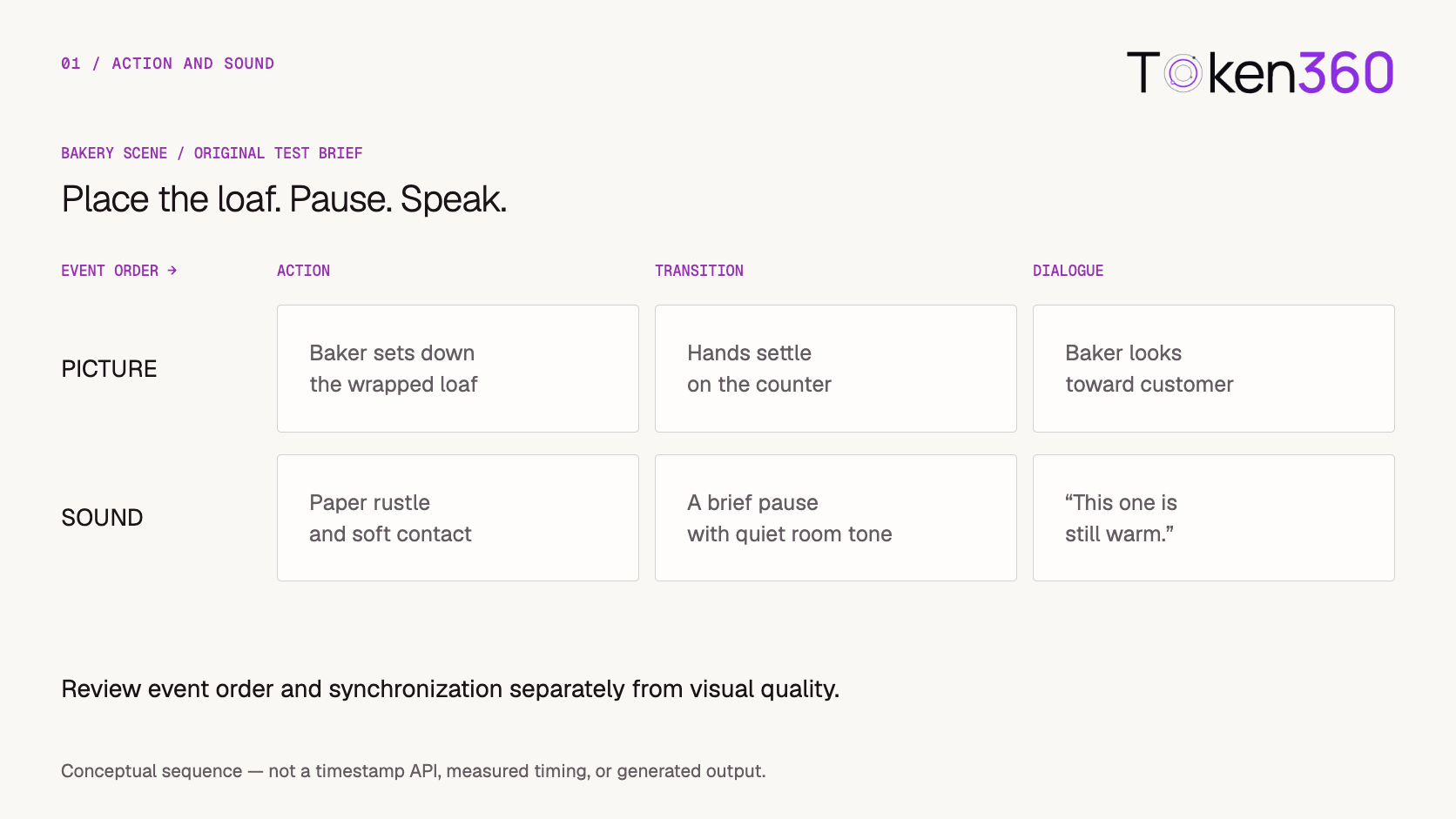
A baker in a cream apron places a wrapped loaf on a wooden counter. After the loaf comes to rest, the baker looks toward the customer and says warmly, “This one is still warm.” Hold a steady medium shot. Paper rustles as the loaf touches the counter. The remaining background is quiet room tone.
Use it for: testing action order, a short spoken line, and a related sound effect.
Review: Does the baker place the loaf before speaking? Are the words correct? Does the rustle accompany the movement? Is the line complete before the clip ends?
Read the dialogue aloud at the intended pace. Leave time for the physical action and a natural pause. If the selected duration cannot comfortably contain both, shorten the event or split it into separate shots.
Words such as “after” and “then” communicate order. They do not create frame-accurate timing controls.
Avoid adding camera movement during the first test. A stable view makes speech and action easier to inspect.
Original Prompt: Two Speakers With Clear Turns
Identify speakers using stable visible descriptions and keep the exchange short.
A steady medium two-shot at a small café table. The customer in a navy jacket asks, “Is this seat free?” After a brief pause, the customer in a tan sweater replies, “Yes, please sit.” Both customers remain in their positions during the exchange. Quiet café room tone sits beneath the dialogue. The voices take turns without overlapping.
Use it for: testing speaker assignment and a simple conversational sequence.
Avoid pronouns that could refer to either character. “The customer in the tan sweater replies” is easier to evaluate than “they reply.”
If speaker assignment fails, reduce simultaneous movement and background activity before adding more dialogue. You can also test each line independently to distinguish a speech problem from a conversational sequencing problem.
Choose the Camera Behavior That Serves the Event
A camera move, a zoom, and a focus change are different instructions.
For a dialogue test, a fixed medium shot may provide the clearest view. For an object reveal, a forward move may be appropriate. If the goal is to direct attention without changing composition, a focus change may be the relevant choice.
Original prompt: a restrained detail reveal
A ceramic teapot rests on a wooden table beside a folded cloth. The camera moves slowly forward, keeping the teapot fully visible. A thin trail of steam rises from the spout. The teapot and cloth remain stationary. The room has a soft background hum.
Review: Does the camera move closer without cropping the teapot? Does the subject remain stable? Does the steam introduce unwanted deformation?
Specify the intended outcome rather than stacking technical terms. A request for a fixed shot, orbit, zoom, and dramatic focus change gives the model competing directions.
Advanced cinematic effects are still behaviors to test. Their presence in a prompt does not make them deterministic controls.
Adapt the Prompt to the Role of Each Image
Before uploading an image, identify its role in the workflow.
These roles are not interchangeable.
For image-to-video, let the source establish the scene and concentrate the prompt on what changes.
Original prompt: animate a supplied still
Assumes the input already shows a paper lantern hanging in a courtyard.
The lantern sways gently from side to side while the camera remains fixed. The courtyard and surrounding objects stay still. A light breeze is audible. The lantern’s movement becomes smaller near the end of the shot.
Review: Is movement concentrated in the lantern? Does its appearance remain stable? Does the ending leave a usable edit point?
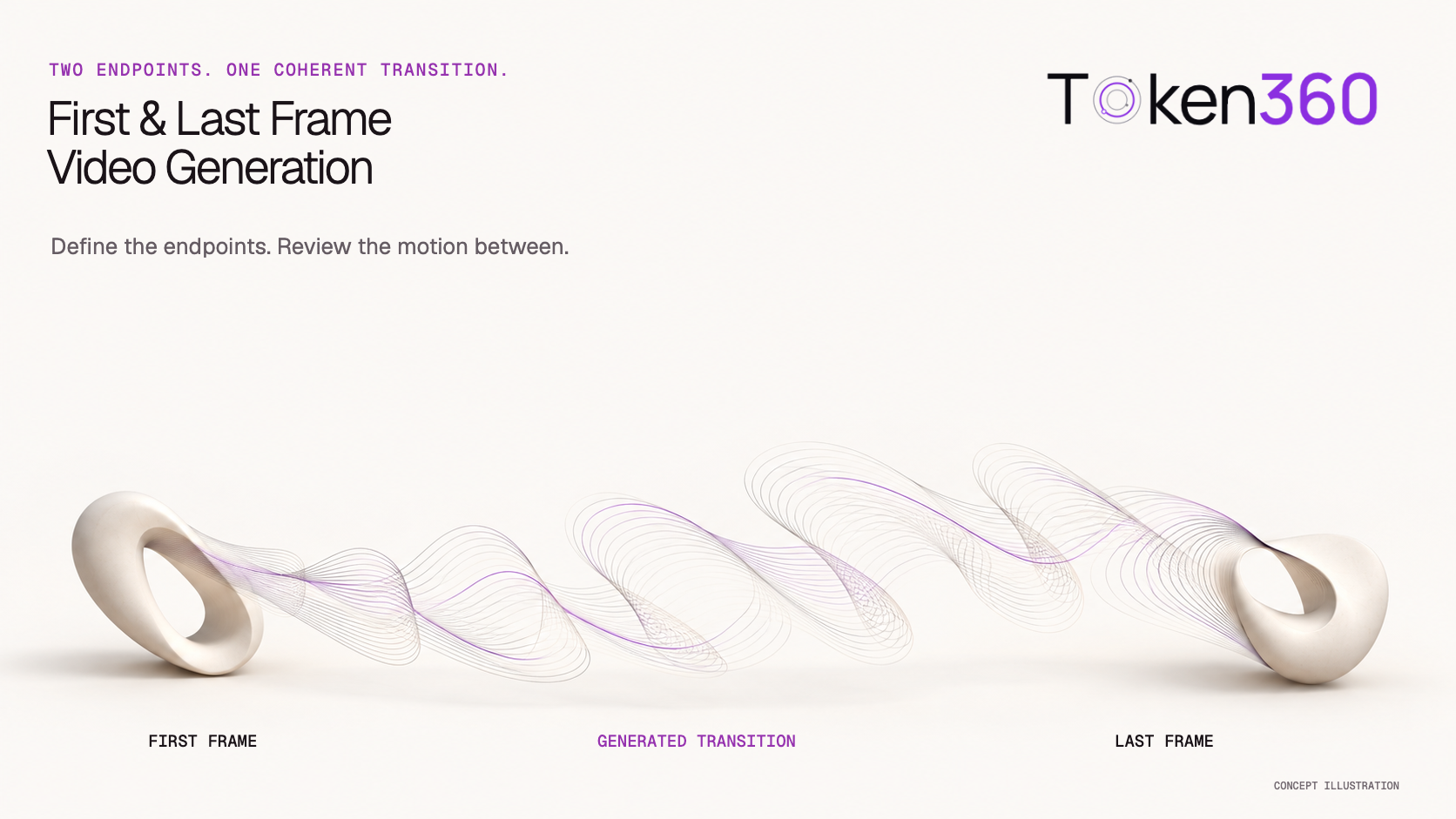
When providing supported start and end frames, describe a plausible transition. For a box that begins closed and ends open, explain the intended opening action rather than merely repeating the contents of both images.
If the endpoint does not accept the required frame mode, prompt text cannot supply that missing control.
Review Picture, Sound, and Synchronization Separately
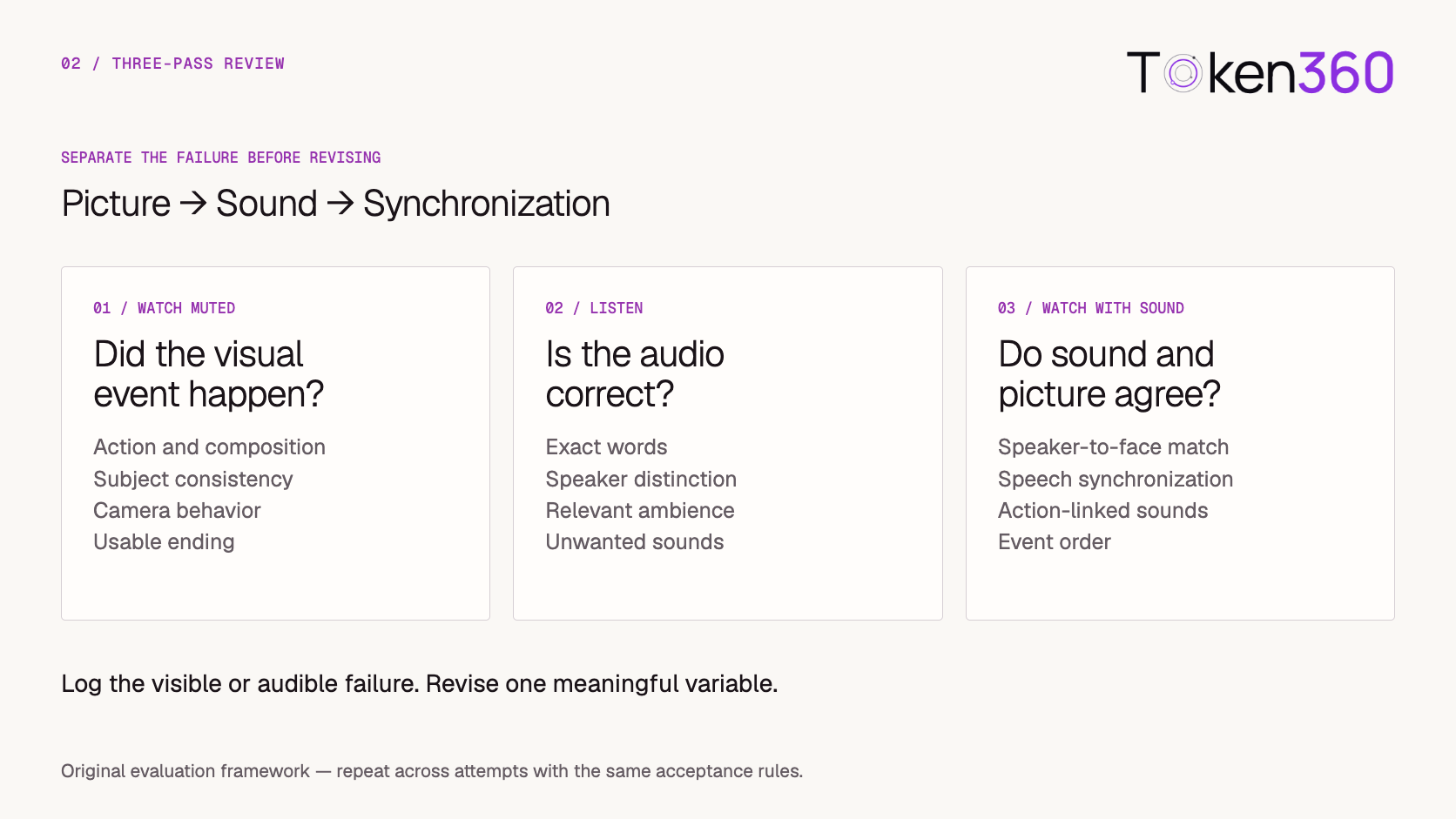
Use three passes to identify what needs revision.
First, watch with the sound muted. Check the action, composition, subject consistency, camera behavior, and ending.
Second, listen without relying on the picture. Check the words, speaker distinction, ambience, intelligibility, and unwanted sounds.
Third, watch with sound. Check speaker-to-face assignment, visible speech timing, action-linked effects, and event order.
For the bakery example, a useful review record might be:
This is more actionable than “the scene feels wrong.”
Define which failures require rejection. A slight variation in room tone may be acceptable; an incorrect mandatory line may not be.
Automated transcription can help flag possible speech differences, but the delivered audio and video still need review for meaning, speaker assignment, and synchronization.
Revise the Failed Relationship
Change one meaningful variable at a time.
Treat each revision as a hypothesis.
If the baker speaks too early, test a simplified sequence: place the loaf, pause, speak. Keep the model, reference assets, camera instruction, and other settings fixed.
Run several attempts within a defined allowance. Preserve rejected outputs so you can assess whether the revision improves the behavior consistently.
Also check the endpoint settings. Missing audio or an unsupported reference mode may be a configuration issue rather than a prompting problem.
Keep Prompts With Their Operating Context
A useful prompt library includes the conditions under which each prompt was evaluated.
Record:
-
The creative brief and acceptance criteria.
-
Exact model identifier, serving route, and test date.
-
Input mode and source asset identifiers.
-
Prompt text and revision history.
-
Exposed settings, including duration and output configuration.
-
Attempt count and separate visual, audio, and synchronization results.
For Token360, use the model catalog to identify a candidate and the API overview as the integration starting point. Confirm the selected route’s controls before testing.
Preserve the human-readable brief separately from endpoint-specific fields. This makes it easier to reevaluate the same requirement after a model update.
When exact speech is essential, compare native generation with a separately produced and reviewed audio workflow. If the speaker is visible, any replacement audio also requires synchronization checks.
Explore models on Token360 and test one short scene with separate visual and audio acceptance rules.
Frequently Asked Questions
What should a Veo prompt include?
Describe the scene, the event, the camera, and the intended sound. Add details that affect acceptance, including speaker identity and event order when dialogue is involved.
Should I describe every object?
No. Prioritize objects that affect the action, composition, or sound. Extra details are useful when they clarify the brief rather than obscure its main requirement.
Can a prompt guarantee exact speech?
No. Review the generated words and timing. If exact delivery is mandatory, evaluate a separate approved audio workflow and its synchronization requirements.
Should I always request camera movement?
No. A fixed shot is often a useful baseline for dialogue or action-linked sound. Introduce movement when it serves the scene.
Does a weak result need a longer prompt?
Not necessarily. Remove conflicting directions, check the configuration, and revise the specific failure first.
Can I reuse the same prompt across Veo versions?
Use it as a starting brief, then retest. Keep the acceptance rules fixed and record the model, route, settings, and multiple attempts.
What to read next
Related model integration and prompt guides
Review the currently listed Veo 3.1 model and its controls before mapping these examples to a production request.


 Tutorial
 Tutorial
 Tutorial