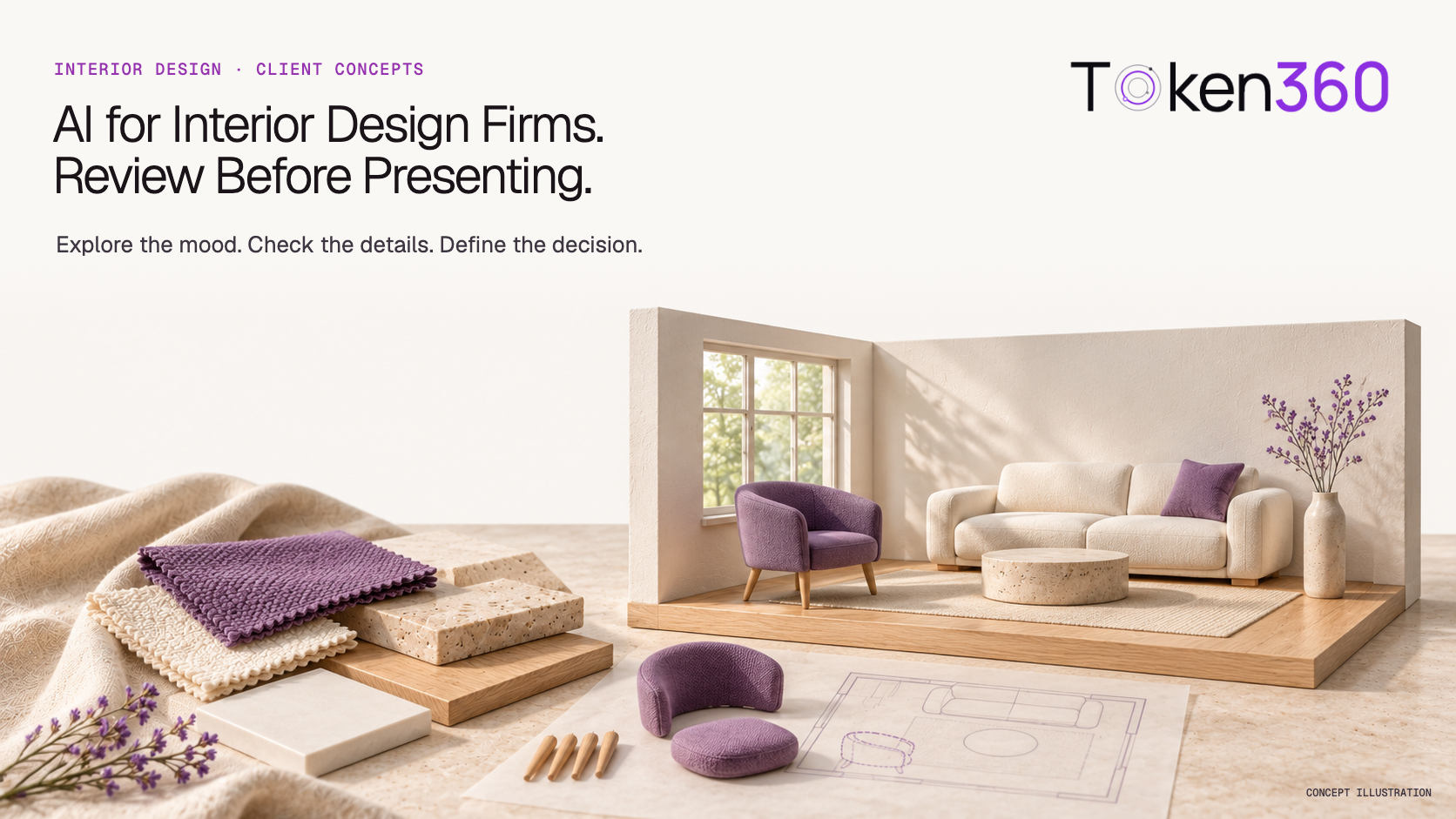
AI for Interior Design Firms: Review Before Presenting
Use AI APIs for interior design concepts without confusing visual approval with verified layouts, product selections or purchasing decisions.
INDUSTRY USE CASES · INTERIOR DESIGN
Interior design firms can use AI model APIs to organize client briefs, explore visual directions and prepare presentation narratives. The useful output is a reviewed concept package, not merely a convincing room image. Keep measured geometry, product specifications, budget and client approvals separate from generated suggestions so a visual preference does not become an unintended purchasing or construction commitment.
A client can approve the atmosphere of a room while rejecting its furniture, layout or price. That distinction matters when a studio introduces image generation into proposals. More attractive variations are helpful only if the designer can explain what changed, what remains fixed and what the client is actually being asked to decide.
Evidence boundary: This article proposes a workflow for design studios and their technology teams. The project example is fictional, not a Token360 customer case or model benchmark. Official documentation was checked November 14, 2026. No CAD integration, geometry-preservation guarantee or measured time saving is claimed.
Where does AI fit in an interior design firm's workflow?
Place AI at the point where the team translates an agreed brief into options for discussion. Text models can help organize requirements and explain alternatives; image models can help explore atmosphere and finishes. Designers still decide which options respect the project, and the studio's existing documentation remains authoritative for dimensions and specifications.
There are three useful outputs to consider: a structured brief, a set of visual alternatives and a decision record. These outputs support different jobs. A brief records what the client asked for. A concept explores a possibility. A decision record captures which aspect was accepted, deferred or rejected.
Combining them into one unlabeled image makes review harder. A client may interpret the pictured sofa as a selected product when it is only a visual placeholder. A project manager may treat a room's apparent openness as evidence that circulation has been checked. Neither conclusion follows from the picture alone.
Output
Useful role for AI
What establishes authority
Client brief
Group stated needs and flag contradictions
Client-confirmed requirements and dated source notes
Concept visualization
Explore palette, mood and alternatives
Designer review against the brief and base view
Product schedule
Draft descriptions from supplied product records
Verified supplier data, item identifiers and selections
Client decision record
Summarize explicit feedback
Named reviewer and approval of specified aspects
What should the studio confirm before generating images?
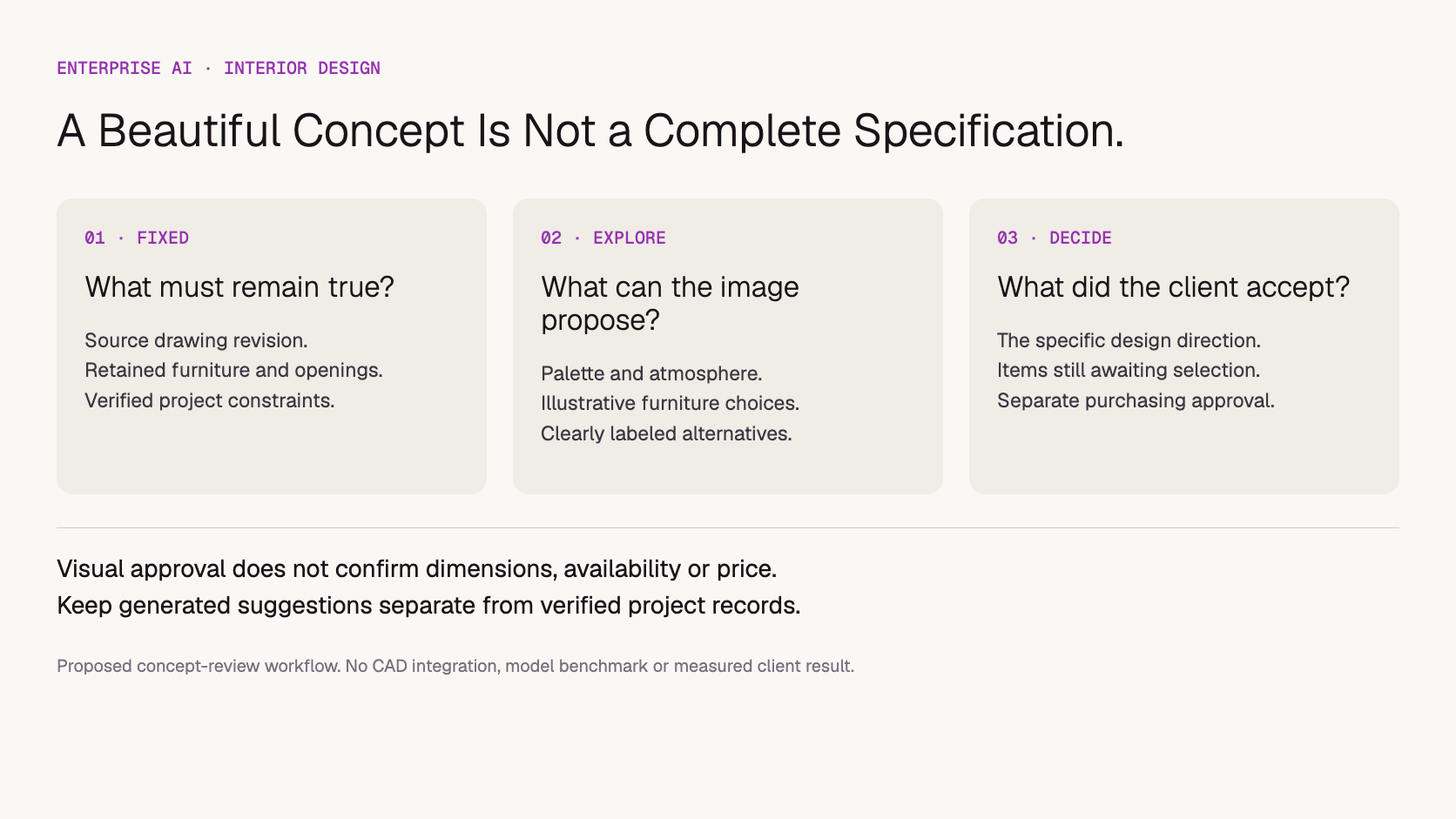
Separate fixed constraints from exploratory choices before sending a request. Record the source view, room identity, existing elements that must remain, intended changes and the decision the image should support. Include unresolved requirements as questions. A model should not silently turn missing dimensions, product availability or an unconfirmed budget into apparently settled design facts.
For a renovation concept, identify which walls, doors, windows and retained furnishings are fixed. For a new scheme, record which geometry is provisional. Keep the actual drawing or model revision alongside the visual request rather than relying on a prose summary to preserve every constraint.
SketchUp's official AI Render documentation describes taking a snapshot of the model view, using prompts and editing tools, and refreshing the snapshot after model changes. This illustrates why the source view and its revision matter. It does not establish identical controls or geometry fidelity for another model API.
Store a compact request packet: project identifier, room identifier, source revision, image references, fixed constraints, permitted changes, model identifier and actual request settings. Check the selected model's supported inputs before choosing a workflow. A platform offering image models does not imply that every model accepts multiple references, masks or the same editing parameters.
Review the image against the intended decision, not only against aesthetic quality. A palette study can be useful even when its furniture is illustrative, provided that limitation is explicit. A layout proposal requires a different review: the designer must check geometry and spatial relationships against authoritative project information before presenting it as a layout choice.
Fictional example: A studio is preparing a lounge refurbishment. The client wants a calmer atmosphere, wants to retain the existing sofa and window arrangement, and has not yet selected a chair. The team explores two finish directions from the same base view.
One generated option looks appealing but changes the sofa's silhouette and adds a wall opening. Another keeps the broad arrangement but invents a distinctive stone table. These are hypothetical review findings, not observed model outputs. The appropriate response depends on what the presentation is intended to communicate:
Reject or revise an option that changes a fixed architectural element. A small caption is insufficient when the main image communicates the wrong room.
Mark the chair and table as illustrative if the image is only a mood discussion. Do not attach invented supplier names or prices.
Use a verified product image and specification when the client is choosing an actual item.
Record a response such as “finish direction B accepted; furniture selection pending” instead of “design approved.”
This approach permits exploration without treating every detail in an attractive image as a promise. If accurate retention cannot be achieved within the review budget, use an annotated mood board or a conventional rendering from the project model for that decision.
A proposed review framework. Acceptance of a mood does not approve geometry, product specifications or purchasing.
How should client presentations label AI-assisted concepts?
Describe both the image's purpose and the limits of the decision being requested. Put the qualification beside the image where the client will see it. Identify illustrative products, unresolved selections and the underlying project revision, then ask for a specific response about the design direction rather than an ambiguous approval of the entire scene.
A practical caption might read: “AI-assisted finish concept based on lounge view revision C. Review the palette and overall atmosphere. Chair, table and decorative objects are illustrative; product selection, dimensions and pricing remain pending.” This is a suggested communication pattern, not a legal disclosure standard.
Use separate fields for atmosphere, finish direction, retained elements, furniture selection and unresolved issues. Feedback such as “love this” should trigger clarification: does the client like the palette, the lighting mood or the exact furniture? The assistant can draft that follow-up, but it should not infer approval from enthusiasm.
When generating a second view or a walkthrough, check it against the same source record. A visually smooth camera move is not evidence of a spatially consistent model. For examples of image and walkthrough limitations, see the architecture Prompt Library observations; that article examines specific creative outputs rather than the studio approval workflow covered here.
Should the firm buy a design tool or use model APIs?
Choose a design application when the main requirement is an integrated workspace for designers. Consider model APIs when the firm has a repeated, custom process across briefs, project records and presentation assets, plus someone to maintain it. Compare the complete workflow, including permissions and review, rather than assuming that a lower generation price makes a custom system cheaper.
Approach
Potential fit
What to verify
Existing design software with AI features
Designers need tools within their current modeling environment
Editing controls, licensing, exports and relationship to source geometry
Standalone visualization application
A team needs a ready-made visual ideation interface
Reference handling, project organization, commercial terms and review process
Custom workflow using model APIs
The studio needs its own brief, generation and approval process across systems
Engineering ownership, supported inputs, access controls, integration and full operating cost
A small team doing occasional concepts may be better served by its existing tools. A larger studio or design technology provider may need centralized request records and different models for brief preparation and visual exploration. The relevant procurement question is whether that flexibility solves a recurring business problem. The broader software-versus-model-API comparison explains the ownership tradeoff.
How can a studio evaluate quality and cost?
Evaluate whether the system produces concepts that designers can responsibly present, at an acceptable total effort. Use representative project briefs and record both rejected images and corrections. Track constraint violations separately from visual quality, because a beautiful result that moves a fixed window may be less useful than a simpler image that preserves the required decision context.
Build a pilot set from materials the firm is permitted to process. Include a room with retained furniture, a restricted palette, a changed drawing revision and a case with incomplete supplier information. Define the expected review outcome before examining the results. Compare alternatives using the same task and source package; document any model-specific differences in supported inputs.
Constraint adherence: Which fixed elements changed, disappeared or became ambiguous?
Decision usefulness: Can the designer ask the intended client question using this asset?
Traceability: Can the team recover the exact source revision and request?
Review effort: How much designer time is needed to inspect, correct and annotate it?
Revision burden: Does a new request preserve previous accepted decisions, or reopen them?
Calculate pilot cost per review-ready concept package using model charges, failed attempts, allocated integration cost and designer review labor. Keep that separate from cost per generated image. A package may contain several views and an explanatory note, so define the unit before making comparisons. The AI API total-cost guide covers the wider budgeting method.
Copy the blank interior concept review register below to record these decisions. It contains no benchmark data or recommended pass rate. Set acceptance criteria with the design lead; this article has not tested a model or established a savings estimate.
Discuss the model workload and operational requirements: brief volume, image inputs, expected revisions, project confidentiality and ownership of the integration. Token360 provides access to text, image, audio and video models; dedicated capacity, negotiated pricing, contracts and compliance requirements can be scoped for an engagement. That model access does not itself provide a finished interior design application.
For this workflow, start with the text and image tasks actually needed. Video may become relevant to walkthrough exploration later, but it adds another consistency review rather than automatically improving a concept package. Specify input formats and output requirements in the quote request instead of buying every modality in advance.
Before uploading client photos or project files, confirm permission and the applicable data-processing arrangements. Remove irrelevant personal material and review the specific model route's terms. Data retention and model training are separate questions; neither should be inferred from a general enterprise label.
As checked November 14, 2026, the Token360 enterprise page describes model access and enterprise commercial options. Availability and commitments need confirmation for the proposed engagement. No ready-made SketchUp connector, supplier catalog integration, universal SLA or professional design certification is asserted here. See Token360 resources and company information for platform context.
Once a design issue becomes a maintenance request, the property maintenance intake guide covers routing and records.
Frequently asked questions
Can AI-generated interiors replace measured drawings?
A generated image should not be treated as a measured drawing. Keep dimensions and geometry in authoritative project documentation. If an image supports a layout decision, a designer needs to check it against that documentation rather than derive measurements from how realistic it looks.
Can the model preserve the client's exact furniture?
Do not assume exact preservation. Evaluate the selected model with the permitted reference inputs and inspect silhouette, material and placement. When exact product identity matters, use verified product assets and a controlled design workflow rather than an unverified approximation.
Does approving a concept mean the client approved purchasing?
The review record should state what was accepted. Approval of atmosphere or color direction should not silently become approval of specific products, quantities or costs. Keep purchasing decisions explicit and connected to verified item records and the firm's approval process.
Is this a ready-to-use Token360 interior design product?
No. This article describes a proposed workflow using model APIs. A firm would still need an application or integration, project data, reviewer controls and testing. Confirm model availability and commercial scope directly for the intended deployment.
Which AI model is best for interior design firms?
This article does not establish a winner. Compare models on the firm's actual briefs, reference handling, fixed-element preservation and cost per review-ready package. A model suitable for exploring mood may not be the right choice for exact product editing or consistent views.


 Guides
 Guides
 Guides