For an AI video rack focus, identify the subject that starts sharp, the subject that becomes sharp, and what should stay still during the transition. Describe the focus change as a sequence, then review whether attention actually transfers without a cut, unwanted camera movement, or changes to the objects themselves.
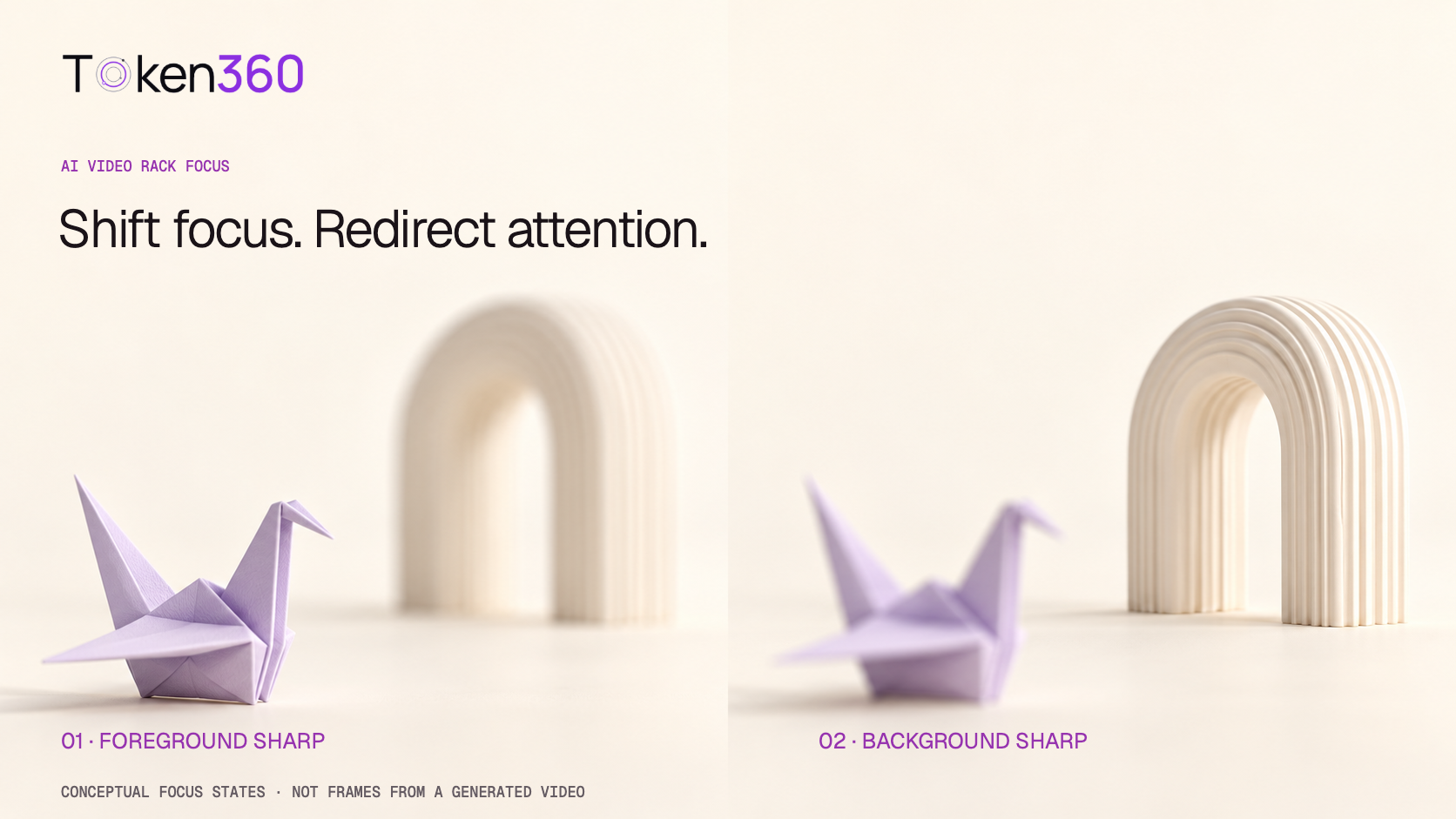
This guide provides an original two-subject scene, a worked five-second editorial plan, and an exploratory comparison protocol. The plan has not been run against a video model. The cover illustrates two intended focus states; it is not a pair of frames from a successful generation.
Read first: the image-to-video workflow covers reference preparation, while the text-to-video workflow explains how scene and action instructions enter a request.
Define the focus transfer before writing the prompt
Rack focus shifts sharpness from one subject to another within a shot. Nikon’s guide to focusing techniques describes the transition between foreground and background subjects. The storytelling purpose is to redirect attention, not merely make part of the image blurry.
In generated video, evaluate the visible result rather than assuming a physical lens performed the change. A model can depict the appearance of a focus pull without exposing lens distance, aperture, or a calibrated focus curve.
Write the intended attention path in one sentence: first the viewer reads the near object, then the far object. If both subjects need to stay equally readable throughout, a focus transfer may not be the right shot design. If the second subject never becomes clear, the intended reveal has not completed.
Distinguish focus from zoom, camera travel, and motion blur
A zoom changes framing through a focal-length change in a camera system. A camera move changes the viewpoint. A rack focus changes which depth appears sharp. These can be combined creatively, but separating them in a first test makes the outcome easier to diagnose.
| Requested change | What to look for | What does not prove it |
|---|
| Focus transfer | The intended second subject becomes clearer as attention changes. | A cut to another view or a new object replacing the first. |
| Zoom or push-in | Framing, apparent size, or perspective changes as appropriate. | One region simply becoming soft. |
| Motion blur | Detail spreads in relation to movement. | A stationary depth plane becoming defocused. |
Some real lenses change framing slightly during focusing, an effect often called focus breathing. For this proposed AI-video test, framing stability is an editorial preference. Do not diagnose every small scale change as proof of a specific physical lens mechanism.
Build a scene with two identifiable depth planes
The original example uses a pale-lavender origami bird in the foreground and an ivory ribbed arch farther behind it. Paper folds provide detail on the near subject; ribs provide detail on the far subject. The two objects differ enough in shape and position to make the intended target unambiguous.
Place the subjects so that both remain visible. If the bird completely hides the arch, the model cannot reveal the arch’s surface merely by changing focus without also changing some other aspect of the scene. A clear line of sight makes the instruction easier to review.
Keep lighting steady and subject movement minimal for the baseline. A moving subject can cross depth planes, and a moving camera can alter their relationship. Those are useful later variations, but they complicate a first comparison of focus wording.
Write the beginning, transition, and final hold
Runway’s camera terminology reference includes rack focus as a shift between subjects. Use the term alongside a clear description of the subjects and their order rather than relying on the term alone.
A pale-lavender origami bird stands in the foreground, with an ivory ribbed arch farther behind it. Begin with the bird’s paper folds sharply defined and the arch softly out of focus. Gradually rack focus to the arch until its ribs are clear and the bird becomes soft. Hold the final focus on the arch. The camera stays fixed, both objects remain still, and the lighting stays constant.
This is an original proposed prompt, not a validated recipe. For image-to-video, use a reference that establishes the same objects and depth arrangement, then focus the wording on the temporal change. Preserve the reference file when testing variations.
“Gradually” describes an intention, not a calibrated lens speed. If the result changes focus abruptly, record that observation before adding more instructions. Avoid stacking a focus pull, orbit, zoom, object transformation, and lighting change into the initial request.
Plan time for the viewer to read both states
A focus transition needs a readable starting state and a readable destination. An illustrative five-second plan allocates 1.5 seconds to the bird, 2 seconds to the transition, and 1.5 seconds to the arch. The sum is 1.5 + 2 + 1.5 = 5 seconds.
Expressed as shares of that example, the initial hold is 30%, the transfer is 40%, and the final hold is 30%. These are editorial allowances, not measured viewer thresholds or a model’s promised schedule. If the selected route does not support five-second output, choose a documented duration and revise the plan.
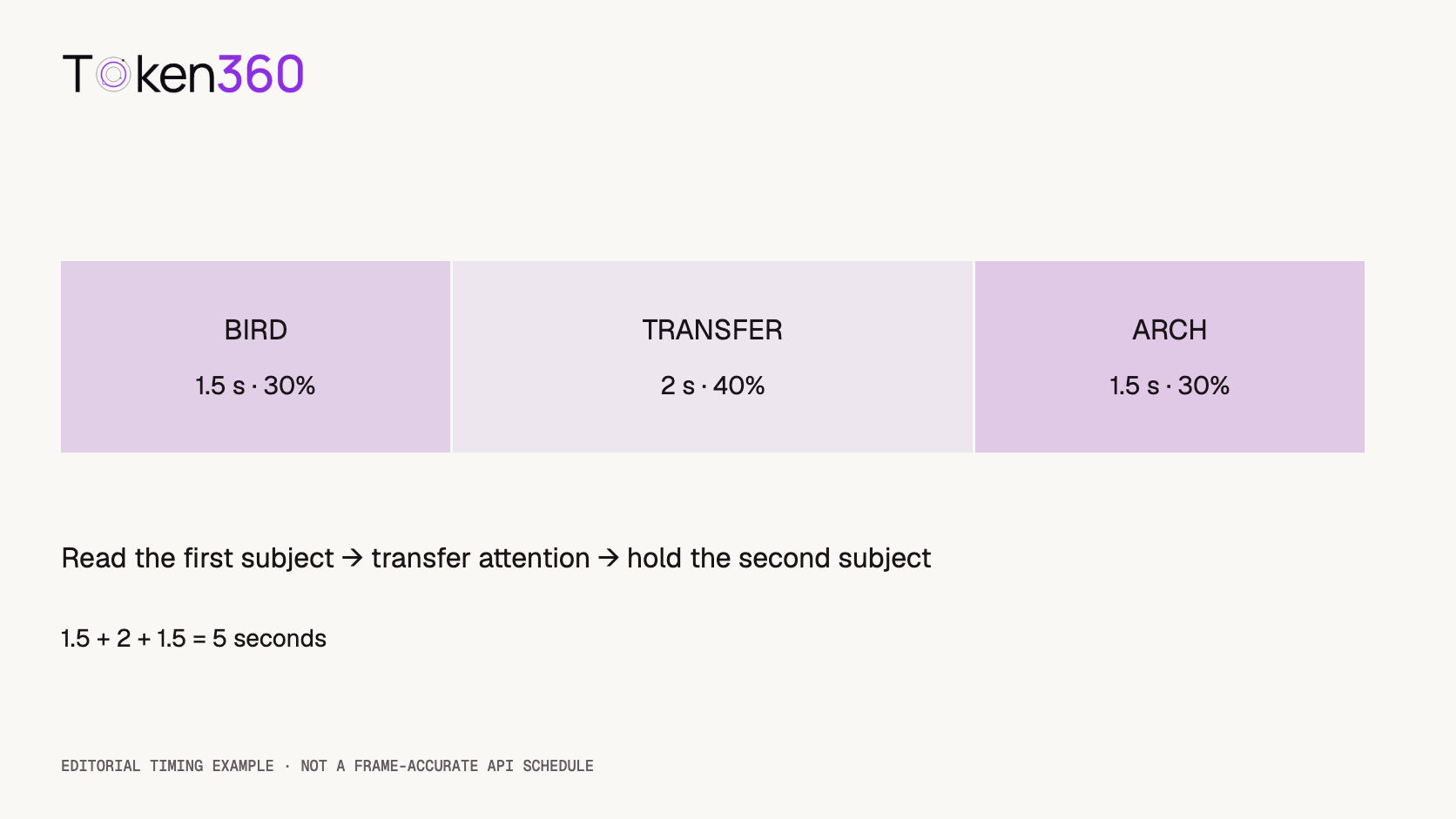
Natural-language timestamps may help communicate intent in some systems, but do not assume they enforce exact frame boundaries. Review the returned sequence. Record when the first subject is readable, when attention begins to change, and when the destination becomes readable enough for the edit.
If the shot ends before the arch becomes clear, distinguish an incomplete transfer from an inadequate final hold. Those are related but different failures: one never reaches the target state, while the other reaches it too briefly for the intended use.
Use only the focus controls the route actually exposes
Check the exact model page and schema before adding focus-distance or aperture parameters. Token360’s model capabilities documentation makes model-specific support the relevant reference. A camera term in a prompt is not evidence that a numeric API control exists.
Likewise, writing “f/1.4” does not prove a returned clip obeys a physical depth-of-field calculation. Such language may function as a visual cue. Describe the observable result you need—near subject sharp, far subject soft, then the reverse—and keep physical settings separate from verified capabilities.
If a model offers start and end image inputs, confirm their documented role. Two endpoint images can communicate intended appearances, but they do not by themselves establish that the intervening focus change will be smooth or that geometry will remain stable.
Review the transfer, not just the endpoint screenshots
Matching the first and last images is insufficient. Watch the full shot at normal speed and inspect the transition. The focus may jump, oscillate, briefly sharpen the wrong object, or change the subject’s texture rather than only its apparent sharpness.
Use the bird’s folds and the arch’s ribs as repeatable review regions. Also watch object outlines and positions. A changing silhouette, extra rib, or altered bird shape is not automatically an acceptable consequence of defocus.
| Review dimension | Acceptance question | Useful evidence |
|---|
| Order | Does attention move from bird to arch? | Full playback and annotated transition times. |
| Continuity | Is there one intentional transfer without an unwanted cut or oscillation? | Inspection through the transition interval. |
| Identity | Do the same objects remain in the same arrangement? | Comparison of outlines and persistent features. |
| Readability | Are both intended hold states usable? | Review at the final display size. |
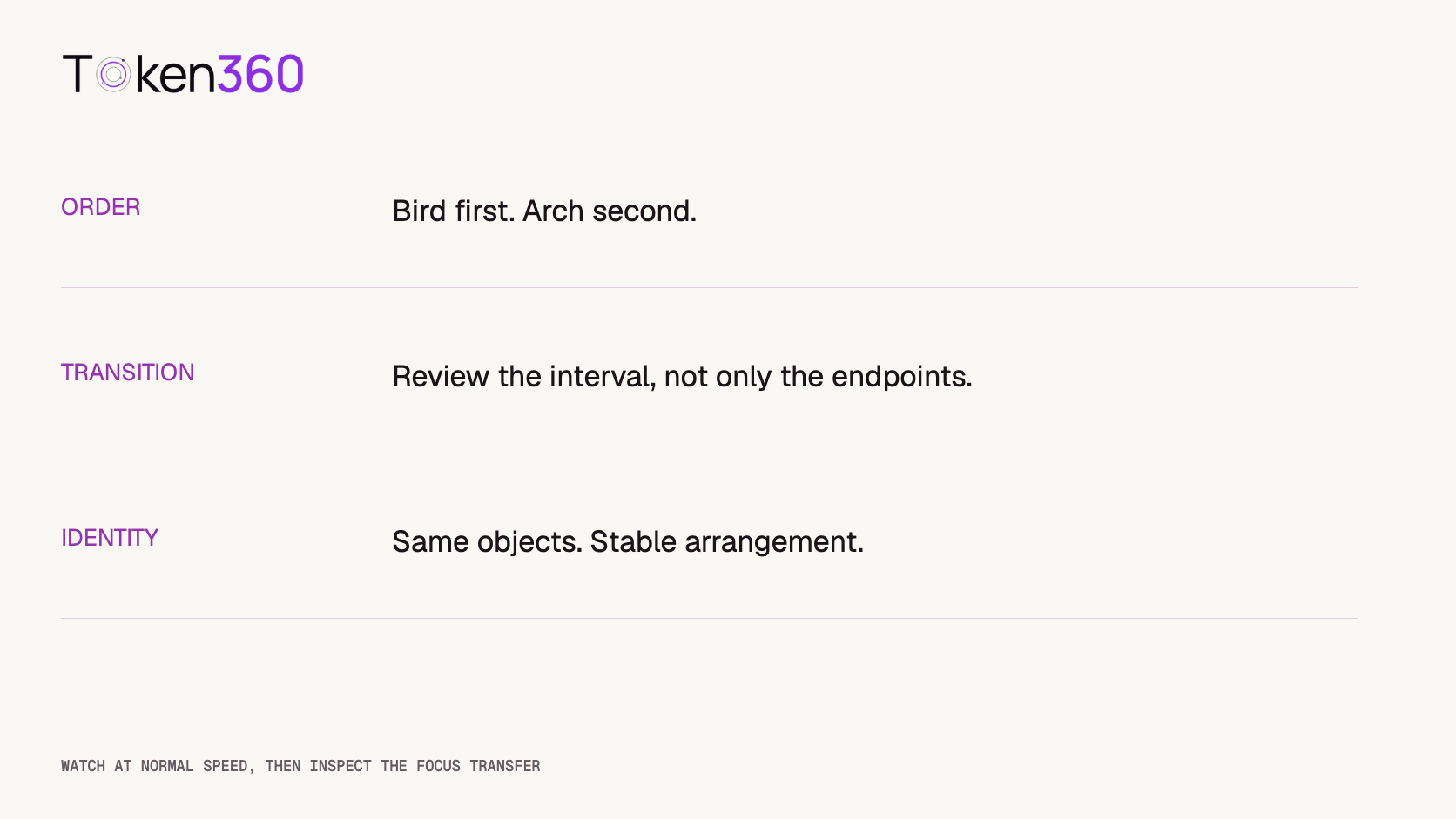
A numerical sharpness score can support inspection, but it can be affected by texture changes, noise, scaling, or compression. Do not interpret a higher score as proof that the model performed the intended focus operation. State the region and method if you report such a metric.
Compare prompt specificity with a small test plan
A proposed comparison has two conditions. The first uses a short instruction such as “rack focus from the foreground bird to the background arch.” The second describes the starting sharpness, transfer, and final hold explicitly. Keep the same reference and supported settings and request three candidates per condition.
That is six planned generation requests: two conditions multiplied by three repeats. It is not a completed experiment. Retain errors, missing outputs, and rejected candidates instead of replacing them silently, and record actual charges if the test is run.
Apply the same acceptance questions to every available candidate. The more detailed prompt might help, have no clear effect, or introduce another problem. A small exploratory sample cannot establish universal superiority or separate all sources of generation variation.
Report usable-shot counts alongside the exact criteria and examples of failure. If a candidate is trimmed or edited before publication, preserve both versions and describe the intervention. An edited success is not the same evidence as an unmodified model output.
Choose the smallest useful revision
If both objects remain sharp throughout, clarify which one should soften at each stage. If the camera travels instead of the focus changing, simplify the camera instruction and inspect whether the reference implies movement. If focus oscillates, request one transfer followed by a hold.
If the arch never becomes readable, check its size, visibility, and reference detail before increasing prompt complexity. If object geometry changes, treat that as a separate quality problem. Additional blur does not guarantee a correction.
For exact timing requirements, consider an editing workflow with appropriate layers or depth information, then validate its edges and occlusions. A simple whole-frame blur filter cannot independently select a foreground and background subject, and post-processing cannot be assumed to recover detail absent from the source.
Frequently asked questions
What is a rack focus in AI video?
It is the depicted shift of focus from one subject or depth plane to another within a shot. Evaluate the visible attention transfer without assuming the model simulated a physical lens.
How should I write an AI video rack focus prompt?
Name the starting subject, the destination subject, the gradual change, and the final hold. Keep camera movement and other actions simple while testing the effect.
Is rack focus the same as zooming?
No. Rack focus changes which subject appears sharp. Zooming changes framing. A generated shot may combine them, so inspect whether the requested focus transfer actually occurs.
Do aperture numbers guarantee the expected depth of field?
No. Prompt wording is not proof of a physical camera setting. Use documented controls where available and evaluate the resulting sharpness relationship.
Are a good first and last frame enough?
No. Review the interval between them for abrupt changes, oscillation, cuts, and altered object geometry. Both hold states also need to be usable at the final viewing size.
Can I fix a failed rack focus with a blur filter?
A whole-frame blur does not separate subjects by depth. Selective processing requires an appropriate separation method and review, and cannot be assumed to restore missing detail.
Read next: use the evaluation framework to formalize acceptance and the video cost guide to budget the candidate comparison.


 Prompt Guide
 Prompt Guide
 Prompt Guide