AI Video vs. Live Action: Where Hybrid Production Makes Sense
Compare AI video and live action by what each shot must preserve. Explore hybrid production, product references, edit boundaries, and an eight-shot example.
Choose AI video, live action, or a hybrid workflow according to what each shot must preserve. A product demonstration may need exact physical details. An atmospheric transition may allow substantial invention. Treating an entire campaign as one production choice can hide that difference.
For brand teams, hybrid production means combining captured material with generated components or shots in a deliberate edit. Its value is not automatically lower cost. It can offer a useful division of labor: capture what needs faithful representation, generate where creative freedom is useful, and review the connection between them.
This is a production-strategy analysis checked October 31, 2026. Tool examples come from official Adobe and Runway documentation. The shot-allocation example is hypothetical; we have not measured the cost, quality, or campaign performance of a hybrid production.
The useful unit of comparison is the shot’s responsibility
“Can AI make this video?” is often too broad a question. A thirty-second concept can contain a product close-up, an explanation of a mechanism, an imagined environment, and a closing graphic. These elements perform different jobs for the viewer.
Ask what would make each element unacceptable. A changed connector shape could invalidate a product demonstration. An unfamiliar cloud formation might be perfectly acceptable in a clearly imaginative scene. An unreadable closing offer may be better solved with conventional typography than with another generation attempt.
The point is to define tolerances before choosing tools. If every visible detail is negotiable, generation has more room to explore. If the shot communicates a precise product fact, preserving that fact becomes a central acceptance condition regardless of how the shot is made.
Three production choices, three kinds of control
Approach
Useful starting point
What still needs review
Live action
Actual product behavior, real people, and physical demonstrations
Whether the recording accurately communicates the intended claim
Generated video
Imagined environments, conceptual motion, and exploratory visuals
Consistency, unintended details, and suitability for the message
Hybrid production
Captured anchors combined with generated material
The integrity of the anchor and the joins between components
These are editorial starting points, not universal capability limits. A live-action shot can be misleading through framing or editing. A generated shot can satisfy a tightly specified brief after review. The production method alone does not establish accuracy or quality.
Hybrid also covers several different workflows. An editor may alternate captured and generated shots, composite a captured product into a generated background, or extend an existing clip. These are different operations with different input needs; they should not share one vague estimate.
Keep the product anchor separate from the creative environment
Consider a product film in which the package shape and printed label must remain exact, but the surrounding world can be surreal. One option is to capture the product and build the environment separately. Another is to generate from a reference and inspect whether the required details survive.
Those approaches do not offer the same kind of control. Feeding a photograph into a generative model is not equivalent to preserving its original pixels as a composited layer. If exact text or geometry matters, make preservation an explicit review criterion rather than assuming that a reference guarantees it.
Runway’s reference documentation describes using supplied images, video, and audio to guide generation. That establishes a mechanism for conditioning output, not a guarantee that every detail remains unchanged. See Runway’s reference-media guidance.
For a physical product demonstration, identify the non-negotiable details in advance: shape, controls, labels, sequence of operation, or visible result. This list helps the team choose between capture, generation, and compositing without relying on a general impression that the clip looks convincing.
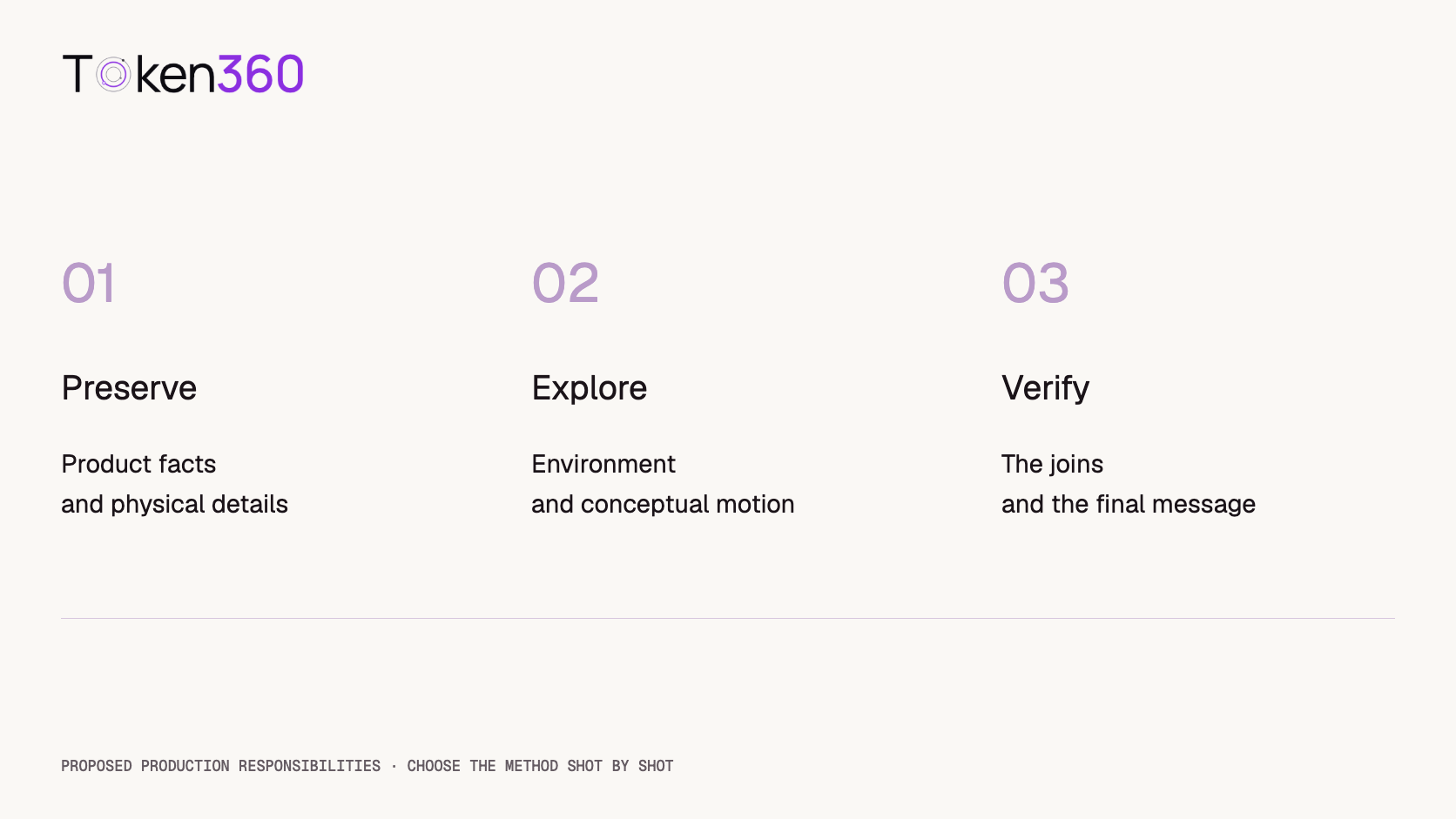
A proposed division of responsibility, not a claim that one production method is always superior.
Generated extensions are additions to footage, not recovered history
Hybrid production can be small in scope. Adobe describes Generative Extend as adding frames or audio around an existing clip, including uses such as holding a reaction or smoothing a transition. See the official Generative Extend overview.
The conceptual distinction matters: newly generated frames are not evidence of what the camera originally recorded. For an atmospheric shot, that may fit the brief. For a sequence intended to document an actual action or event, the team must decide whether an invented continuation is appropriate.
Review the boundary where captured and generated material meet. Changes in motion, lighting, object state, or background sound can become noticeable at the join even when each segment appears plausible alone. Evaluate the combined edit at the intended playback speed.
Original planning example: eight shots, three production routes
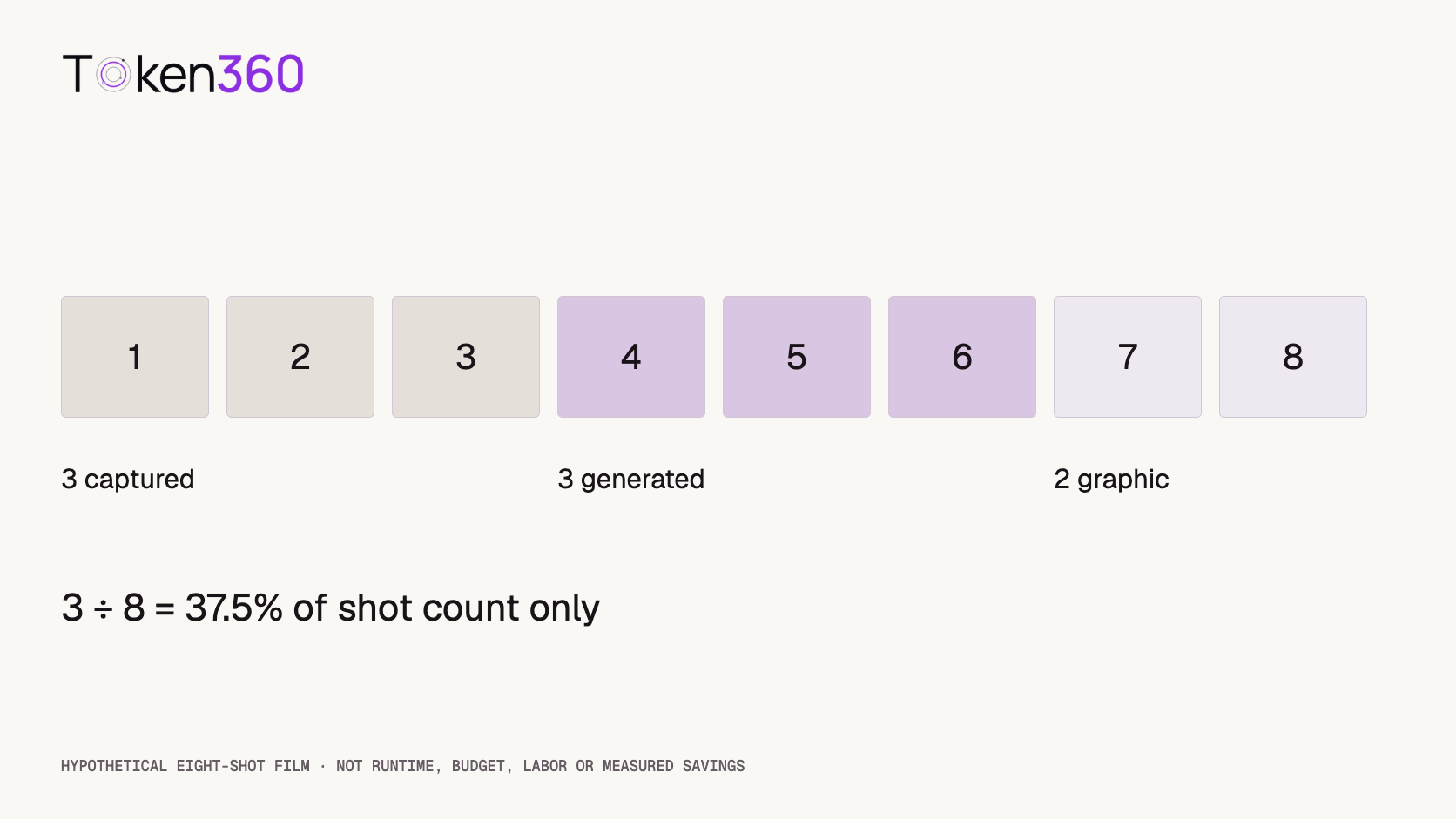
Imagine an eight-shot brand film. Three shots show the actual product and its operation. Three establish an imagined setting. Two are graphic transitions and a closing offer. A hypothetical plan assigns three shots to capture, three to generation, and two to conventional motion graphics.
Shot group
Count
Primary responsibility
Captured product shots
3
Show the product and operation faithfully
Generated setting shots
3
Establish the imagined world and mood
Graphic shots
2
Communicate controlled text and transitions
Generated shots represent 3 ÷ 8 = 37.5% of the shot count. This does not mean 37.5% of runtime, budget, labor, or creative contribution. Shot lengths and production difficulty can vary substantially. The calculation describes the proposed composition only.
If the three generated shots each receive four initial candidates, the team reviews 12 candidate clips for those positions. That is an illustrative planning choice, not a recommended retry count or an observed acceptance rate. Capture takes and graphic revisions also require review and remain outside that candidate count.
Original shot-allocation example. The percentages do not estimate savings or runtime.
The join can become the most expensive creative problem
Different production methods can create different visual assumptions. A generated setting may imply a light source that conflicts with the captured product. A camera move may reveal an angle absent from the source footage. A dramatic transition may expose a mismatch that a simple cut would avoid.
This is why the edit should influence the production plan early. Decide whether shots must connect continuously or can be separated by an intentional change in perspective. A visually coherent sequence does not require every shot to simulate one uninterrupted camera move.
Check color, scale, perspective, motion, and sound across boundaries. Some corrections belong in post-production rather than regeneration. Others reveal that the chosen source material cannot support the intended composition. The right response depends on the defect, not on which tool was used first.
Compare total accepted work, not the cheapest generated second
A fair estimate includes capture preparation, generation attempts, selection, compositing, sound, editing, and review. Include the work required to make the final film acceptable, while avoiding double-counting tasks that would happen in every approach.
For example, a product shoot might still be necessary for hero images and demonstrations even if several setting shots are generated. Removing a few shots from that shoot does not automatically eliminate the fixed preparation cost. Equally, an existing asset library can change the economics of a captured or hybrid approach.
Use the video API cost optimization guide for generation spending, but keep that line separate from total production cost. This article makes no numerical claim about which route costs less.
Test one representative join before committing the whole film
A useful pilot is a difficult but representative part of the proposed edit: the product entering an imagined environment, a captured shot followed by generated motion, or an extension at a critical cut. Select it because it exposes the actual production dependency, not because it is the easiest demonstration.
Record what was supplied, what was generated, what required manual correction, and why the result was accepted or rejected. The goal is to understand the work needed for the planned style. One successful pilot does not establish that every shot will work on the same settings.
The AI model evaluation framework can help structure those acceptance criteria. Review the finished sequence as well as individual clips, because the audience experiences the edit rather than the generation queue.
Where model APIs belong in a hybrid pipeline
A model API supplies a production component. It does not necessarily provide compositing, color matching, layered editing, or final delivery packaging. Distinguish text-to-video, image-to-video, video editing, and reference-based generation when selecting a workflow.
Use Token360’s model capability documentation and the exact model schema to verify the needed inputs and outputs. The Adobe and Runway examples illustrate production approaches; they are not announcements of those features or models being available through Token360.
Keep captured masters, generated candidates, and approved edits identifiable. That separation makes later revisions easier to scope: changing the environment should not silently replace a previously approved product demonstration.
FAQ
What is hybrid AI video production?
It combines captured footage or assets with generated components or shots in an edited video. The combination may happen within a shot through compositing or across shots in a sequence.
When should a team keep live-action footage?
Consider capture when the shot must faithfully show a real product, person, or physical operation. Review the resulting message too; recorded footage alone does not guarantee an accurate claim.
Does a product reference guarantee exact preservation?
No. A reference guides generation, while preserving an original layer is a different operation. Check the output for the details the brief requires, especially text, geometry, and product behavior.
Is hybrid production always cheaper?
No. Generation may change one cost category while adding selection or integration work. Compare the complete accepted deliverable, including capture, editing, and review.
What does the 37.5% example measure?
Only the share of shots assigned to generation: three out of eight. It says nothing about runtime, savings, labor, or the proportion of pixels created by AI.
What should a hybrid pilot test?
Test a representative production boundary and its acceptance criteria. A convincing standalone generated clip is not enough if it cannot connect to the captured material in the planned edit.



 Tutorial
 Tutorial
 Tutorial