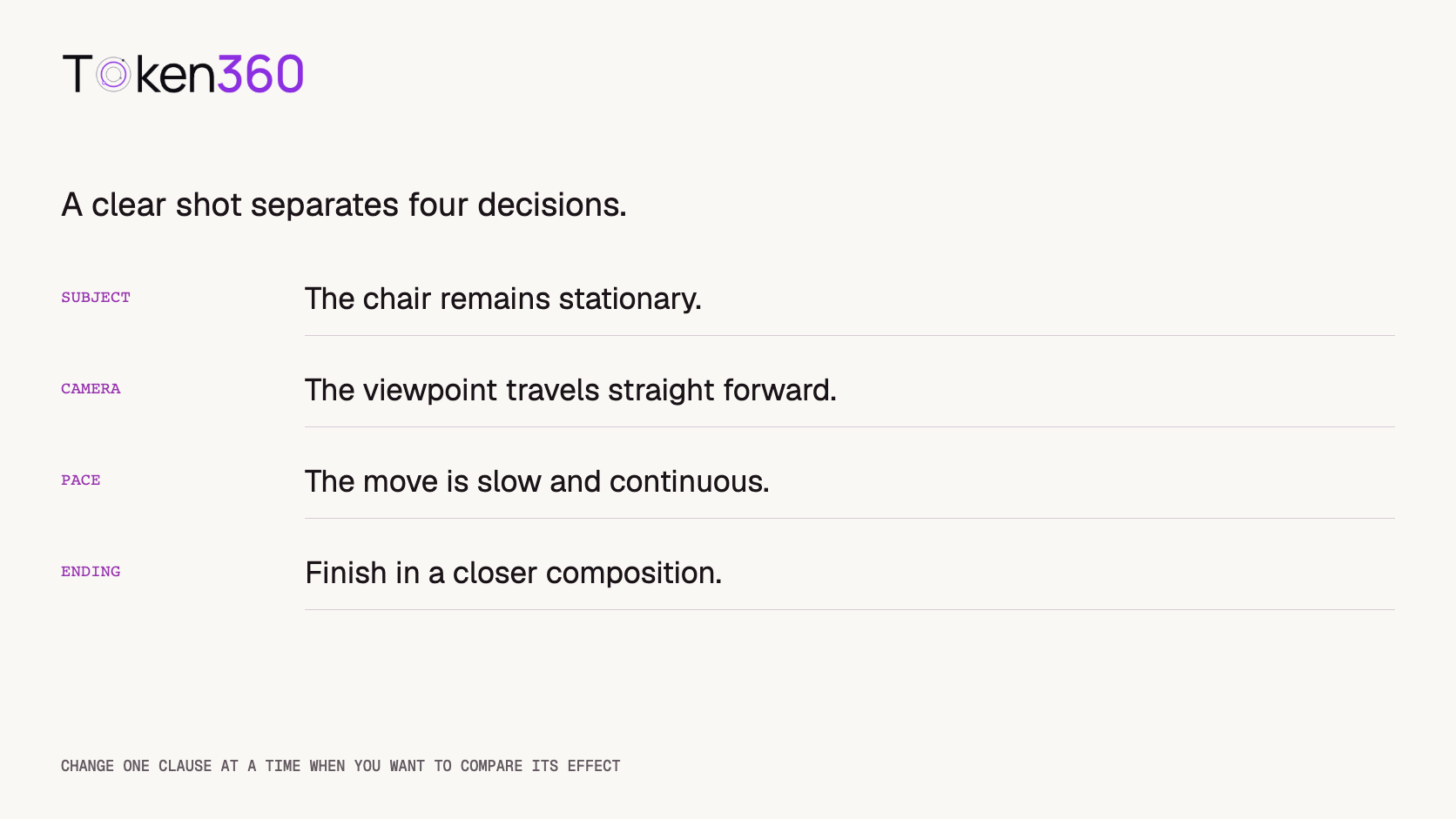
Write AI video camera movement prompts by stating what the subject does and what the viewpoint does separately. Then choose a movement, direction, pace, and ending. “The chair remains stationary; the camera slowly moves toward it” is more specific than “make the chair come closer.”
Read first: place the prompt inside a text-to-video workflow or an image-to-video workflow, depending on the selected model’s supported inputs.
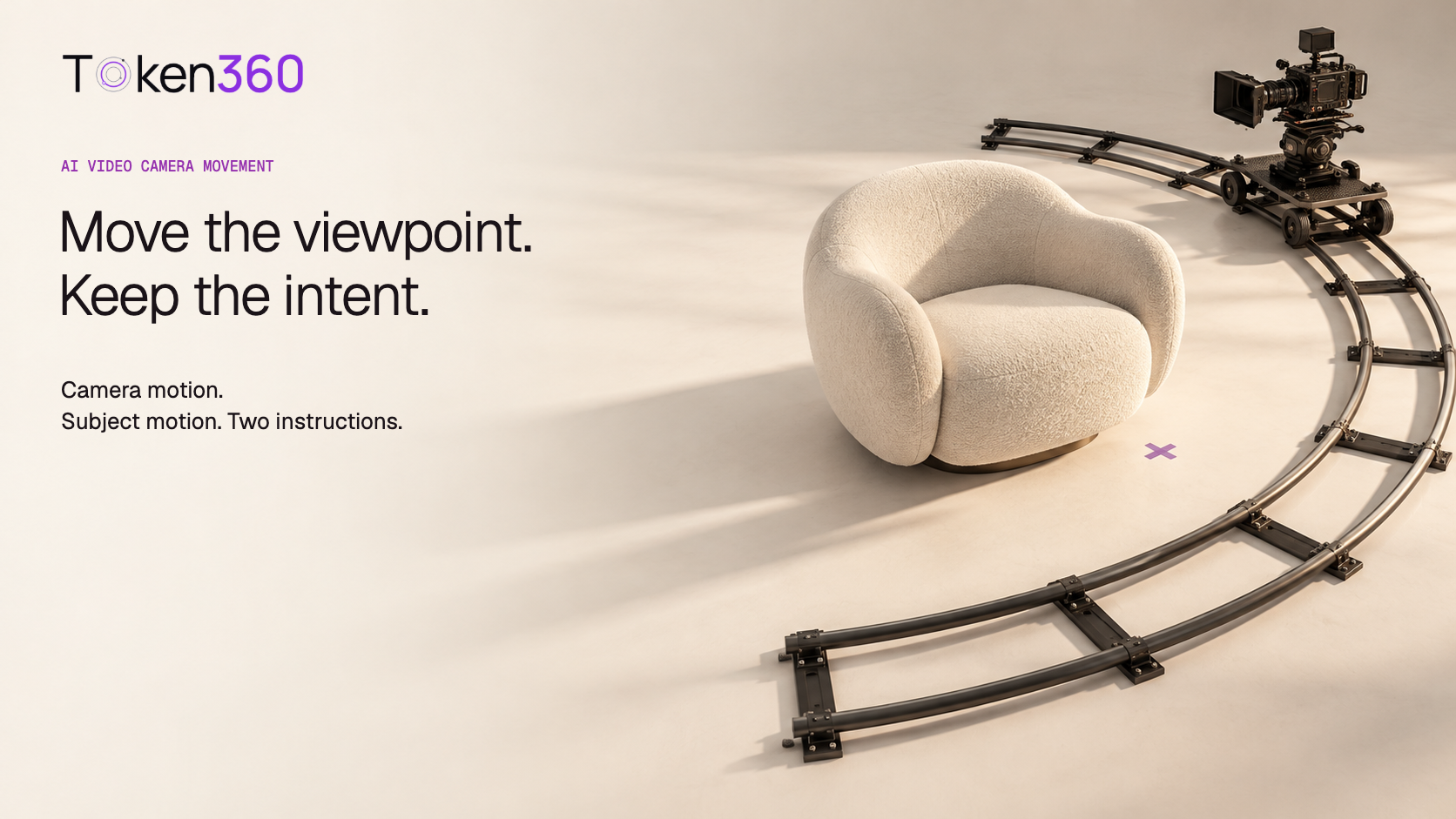
The studio scene is a conceptual illustration. The prompts and comparison plan below have not been run through a video model; the images are not evidence of generated camera-control performance.
Describe two kinds of motion before adding style
Start with the subject: does it stay still, rotate, walk, open, or change pose? Next describe the camera: does its position stay fixed, does its viewing direction change, or does it travel through the scene? Only then add the visual style that supports the shot.
This separation matters because the same visible size change can come from different events. A person walking toward a fixed camera, a camera moving toward a stationary person, and a zoom can all make the person larger in the image. They are not interchangeable instructions.
“Dynamic cinematic movement” leaves these choices unresolved. For a controllable first draft, describe the desired relationship plainly. You can introduce a more complex combination after confirming that the simpler action produces useful candidates.
Use camera terms with their intended spatial meaning
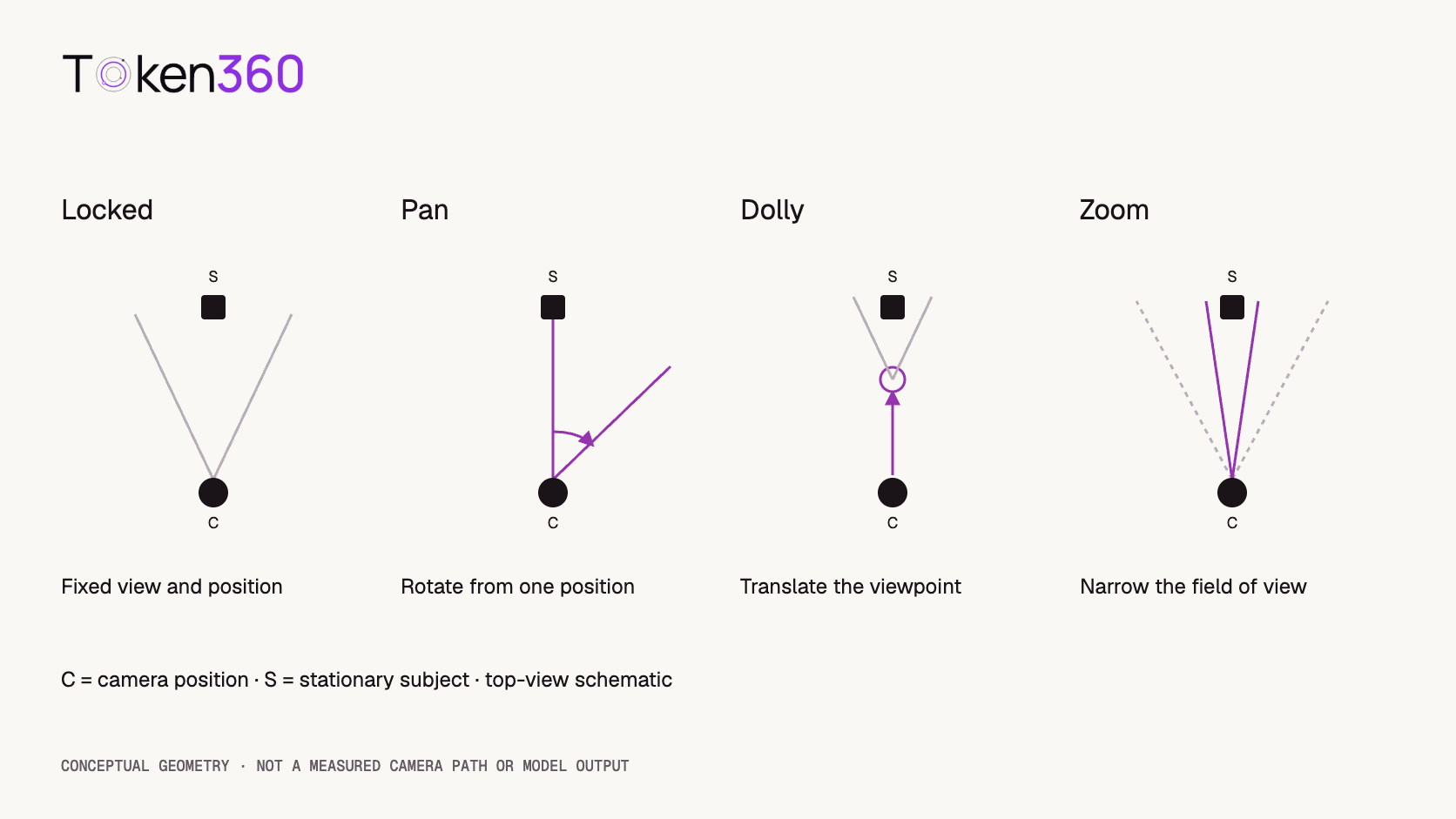
Autodesk’s camera documentation distinguishes rotating the camera for pan or tilt, moving it for a dolly, and changing focal length for a zoom. These definitions provide a useful vocabulary, although a generative model may only approximate the corresponding visual result.
| Instruction | Intended behavior | What to inspect |
|---|
| Locked camera | Viewpoint and framing remain fixed | Unwanted drift, reframing, or scale change |
| Pan right | View direction rotates right from a fixed position | A horizontal reveal rather than a sideways travelling shot |
| Dolly forward | Camera position moves toward the scene | Depth and relative spatial relationships change plausibly |
| Zoom in | Framing narrows without translating the camera | Magnification without an implied travelling viewpoint |
A dolly can change perspective; a pure zoom from the same viewpoint does not do so in the same way. In generated footage, enlargement alone is not enough to tell which result was produced. Inspect foreground and background relationships as well as subject size.
Runway’s camera terminology guide pairs camera terms with its own examples. Treat those examples as model-specific demonstrations, not a universal guarantee that another model interprets the same language identically.
Build a simple scene that makes differences visible
Our original comparison scene contains one ivory lounge chair in a warm neutral studio. A dark vertical post sits farther behind it, offset to one side, and a floor seam provides another spatial cue. The chair and other objects remain stationary throughout the comparison.
A completely featureless background makes camera behavior harder to judge. Distinct foreground and background elements give reviewers something to track. Keep those cues simple enough that their appearance does not become a separate generation challenge.
Use the same approved reference image where the workflow supports it. If the comparison uses text only, preserve the same scene description and recognize that independently generated layouts may differ. A prompt comparison with a changing scene is less controlled than one with stable inputs.
Four prompt variants: change the camera clause only
Use this shared scene block for all four variants. These are creative drafts, not API payloads or claims about a particular model’s control parameters.
One ivory lounge chair in a warm neutral studio. A dark vertical post stands behind the chair, offset to the right. A visible floor seam runs into the distance. Soft daylight from the left. The chair, post, and lighting remain unchanged. A continuous single shot.
A. Locked-camera baseline
The camera is locked in place at eye level. Hold the same wide composition throughout. The chair stays stationary and keeps the same size and position in the frame.
This baseline helps reveal whether the scene drifts even without requested movement. If it does, do not attribute every later change exclusively to the new camera clause.
B. Slow pan to the right
From a fixed camera position, slowly pan to the right. Begin with the chair near the center, then reveal more of the studio on the right. The chair stays in its physical position as it moves toward the left side of the frame.
The subject’s movement within the frame is not a request for it to slide across the floor. The prompt specifies the physical state separately from the composition change.
C. Slow forward dolly
Slowly move the camera straight forward toward the stationary chair. Begin with the full chair visible and end in a closer composition. Keep the viewing direction steady as the viewpoint travels through the scene.
Look for plausible changes in depth relationships. Reject a candidate that merely enlarges or deforms the chair while the surrounding space behaves inconsistently with the intended shot.
D. Slow zoom from a fixed position
The camera stays in the same physical position. Slowly zoom in from the wide composition to a tighter view of the stationary chair. Keep the viewing direction steady while the field of view narrows.
Compare this with C, not only with A. Both may end tighter on the chair, but the intended spatial behavior differs. If the output does not make that distinction clear, label it ambiguous rather than forcing a pass.
Add direction, pace, and the ending you need
Once a basic movement works well enough for the brief, refine its timing and endpoint. “Slowly move forward and finish with the chair filling the central part of the frame” gives the movement a purpose. “Move forward dramatically” says less about the usable ending.
Direction needs a frame of reference. “Pan right” normally refers to camera rotation; “the subject walks right” needs to be understood in screen or scene terms. When the distinction matters, state it explicitly: “the person walks from screen left to screen right while the camera remains fixed.”
Avoid adding several new instructions in one revision if you want to learn what changed the output. Changing movement, pace, lighting, reference crop, and model together may produce a useful clip, but it does not isolate why that clip differs.
Do not turn descriptive prompts into invented API controls
A model may accept movement language without exposing a numerical camera path. Another may provide particular camera options. Those are different interfaces. Check the exact model’s documented schema before adding fields such as angle, path, speed, or seed.
Token360’s model-capabilities guide identifies model pages and public schemas as the source of truth. Match the request to supported inputs and settings rather than copying parameters from another model family.
If a model supports a dedicated camera control and you use it, record that setting alongside the prompt. Otherwise, reviewers may believe a text change caused the movement when the structured setting was also changed. Do not assume that a fixed seed, where available, guarantees identical physical behavior across revisions.
A 12-candidate comparison plan, with honest limits
A small exploratory run could generate three candidates for each of the four variants: four variants multiplied by three candidates equals 12 outputs. This is a proposed plan, not a test executed for this article. It is not enough to establish a general model ranking or a reliable production acceptance rate.
Hold the selected model, supported generation settings, reference version, and scene block constant. Label candidates A1–A3, B1–B3, C1–C3, and D1–D3. Retain every output, including awkward or rejected ones, so the comparison does not become a showcase of selected successes.
Review camera compliance and visual quality separately. A beautiful locked shot does not pass the forward-dolly instruction. A recognizable pan can follow the movement instruction while failing the product-identity check.
| Review question | Suggested record |
|---|
| Did the camera behavior match the variant? | Pass, fail, or ambiguous, with a reason |
| Did the subject stay physically stationary? | Observed motion or stability |
| Did geometry and spatial cues remain plausible? | Timestamped issue notes |
| Was the final composition usable? | Accepted edit range or rejection reason |
If two of three candidates meet a criterion, report “2 of 3 in this exploratory sample,” together with the setup. Do not convert that small observation into a promised success probability. For a broader evaluation structure, use the AI model evaluation framework.
Diagnose the mismatch before rewriting everything
If the chair moves while the viewpoint stays fixed, inspect whether the prompt accidentally assigned motion to the subject. If the framing tightens without clear spatial evidence, the dolly-versus-zoom distinction may be unresolved. If the clip cuts to another angle, the output failed the continuous-shot requirement even if each view is attractive.
Revise the specific failing clause first. For example, keep the scene unchanged while clarifying a fixed camera position for the pan. If repeated candidates still do not meet the requirement, reconsider the shot design or a documented alternative workflow rather than endlessly adding synonyms.
Some effects are easier to control in an editor when the creative requirement allows it. A crop-based reframing of suitable footage can provide a controlled scale change, but it does not reconstruct a new travelling viewpoint or reveal unseen geometry. Describe the delivered effect accurately.
The original contribution here is the four-variant comparison, shared spatial cues, and review rubric. The 12-output planning arithmetic was checked locally. No camera-motion compliance scores, generation costs, or quality improvements were measured.
FAQ
How do I keep the subject still while moving the camera?
State the subject’s physical state separately, then describe the camera movement. Review the result because clear wording does not guarantee compliance.
Is a pan the same as moving the camera sideways?
No. A pan changes the viewing direction from a fixed position. A sideways travelling shot changes the camera’s position through the scene.
Is a dolly-in the same as a zoom-in?
No. A dolly moves the viewpoint; a pure zoom tightens the view from the same position. Subject enlargement alone does not prove which behavior a generated clip approximates.
Should I combine orbit, pan, and zoom in one prompt?
Start with the simplest movement that serves the shot. Introduce combinations deliberately after checking individual behavior, and use clear timing if the workflow supports your intended sequence.
Do camera words work identically across models?
Do not assume that. Verify supported controls and test the exact model, references, settings, and prompt you plan to use.
Does this guide include tested model outputs?
No. It provides original prompts and a proposed comparison plan. The cover and diagrams are explanatory illustrations, not video-generation results.
Read next: plan supported boundary-frame inputs with first and last frame video generation, then account for candidate attempts in AI video API cost optimization.


 Prompt Guide
 Tutorial
 Tutorial