A useful Seedance prompt describes a scene that can unfold over time: who or what appears, what moves, how the camera behaves, and what the final moment should look like. Start with one main action and a clear composition. When using reference media, explain its purpose and avoid instructions that contradict it. Then compare variations against the same creative brief.
This guide provides eight original prompt templates and a suggested review process. They are starting points to test, not published benchmark results or guarantees of a particular output.
Choose the workflow before writing the prompt
Seedance is a model family, and the workflow available to you depends on the version and serving platform. The current Token360 Seedance 2.5 page exposes text-to-video, first-frame, first-and-last-frame, and multimodal-reference choices. Confirm the selected mode and supported inputs before adapting a template.
Your starting material should guide the brief:
| Starting point |
What your prompt needs to establish |
| Text only |
Subject, setting, composition, movement, and style |
| Opening image |
What moves after the opening composition |
| Opening and ending images |
A plausible transition between two visual states |
| Reference media |
What each reference contributes and what should change |
Treat this table as a planning aid. It does not mean that every endpoint accepts the same assets or reference syntax.
Build a prompt around six decisions
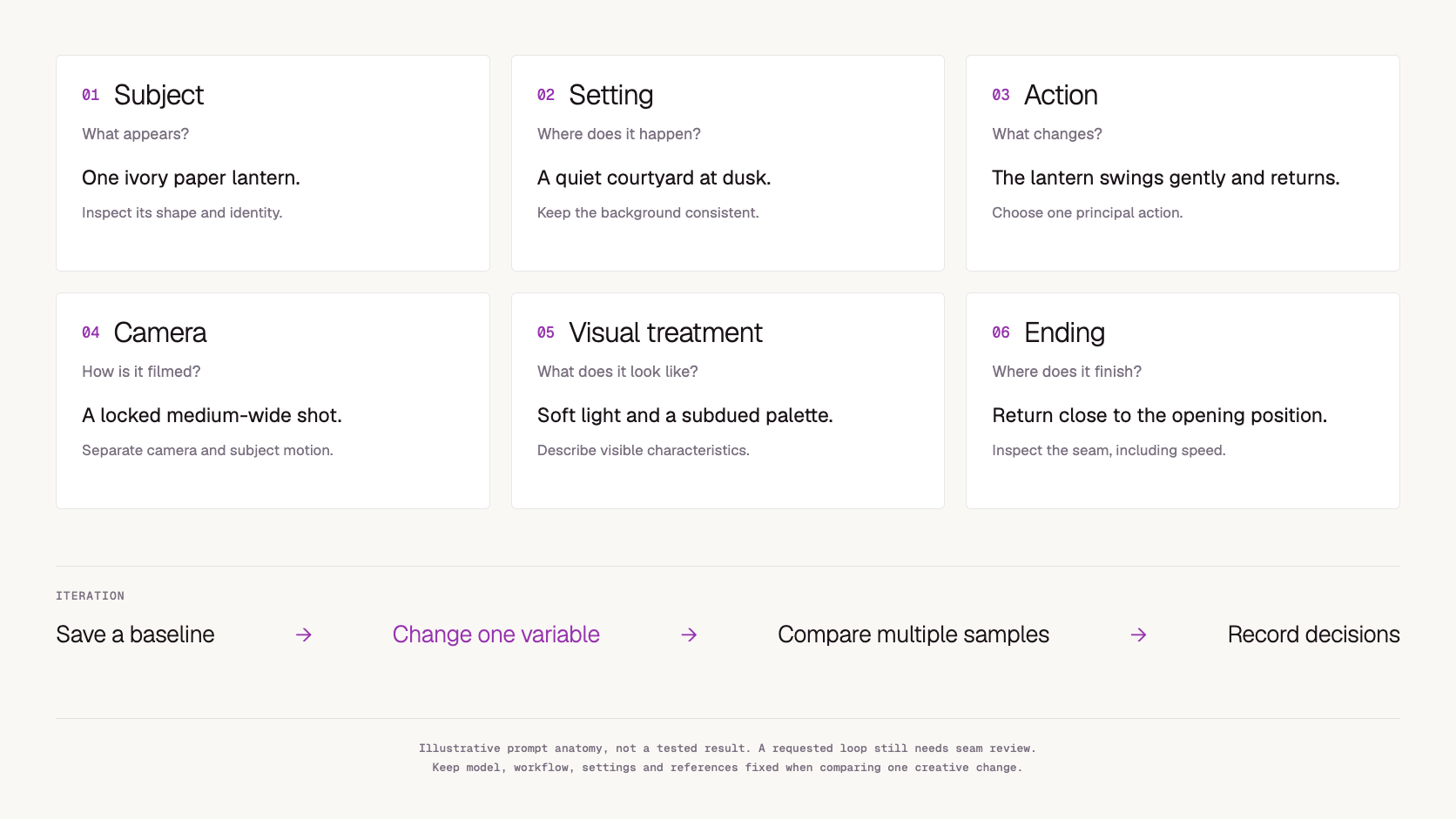
Use this structure as a drafting checklist:
Subject + setting + action + camera + visual treatment + ending
Add audio direction when the chosen model and workflow support it. Set technical options, such as aspect ratio and duration, in the appropriate interface or API fields rather than relying on prose alone.
1. Identify the subject
Describe the details that matter to the shot: the shape of a product, a person's clothing, or the material of an object. Avoid adding attributes that do not affect the intended result.
“A blue ceramic teapot with a round handle” is a more reviewable subject description than “an incredible premium object.” You can check whether the shape and color remain consistent.
2. Establish the setting
Give the subject somewhere to exist. State the surface, background, and lighting direction when those affect the composition.
A simple setting is useful for early tests because it makes unwanted changes easier to spot. You can introduce a more complex environment after the subject and motion work together.
3. Choose one principal action
Write the action as an observable change: a hand lifts a cup, a curtain moves toward a window, or a paper boat drifts past a stone.
If the brief contains several events, decide which one the viewer must understand. Build the first draft around that event before adding secondary movement.
4. Give the camera a clear job
Camera motion and subject motion are separate decisions. A stationary product can be filmed with a moving camera; a moving subject can be filmed from a locked position.
Use a clear direction such as “the camera slowly moves closer” or “the camera follows from the side.” If your prompt requests both a static camera and an orbit, resolve the conflict before generating.
5. Describe visible style
Translate broad adjectives into image characteristics. Instead of only “cinematic,” specify soft side lighting, a subdued palette, restrained movement, or shallow depth of field when those suit the brief.
Style should support the scene rather than compete with the action. A product demonstration, for example, may require even lighting and clear detail more than dramatic shadows.
6. Define the ending
An ending gives the action a destination. The cup returns to the table, the door rests open, or the camera settles on the product's front face.
For a proposed loop, describe how the closing composition relates to the opening. Inspect the actual seam afterward; requesting a loop does not establish that the output loops cleanly.
Eight original Seedance prompt templates
Replace bracketed items with your own subject details. Durations and format choices should be configured separately using supported settings. For reference-based templates, attach the relevant media through the selected workflow; merely mentioning an image in the prompt does not upload it.
1. A controlled product reveal
Use for: A concept shot of a single object.
A [matte blue ceramic teapot] stands at the center of a pale stone
table against a plain warm-gray background. The teapot remains
stationary. The camera moves slowly from a front three-quarter view
toward a straight-on view, keeping the whole object in frame.
Soft light from the left reveals the surface texture. End with the
camera settled and the teapot centered.
Review: Does the handle retain its shape? Does the object stay still while the camera moves? Is the final composition usable?
For an exact commercial product, supply an appropriate reference and review the result against the original. Do not assume a generated label or logo is accurate enough to publish.
2. A simple image-to-video animation
Use for: Adding motion to an opening image of a room.
Animate the supplied opening image. Keep the room layout and furniture
positions consistent. A light breeze moves the sheer curtain gently
toward the open window. The camera remains fixed. Preserve the warm
afternoon atmosphere and finish with the curtain resting near its
starting position.
Review: Is the intended opening retained? Does the curtain move while the furniture stays stable? Does the room's geometry change?
This prompt assigns movement to one element, making it easier to identify whether the result follows the brief.
3. One character, one readable action
Use for: Testing action continuity.
In a quiet kitchen, a person wearing a green cardigan sits beside a
wooden table. In one continuous medium shot, they lift a white cup,
pause briefly, then place it back on its saucer. The camera stays at
table height with a fixed view. Soft window light falls across the
person's hands. End with both hands resting beside the cup.
Review: Is the action sequence complete? Does the cup remain consistent? Do the hands interact plausibly with the cup and saucer?
If the action feels rushed, simplify it before adding more descriptive language.
4. A landscape with restrained motion
Use for: An atmospheric establishing shot.
A narrow river winds through a valley at sunrise. Thin mist hangs
above the water while reeds near the bank move gently in the breeze.
The camera glides slowly forward just above the river, keeping the
distant hills near the center of the frame. Cool shadows contrast
with warm light along the hilltops. End with the river bend clearly
visible ahead.
Review: Does the forward movement feel continuous? Do the riverbanks retain a coherent shape? Does the shot have a clear focal point?
5. A short spoken moment
Use for: Exploring a workflow with supported audio generation.
Inside a small flower shop, a florist looks toward the customer just
beside the camera and says, "These are ready for you."
The delivery is relaxed and conversational. Hold a steady medium
shot as the florist offers a wrapped bouquet. The intended sound
is the voice, a faint rustle of paper, and quiet room ambience.
End as the bouquet reaches the foreground.
Review: Is the line intelligible? Does the timing suit the action? Are the voice and visible performance aligned well enough for the intended use?
This is an audio brief, not a promise of exact speech or synchronization. Configure supported audio generation separately and listen to the entire result.
6. A transition between supplied frames
Use for: A supported first-and-last-frame workflow.
Begin from the supplied opening frame of a closed wooden jewelry box.
The lid opens slowly on its rear hinge, revealing the interior.
Keep the box in the same position and preserve the camera angle and
lighting. Arrive at the supplied ending frame with the lid fully open.
The movement should feel like one continuous physical action.
Review: Is the hinge direction consistent? Are the two frames physically compatible? Does the intermediate movement preserve the box's structure?
If the frames depict different camera angles or object proportions, repair that mismatch before trying to solve it through a longer prompt.
7. A reference-led visual treatment
Use for: A supported reference workflow where each attached asset has a clear role.
Use the attached product reference for the bottle's shape and color.
Use the attached setting reference for the tabletop and warm lighting.
Show the bottle standing upright while a soft highlight moves across
its surface. The camera makes a small forward movement and ends
with the bottle centered in a close product view.
Review: Did the intended properties transfer from each reference? Did the output combine unrelated details? Is the product recognizable?
Adapt asset labels to the actual interface. Do not assume that a tag format from another tool maps to your API payload.
8. A loop concept
Use for: Exploring a subtle background animation.
A paper lantern hangs in a still courtyard at dusk. In a locked
medium-wide shot, the lantern swings gently to one side, passes
through the center, and returns to its opening position. Keep the
background architecture and lighting stable. The final composition
should match the opening composition as closely as possible.
Review: Compare the first and last frames and the motion at the join. A visual match alone may still create a visible jump in speed. Edit or regenerate if necessary.
Improve prompts by changing one variable
Start with a baseline prompt and record the model, workflow, settings, and reference assets. Create a second version that changes only one creative decision, such as camera motion.
A practical comparison might be:
| Version |
Change |
What to inspect |
| A |
Static camera |
Subject stability and readable action |
| B |
Slow forward camera movement |
Whether added motion improves the shot |
| C |
Shorter action description |
Whether the core action becomes clearer |
Generate more than one sample where your evaluation budget allows. One attractive output is not enough to establish that a prompt works consistently. Record rejected results as well as selected ones.
Use a simple acceptance sheet with pass/fail decisions for required features and short notes for subjective preferences. The aim is to understand why a version is useful, not merely to accumulate more clips.
Troubleshoot the brief before adding adjectives
| Problem |
Suggested next experiment |
| Too many events happen at once |
Keep only the principal action |
| Camera movement competes with subject movement |
Lock the camera for the next sample |
| A reference image is contradicted |
Remove conflicting appearance or setting instructions |
| The final moment is unclear |
Describe one visible end state |
| Product details drift |
Simplify movement and compare against a suitable reference |
| Speech crowds the action |
Shorten the line or separate the scene into shots |
| A requested exclusion still appears |
Describe the desired composition positively and inspect again |
These are proposed experiments, not proven remedies for every Seedance failure. A model may still fail to meet the brief even after it becomes clearer.
Keep prompt quality separate from API reliability
A technically successful generation can miss the creative brief. A good prompt can also encounter an integration problem before it reaches the model.
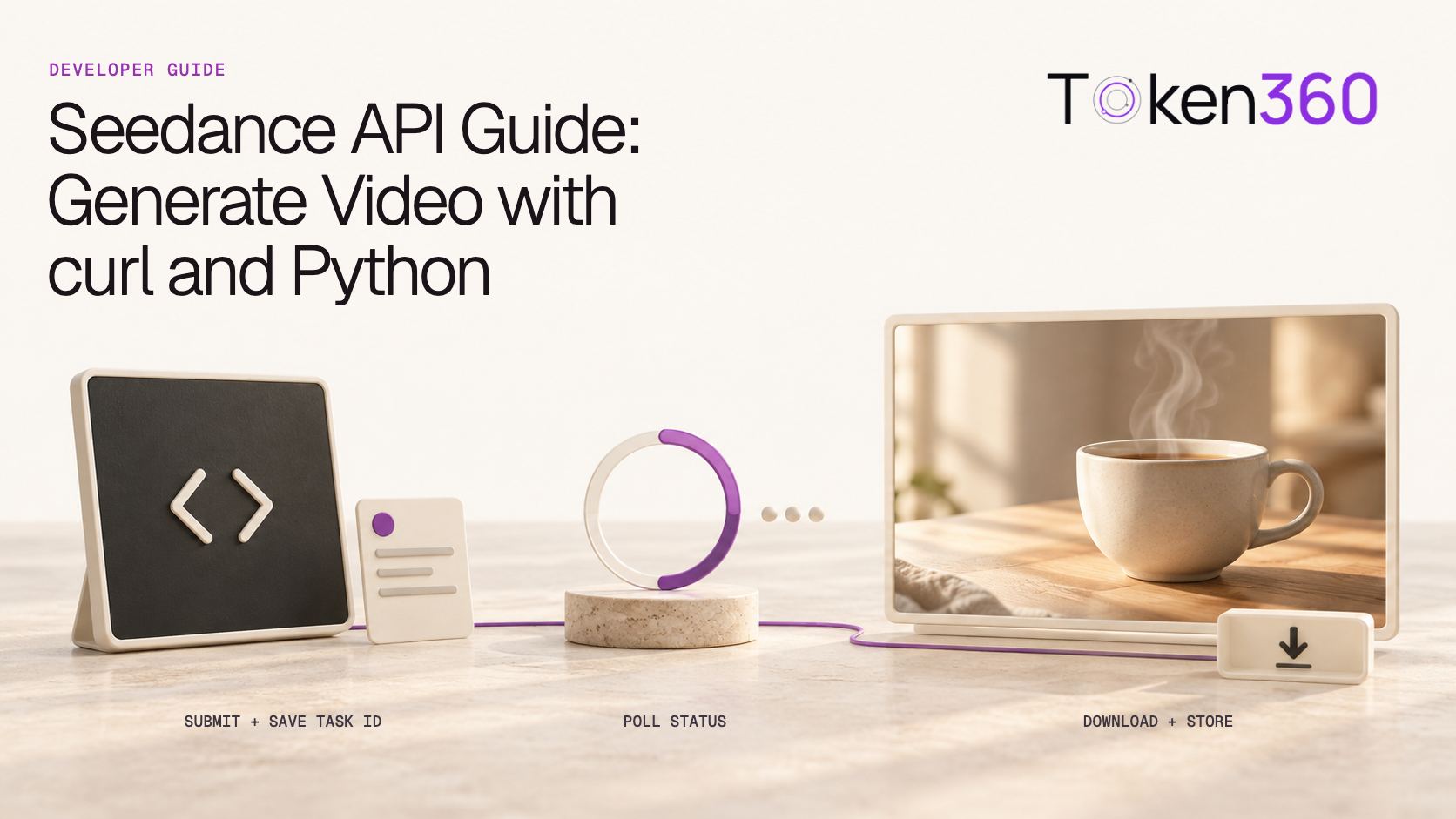
First establish that the task completed and the file is usable. Then judge the result against the brief. For request setup, task tracking, and downloads, use the companion Seedance API Guide.
A creative review should not diagnose every failure as “a bad prompt.” Reference quality, unsupported settings, insufficient time for an action, or an unsuitable model can require different changes.
Frequently asked questions
What should a Seedance prompt include?
Start with a subject, setting, action, camera instruction, visual treatment, and ending. Add only the details that matter to the intended shot.
Should I write a longer prompt for better results?
Length is not a useful goal by itself. A longer prompt helps only when the extra detail resolves an ambiguity or adds a necessary requirement. Remove contradictions before adding detail.
How do I keep a character or product consistent?
Use suitable reference inputs where the selected workflow supports them, keep the brief focused, and inspect continuity throughout the clip. Reference use does not guarantee exact identity or geometry.
Are these prompts tested Seedance benchmarks?
No. They are original examples for experimentation. This article does not report measured success rates or compare model quality.
Can a prompt guarantee exact logos, dialogue, or a seamless loop?
No. Treat these as review requirements. Verify the result and use editing or a different production approach when precision is essential.
Turn one template into a testable brief
Choose the template closest to your use case, replace its subject details, and define what a successful clip must show. Save the prompt and settings alongside the output so the next revision has a clear starting point.
Try your prompt with Seedance on Token360.
Need to automate the workflow? Continue with the Seedance API Guide and the Token360 platform documentation.


 Tutorial
 Tutorial
 Tutorial