Last updated: September 10, 2026
Choosing between Kling and Veo depends on what kind of video-generation workflow you are building.
The current comparison is best framed as Kling Video 3.0 / 3.0 Omni vs Google Veo 3.1.
Kling 3.0 is particularly strong when creators want longer clips, explicit multi-shot storyboarding, reusable characters, multilingual dialogue and detailed cinematic control. Kling supports up to 15 seconds in one generation, native audiovisual output, start/end frames and multi-character reference workflows. Kuaishou also rolled out native 4K output for the Kling 3.0 family in 2026.
Google positions Veo 3.1 around high-fidelity production, native synchronized audio and controlled image-to-video workflows. Through Google Cloud, Veo 3.1 supports text-to-video, image-to-video and first-and-last-frame generation, with standard documented durations of 4, 6 or 8 seconds. Google now offers three tiers—Veo 3.1, Veo 3.1 Fast and Veo 3.1 Lite—to trade off fidelity, speed and cost.
The short answer is:
Choose Kling 3.0 if you prioritize longer cinematic sequences, explicit shot-level direction, reusable characters and multilingual dialogue.
Choose Veo 3.1 if you prioritize Google Cloud integration, controlled short-form production, first/last-frame workflows and a mature set of quality/speed/cost tiers.
Neither model is universally better.
Kling vs Veo at a Glance
Important: this table compares documented product capabilities, not an independent video-quality benchmark.
A feature checklist cannot prove that one model produces better visuals for every prompt.
What Is Kling Video 3.0?
Kuaishou launched Kling Video 3.0 and Video 3.0 Omni in February 2026.
The 3.0 generation combines text, image, audio and video inputs within a multimodal video architecture and supports text-to-video, image-to-video, start/end frames, native audio and multi-shot generation.
Kling Video 3.0 supports flexible output lengths from 3 to 15 seconds.
Its official documentation also lists:
-
multi-shot generation;
-
start-frame + element references;
-
multi-character coreference;
-
native audio;
-
multilingual dialogue;
-
accents and dialects;
-
720p and 1080p standard modes.
Kling Video 3.0 Omni expands the reference system further. It can build reusable “elements” from images or a short character video and preserve those subjects as scenes and camera angles change. The Omni workflow also provides explicit shot-level controls for duration, framing, angle, narrative content and camera movement.
That makes Kling less like a simple:
prompt → clip
system and more like a lightweight AI storyboard environment.
What Is Google Veo 3.1?
Veo 3.1 is Google's current leading video-generation family.
Google describes Veo 3.1 as designed for filmmakers and storytellers, with native audio, stronger control and consistency, and support for workflows such as first/last frames and image-guided generation.
On Vertex AI, the standard veo-3.1-generate-001 model currently supports:
-
text-to-video;
-
image-to-video;
-
prompt rewriting;
-
first-and-last-frame video generation;
-
16:9 and 9:16 aspect ratios;
-
720p and 1080p on the core documented endpoint;
-
4-, 6- or 8-second video output.
The Veo 3.1 family now also includes:
Veo 3.1 — Google's fidelity-oriented tier.
Veo 3.1 Fast — faster production generation.
Veo 3.1 Lite — Google's lowest-cost Veo 3.1 option for higher-volume applications.
All three current tiers support native audio generation.
Kling vs Veo for Video Duration
This is one of the clearest differences.
Kling Video 3.0 supports generation from 3 to 15 seconds.
Google's core Veo 3.1 generation documentation currently lists:
4 seconds
6 seconds
or
8 seconds
per generation.
So if you need one continuous 12- or 15-second generation, Kling currently has the documented advantage.
Better for longer single generations: Kling 3.0
That does not automatically mean Kling is better for every video.
If the goal is an eight-second premium advertising shot, Veo's shorter maximum may be irrelevant.
Kling vs Veo for Multi-Shot Storytelling
Kling has the clearer advantage in explicit storyboard control.
Video 3.0 Omni lets creators define individual shots by specifying characteristics such as:
-
shot duration;
-
framing;
-
angle;
-
narrative content;
-
camera movement.
A prompt can therefore behave like a shot list:
Shot 1 — 3 sec: Wide shot. Woman enters a hotel lobby.
Shot 2 — 2 sec: Close-up of her hand placing a key on the desk.
Shot 3 — 4 sec: Reverse shot as the receptionist looks up.
Shot 4 — 3 sec: Tracking shot following her toward the elevator.
Kling's interface is explicitly designed around this kind of direction.
Veo can also interpret cinematography language. Google's prompting guidance recommends structuring prompts around cinematography, subject, action, context and style/ambiance, giving developers significant camera and scene control through natural language.
But the distinction is important:
Kling exposes more explicit shot-level storyboarding.
Veo relies more heavily on expressive prompting and structured generation workflows.
Better for explicit storyboard control: Kling 3.0 Omni
Kling vs Veo for Visual Fidelity
This is where we have to be especially careful.
Google explicitly positions standard Veo 3.1 as its fidelity-oriented model tier, while Veo Fast prioritizes speed and Veo Lite prioritizes cost.
Google also publishes internal human-evaluation results showing strong performance for capabilities such as Ingredients to Video and first/last-frame generation. However, those are Google's own internal benchmarks, not an independent Kling-vs-Veo benchmark.
Kling likewise describes Video 3.0 as improving photorealism, semantic accuracy and character performance.
Unless Token360 later runs an independent standardized benchmark, those conclusions are too strong.
The responsible conclusion is:
Both models target high-fidelity production, while Google explicitly positions standard Veo 3.1 as its highest-fidelity tier and Kling emphasizes cinematic realism alongside greater shot-level control.
Kling vs Veo for Native Audio
Both model families support native audiovisual generation.
Kling Video 3.0 can generate speech and sound alongside the visual output. Kling's documentation is particularly detailed around character dialogue and currently lists support for Chinese, English, Japanese, Korean and Spanish, as well as accents, dialects and multilingual code-switching.
Veo 3.1 also generates synchronized speech and sound effects with video. Google's current pricing system explicitly separates:
video-only generation
from:
video + audio generation.
So the difference is not:
Kling has audio and Veo doesn't.
Both do.
The better distinction is:
Kling has especially detailed character- and multilingual-dialogue controls.
Veo integrates synchronized speech and sound into Google's broader production model stack.
Better documented for multilingual dialogue: Kling 3.0
Strong integrated audiovisual production: Both
Kling vs Veo for Character Consistency
Kling 3.0 makes reusable characters and elements a major part of its design.
Its element system can combine multiple images of a character or object into a reusable subject reference. Video 3.0 Omni can also use a short character video, preserving both visual traits and, in some cases, the character's voice.
Google approaches consistency differently.
Veo supports asset-driven workflows such as Ingredients to Video, where reference images can describe a scene, character or object for consistency across generated video. Google's prompting documentation also highlights the use of reference assets for maintaining visual identity.
So both support consistency-oriented workflows, but:
Kling exposes a more explicit reusable “element” system.
Veo integrates reference assets into its generation workflow.
For recurring digital actors or character-driven episodic content, Kling's approach may be particularly attractive.
Kling vs Veo for Image-to-Video
Both Kling and Veo support image-driven generation.
Kling Video 3.0 supports:
-
image-to-video;
-
first-and-last-frame generation;
-
start-frame + element references;
-
multiple subject references.
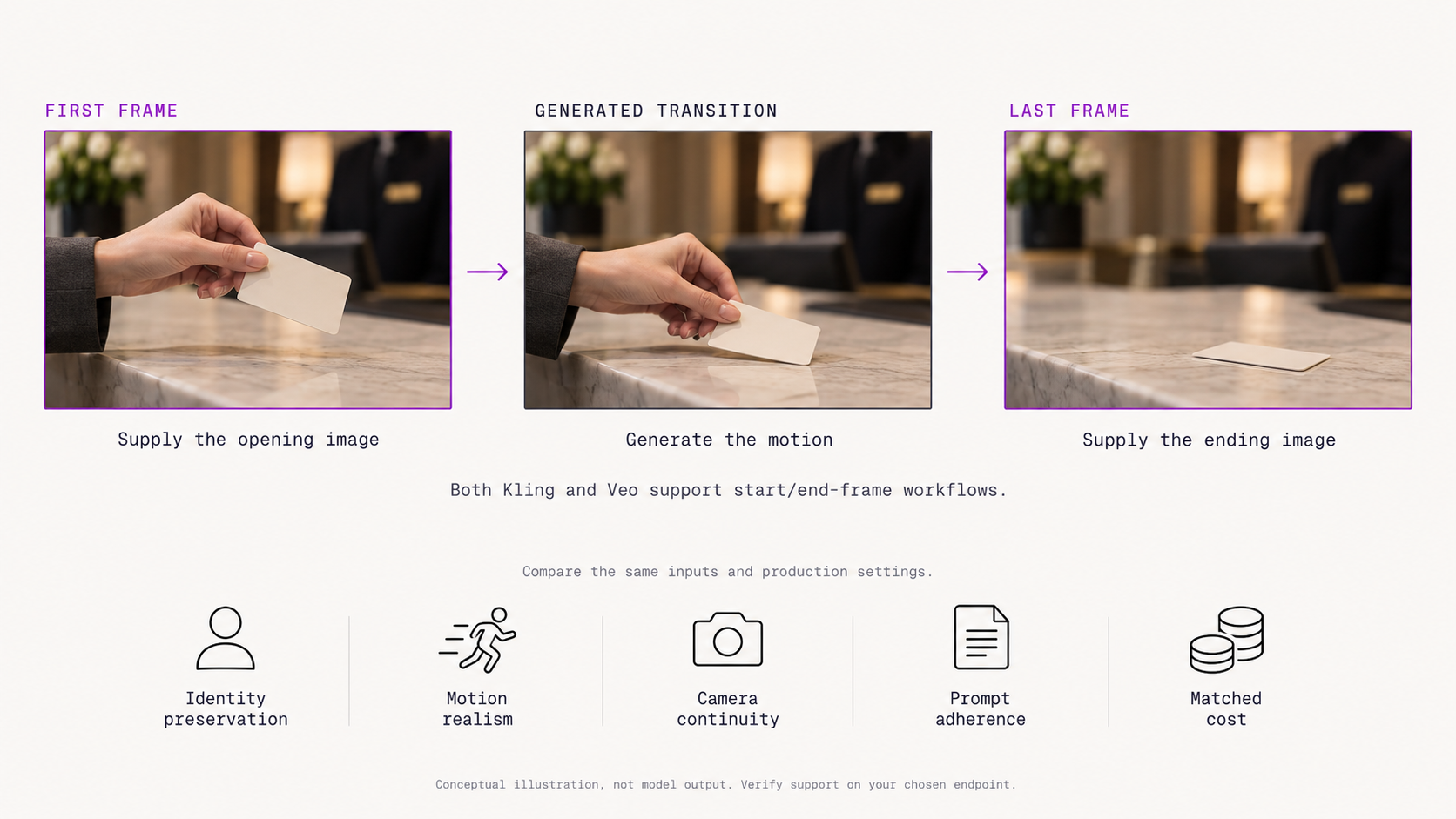
Veo 3.1 supports image-to-video and explicitly documents first-and-last-frame generation through Vertex AI. A developer supplies the starting image, can optionally add an ending image, and Veo generates the transition between them.
For example:
Start frame: a car parked outside a desert motel.
End frame: the same car driving toward the horizon.
The model's task becomes:
generate a coherent transition between two known states.
Veo strength
Google's first-and-last-frame API is particularly well documented and straightforward for developers using Vertex AI.
Kling strength
Kling combines first/end frames with its broader element and storytelling system.
So:
Controlled first-to-last-frame transition → Veo is very compelling.
Character / element references + cinematic sequence → Kling deserves strong consideration.
Kling vs Veo for Resolution
This area needs careful wording because Google's product surfaces are evolving.
Kling's current Video 3.0 documentation lists 720p and 1080p modes, and Kuaishou announced native 4K output for the Kling 3.0 family during Q2 2026.
Google's standard Vertex AI Veo 3.1 generation documentation still lists 720p and 1080p for the core endpoint.
However, Google's newer Agent Platform pricing documentation now includes 4K pricing SKUs for Veo 3.1 and Veo 3.1 Fast, while Google has also launched a separate Veo upscaling capability.
Because those product surfaces are not identical, the safest wording is:
Kling clearly documents native 4K generation in its current 3.0 product. Google now offers 4K Veo pricing/output options on some current surfaces, but developers should verify 4K availability for the exact Veo API endpoint they intend to deploy.
Do not write:
Kling supports 4K and Veo does not.
That statement is already too simplistic for September 2026.
Kling vs Veo Pricing
The pricing systems are different enough that we should not force an apples-to-apples headline.
Kling Video 3.0
Kling currently lists creator-side Video 3.0 pricing in credits per generated second:
For example, Kling's own documentation says a 5-second 1080p Native Audio generation costs 60 credits.
Veo 3.1
Google currently publishes USD-per-second pricing.
For standard Veo 3.1:
The current pricing page also lists 4K rates of $0.40/sec for video-only and $0.60/sec for video + audio.
So an eight-second standard Veo 3.1 generation at 720p/1080p would be approximately:
Video only: $1.60
Video + audio: $3.20
Veo 3.1 Fast and Lite are cheaper.
For example, Veo 3.1 Lite currently starts at $0.03/sec for 720p video-only and $0.05/sec for 720p video + audio.
Which is cheaper?
We should not answer that using these tables alone.
Kling uses an internal credit system while Google quotes USD rates. Unless the effective Kling credit purchase price is verified for the exact plan and region being compared, converting Kling credits into a single universal dollar amount would be misleading.
The right comparison is:
Cost the same resolution, duration, native-audio requirement and purchase plan on both platforms.
Kling vs Veo for API Access
Veo has a particularly clear enterprise API path through Google Cloud Vertex AI.
Applications can call Google publisher model endpoints, use the Google Gen AI SDK and integrate Veo into an existing Google Cloud environment. First/last-frame generation is also documented through the Vertex AI API.
Kling also provides developer-facing model documentation and API access around its video models, although its surrounding developer and creator surfaces differ from Google's cloud infrastructure model.
For large enterprises already standardized on Google Cloud, this distinction can matter as much as generation quality.
Cloud procurement, IAM, logging, quotas and existing infrastructure relationships can all affect the real deployment decision.
Is Veo 3.1 Available on Token360?
Yes.
Token360's current model catalog lists:
Veo 3.1
Veo 3.1 Fast
and Veo 3.1 Lite.
Token360 exposes supported models through its unified API and currently lists Veo models alongside Seedance, MiniMax and other video-generation families.
Token360's creator-facing page also currently includes Veo 3.1 as one of the selectable video models.
Is Kling 3.0 Available on Token360?
This needs to remain conservative.
As of September 10, 2026, Kling 3.0 does not appear in Token360's current public production model catalog reviewed for this article.
Kling vs Veo for Advertising
Both models are relevant to advertising, but the workflow is different.
Kling may fit better when:
The creative is a directed mini-commercial.
For example:
Shot 1: product close-up.
Shot 2: character picks it up.
Shot 3: dialogue line.
Shot 4: product hero shot.
Kling's explicit multi-shot controls, character consistency and native text rendering make this type of structured commercial workflow a natural fit. Kling specifically highlights commercial rendering and readable text as Video 3.0 use cases.
Veo may fit better when:
The priority is a smaller number of polished production shots, especially when the company already operates on Google Cloud or needs a choice among fidelity, fast and high-volume tiers.
Google explicitly positions Veo 3.1 for visual fidelity and final production cuts.
So a reasonable recommendation is:
Storyboard-heavy ad with characters/dialogue → test Kling first.
High-fidelity short production shot / Google Cloud workflow → test Veo first.
But production teams should still benchmark both with their own brand assets.
Kling vs Veo for Film and Storytelling
Kling's advantage is directorial structure.
Its custom multi-shot workflow lets creators specify shot duration, framing, camera angle and narrative content.
Veo's advantage is Google's fidelity-oriented generation ecosystem.
Its prompting system encourages cinematographic control through camera language, action, setting and visual style, and it supports native audio plus first/last-frame workflows.
A useful way to think about the difference is:
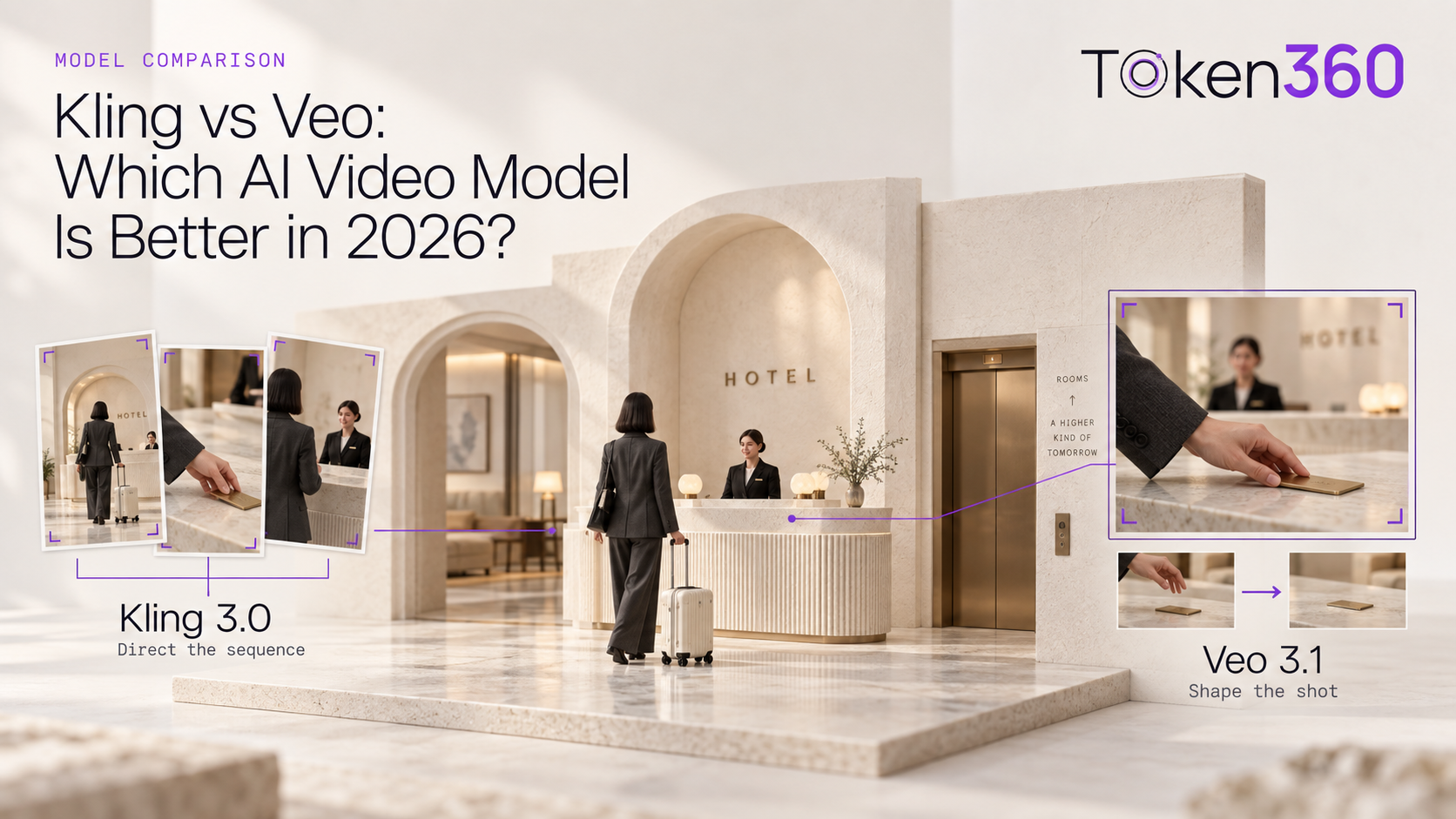
Kling behaves more like a storyboard you direct.
Veo behaves more like a production shot you describe.
That is not a technical definition, but it is a useful high-level way to explain their current product emphasis.
Kling vs Veo for Developers
The model itself is only one layer of a production decision.
Developers should also evaluate:
Token360 currently exposes video generation through the normalized:
POST /v1/videos
endpoint and handles asynchronous video tasks using a task ID that can be polled for status.
Because Veo 3.1 appears in Token360's production catalog, developers can evaluate it within the same model infrastructure used for other supported video, image, language and audio models.
A generic request architecture looks like:
curl -X POST https://api.token360.ai/v1/videos \
  -H "Authorization: Bearer $TOKEN360_API_KEY" \
  -H "Content-Type: application/json" \
  -d '{
    "model": "<current-veo-model-id>",
    "prompt": "A cinematic close-up of a luxury sports car driving through rain at night"
  }'
Important publication note: replace <current-veo-model-id> with the exact production catalog ID returned by Token360's GET /public/models or model-detail schema at publication time. Token360 explicitly recommends confirming live IDs because names can change as new versions ship.
This is more responsible than hard-coding an ID we have not confirmed from the current API response.
Kling vs Veo: Which Is Better for Native Audio?
Both support native audio, but Kling provides more explicit public controls around who is speaking and in what language.
Kling Video 3.0 documents multilingual dialogue across Chinese, English, Japanese, Korean and Spanish, character-level speech assignment, accents and dialects.
Veo 3.1 generates synchronized speech and sound effects together with video and offers native-audio capability across standard, Fast and Lite tiers.
So:
Character dialogue / multilingual scripted scenes → Kling has a clearer documented advantage.
General synchronized audiovisual production → both are strong candidates.
Without an independent audio-quality benchmark, don't declare an overall winner.
Kling vs Veo: Which Is Better for Long Videos?
For single-generation duration, Kling 3.0 wins on the documented specification.
Kling supports up to 15 seconds, compared with Veo 3.1's documented 4-, 6- or 8-second standard generation lengths.
If an application requires one uninterrupted 12-second clip, that distinction matters.
If the application only needs six- or eight-second advertising shots, it may not.
Kling vs Veo: Which Is Better for Character Consistency?
Kling has a particularly explicit reusable-character and element system.
Its Omni model can create subjects from multiple images or a short video, maintain those traits across shots and even associate a voice with a character element.
Veo also supports consistency-oriented asset/reference workflows, but the products organize those controls differently.
So a defensible answer is:
Kling currently exposes the more explicit reusable-character workflow, while Veo provides reference-driven consistency within Google's broader video-generation system.
Do not claim Kling universally has better character consistency unless you actually benchmark it.
Kling vs Veo: Which Is Better for First-and-Last-Frame Video?
Both support start/end-frame workflows.
Veo has especially clear Vertex AI documentation: developers can upload the first image, optionally upload the last image and generate the transition through the API.
Kling Video 3.0 also documents Start & End Frames-to-Video as a supported capability.
If this is the core use case, I would not choose based only on the checkbox.
Instead test:
Kling vs Veo: Which One Should You Choose?
The best choice depends on the production requirement.
Kling 3.0 emphasizes longer generation, explicit storyboarding, character consistency and multilingual dialogue, while Veo 3.1 emphasizes fidelity-oriented short-form production, native audio and deep Google Cloud integration.
Frequently Asked Questions About Kling vs Veo
Is Kling better than Veo?
Not universally.
Kling 3.0 offers longer generation up to 15 seconds, detailed multi-shot controls, reusable character elements and documented multilingual dialogue. Veo 3.1 is Google's fidelity-oriented video model and offers native audio, first/last-frame generation and several speed/cost tiers through Google Cloud.
The better model depends on the workflow.
Is Veo 3.1 better than Kling 3.0 for video quality?
There is not enough independent evidence to make that universal claim.
Google publishes internal human-evaluation results for Veo, and both Google and Kuaishou describe significant visual-quality improvements in their latest models. But those vendor benchmarks do not establish a neutral head-to-head winner for every prompt.
Which is longer, Kling or Veo?
Kling Video 3.0 currently supports up to 15 seconds in one generation. Veo 3.1's core Vertex AI documentation lists 4-, 6- or 8-second outputs.
Does Kling or Veo support native audio?
Both do.
Kling supports native audiovisual generation and explicitly documents multilingual dialogue, accents and dialects. Veo 3.1 supports synchronized speech and sound effects across its standard, Fast and Lite tiers.
Does Kling or Veo support 4K?
Kling 3.0 has officially rolled out native 4K video output. Google's current platform pricing also includes 4K Veo 3.1 options, although feature availability can depend on the specific Google API/product surface being used.
For production integration, verify the exact target endpoint instead of relying on a generic model-family claim.
Can I use Veo 3.1 through Token360?
Yes. Token360's current public model catalog includes Veo 3.1, Veo 3.1 Fast and Veo 3.1 Lite among its video-generation models.
Can I use Kling 3.0 through Token360?
Token360's current public production model catalog reviewed on September 10, 2026 does not list Kling 3.0, so this article should not claim current Token360 Kling 3.0 access unless the catalog or Product team confirms it before publication.
Build With Veo and Other Video Models Through Token360
For teams that do not want their application architecture tied to a single video vendor, Token360 provides one gateway for supported language, image, video and audio models.
The current production catalog includes Veo 3.1, Veo 3.1 Fast and Veo 3.1 Lite, alongside Seedance, MiniMax and other video-generation families.
Explore the Token360 model catalog
Read the Token360 API documentation


 Tutorial
 Comparison
 Comparison