An AI video seed can help control variation where the selected model supports it. It is not a universal guarantee of an identical video. To evaluate reproducibility, preserve the complete request and source assets, repeat the supported configuration, and distinguish similar-looking outputs from identical decoded media and identical files.
This guide provides an original pinwheel test scene, a three-run comparison plan, and a reproducibility record. The examples are proposed procedures, not results from a live seed experiment. The cover illustrates a possible difference in motion phase; it does not claim two videos were generated using the same seed.
Read first: the AI model evaluation framework helps define acceptance criteria, while the image-to-video workflow explains how reference inputs enter the process.
Define what you mean by reproducible
Teams often use “the same result” to mean different things. A creative reviewer may accept the same subject and style. A regression check may require matching motion timing. An archive check may require the exact same bytes. Choose the level before comparing outputs.
| Level | Question | Appropriate evidence |
|---|
| Request reproducibility | Did we submit the same effective inputs? | Saved request settings and immutable source assets. |
| Perceptual similarity | Do the clips look and behave sufficiently alike for this use? | A predefined visual and temporal review. |
| Decoded-media equality | Do the decoded frames, timestamps, and relevant audio match? | A specified decoding and comparison procedure. |
| File identity | Are these the same bytes? | Byte comparison or a practical file-integrity hash check. |
A successful check at one level does not establish all the others. Two containers can differ in metadata or encoding while showing the same decoded imagery. Conversely, two clips can look similar in a thumbnail while their motion differs throughout playback.
Read the guarantee for the exact model and route
Runway’s API reference describes using the same seed with an identical request as producing similar results. Similarity is a narrower claim than byte-for-byte identity. Check the selected endpoint and model rather than applying that wording to every service.
Google’s Veo documentation for the Gemini API explicitly notes that seed does not guarantee determinism. That page also contains model lifecycle notices, so it should not be used as proof that a listed preview model remains callable. The lesson here concerns the documented limit of seed control, not a recommendation to use a retired endpoint.
For Token360, inspect the exact model page and schema. The model capabilities documentation states that supported parameters vary by model. Do not invent a seed field, its valid range, or its location in the request. If the route does not expose seed control, record that limitation instead of presenting an unsupported field as a reproducibility feature.
Save more than the seed number
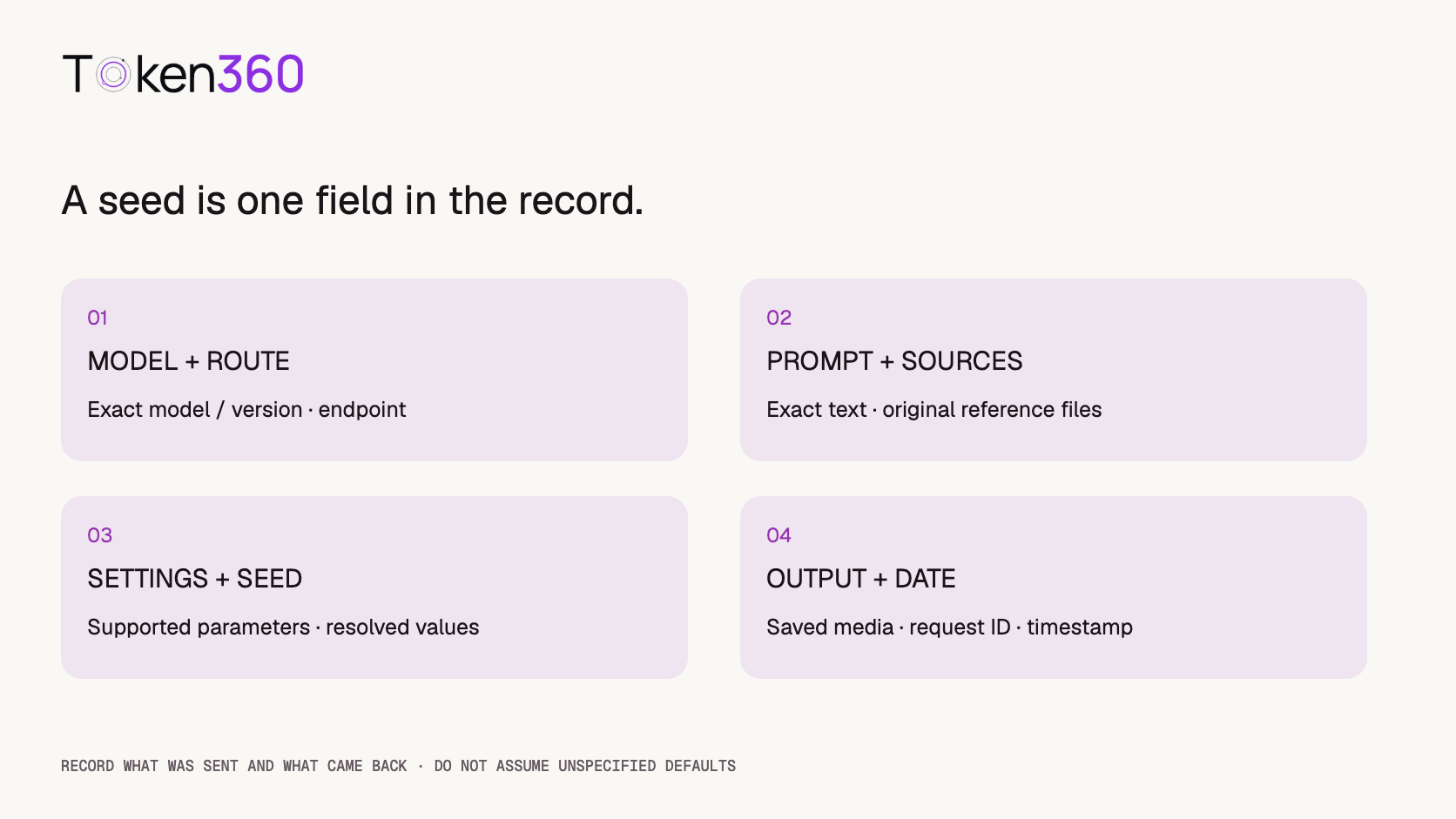
A seed is only one input. Changing the prompt, reference image, duration, aspect ratio, or another supported control changes the experiment. An identical numeric value across different models does not establish equivalent internal behavior.
Preserve the exact prompt text, including any separate supported exclusion input. Save the actual reference file rather than relying only on a URL that may later serve a different image. Record input order when multiple references are used. Keep the model identifier, requested settings, and generation date with the output.
Where the service returns a resolved model version, routing information, or effective settings, retain them. Where it does not, mark those fields unknown. Do not assume a provider changed a hidden setting merely because two outputs differ; the observation alone cannot identify the cause.
Defaults are another source of uncertainty. Record explicitly supplied values and distinguish them from omitted fields. A request with an omitted parameter is not the same record as a request that explicitly sets a value, even if you believe the default currently matches it.
Use a simple scene with visible timing
An original example is a pale-lavender four-blade pinwheel on an ivory stem. Its appearance is easy to describe, while the blade angle provides a visible cue for motion phase. Keep the camera fixed so camera motion does not obscure that comparison.
A pale-lavender paper pinwheel rotates slowly clockwise on a stationary ivory stem. The camera remains fixed in a medium view. The pinwheel keeps the same blade shape and size. Soft daylight and the plain ivory background remain steady throughout the shot.
This prompt is a proposed test input, not a verified recipe. The cover is concept art illustrating different orientations. It is not evidence of a model’s response to seed reuse.
If testing image-to-video, use one approved reference file and preserve its bytes. Choose supported duration and resolution settings. Select a seed within the documented range only if the exact model accepts it. Save the full effective test configuration before submitting anything.
Run a three-repeat check before changing variables
For a small exploratory check, submit the same supported configuration three times and retain all three outcomes. This creates three requests, not three guaranteed successful videos. If a request fails or produces no accessible asset, record it separately rather than replacing it silently.
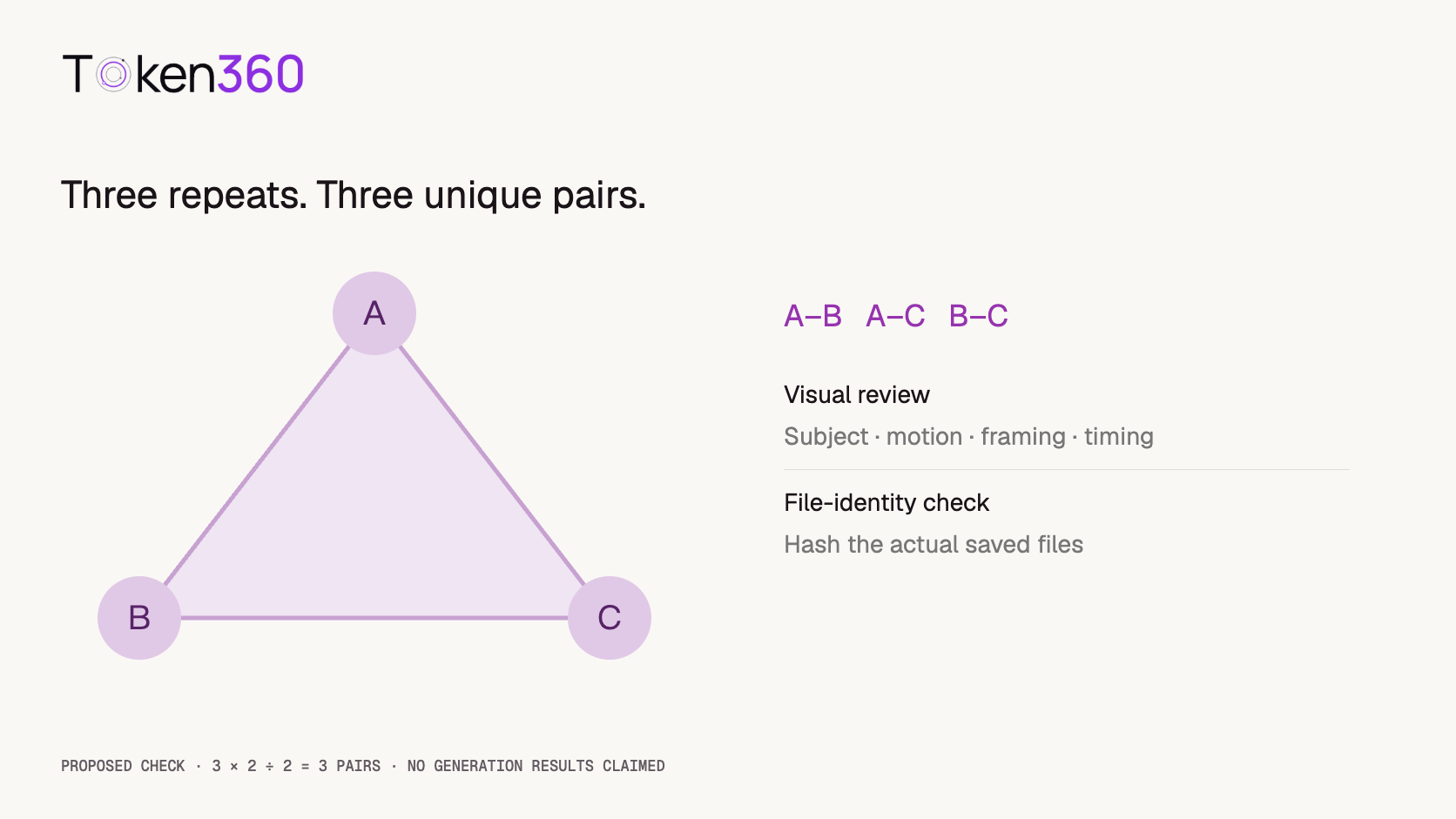
Three successful outputs allow three unique pairwise comparisons: A–B, A–C, and B–C. The count follows 3 × 2 / 2 = 3. It is an accounting convenience, not a statistically representative sample or a claim about a model’s overall reliability.
Review every pair against the same criteria. For the pinwheel, compare blade shape, apparent size, rotation direction, approximate phase at chosen moments, and background stability. Watch the full clips as well as inspecting selected frames. A few matching frames cannot establish that the whole sequence matches.
If durations or frame timing differ, record those differences first. Comparing “frame 30” with “frame 30” can be misleading when their presentation times differ. Define whether you compare matching timestamps, normalized progress through each clip, or another stated alignment. Those choices answer different questions.
Interpret file hashes correctly
A file hash is useful for identifying saved artifacts and checking whether bytes changed during storage or transfer. It does not measure visual quality or tell you how closely two motions match. Different hashes establish different files, not necessarily visibly different scenes.
For a practical local integrity record on macOS, the following command computes a SHA-256 hash of an existing file. Replace the filename with the saved output you intend to record.
shasum -a 256 candidate-a.mp4
This command is an example and was not run against generated video candidates for this article. Store its result beside the filename and request record. If two saved files have different hashes, inspect whether the relevant difference is container metadata, encoding, audio, timing, or decoded content before drawing a creative conclusion.
Exact decoded-media comparison needs a specified procedure, including decoder behavior, color handling, frame timing, and whether audio is included. Do not call a screenshot comparison a full video equality test. For most editorial decisions, a documented perceptual review may be the appropriate target.
Change one variable only after measuring baseline variation
Once you know how repeated baseline requests behave in your small sample, you can compare a revised prompt or another supported setting. Keep the remaining recorded inputs unchanged. Treat the changed configuration as a new condition, not another identical repeat.
For example, replacing “slowly” with “at a brisk pace” changes the creative instruction. Reusing the seed may be useful for exploration where documented, but it does not prove that the clips differ only in speed. Inspect subject shape, camera behavior, and other properties too.
Do not infer that a changed seed is the cause of a particular visible feature from one pair alone. Nor should you infer that an unchanged seed protects identity after a substantial prompt rewrite. Preserve the observations and limit conclusions to the tested configurations.
If switching models, restart the baseline check using the destination model’s documented controls. Shared field names or seed values are not a portable promise of identical scenes, and a different integration may expose different capabilities.
Preserve the approved output instead of relying on regeneration
When a clip is approved, save the actual asset and its provenance. A seed record helps explain how it was requested; it is not a replacement for the approved file. Keep the original output separate from edited exports and record which version was published.
If the original becomes unavailable, regeneration should be treated as a new candidate requiring review. Even when the provider documents strong repeatability, the saved configuration may be incomplete or the exact version may no longer be available. State those limitations rather than promising recovery from a seed alone.
Also distinguish reproducibility from duplicate-request prevention. A seed is not an idempotency key. Repeating a generation request can create another job and may incur another charge under the provider’s billing rules. Do not use a seed as a mechanism for recovering the result of an uncertain submission.
Report what the evidence actually shows
A useful report identifies the model and route, the saved request configuration, the number of submissions and available outputs, and the comparison method. Separate observations about file identity from observations about appearance and timing.
For example, a report could say that a reviewed pair preserved the subject’s appearance but differed in rotation phase. That sentence would describe a specific observation; it would not establish deterministic generation or general character consistency. No such outcome is claimed in this article.
Retain unsuccessful requests and rejected outputs alongside accepted ones. If repeating the check later, record the new date and any known version changes. Reproducibility is most useful when the evidence can be inspected, not when the record contains only a seed and a favorable thumbnail.
Frequently asked questions
Does the same seed guarantee the same AI video?
Not universally. Follow the exact model and endpoint documentation, preserve the other inputs, and test the level of reproducibility you need. Similarity and exact file identity are different claims.
Can I reuse one seed across different video models?
You may be able to submit the same number where it is valid, but that does not imply comparable internal behavior or equivalent outputs. Validate each model separately.
What if the API has no seed parameter?
Do not invent one. Record that seed control is unavailable for the selected route, preserve the other inputs and outputs, and describe the limits of any repeatability check.
Why do two similar-looking videos have different hashes?
A hash reflects file bytes. Encoding, metadata, audio, or timing can differ even when visible content is similar. A different hash alone does not quantify the visual difference.
Can a seed recover a lost approved video?
It is not a reliable substitute for saving the approved asset. Regenerated output should be reviewed as a new candidate unless the applicable service contract and actual evidence establish the required equality.
Is a seed an idempotency key?
No. It controls a generation input where supported. It does not by itself prevent duplicate jobs, recover an existing task, or guarantee that a repeated request will not be charged.
Read next: consult video API error handling for uncertain requests and video API cost optimization when budgeting repeated candidates.



 Prompt Guide
 Prompt Guide
 Prompt Guide