To prompt parallax in AI video, establish objects at different depths and describe a camera translation through that scene. For a simple sideways move past stationary objects, nearby features generally travel farther across the image than distant features. Review those relative movements, rather than accepting any animated background as evidence of depth.
This guide uses an original coastal scene, a simplified projection calculation, and a proposed candidate comparison. The arithmetic explains a geometric relationship; it does not predict a model’s output. No video generation, tracking measurement, or parallax benchmark was performed for this article.
Read first: the image-to-video workflow covers reference preparation, and the text-to-video workflow helps separate scene description from temporal instructions.
Define the camera move before requesting depth
Parallax concerns changes in the relative positions of visible features as the viewpoint changes. A sideways camera translation is a useful starting case because the depth relationship is straightforward to inspect. The scene can remain still while its projected features move differently on screen.
Runway’s camera terminology reference describes a truck move as lateral camera movement. Use that term with an explicit direction and scene description. Do not assume that every model interprets the same vocabulary identically.
A pan rotates the viewing direction from a camera position; a truck changes the camera position. A zoom changes framing through the imaging system. These operations can look similar in a short clip, but they do not produce the same geometric relationships. For the first test, request a lateral move without adding an orbit, zoom, or subject-following rotation.
Give the scene three recognizable depth layers
The example places pale-lavender reeds near the camera, an ivory lighthouse in the middle distance, and mountain ridges far behind it. Their shapes differ enough that a reviewer can follow each layer. The lighthouse serves as a stable subject, while the reeds provide a nearby reference for relative motion.
Depth should be understandable in the input itself. Occlusion, apparent scale, ground placement, and perspective can help establish which objects are nearer. Simply listing “foreground, midground, background” does not guarantee that the generated scene will maintain those relationships.
Keep the baseline subjects stationary. Wind-driven reeds, moving water, rotating lighthouse beams, or drifting clouds introduce independent motion. Those can be added later, but they make it harder to determine whether the observed displacement comes from the requested camera movement.
| Layer | Original example | Baseline review role |
|---|
| Near | Lavender reeds. | A recognizable feature expected to show the greatest lateral displacement in the simple setup. |
| Middle | Ivory lighthouse. | A stable structure for checking intermediate displacement and shape. |
| Far | Mountain ridge. | A distant feature expected to show comparatively little displacement. |
Describe the relative movement explicitly
Use a camera instruction and an observable relationship, not only the phrase “cinematic parallax.” For this baseline, a camera moving right makes stationary features shift left in the image when orientation remains fixed. Nearby features shift farther than distant ones under the simplified conditions.
The camera trucks slowly to the right through a miniature coastal scene while keeping its viewing direction fixed. Nearby lavender reeds slide left across the frame more than the ivory lighthouse in the middle distance. The distant mountain ridge shifts only slightly. All scenery remains stationary, the lighthouse keeps its shape, and the lighting stays steady.
This is an original proposed prompt, not a tested recipe or a guaranteed trajectory. For image-to-video, use the same reference file while comparing wording. For text-to-video, retain the same scene description and change only the camera or relative-motion clause you intend to investigate.
Do not simultaneously ask the camera to keep the lighthouse perfectly centered unless that is a separate, intentional shot design. Reorienting the camera to follow a target changes the projected movement. The simple leftward ordering described here is not a universal rule for every orbit, pan, or tracking shot.
Understand why near objects can move farther
A simplified pinhole projection makes the relationship explicit. Let horizontal image position relative to the image center be x = fX/Z, where f is focal length expressed in pixels, X is horizontal position in camera coordinates, and Z is depth. Keep the scene static and translate the camera right by T without rotating it.
The new camera-relative horizontal coordinate becomes X − T. Subtracting the original projection gives Δx = −fT/Z. The negative sign indicates a leftward image shift in this setup. At fixed f and T, the magnitude decreases as depth increases.
For an illustrative f of 1,000 pixels and a 0.1-meter camera translation, a feature at 1 meter shifts 100 pixels left. At 5 meters it shifts 20 pixels; at 20 meters it shifts 5 pixels. These are hypothetical depths and displacements, not measurements of the cover scene.
| Illustrative depth | Calculation of magnitude | Image shift |
|---|
| 1 m | 1,000 × 0.1 ÷ 1 | 100 px left. |
| 5 m | 1,000 × 0.1 ÷ 5 | 20 px left. |
| 20 m | 1,000 × 0.1 ÷ 20 | 5 px left. |
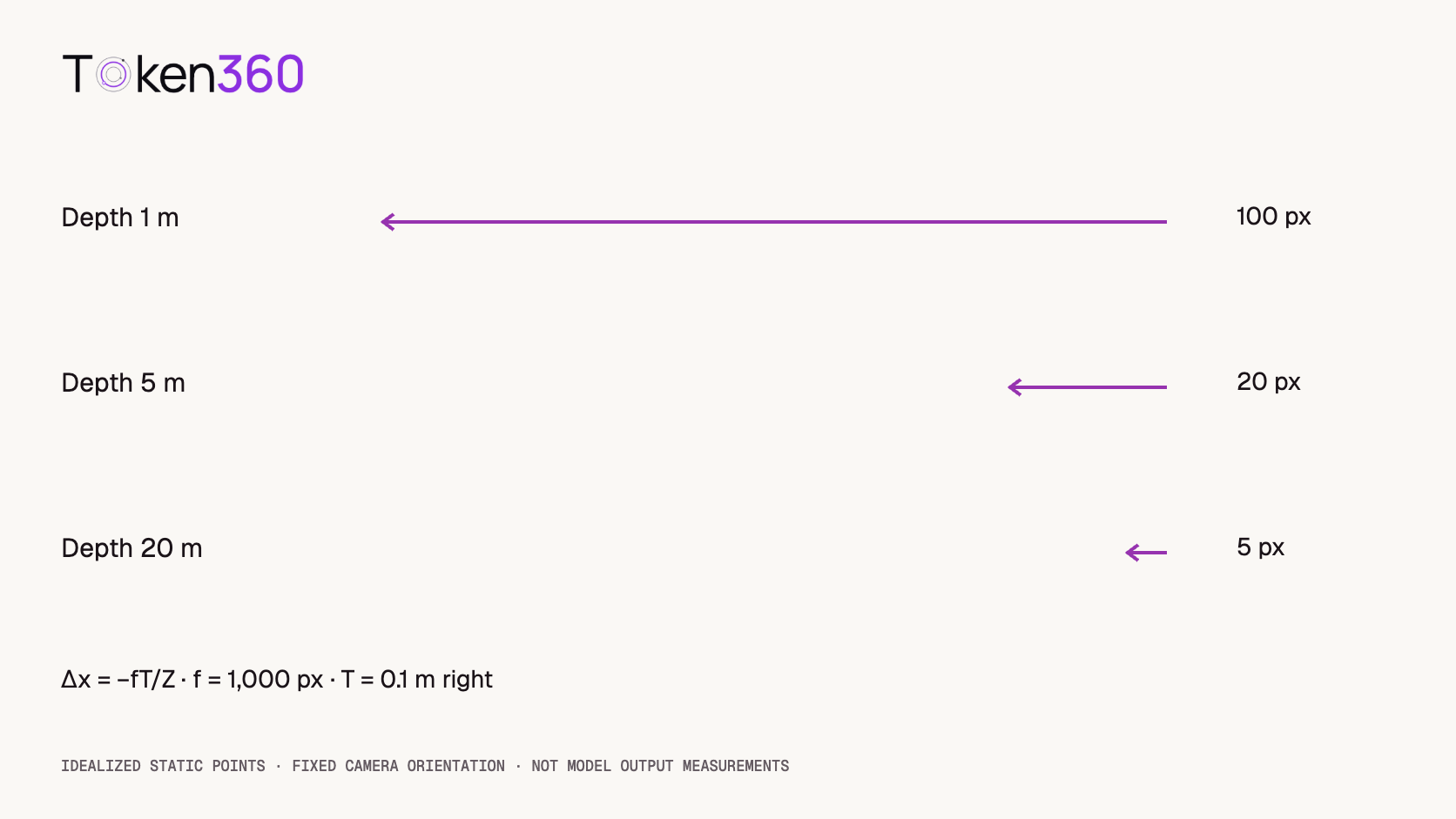
The calculation assumes fixed orientation and focal length, no lens distortion, and no independent object motion. It does not account for changing visibility or the shapes of surfaces. Use it to understand the direction of a relationship, not to infer calibrated scene depth from an unverified AI-generated clip.
Distinguish parallax from a flat slide or a focus pull
If every feature moves by the same amount, the result may resemble a flat image translated across the screen. That can be an intentional graphic effect, but it does not demonstrate the expected depth-dependent displacement of this baseline scene.
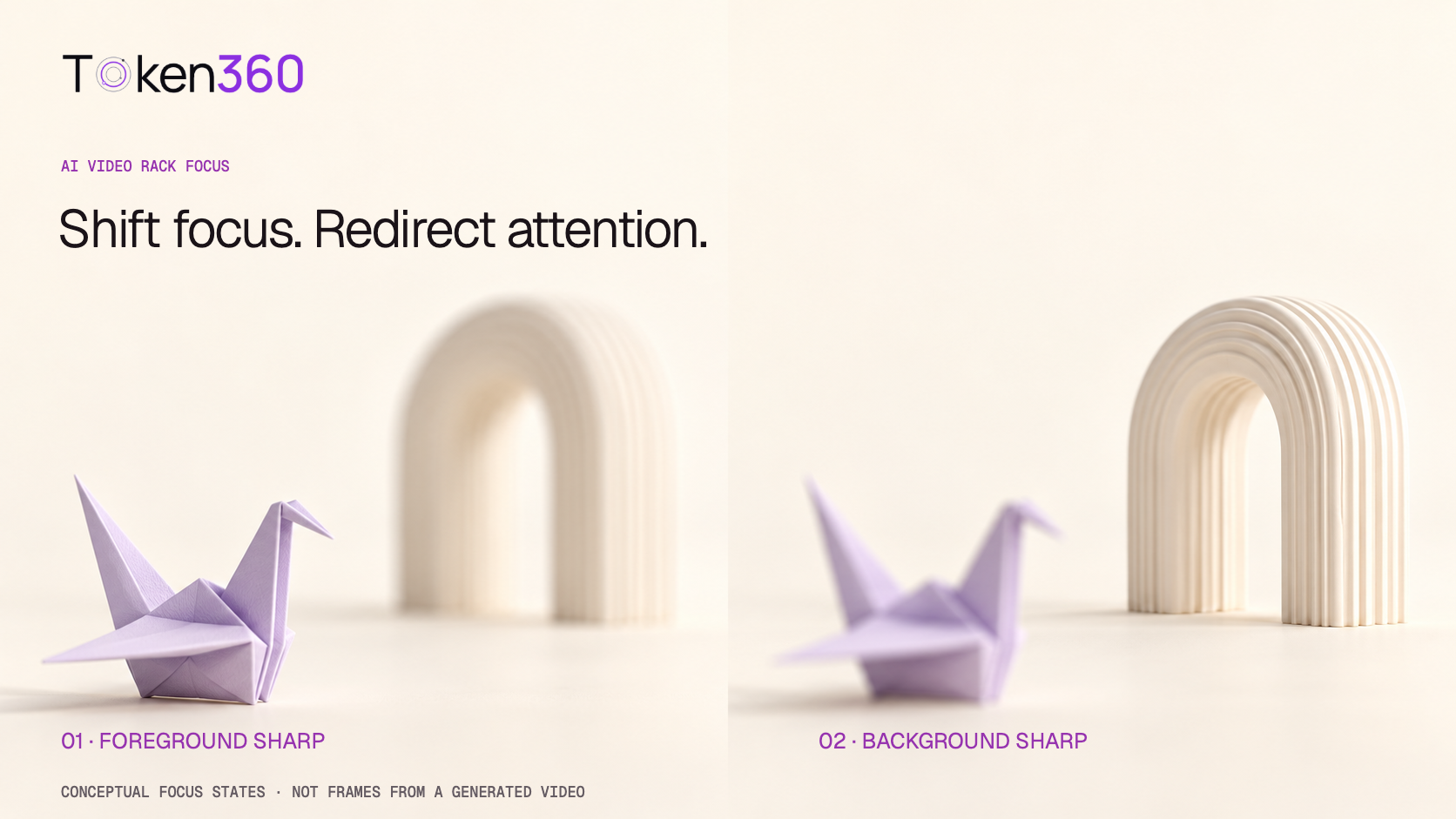
If the reeds soften while the lighthouse sharpens without meaningful relative position change, the visible operation is closer to a focus transfer. If features stretch into directional smears, inspect motion blur. Neither observation by itself establishes parallax.
Watch the same feature in each layer across the shot. Do not compare a reed that disappears on one side with a different reed that enters later and treat them as the same tracked point. Preserve the distinction between a continuous object, an occluded object, and a newly visible region.
Inspect what becomes visible behind the foreground
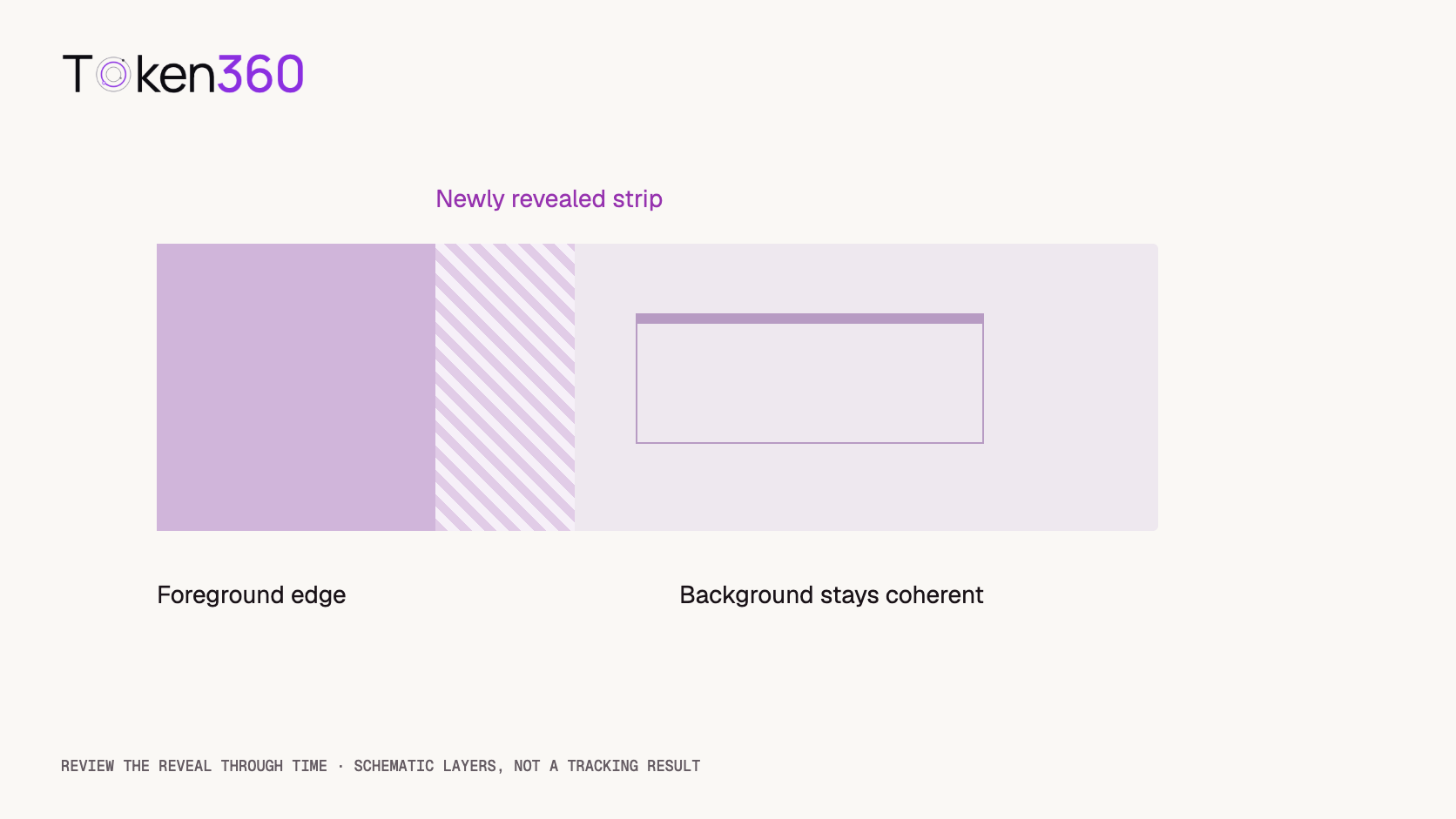
A moving viewpoint can reveal areas that were hidden behind nearby objects. This is where an otherwise convincing shot may expose inconsistent scenery: a lighthouse edge changes, a reed merges into the ground, or a new patch of landscape fails to match its surroundings.
Review those reveal boundaries throughout the clip. A plausible beginning and ending frame do not establish that the intervening surfaces remained coherent. Check the lighthouse outline, the reeds’ bases, and the ridge silhouette at moments when their overlap changes.
Keep the requested travel modest for an initial test. A larger move generally reveals more previously hidden scene content, which increases what must be generated or reconstructed. That is a production consideration, not a quantified success-rate claim about any model.
Know when a layered edit is the better fit
For a controlled graphic animation from a still, a layered editing workflow may be appropriate. Adobe’s animate-a-picture tutorial describes separating foreground and background and adding parallax with a 3D camera in After Effects.
That approach gives editorial control over layer placement and camera timing. It still requires clean separation and sufficient background content behind the foreground. Moving a cutout can expose an unfilled region; arranging flat layers in depth does not create a complete model of a curved object.
Choose the approach according to the required result. A short stylized reveal may work with layered artwork. A viewpoint change that exposes substantial new surfaces may need additional source material, a 3D scene, or a reviewed generated sequence. Record which technique produced the finished asset.
Test prompt specificity without claiming a camera guarantee
A proposed comparison uses two conditions: a short “truck right” instruction and the same scene with explicit near, middle, and far displacement cues. Request three candidates per condition while preserving the same reference and supported settings. This is six planned requests, not six completed tests.
Check the selected model’s documented controls in Token360 Model Capabilities. Do not add an invented camera-translation parameter or assume a prompt’s meters correspond to a calibrated trajectory.
Review direction, relative displacement, object identity, and newly revealed regions. If measuring feature coordinates, record the original output resolution, selected features, and timestamps. Avoid mixing measurements from a cropped export with those from its full-frame source without accounting for the transformation.
Retain failed requests and rejected candidates. Report usable counts against written criteria, and keep edited derivatives separate from unmodified outputs. A six-request exploration cannot establish a model-wide reliability ranking or prove that explicit wording controls the exact geometry.
Keep the final crop in the review
A shot can contain convincing depth movement while losing the foreground reference in the final crop. Check the delivery framing before approval. If the reeds disappear immediately, viewers may see mainly the lighthouse and mountains, reducing the visible contrast between near and far movement.
Review whether the lighthouse stays within the usable composition throughout the camera move. Do not fix an unwanted exit by silently changing the acceptance criterion after seeing the result. Record whether you shortened the shot, reframed it, or generated another candidate, and retain the original for comparison.
For the coastal example, write down one persistent feature per layer before reviewing: a particular reed tip, the lighthouse roof, and a ridge peak. If any feature becomes hidden, mark that interval unobservable. Do not interpolate an assumed path through the hidden interval and report it as measured evidence of stable geometry.
Frequently asked questions
What is an AI video parallax prompt?
It describes a viewpoint change and relative movement between features at different depths. For a simple sideways translation, it can specify that nearby features shift more than distant ones.
Is “pan right” the same as “truck right”?
No. A pan rotates the view; a truck translates the camera sideways. Use the movement that matches the intended shot and inspect how the generated scene actually behaves.
Does parallax require a blurry background?
No. Parallax concerns relative position changes, not which subject is sharp. A scene can show depth-dependent motion while remaining broadly in focus.
Why do all the layers move together?
The result may be behaving like a flat slide, or the scene may not show enough usable depth variation. Check the reference, camera instruction, and the same identifiable features across time.
Can I create parallax from one still image?
Yes, through a suitable generative or layered editing workflow. Newly revealed areas still need content, and flat layers do not fully describe every surface.
Can I use the displacement formula to measure real scene depth?
Only when its geometric assumptions and required calibration are justified. The illustrative formula does not turn an arbitrary AI video into a reliable depth measurement.
Read next: use the model evaluation framework to document acceptance and the video cost guide to budget candidate generation.



 Prompt Guide
 Prompt Guide
 Prompt Guide