Choose AI video clip duration around the action you need to show, not simply the longest option available. Identify the starting state, the main action, and the finished state. Allow room to recognize each one, then check which durations the exact model supports. If the action does not fit, simplify or split the shot instead of asking the prompt to compress everything.
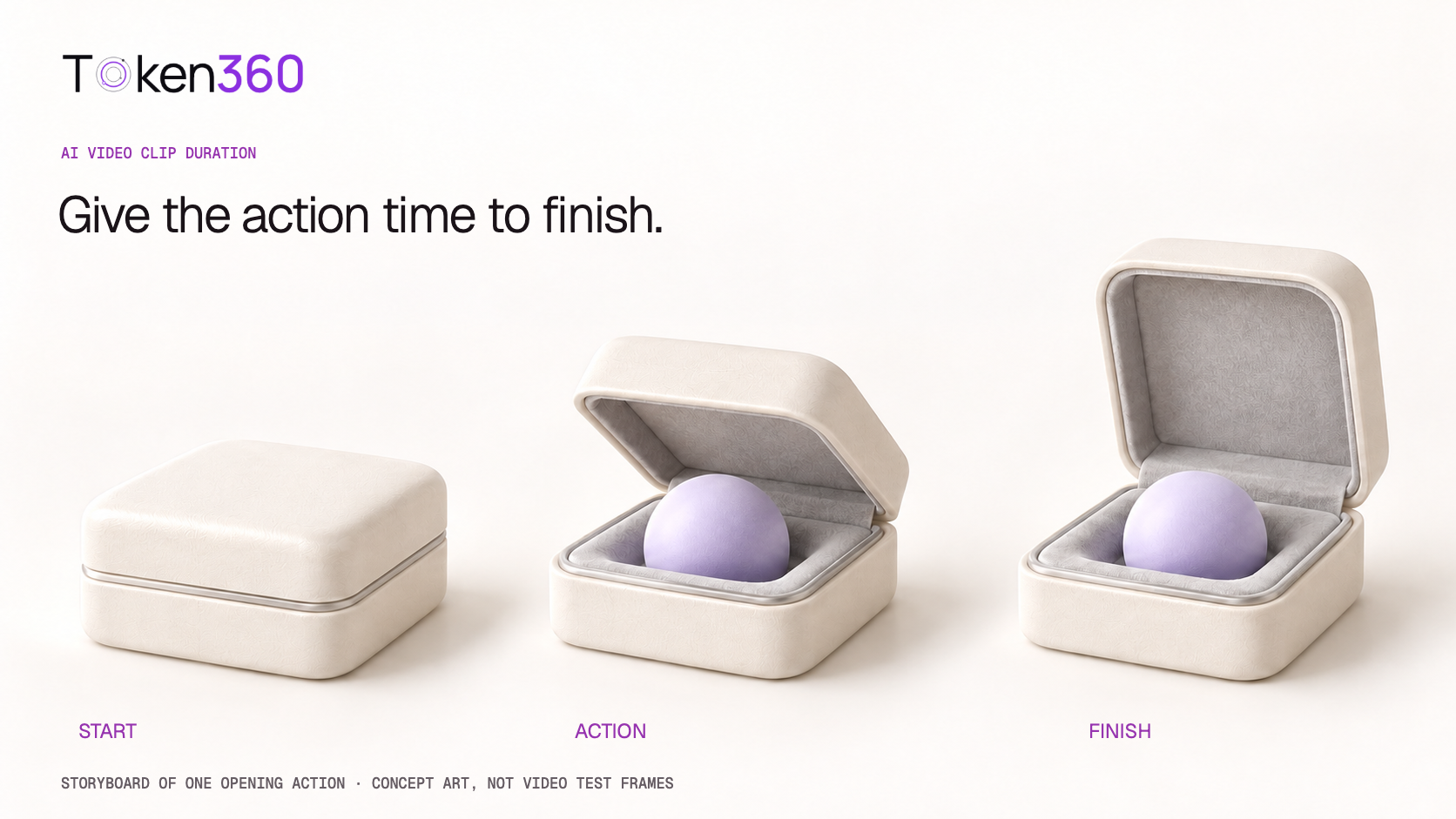
This guide uses an original presentation-case opening scene and a worked timing budget. The numbers are planning assumptions, not observed model performance. The cover illustrates three intended states; it is not a sequence extracted from a generated video.
Read first: use the text-to-video API workflow for request preparation, or the image-to-video workflow when the starting composition is already approved.
Distinguish clip duration from generation latency
Clip duration is how long the output plays. Generation latency is how long you wait for the service to produce it. A six-second video does not imply a six-second wait. Likewise, a faster response does not prove the action inside the clip has better pacing.
Keep a third number separate: the duration used in your final edit. You might generate a longer candidate and keep only a useful portion. That trimmed length does not necessarily determine the generation charge. Check the selected model’s billing meter and current pricing instead of inferring cost from the final timeline.
Record requested duration, actual output duration, and final used duration separately. If the request accepts only certain durations, choose from those documented values. Token360’s model capabilities documentation identifies the selected model page and public schema as the source of truth for supported parameters and pricing rules.
Budget time for three visible states
In the example scene, an ivory case begins closed, its hinged lid opens, and the open case reveals a lavender sphere. The viewer needs to understand the starting object, perceive the opening, and recognize the revealed result. A clip can technically contain the opening while leaving too little time to read the result.
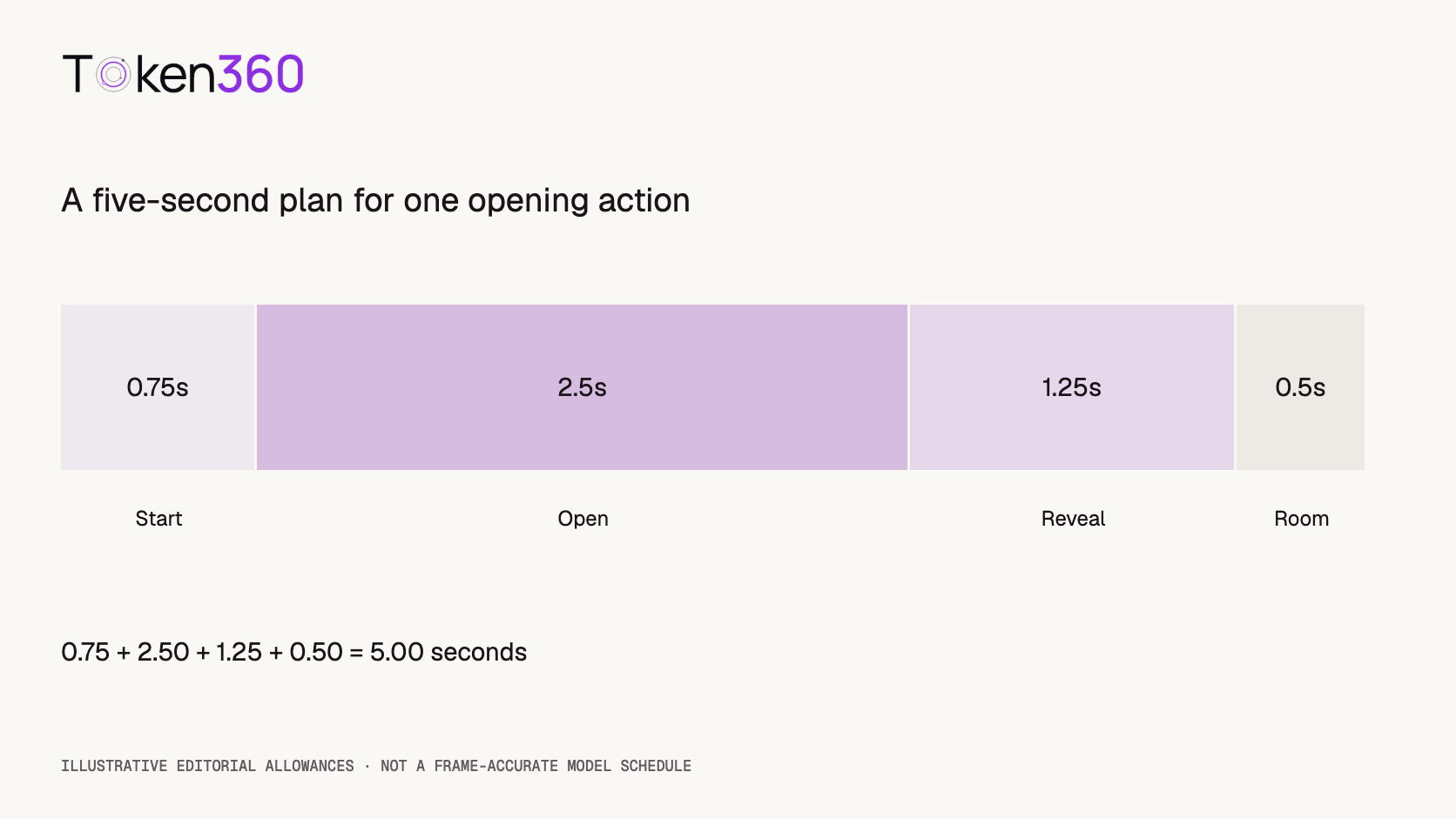
| Part of the shot | Editorial purpose | Illustrative allowance |
|---|
| Starting state | Establish the closed case. | 0.75 seconds |
| Main action | Show one smooth lid opening. | 2.50 seconds |
| Finished state | Make the revealed sphere readable. | 1.25 seconds |
| Editing room | Leave flexibility around the usable action. | 0.50 seconds |
The total is 0.75 + 2.50 + 1.25 + 0.50 = 5.00 seconds. These values are an original editorial budget for this example, not measured human perception thresholds or a model’s timing guarantee. “Editing room” is an allowance around the action, not a request for an additional event.
If the chosen model offers a five-second option, it is a plausible candidate to test against this budget. If it offers different options, adapt the plan. Do not send an unsupported duration simply because the calculation totals five seconds.
Count state changes before adding more seconds
“Open the case” describes one main transition. “Open the case, lift the sphere, rotate it, set it down, close the lid, and move the camera away” introduces several transitions with dependencies. If the first happens late, everything after it has less room.
Adding duration may help, but it does not remove ambiguity. The model still needs to preserve object identity, sequence the actions, and maintain coherent motion. Splitting the sequence can make the goal easier to describe and the result easier to evaluate.
Runway’s Gen-4 Video Prompting Guide recommends a simple single-scene description and warns that multiple scene changes and actions can produce unintended results. That guidance applies to its documented model; it is not evidence that every provider has the same duration options or response to complexity.
Use the action list as an editorial diagnostic. If a shot contains several moments that would each deserve a clear view, consider making them separate shots. If the action must remain continuous, simplify the camera and background so they do not compete with the subject.
Write a prompt with a clear endpoint
A useful action prompt describes what changes and what should remain true afterward. “A case opening beautifully” leaves the finish ambiguous. The following original prompt names the final state while keeping the scene simple.
A small ivory presentation case rests on a clean tabletop. Its hinged lid opens once in a smooth, controlled movement until fully upright, revealing a single pale-lavender sphere inside. The case remains open and the sphere stays in place for a calm finishing hold. The camera remains fixed, with steady soft daylight and the entire case visible.
For image-to-video, use a starting image that agrees with the requested closed state. If the reference already shows the case open, the prompt introduces an avoidable conflict. Describe the motion relative to the actual reference rather than assuming a lengthy text description overrides it.
The finishing hold is a desired visual behavior. It does not guarantee an exact number of frames. Likewise, words such as “once” or “fully upright” establish acceptance criteria but do not prove the generator will satisfy them.
Choose duration through supported settings. Timestamped prose can be a planning aid or a model-specific technique where documented, but it should not be treated as a universal frame-accurate scheduler.
Split a sequence at meaningful states
If the wider story includes opening the case and presenting the sphere, split it into two shots with independently understandable starts and ends. The first ends with the case open. The second begins with the sphere already in the composition required for its presentation.
That choice creates an edit rather than preserving every physical step. If viewers must see a hand remove the sphere, plan that removal as its own action and evaluate contact, occlusion, and continuity. Do not silently skip a required interaction merely to make the prompt shorter.
Use approved reference assets and consistent scene descriptions where supported, but review the join between candidates. Different generations may alter the sphere’s size, the case geometry, or the lighting. A shorter shot can be easier to manage while still creating new continuity work.
| Shot | Starting state | Required finish |
|---|
| A: opening | Case closed on tabletop. | Lid upright, sphere visible. |
| B: presentation | Sphere in an approved presentation composition. | A stable hero view suitable for the edit. |
Record whether the cut is intended to hide an omitted action or connect a continuous one. That distinction determines what the reviewer must verify and prevents a convenient edit from being mistaken for a successful end-to-end interaction.
Compare durations without changing the whole prompt
When two supported durations are plausible, keep the prompt, reference image, aspect ratio, and other applicable settings constant. Generate a small, predeclared number of candidates for each duration. This is a proposed comparison, not an experiment performed for this article.
For example, two candidates at each of two supported durations create four candidates. Do not insert five- and ten-second values into this plan unless the exact model actually offers them. Record the model ID, route, request settings, and date with each output.
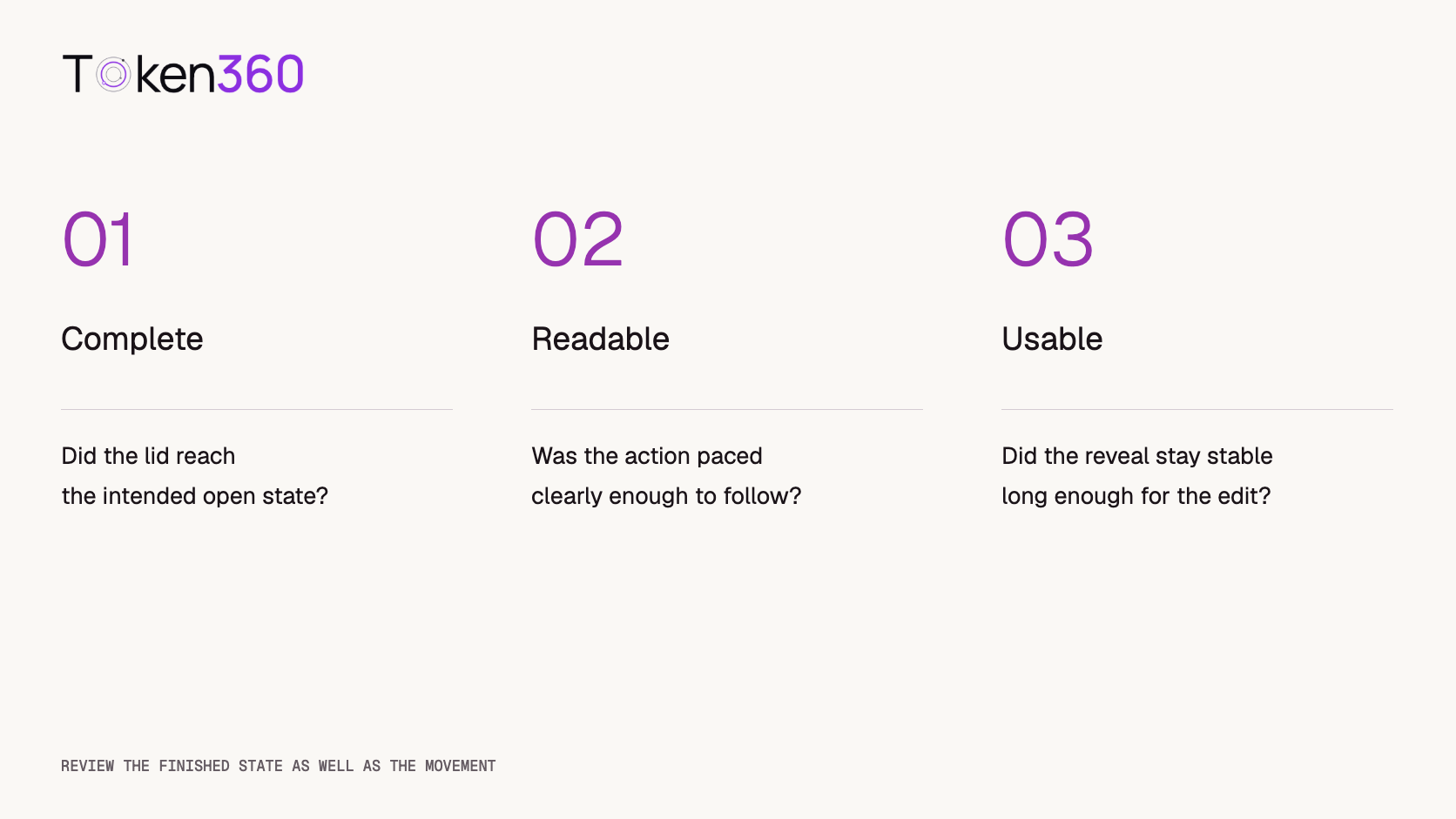
Review completion, pacing, and usable finishing time separately. Mark the moment the lid begins moving, the moment it reaches the intended open state, and the interval during which the result remains usable. Watch the entire candidate for shape changes or a second unintended opening.
Keep unsuccessful or unavailable outputs in the record. If a longer candidate completes the opening but changes the object, report both observations. A single successful output does not establish that longer clips are generally more reliable.
Calculate usable footage, not only generated seconds
Suppose a hypothetical batch contains four six-second outputs, giving 24 generated seconds. After review, you keep two segments lasting 3.5 seconds each. The retained footage totals seven seconds, or approximately 29.17% of the generated duration.
Generated duration: 4 × 6 = 24 seconds
Retained duration: 2 × 3.5 = 7 seconds
Retained-duration share: 7 / 24 × 100 = 29.17%
This is an illustrative editing calculation. It is not a measured Token360 result, an acceptance rate, or a billing formula. Two accepted candidates out of four would be a separate candidate-level statistic; seven retained seconds out of 24 describes footage use.
If comparing actual costs, use the recorded charges and define what counts as usable. Include rejected candidates where they were charged. A low price per generated second can still produce an expensive usable segment, but that conclusion requires real charges and review results rather than this hypothetical example.
Choose the next change from the observed failure
The action starts too late: simplify the setup and remove competing events. Check whether the reference clearly supports the intended starting state. Consider more duration only if the action itself is coherent.
The action is rushed: request a controlled pace, reduce the action count, or test a longer supported option. Do not assume a longer clip automatically redistributes time in the way you intended.
The result appears only at the final instant: describe a stable finishing state and allow room for it in the plan. Inspect nearby frames before trimming; a useful reveal needs enough stable footage to fit the edit.
The action repeats: make the endpoint explicit and review whether the scene encourages cyclic motion. Record the extra event rather than treating the first successful opening as the whole result.
The middle deforms: extra seconds may not solve a geometry or interaction problem. Simplify the motion, revise the input, or evaluate another model. Keep the failure category separate from duration selection.
Frequently asked questions
What is the best duration for an AI video clip?
There is no universal best value. Choose a supported duration that allows the starting state, main action, and finished state to read clearly. Test the specific scene rather than relying on a fixed rule.
Does a longer clip take longer to generate?
It may, but playback duration and service latency are different measurements. Record both for the exact configuration instead of assuming a fixed relationship.
Can timestamps guarantee when an action happens?
Not universally. Treat them as guidance unless the selected workflow documents a stronger timing contract. Review actual output frames and timestamps before making timing claims.
Should I generate a long clip and trim it?
That can provide editing flexibility, but it may add cost or unwanted motion. Compare the usable segment and actual charge with a shorter supported option when both are practical.
When should I split the prompt into multiple shots?
Consider splitting when several dependent state changes need separate readable moments. Define the intended cut and review continuity; separate generations do not automatically preserve the same objects.
Is retained footage share a model success rate?
No. It measures how much generated duration survives the edit. Candidate acceptance, action completion, and visual quality are separate measures with their own denominators.
Read next: use the AI model evaluation framework to define acceptance criteria and video API cost optimization to connect real charges with usable outcomes.


 Prompt Guide
 Prompt Guide
 Prompt Guide