AI can turn a product photo into a clip with localized movement, but “only the steam moves” is a requirement to verify, not a guarantee delivered by a prompt. For a brand asset, evaluate two things separately: whether the intended motion looks convincing, and whether the product, label and surrounding composition remain acceptable.
A coffee brand may want steam above an approved cup photograph without a rotating cup, drifting logo or moving camera. That is a different purchase from a cinematic product reveal. The useful deliverable is restrained motion around a protected asset—not simply an attractive video generated from the same image.
Scope and evidence: This is a procurement and creative-review guide, based on official documentation reviewed on November 25, 2026. It does not report a Token360 selective-motion experiment. Specific masks, adapters, motion brushes and preservation guarantees have not been verified on Token360.
What does “animate only part of a photo” actually mean?
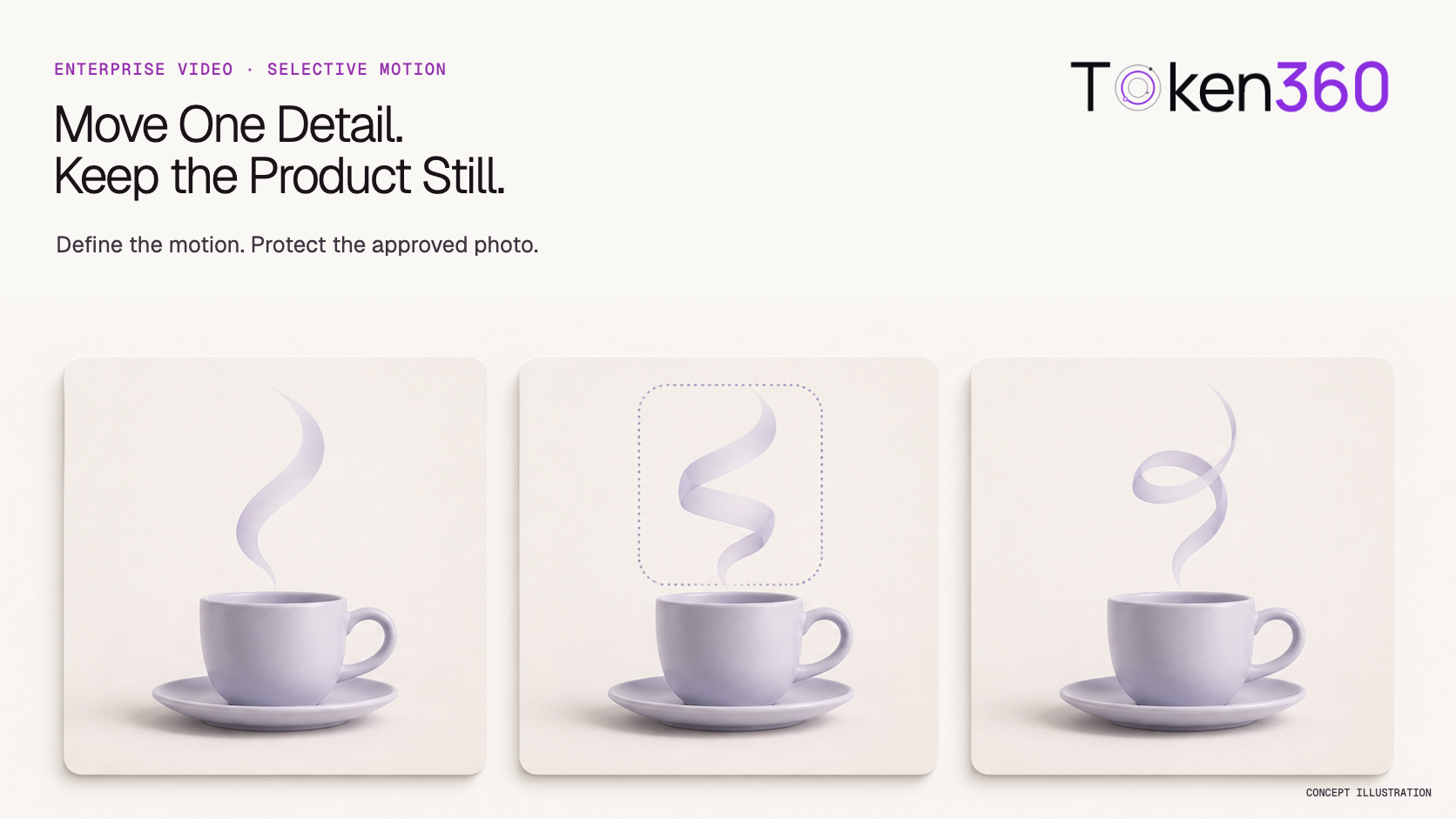
Selective animation means assigning movement to a defined part of the composition while keeping other elements still. In a product campaign, that might mean moving steam above a cup while preserving the cup itself. The buyer should specify the moving region, protected details and permitted side effects before choosing a generation workflow.
Define the boundary in visual terms. “Make this image more dynamic” invites changes across the whole frame. “Animate the steam above the rim; retain the cup silhouette, printed mark, handle, saucer and camera position” describes a narrower deliverable. Neither sentence creates an enforceable pixel lock by itself.
There is a real distinction between general image-to-video access and a purpose-built selective-motion workflow. fal’s LTX-2.3 image-to-video documentation describes an image-to-video route. That category label alone does not establish support for a motion brush or protected-region guarantee. Separately, Lightricks’ Cinemagraph adapter model card describes selective movement with the rest of the scene frozen. These are different artifacts and versions; do not infer that the adapter is included in the fal endpoint or available through Token360.
Higgsfield’s creative workflow guide illustrates starting from a selected still and describing the desired motion. That is useful briefing discipline, not independent evidence that every protected detail will remain unchanged.
This article concerns where motion is permitted. For how a clip repeats, see the separate guide to seamless AI video loops. A localized animation can still have a visible loop jump, and a seamless loop can still distort the product.
Which workflow should a buyer ask for?
Ask whether the supplier will generate the whole frame, use a documented regional control, or composite a moving element onto the approved photograph. These approaches have different preservation boundaries. If unchanged packaging artwork is essential, make that requirement explicit rather than assuming an image-to-video model will retain every original pixel.
| Approach | What to confirm | What still needs review |
|---|
| Whole-frame image-to-video | Source-image support and the actual motion instructions accepted | Movement outside the brief, camera drift and product redesign |
| Regional generation control | Exact endpoint, mask meaning, version and supported settings | Boundary spill, changes inside protected areas and edge artifacts |
| Moving layer over the source still | Who creates, isolates and composites the animation | Visible seams, occlusion, lighting and final compression |
A motion brush in a creative application is not automatically a field on its API. Likewise, a mask may identify what to regenerate, what to preserve or where an effect should appear. Ask for the relevant request schema and an example using the exact route being quoted. Do not send an arbitrary mask and assume its meaning.
Compositing is worth considering when a small animation can sit in front of or behind the original product. For example, an editor could combine a steam element with the approved cup photograph. This can retain the underlying still in the composition, but the final encoded video is not necessarily pixel-identical to the source. It also introduces work beyond inference: isolating the effect, handling transparency and checking the join around the rim.
Some briefs are inherently less local. A moving flame can affect nearby light; wind can move both a ribbon and its shadow. Decide whether those dependent changes are permitted. Demanding realistic movement while freezing every related reflection may produce an internally inconsistent brief. If the requirement is actually to reproduce a performance, use the separate discussion of motion-reference video workflows.
How should the team specify a product-motion pilot?
Use an approved source photo and a short acceptance brief that names both allowed changes and protected features. Keep the camera instruction separate from the object instruction. Request a small, agreed set of candidates and record every result, so the review covers repeatability and repair effort rather than one selected demonstration.
For the coffee example, the creative goal is atmosphere, not a new product angle. Supply the final crop, a clear product reference and a marked review copy identifying the steam area. Keep the untouched source separately. A marked image is a communication aid; it is not a compatible API mask unless the selected endpoint explicitly accepts it.
| Brief item | Example requirement | Acceptance evidence |
|---|
| Allowed motion | Steam curls above the rim; no liquid pouring | Playback shows the intended action without extra events |
| Protected product | Cup, handle, saucer and printed mark retain their approved appearance | Start, middle and end comparisons plus continuous viewing |
| Camera | Locked view with the approved crop | No unintended pan, zoom or frame-edge shift |
| Dependent effects | Specify whether steam may overlap the label or alter visible highlights | Occlusion and boundary review against the brief |
| Delivery | Agreed duration, dimensions, format and looping requirement | File inspection and playback in the intended placement |
An illustrative creative instruction is: “Keep this product photograph as a locked composition. Add gentle steam above the cup. Preserve the cup, handle, saucer and printed mark. Do not introduce a camera move or additional objects.” This is a briefing example, not a tested prompt, and does not replace checking available controls.
Use the intended delivery format in the pilot. A crop that removes the label from view cannot establish label preservation. A very small preview can hide boundary shimmer. Review the asset at the size customers will see and at a larger inspection size before approving a production order.
Keep candidate IDs, source version, endpoint/version, request settings and review decisions together. Record seeds only when supported, without treating them as a universal reproducibility guarantee. If candidates need manual repair, retain that fact in the evaluation rather than presenting the repaired asset as an untouched model result.
How do you know the rest of the image stayed still?
Review the complete clip at normal speed, then inspect protected areas and motion boundaries more closely. Compare the source with multiple points in the output. A convincing moving element is only half the test: the product’s shape, markings, reflections and position must also meet the agreed preservation requirement throughout the delivered clip.
Start with the locked-camera requirement. If the entire frame shifts, a cup may seem stable relative to its surroundings while the composition has changed. Use fixed reference points such as the table edge or background corner. Then inspect the handle opening, rim and printed mark independently. A recognizable object is not necessarily the same approved object.
Watch where the moving region meets the still region. Steam can erase an edge, create a halo or make nearby pixels pulse. Movement that crosses a product outline may require more careful compositing than a separate element above it. These are inspection targets, not failures observed in a Token360 test.
Frame comparisons can help locate changes, but a simple difference image is not a universal pass/fail test. Compression and resizing can change pixels without changing the product meaningfully. Conversely, a small but commercially important alteration to a label may occupy very few pixels. Define whether the requirement is visual consistency, exact artwork preservation or a specified technical tolerance.
Record three separate decisions: motion quality, preservation and delivery suitability. Do not average a wrong label into an otherwise high quality score. When a protected detail is mandatory, treat it as an acceptance condition. The broader video output validation guide covers file-level checks; this review adds a spatial boundary around what may change.
If looping is required, review the transition from the last frame back to the first after the preservation review. Avoid promising that local motion automatically produces a seamless loop. A short clip that plays once on a product page and a continuously looping display may need different acceptance decisions.
What should enterprises confirm with Token360 before buying?
Bring Token360 the source asset, the moving region and the preservation criteria, then ask which available model route can be evaluated against that brief. Confirm regional controls, delivery scope and pilot costs in writing. General video-model access does not establish support for a specific motion brush, adapter or automated compositing workflow.
Token360 provides enterprise model access across text, image, audio and video. Enterprise pricing is tiered by usage, with lower quoted rates at higher volumes, and Token360 does not charge a separate service fee. Inference still has a cost; the applicable model, billing unit and negotiated terms need a specific quote. See About Token360 for company context.
For this use case, describe the volume in both source photographs and required accepted outputs. Clarify whether the quote covers only generation or also any separately agreed asset preparation, compositing and review. Do not assume that a video API supplies editable layers or an editor-ready project. Ask who owns each production step and what file will be delivered.
Request confirmation of the exact route, supported source sizes, duration, output format and whether regional controls are exposed through the intended access method. If the answer is uncertain, scope a pilot before committing to a large asset library. An attractive vendor example cannot substitute for your packaging, your crop and your acceptance criteria.
Evaluate the generation spend alongside the work needed to reach approval. Record rejected candidates and manual repairs, without inventing a forecast success rate from a small pilot. If the workflow cannot retain mandatory product details, narrow the moving area, evaluate a composited alternative or keep the approved still. Those are options to test, not fixes already demonstrated here.
Frequently asked questions
Is selective animation the same as a cinemagraph?
A cinemagraph commonly combines a largely still composition with limited repeating movement. Selective animation describes the motion scope, whether or not it loops. Specify looping separately and inspect the restart point rather than assuming the terms imply identical deliverables.
Does uploading a product photo lock the product?
No. A source image can guide generation without guaranteeing that all product details remain unchanged throughout the output. Confirm the route’s controls and inspect the protected features. If the artwork must remain exact, discuss how the original asset will be retained in the production workflow.
Can a prompt replace a motion mask?
A prompt expresses the intended result; a supported mask can supply spatial information. They are not interchangeable controls. Availability and mask meaning depend on the endpoint, and neither should be described as a guarantee without evidence for the particular workflow.
Does Token360 currently support this exact workflow?
This article does not verify a Token360 selective-motion endpoint, motion brush or Cinemagraph adapter. Ask Token360 to confirm current model access and the required controls against your brief. Public documentation for another provider does not establish Token360 compatibility.
Should every product photo be animated?
No. Motion should serve the placement and preserve the approved product. If the result distracts from the item, changes essential details or requires disproportionate repair, a still image may better satisfy the brief. Decide from reviewed outputs, not from the availability of a generation feature.
About the author
Yuki Yu is Marketing Manager at Token360.


 Guides
 Guides
 Guides