Useful Hailuo prompts describe a visible action, the camera’s relationship to that action, and the details that should remain stable.
The first step is identifying the exact MiniMax model and input mode. Hailuo camera commands, automatic prompt optimization, and H3 reference-authoring formats are different controls. They should not be combined into a universal template without checking the selected interface.
Start with one motion test. Add camera movement or reference complexity only after you can explain what the first result did well and where it failed.
This guide provides original prompts for simple movement, product shots, image-to-video animation, and physical interaction. It also explains how to assign reference roles and compare prompt revisions.
The examples are teaching briefs. They are not verified Hailuo outputs or guarantees that every model version will follow the same wording.
Before you read: Hailuo API Guide for MiniMax Video Workflows explains the implementation context. Use it to confirm the model, input mode, and exposed settings before testing the prompts below.
For the workflow connecting model inputs, operations, and generated assets, start with Multimodal API Guide: Text, Image, Video, and Audio Workflows.
1. Match the Prompt to the Model and Interface
Keep the creative brief separate from the format used to submit it.
MiniMax’s text-to-video reference documents bracketed camera commands for MiniMax-Hailuo-2.3, MiniMax-Hailuo-02, and T2V-01-Director. It also documents prompt_optimizer, with a default of true on that endpoint. See the official text-to-video reference.
Those details do not establish equivalent support on every MiniMax model or third-party route.
Before testing, record the model identifier, input mode, camera-control support, and optimizer state where available. If the interface does not reveal a setting, mark it as unknown rather than assuming its behavior.
This helps distinguish a prompt revision from a configuration change.
2. Build a Prompt Around Observable Motion
A useful starting structure is:
Subject and setting → primary action → direction and pace → camera → ending
This is an editorial checklist, not official API syntax.
Consider:
A wooden toy boat floats slowly from the left side of a shallow basin toward the center. Small ripples spread behind it. The camera holds a steady overhead view, keeping the entire basin visible. The boat’s movement slows near the center.
The prompt defines a path and an ending. It also keeps the camera still so you can inspect the boat’s movement without a competing change in viewpoint.
Before generating, write the acceptance check:
The boat moves continuously toward the center, retains its shape, and remains inside the basin.
Start with one primary action. Add another when the chosen duration can contain it and the first action is sufficiently stable.
3. Original Prompt: A Simple Motion Baseline
A small wooden toy boat with a plain triangular sail floats slowly from the left side of a shallow ceramic basin toward the center. Gentle ripples trail behind the hull. The camera remains fixed in an overhead view. The basin stays fully visible throughout one continuous shot.
Use it for: checking direction, continuity, and object stability.
If the boat turns unexpectedly, test a revision that clarifies its orientation. If the whole scene drifts, revise the camera instruction.
Avoid changing lighting, style, subject, and camera simultaneously. A simpler revision gives you a clearer explanation for any improvement.
4. Use Camera Commands Only Where Documented
For a supported route, a bracketed command can accompany the creative description.
Examples documented in MiniMax’s text-to-video reference include:
Check support against the named model and endpoint before use. See the camera-command documentation.
For the boat example, a command-bearing variation could end with:
The entire basin remains visible. [Static shot]
Keep the natural-language direction consistent with the command. A stationary-camera instruction conflicts with a simultaneous request to track the boat.
Commands express a supported control mechanism; they do not remove the need to inspect the output. Keep provider-specific tokens out of cross-model templates unless the adapter explicitly handles them.
5. Original Prompt: Camera Movement Around a Product
A product shot can use camera movement while the object remains still.
A pair of unbranded walking shoes rests on a low display block. The camera makes a slow, small arc from a front three-quarter view toward the outer side of the nearer shoe. Both shoes remain stationary. Soft studio lighting stays consistent. End with the nearer shoe fully visible.
Use it for: evaluating a changing viewpoint around a stable subject.
Review: Does the viewpoint change smoothly? Do the shoes stay in place? Does the nearer shoe retain its sole, laces, and silhouette?
This is a plain-language brief. Do not invent an [Orbit] command merely because the scene requests an arc.
Keep the camera move modest during the first test. Revealing large unseen portions of an object asks the model to infer additional geometry.
When exact product construction is essential, use approved imagery and a controlled editing or compositing workflow for the critical detail. A plausible new view is not proof that the hidden surface is accurate.
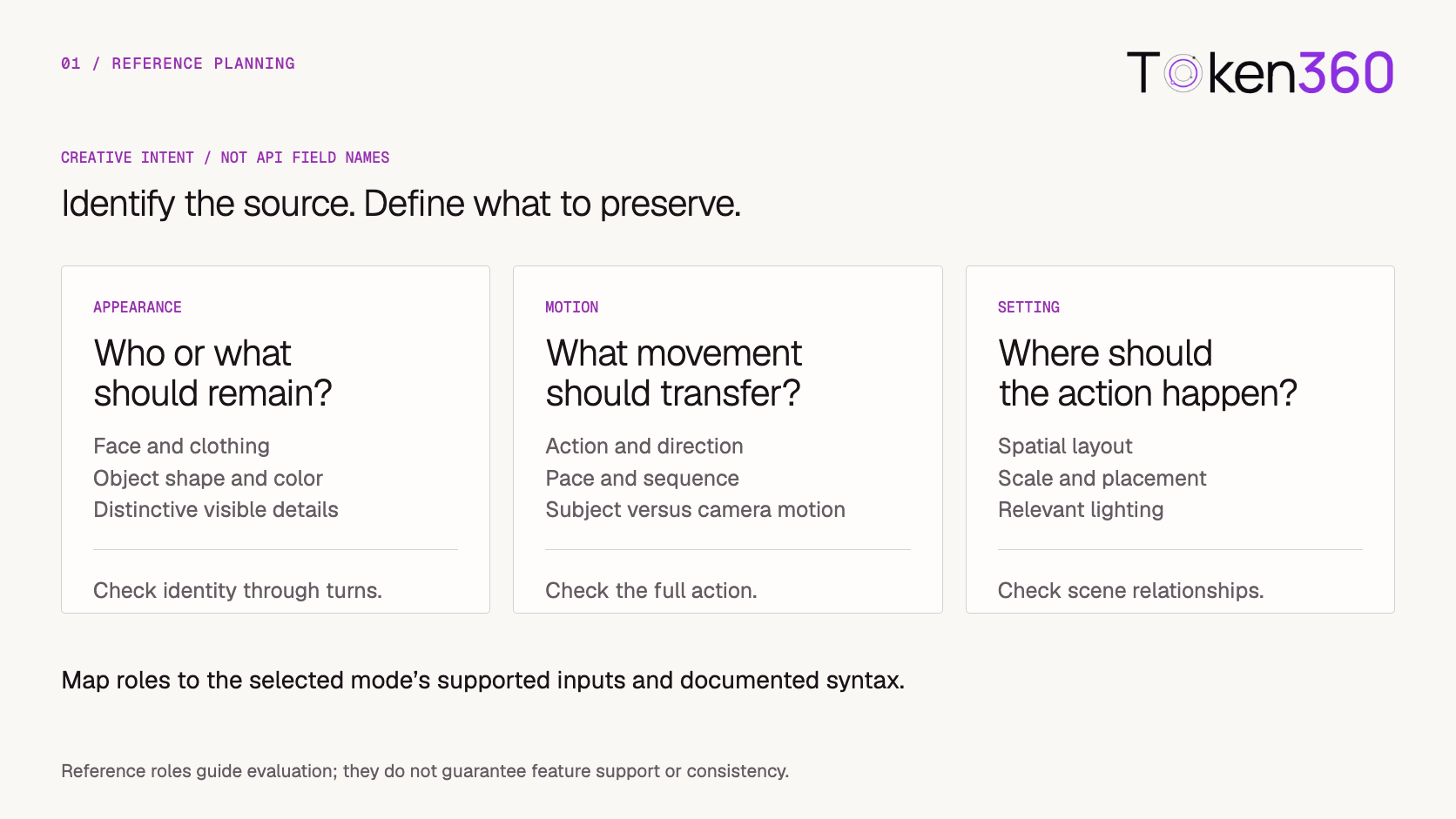
6. Assign Every Reference a Clear Purpose
Prepare a short asset manifest before writing a reference-based prompt.
These are planning categories. They do not imply that every Hailuo endpoint accepts each asset type.
For example, an appearance image and a movement video may have different jobs:
Use the image to establish the courier’s jacket and bag. Use the movement reference for the walking pace and brief stop. Keep the target scene in the plain courtyard described in the brief.
This is creative intent, not a complete API request. The assets must still be attached through supported inputs and mapped using the selected mode’s conventions.
Do not assume everything in a reference should transfer. Explicitly identify the useful contribution.
7. Treat H3 Reference Authoring as a Separate Format
MiniMax’s H3 full-reference guide describes a structured rewrite output, with six sections:
subject_definitions, summary, retention_analysis, detailed_description, overall_soundscape, and non_diegetic_music.
It also distinguishes labels for referenced subjects, pictures, videos, and audio. These conventions belong to that authoring workflow. They are not evidence that a Hailuo text-to-video endpoint accepts the same structure. See the official H3 full-reference guide.
When adopting that workflow, first check how your interface expects to receive its formatted text and assets. Do not assume section names are top-level HTTP request fields.
Keep reference identities consistent throughout the formatted description. If one asset establishes appearance and another supplies motion, preserve those roles when translating the creative brief.
For a basic Hailuo motion test, you do not need to introduce a separate authoring format. Add it when the selected workflow requires it and the references have a clear purpose.
8. Inspect Transitions Rather Than Thumbnails
A strong opening frame can conceal a failed interaction.
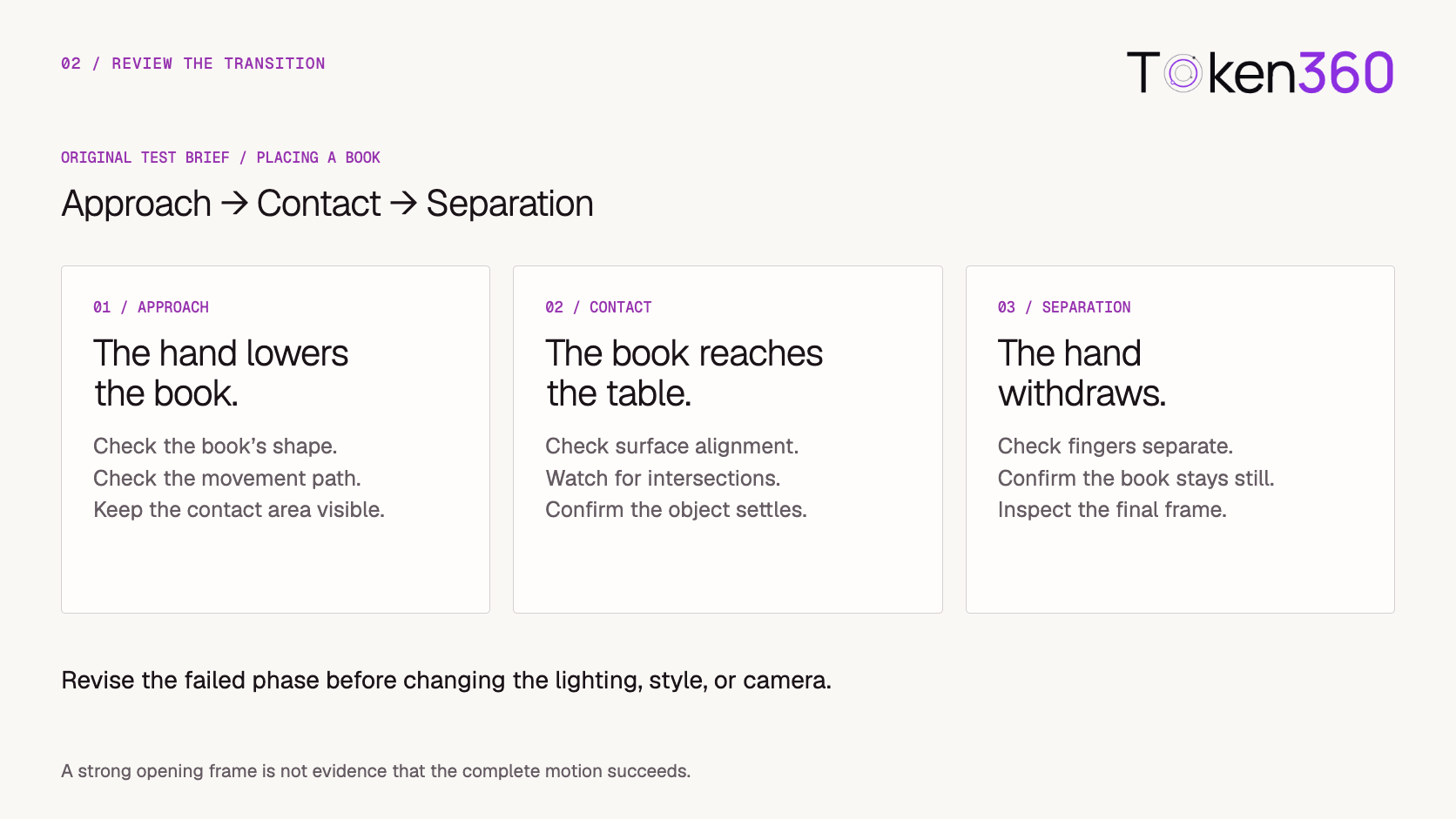
Original prompt: place a book on a table
In a steady medium close view, one hand lowers a closed plain notebook onto a wooden table. The notebook comes to rest flat on the surface. The hand releases it and withdraws to the right. The camera remains fixed, with the notebook and contact area visible throughout.
Use it for: reviewing a simple physical interaction.
Break the action into three phases:
If contact fails, simplify that phase before changing style. Reduce the movement distance, improve visibility, or remove unnecessary surrounding activity.
Watch the complete clip at normal speed, then inspect the failure point more closely. A few selected stills cannot establish whether the motion remains usable between them.
9. Adapt Image-to-Video Prompts to the Starting Asset
An image-to-video prompt should work with the supplied composition.
Original prompt: restrained character movement
Assumes the starting image already shows the intended person standing in a doorway.
The person turns their head slightly toward the window, pauses, and returns their gaze toward the camera. Their body remains in place. The camera is fixed. Clothing, doorway position, and lighting remain consistent throughout the shot.
Review: Does the movement stay small? Does the face remain recognizable through the turn? Do clothing details and background edges remain stable?
Avoid simultaneously asking for a new outfit, a new setting, and a large camera move when the goal is to preserve the reference.
Choose an input that makes the required details visible. If the starting image hides the relevant hand or tightly crops the head, a later movement may require the model to invent missing information.
For a first-and-last-frame workflow, verify that the route supports those distinct inputs. A reference image used for appearance is not automatically an exact frame constraint.
10. Test Prompt Optimization as Its Own Variable
When the selected endpoint exposes automatic prompt optimization, evaluate it separately from your wording changes.
Use the same original brief and input assets in both conditions. Keep the model and other settings fixed.
Save the original prompt in both cases. If rewritten text is returned, save that too. If it is not exposed, record that limitation rather than guessing what the optimizer changed.
Review whether the intended action, camera behavior, and stable details are preserved. Added descriptive richness is only useful if the output still meets the brief.
Use several attempts under each condition within a fixed allowance. One favorable result is not enough to conclude that optimization always helps.
For an interface that hides rewriting behavior, document what you can observe and avoid attributing every output change to the prompt alone.
11. Keep a Prompt Record That Survives Model Changes
Store the creative brief separately from provider-specific formatting.
For Token360, use the model catalog to identify the candidate and the API overview as an integration starting point.
Only send options the selected endpoint supports. A source-provider field should not be copied into another interface without checking its contract.
When a model or route changes, rerun the acceptance checks. Keep earlier results labeled with the configuration that produced them.
Explore models on Token360 and begin with one motion brief before adding reference complexity.
12. Frequently Asked Questions
Do bracketed camera commands work in every MiniMax model?
No. Use them only for models and routes whose documentation defines them. Keep the creative brief readable without assuming universal command support.
How many actions should the first prompt contain?
Start with one primary action. Add another when the duration can accommodate it and the first action is consistently understandable in the output.
Can reference images guarantee character consistency?
No. References guide generation. Inspect identity during turns, occlusion, contact, and the ending rather than checking only the opening frame.
Should prompt optimization always be enabled?
Evaluate it on your briefs where the option is available. Its value depends on whether the resulting output preserves the requirements you care about.
Can I paste an H3 reference template into a Hailuo endpoint?
Do not assume compatibility. H3 authoring formats and Hailuo request contracts need separate verification.
What should I change after a weak result?
Describe the visible failure, then revise one relevant variable. Check the model and settings before adding more prose.
What to read next
Related model integration and prompt guides
For the MiniMax H3 route discussed here, check the listed MiniMax H3 model and verify its supported inputs separately from other Hailuo versions.


 Tutorial
 Tutorial
 Tutorial