AI APIs for Construction: Turn Site Notes into RFIs
Use AI APIs to prepare construction RFI drafts from site notes and verified references, with revision checks and authorized project review.
INDUSTRY USE CASES · CONSTRUCTION
AI APIs for construction can help turn site notes, drawing references and photographs into a draft request for information (RFI). A useful workflow organizes the evidence and states the clarification needed, while preserving document revisions and unknowns. The project team reviews and submits the request; the model does not approve a design, authorize work or determine the official response.
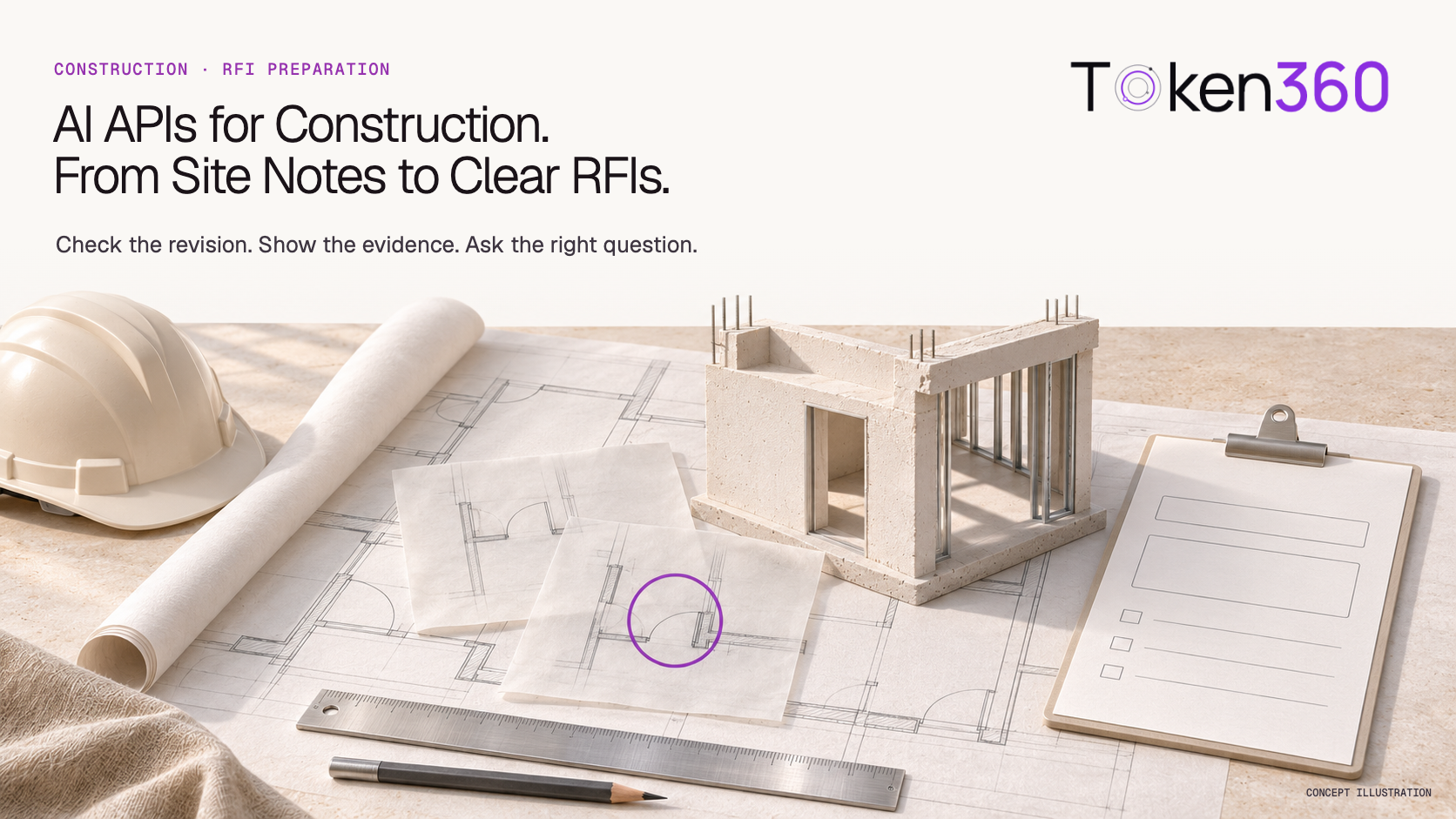
A site supervisor notices that a door location in a plan does not appear to match a referenced detail. The information arrives as a message, a photo and two drawing excerpts. Before anyone can answer, somebody must establish the location, identify the relevant revisions and formulate a question that the responsible reviewer can resolve.
That preparation work is the focus here. This article is for general contractors, specialist contractors and construction-software teams evaluating a custom model-assisted workflow. It is a proposed design, not a Token360 construction deployment or a report of measured project savings.
Read first: choose AI models by business use case. This article covers construction information requests, rather than manufacturing RFQ pricing, property marketing or architectural image generation.
What is an RFI, and which part can a model assist?
A construction RFI asks for clarification or additional project information through an established review process. A model can help prepare the question, organize references and identify missing context. Preparation should remain distinct from submission, expert review and the official response, because those stages have different owners and authority.
Autodesk's RFI workflow overview separates creation, manager review, reviewer responses and an official response. It is a concrete example of why “the AI drafted an answer” and “the project issued a response” are different events. Your project's actual procedure and permissions determine how those stages operate.
Start with the preparation stage. The output can contain a proposed subject, project location, observed discrepancy, source references, unanswered questions and intended routing. A reviewer should be able to edit or reject that pack before it enters the formal project workflow.
Keep the scope specific. This is assistance with communication and evidence organization. It does not validate structural adequacy, interpret every project obligation or replace the qualified person responsible for resolving a design question.
What evidence should accompany a site note?
Supply the project and location, the original observation, relevant document identifiers and revisions, and the source of any photograph or measurement. Keep reported facts separate from proposed explanations. If the application cannot establish which document applies, expose that gap rather than allowing the model to select a version from its wording alone.
Evidence
Keep with it
Why it matters
Site observation
Author, time, location and original wording
A question about an apparent mismatch must not become a confirmed defect.
Drawing excerpt
Sheet identifier, revision, detail reference and source file
A crop without its revision can support the wrong interpretation.
Specification excerpt
Section, issue/version and applicable project context
A similar requirement may belong to a different scope.
Photograph
Project location, capture context and original asset
The image may not establish dimensions or what is hidden.
Reported measurement
Value, units, method and person who recorded it
A model must not invent a precise dimension from perspective.
Earlier correspondence
RFI identifier, status, official response and applicability
A prior answer is not automatically valid for another location.
The project's document system should supply revision status. Do not treat the last uploaded file or a filename containing “final” as sufficient proof that a drawing governs the work. Preserve the document-control decision and pass the relevant status to the model.
For images, keep enough context for a reviewer to locate the issue. A close-up may show a detail while hiding which room or elevation it belongs to. Where useful, pair an overview with a detail image and give each a stable identifier. Never alter a source photograph with generative editing and then present the result as site evidence.
Access belongs in the application: retrieve only the project material the user is authorized to view. A broad prompt telling a model to keep projects separate is not a substitute for filtering documents before retrieval.
What does a useful draft look like?
A useful RFI draft identifies the exact uncertainty, points to the evidence and asks for a specific clarification. It should distinguish what the site team observed from what a document states and what remains unverified. Avoid embedding an assumed solution into the question or describing the model's interpretation as the designer's intent.
Consider a hypothetical record: a supervisor reports that the door opening shown on plan A-102, revision C, appears inconsistent with detail 4 on A-501, revision B. Both files are available, but the applicability of revision B has not yet been confirmed. There is a site photo, but no verified dimension.
Draft wording
Review
“The contractor installed the door incorrectly.”
Reject: the supplied observation does not establish fault or even a confirmed installation error.
“Move the opening to match A-501.”
Reject: this proposes an instruction and assumes the referenced detail applies.
“The opening is 150 mm out of position.”
Reject: no verified measurement was supplied.
“Please confirm the applicable door-opening location. The reported discrepancy concerns A-102 rev C and detail 4/A-501 rev B; applicability of the latter requires confirmation.”
A suitable question to review against the source package before submission.
This table is an illustrative acceptance exercise, not a model test. Its value is the distinction between a supported question and an invented conclusion. The actual RFI also needs the project location and any required fields confirmed by the team.
Maintain a separate list of missing evidence. In this example, it includes the applicability of the detail, the exact location and any measurement needed by the reviewer. A shorter, clearly unresolved draft can be more useful than a complete-looking form with guessed fields.
Should you use your project software's AI or build with APIs?
Use existing project-software capabilities when they already cover the source data, permissions and review process you need. A custom model API workflow is worth evaluating when information spans systems or the business needs a specific intake experience. Compare the additional integration and maintenance effort before deciding to build a separate layer.
As checked November 13, 2026, Autodesk's RFI creation documentation describes references and AI-assisted functions within its own product. This is a reason to assess what your licensed and configured project environment already provides, not a claim that every account has identical capabilities.
Situation
Route to evaluate first
What to verify
Relevant records and review already live in one project platform
Its existing RFI and AI features
Availability, permissions, reference handling and workflow fit
Intake arrives through several internal systems or languages
A custom intake layer using model APIs
Authorized retrieval, source normalization and reliable handoff
The task is a fixed form with consistent complete inputs
Templates and deterministic validation
Whether generation adds value beyond formatting
The team needs an engineering decision
The responsible project review process
Qualified review and documented authority, regardless of software
Token360 is an inference option for the custom route. It should not be presented as a replacement for the project platform's RFI records, drawing register or access model. For the broader purchasing decision, see AI software versus a model API.
How do you connect a read-only pilot?
Begin with one project and one bounded RFI preparation task. Retrieve authorized source material, generate a draft pack and show it beside the evidence for human review. Keep automated submission disabled initially. Once preparation works, connect a supported project-system write path and verify the actual record created rather than trusting a generated confirmation.
Resolve the project. Verify user access and establish the location and document scope.
Call the model. Request an observation summary, a clarification question, references and missing information in distinct fields.
Review the pack. Check every asserted fact and confirm the question is suitable for the project's process.
Record the decision. Save the approved draft version; submit through the existing workflow only when authorized.
Text models may be sufficient for a pilot based on verified notes and extracted excerpts. Drawings and photographs require suitable image or document handling and their own evaluation. A readable PDF upload does not prove that the model interpreted every detail correctly. Keep the original files available to reviewers.
Before a later write, check whether the source documents changed while the draft was being reviewed. If they did, surface the difference rather than silently submitting an outdated reference set. Use a project-owned identifier to link the draft and resulting RFI; repeated attempts should not create unintended duplicate records.
The RFI preparation review register provides blank fields for source revisions, unresolved facts, reviewer decisions and the resulting project-system record. It is a planning template, not an Autodesk integration or an executable RFI service.
How should replies and official responses stay separate?
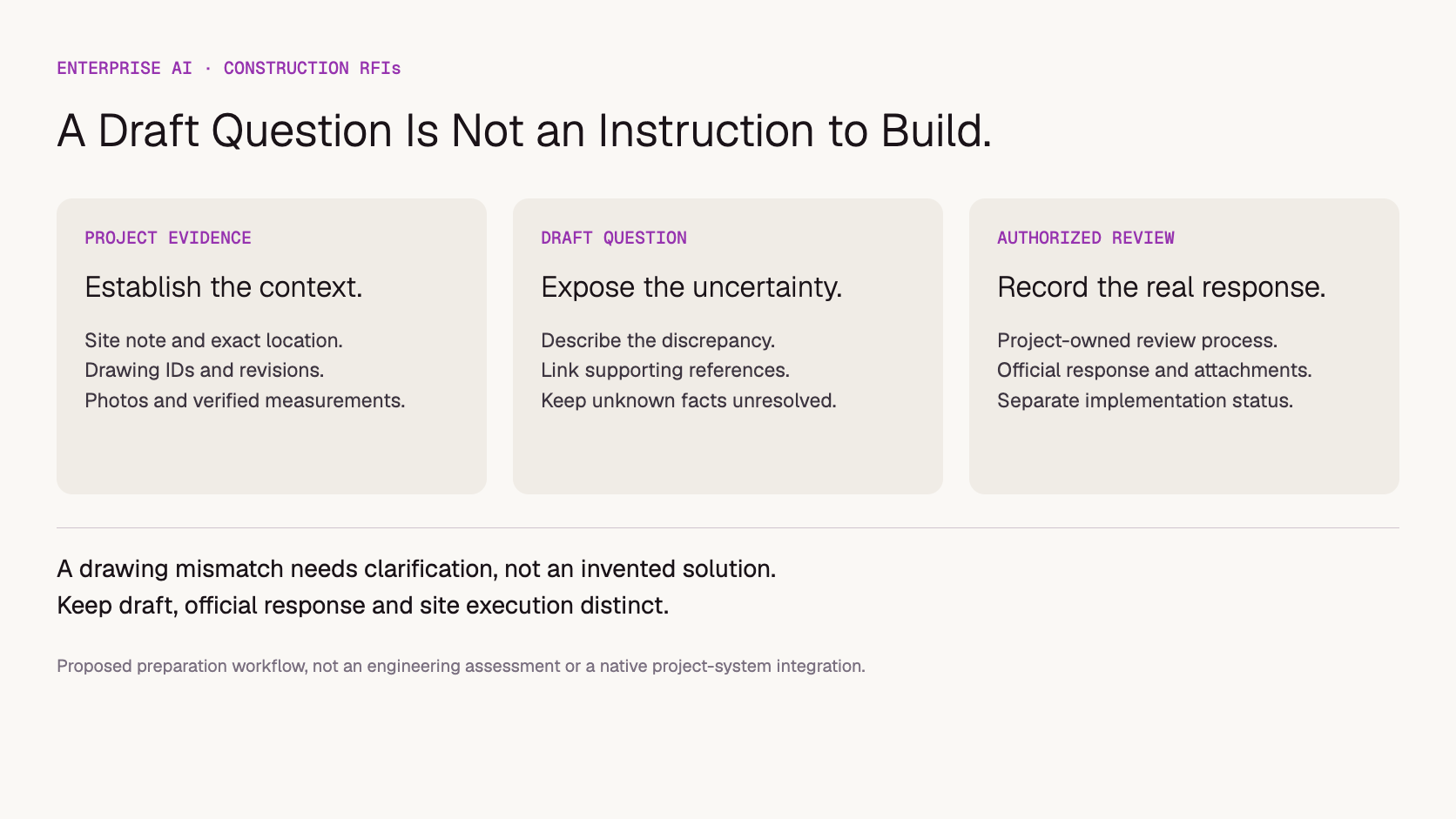
A model can summarize received replies, but the summary must preserve each reply's source, status and unresolved disagreements. The authorized project workflow determines the official response. Draft language, a reviewer comment and a formally issued response should remain visibly different, especially when a concise summary will be shared with site teams.
Proposed workflow: preparing a question and issuing a project response are different responsibilities.
Autodesk's RFI processing documentation distinguishes reviewer responses, official-response selection and closure. If your application summarizes a thread, retain the link to the actual official response and its attachments. Do not merge conflicting comments into a new instruction that no reviewer issued.
An older response might be relevant to the new question, but verify location, scope and document revisions before reusing it. A similar door detail in another area is a search result, not automatic permission to apply the same answer.
Record status from the project system. “Draft prepared,” “submitted for review” and “official response issued” should reflect real events. None, by itself, establishes that a change has been implemented on site or that separate cost and schedule decisions have been approved.
What should you measure before scaling?
Measure whether reviewers receive a complete, accurate and traceable question with less preparation work. Track unsupported conclusions and revision errors alongside turnaround and inference cost. More RFIs generated is not a useful success measure on its own; the aim is to prepare necessary clarification requests that the project team can actually resolve.
Build an authorized test set with known review outcomes. Include an unclear location, superseded drawing, missing measurement, contradictory notes, illegible annotation and a question already addressed in a relevant record. Define the expected missing-information flags before comparing models.
Reference accuracy: Do identifiers, revisions and detail references match the supplied documents?
Question quality: Can the responsible reviewer identify what needs clarification?
Evidence restraint: Are unsupported dimensions, causes and instructions excluded?
Review effort: How much checking or rewriting is needed before submission?
Workflow truthfulness: Does the displayed status match the project system?
Count source preparation, document processing, inference, retries, reviewer time and integration upkeep separately. Compare the cost per accepted draft pack. This article contains no measured reduction in RFI cycle time, project delays or construction costs. Use the pilot-to-production guide for the wider rollout decision.
Where does Token360 fit in construction operations?
Token360 provides enterprise access to models that construction firms and software vendors can evaluate for text drafting and supported multimodal analysis. The application still controls project access, source retrieval, drawing revisions and system integration. The project team retains responsibility for review, technical decisions and the formal information workflow.
As checked November 13, 2026, Token360's enterprise page describes model access across text, image, audio and video and custom enterprise pricing. Dedicated capacity, contracts and compliance requirements can be discussed for a specific engagement. No native construction-platform connector or engineering-validation capability is claimed here.
For procurement, describe the number of projects, expected draft volume, typical document size, image inputs, languages and peak periods. Specify whether requests must respond interactively or can wait in an internal queue. Evaluate the required model capabilities with your own source material before selecting an enterprise configuration.
Token360 does not charge a separate service fee according to company-confirmed information; inference usage remains chargeable. The relevant commercial comparison is the quoted workload cost and operating requirements, not an assumed universal discount. Read Token360's service-fee policy for the distinction.
Can an AI API answer a construction RFI automatically?
It can draft language or retrieve potentially relevant information, but this workflow does not authorize it to issue a technical decision. Official responses belong to the project's designated review process.
Can a model measure dimensions from a site photo?
Do not treat an inferred dimension as a verified site measurement. Use documented measurements from an appropriate source and keep their units and context. A photo can help locate or illustrate the question without proving its dimensions.
Do we need a vision model for every RFI?
No. A text-only pilot may work from verified notes and document excerpts. Add image or document capabilities when the task requires them, and test whether the relevant details survive processing and review.
Does Token360 connect directly to our project platform?
No native connector is established here. Your application or integration provider must implement authorized reads and writes using the platform's supported interfaces or a reviewed manual process.
Is a closed RFI proof that the work has changed?
Not on its own. Preserve the official response and distinguish its workflow status from implementation, inspections and other project records. Confirm actual work through the appropriate operational process.
Evidence scope: workflow analysis based on Autodesk RFI documentation and Token360's enterprise offering, checked November 13, 2026. The door-location example is hypothetical, not a generated result or engineering assessment. No customer deployment, measured savings or legal interpretation is claimed.
Enterprise AI
API
Bring your next idea to life.
Create a video scene in Creator, or explore models for images, audio, and text to find the right capabilities for your project.


 Guides
 Guides
 Guides