AI Video Generation vs Template Rendering APIs: Which Layer Do You Need?
Generate new footage or compose existing assets? Compare video API roles, exact text, revision costs and a three-title browser layout test.
By Yuki Yu
AI video generation creates footage. Template rendering assembles footage and other assets into a specified composition. Use generation when the scene does not exist. Use rendering when you need approved clips, exact titles, a logo and a defined timeline combined into a deliverable. Many production workflows need both.
A product that promises a particular headline or branded layout should treat those elements as explicit composition data. A visually convincing generated scene is not the same evidence as a correctly rendered campaign message.
Read first: The text-to-video API workflow explains creation. This article covers the decision between creating source footage and composing the finished asset.
How is template rendering different from AI video generation?
A generative model interprets instructions to produce visual content. A template renderer applies an explicit composition to supplied content. Their quality checks and revision paths differ.
Question
AI video generation
Template rendering
What goes in?
Prompt, references and supported model parameters
Assets, text fields, layout and timing instructions
What do you control?
Supported generation constraints
Declared composition properties
What needs review?
Motion, identity, continuity and creative fit
Text, placement, timing, cropping and output settings
How do you revise a headline?
A new generation may change other details
Update the text field and render the composition again
What should stay fixed?
Approved take after selection
Versioned assets, template and renderer configuration
For a concrete rendering example, Creatomate's documentation describes using its API to turn templates into videos or images, or describing a composition in code. That illustrates composition automation. It does not mean every renderer accepts the same template format or supports every creative tool.
Which parts of a marketing video belong in each layer?
Use generation for the visual scene and composition for elements that must remain exact. Decide the ownership of each requirement before production starts.
A river landscape, a stylized product environment or an imagined camera move may be a generation task. An approved product name, a scheduled campaign headline, a logo lockup and a call-to-action placement can be explicit composition layers.
This separation lets an editor replace a headline without changing the approved river footage. It also lets a creative reviewer reject a generated take without rewriting the title template. Keep those approvals separate, then review their combination.
The AI video text distortion guide covers text inside generated imagery. This article addresses the broader architecture decision: which requirements should be encoded as layout rather than left inside a scene prompt.
Does an exact text layer guarantee a correct layout?
No. A renderer can preserve the supplied string while the composition still overflows, becomes unreadable or covers important footage. Test content extremes against the actual template.
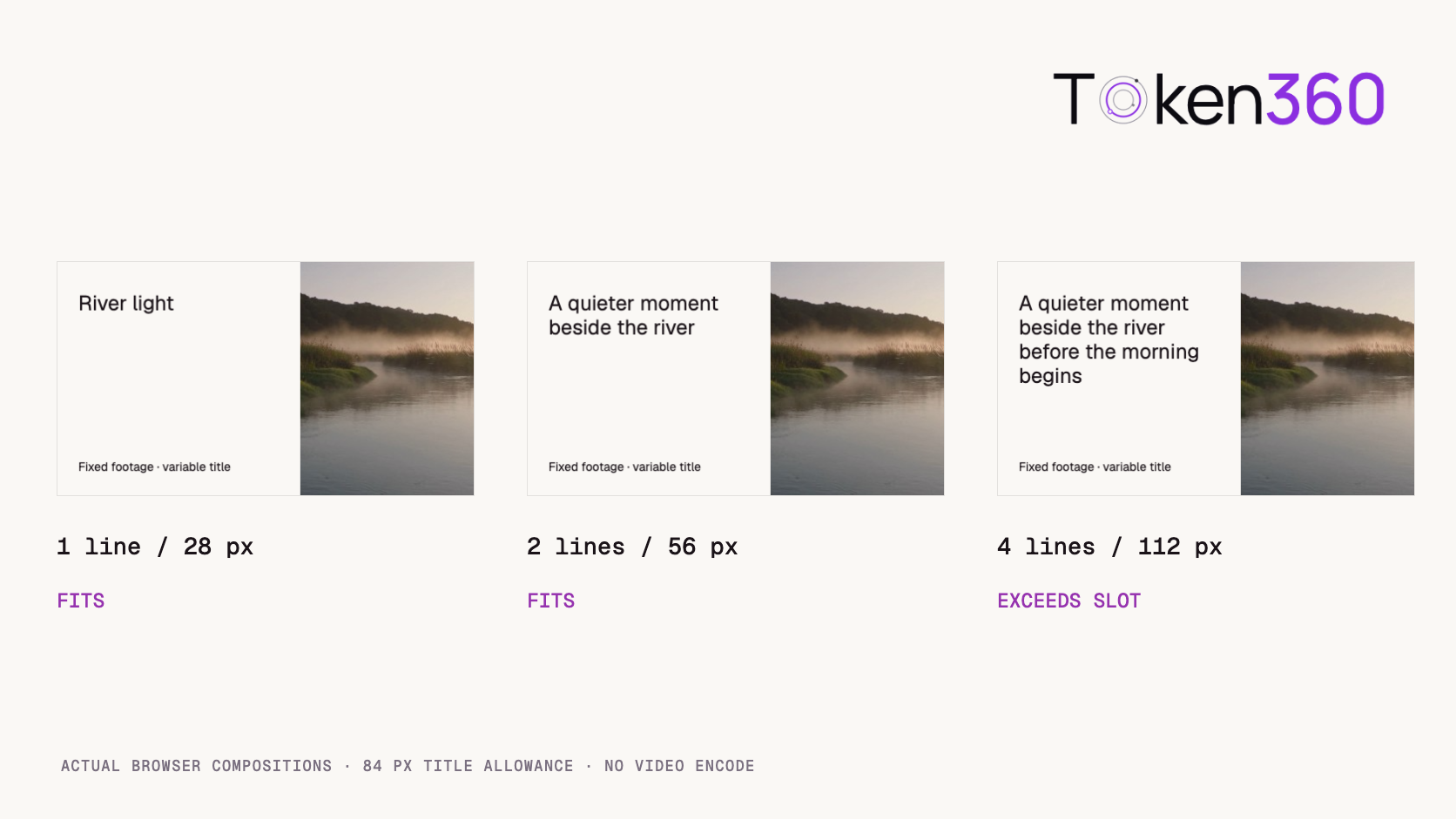
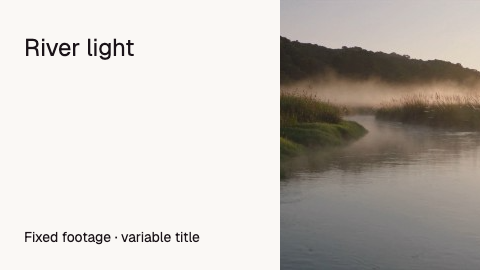
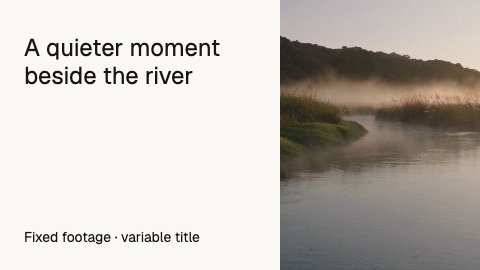
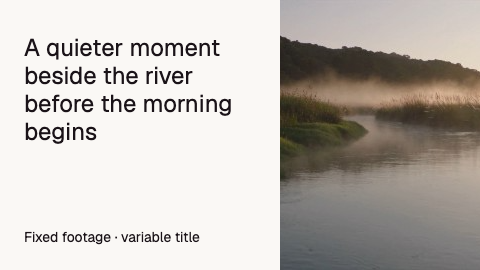
We ran a local browser composition check on November 3, 2026 using one archived river still and three authored titles. The canvas was 480 × 270 pixels, with a 232-pixel text column, Geist Regular at 24 pixels, 28-pixel line height and an intended 84-pixel title allowance.
This is a static browser layout test, not a video encode, generative-model comparison or paid rendering-service benchmark. The source image and formatting stayed fixed; only the title changed.
Title
Measured lines
Measured height
Fits the 84 px allowance?
River light
1
28 px
Yes
A quieter moment beside the river
2
56 px
Yes
A quieter moment beside the river before the morning begins
4
112 px
No
Actual local composition outputs. All strings were preserved; the longest exceeded the declared title allowance by 28 pixels.
[
  {
    "text": "River light",
    "width": 232,
    "height": 28,
    "lines": 1,
    "within_84px_slot": true
  },
  {
    "text": "A quieter moment beside the river",
    "width": 232,
    "height": 56,
    "lines": 2,
    "within_84px_slot": true
  },
  {
    "text": "A quieter moment beside the river before the morning begins",
    "width": 232,
    "height": 112,
    "lines": 4,
    "within_84px_slot": false
  }
]
The test measured text bounding height after fonts and images loaded. It did not apply clipping to hide excess text. The failure is against the declared title slot, not a claim that the browser lost characters or that every four-line title is unacceptable.
A useful correction could be an approved shorter title, a different layout variant or a reviewed smaller font size. Do not silently shrink until everything fits. That may satisfy a bounding box while breaking the minimum readable type size.
How should you connect generated footage to a template?
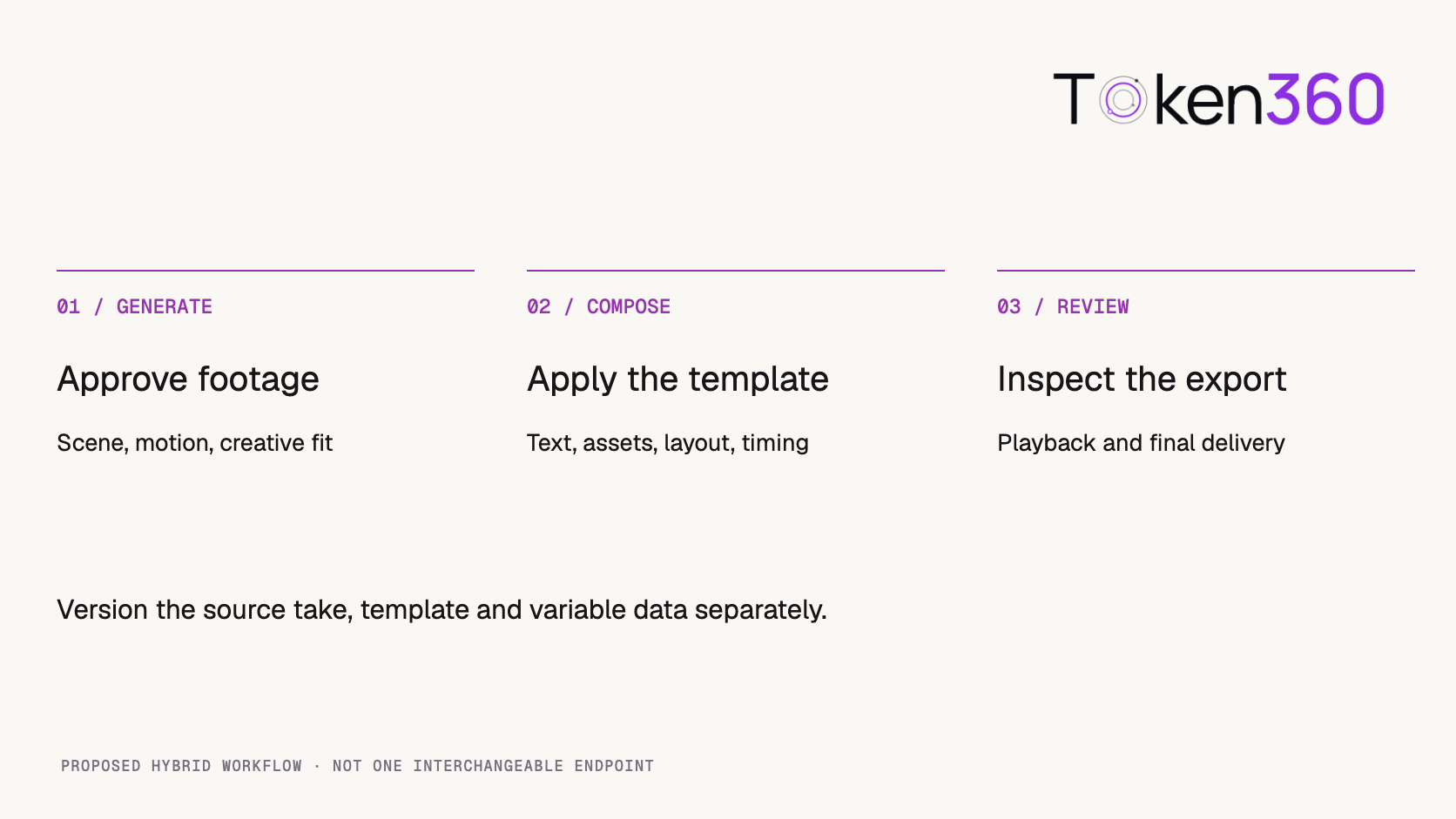
Hand off a reviewed asset version, not a prompt that the renderer must reinterpret. The composition should reference the exact take approved for use.
A proposed handoff contains an internal asset ID, the source generation reference, the retained media file, dimensions, duration and any audio information needed by the template. Keep the template version and variable data alongside it.
Token360's API selection documentation identifies video generation as asynchronous. Completion is a point at which your application can retrieve and review output, not proof that the later composition is correct. This article does not claim that Token360 supplies a template renderer.
A proposed hybrid workflow. Each stage has its own acceptance evidence.
When a source URL is temporary, preserve the asset through your chosen storage workflow before relying on it in future renders. Record source retrieval failures separately from template errors. Re-running generation should be a deliberate creative action rather than the default response to an unavailable file.
What should a rendering API evaluation include?
Require a working render of your actual composition and content extremes. A general claim of “video automation” does not prove support for a specific template, font or editing project.
Test the shortest and longest titles, missing optional fields, multilingual text, portrait and landscape assets, and audio with different lengths. Check what happens when an input cannot be fetched or a requested font is unavailable. Define whether the job fails, substitutes a resource or continues with altered output.
If your workflow depends on After Effects, ask for explicit support for the project format, required effects, fonts and external assets. Do not infer compatibility from a service's ability to export an MP4. Ask the vendor to render your representative project before treating it as an approved path.
Inspect the finished export on the target playback surface. Static preview checks are useful, but they cannot verify motion timing, transitions, audio synchronization or the encoded file. The video output validation guide provides the next inspection layer.
How do revisions change the cost comparison?
Separate creation attempts from composition renders. A headline revision should not automatically require buying a new creative take if the footage is already approved.
Track generation requests, accepted source assets, render attempts and accepted exports as distinct counts. Then attribute a revision to the stage that changed: source footage, text, layout, timing or encoding settings. This makes a campaign with many text variants easier to cost honestly.
Template rendering is not inherently free or cheaper in every workload. Fees, asset processing, storage and review time depend on the actual services and configuration. Compare the full workflow you will operate, including failed renders and required human correction, rather than two unrelated headline prices.
Once an export is approved, playback distribution becomes another layer. Generation, composition and delivery should not be treated as one undifferentiated API request.
What should stay versioned when you change a template?
Retain the template, input data and asset versions used for an approved export. A current template name alone is insufficient to explain a historical result.
Record fonts, output dimensions and timing configuration where they affect rendering. When a template changes, re-run representative long-title and missing-field cases before promoting it. The river example demonstrates why one attractive short-title preview does not cover the full content range.
Give an approved export its own immutable reference. If you revise a title later, produce a new export version and record the relationship. This preserves the evidence behind client approval without claiming byte-identical reproduction across every renderer update.
Frequently asked questions
Can an AI video API replace a template renderer?
It depends on the required controls. A generated scene alone does not establish exact text, layout and timeline behavior.
Can a template renderer create new imagined footage?
Composition alone arranges supplied content. A service may additionally integrate generation, but verify that separate capability.
Does rendering preserve every title without review?
No. Exact input text can still exceed its allowed space. Test long strings, font behavior and readability.
Does MP4 export mean After Effects compatibility?
No. Confirm support for the specific project format and dependencies with an actual representative render.
Did the river experiment render three videos?
No. It rendered three static browser compositions and measured title bounds. Video timing and encoding were not tested.
Should I regenerate footage when only a headline changes?
If the approved footage still fits, update the composition text and render a new export. Keep the original source asset.



 Prompt Library
 Insights
 Insights