EXIF Orientation in Image Uploads: Why a Valid JPEG Arrives Sideways
EXIF orientation can make a valid JPEG appear sideways. Compare tagged fixtures and normalize orientation before cropping or removing metadata.
By Yuki Yu
The product photographer sees an upright blue bottle. The upload service records a portrait image. The reviewer opens a landscape preview and sees the bottle upside down. Before replacing the source or asking a video model to “keep the bottle upright,” check which version of the picture each person saw.
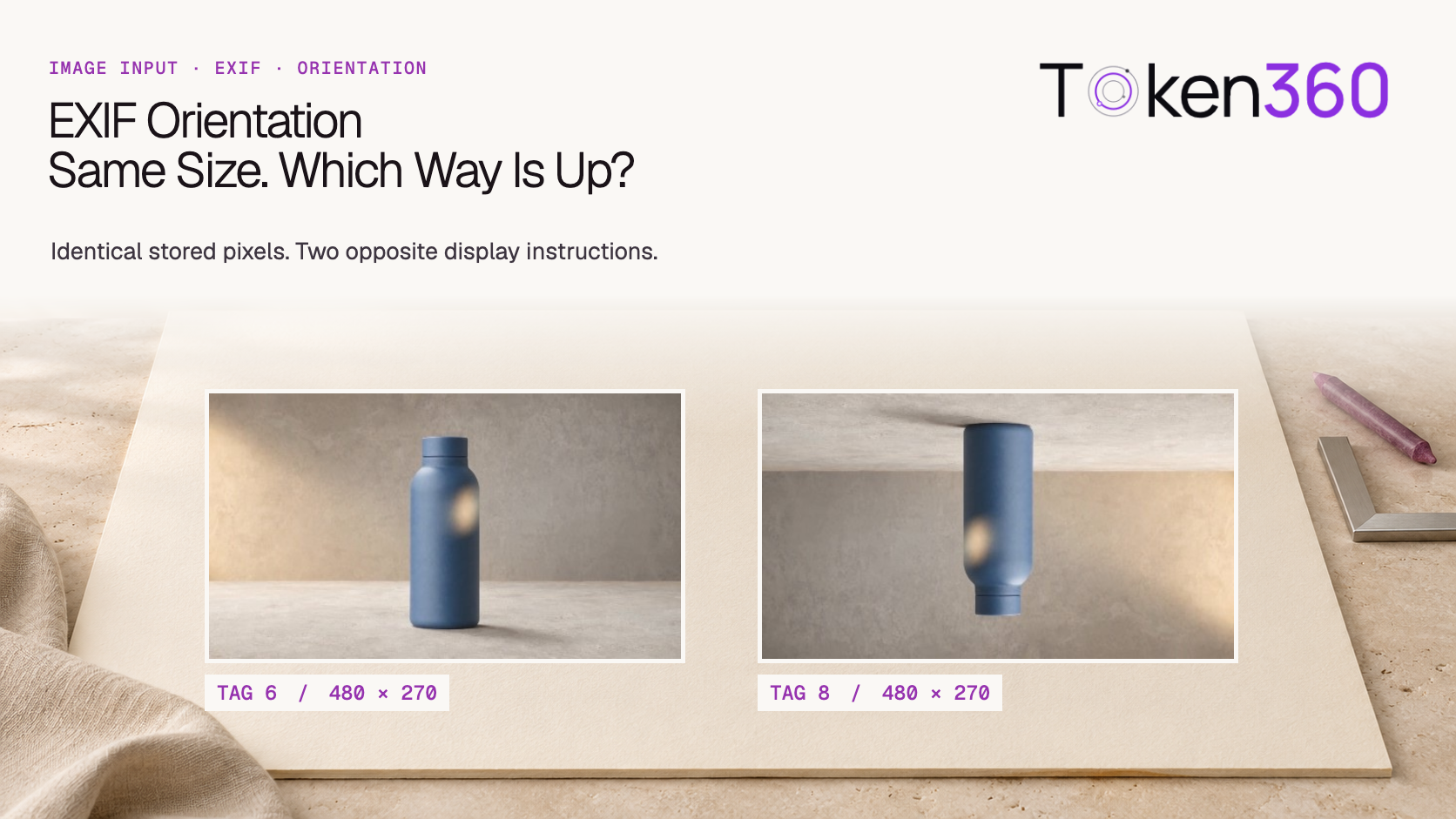
EXIF orientation can tell a reader how to display a JPEG’s stored pixels. In our local test, three JPEGs decoded to identical pixel buffers before orientation handling. Applying their respective metadata produced three different pictures. Two of the outputs had identical width and height, yet their bottle caps pointed in opposite directions. An upload check that compared dimensions alone would have accepted both.
Read first. Identify the source image and the exact route that consumes it before investigating the generated shot. Token360’s image-to-video API workflow.
Which dimensions are you looking at?
Distinguish the stored raster from the picture after the orientation instruction has been applied. A quarter turn exchanges width and height. Turning a portrait raster clockwise or counterclockwise produces the same landscape dimensions. The dimensions record the shape of the output rectangle. They do not identify its top edge.
In an upload workflow, a file inspector might read the stored width, the preview might use an orientation-aware decoder, and a thumbnail worker might create a new image from the stored raster. If they use different conventions, a genuine discrepancy can exist before the image reaches a model. Establish which stage first presents a different view of the same source.
How did we isolate the orientation tag?
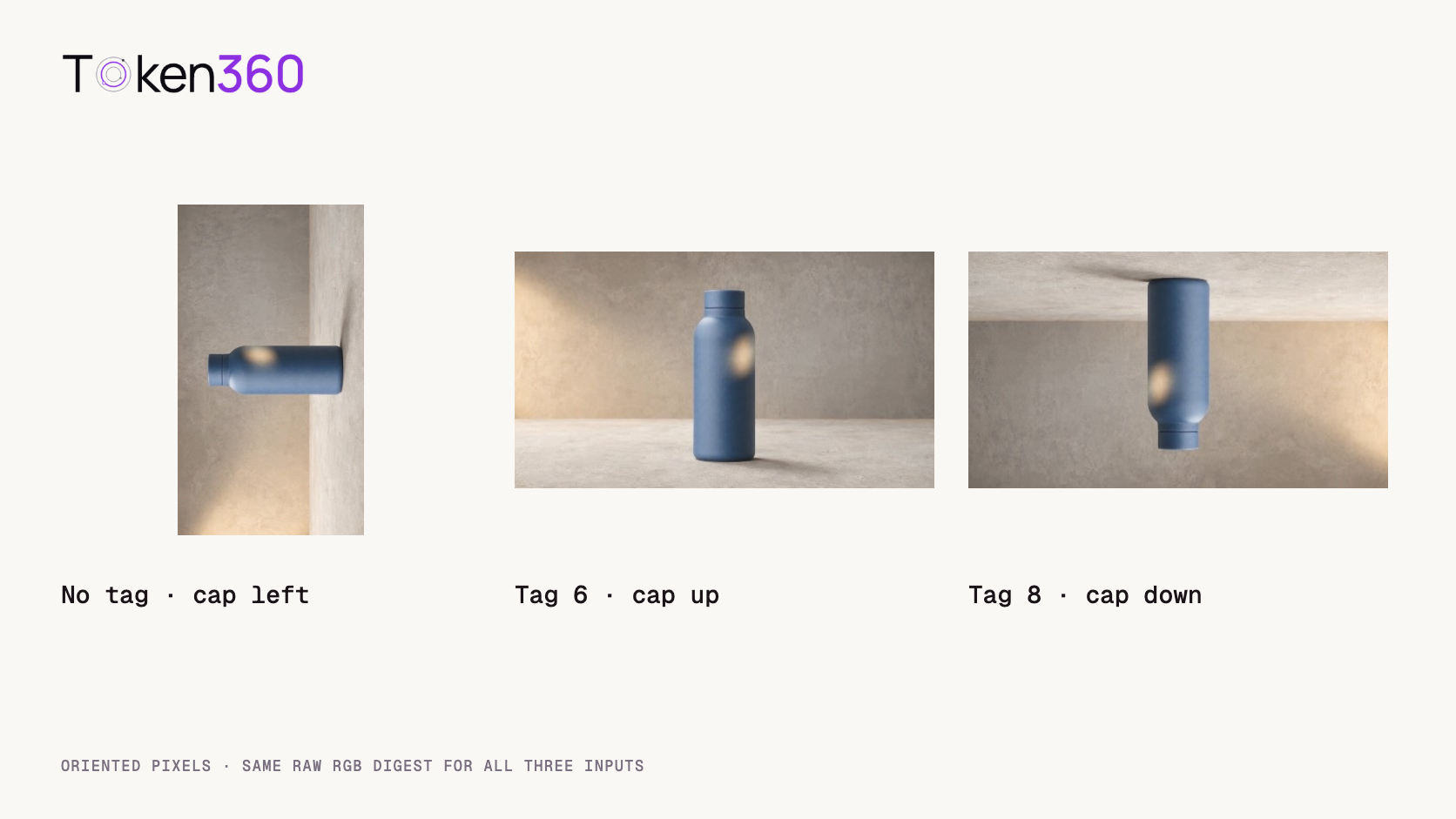
We started with an archived 480 × 270 bottle frame and turned the raster 90 degrees counterclockwise. We encoded this 270 × 480 raster as a JPEG once. For the two tagged samples, we inserted an EXIF metadata segment into copies of that same JPEG. The first file has no orientation tag, the second has value 6, and the third has value 8. The compressed image data came from the same encode.
On November 3, 2026, we opened each file with Pillow and hashed the decoded RGB bytes before applying any orientation correction. The three SHA-256 digests matched. We then applied ImageOps.exif_transpose, recorded the resulting dimensions and checked the orientation field again. Pillow documents that the operation applies the indicated transformation for a non-default orientation and removes the orientation data it applied. Pillow’s ImageOps reference.
Fixture
Stored raster
After orientation handling
Bottle cap
No tag
270 × 480
270 × 480
Points left
Orientation 6
270 × 480
480 × 270
Points up
Orientation 8
270 × 480
480 × 270
Points down
The three oriented outputs had distinct pixel digests. The orientation field was absent from both transformed outputs. The no-tag control stayed sideways because its stored pixels already had that direction. These results describe a controlled Pillow run. A provider’s ingestion behavior requires a separate test on its actual endpoint.
If the stored picture relies on an orientation tag to look upright, dropping that tag removes the instruction the viewer needed. In the value-6 fixture, stripping the metadata before applying it leaves the same sideways raster as the control. Reversing the order lets the pipeline materialize the upright picture first and then save the processed result.
A second failure goes in the other direction. A worker may rotate the pixels correctly and then copy the original metadata wholesale into the output. A later reader that honors the retained tag can rotate the already-corrected picture again. Review the pixels and the metadata on the exact output file, especially when one library transforms the image and another writes it.
Keep the original uploaded object alongside a derived asset when your retention policy allows it. A source key that silently starts pointing to the derived JPEG makes it harder to tell which operation has already happened. A distinct derivative name, original tag value and transformation record let a reviewer reconstruct the decision without guessing from filenames such as fixed-final.jpg.
Where should orientation handling sit in the image pipeline?
Apply the chosen orientation convention before operations expressed in displayed-image coordinates. A center crop can hide the problem because its center remains the center after rotation. A crop anchored near the cap is more revealing: the cap sits at the left edge in the stored view and near the top in the intended upright view.
from PIL import Image, ImageOps

with Image.open("orientation-6.jpg") as source:
    upright = ImageOps.exif_transpose(source)
    print(source.size, upright.size)
    # The crop coordinates belong to the upright view.
    upright.save("orientation-6-normalized.png")
The example writes a PNG so you can inspect the transformed pixels without another lossy JPEG encode. In production, choose the output format and metadata policy required by the route. A conversion can change file size, color handling and other metadata. Test those concerns separately from the rotation decision.
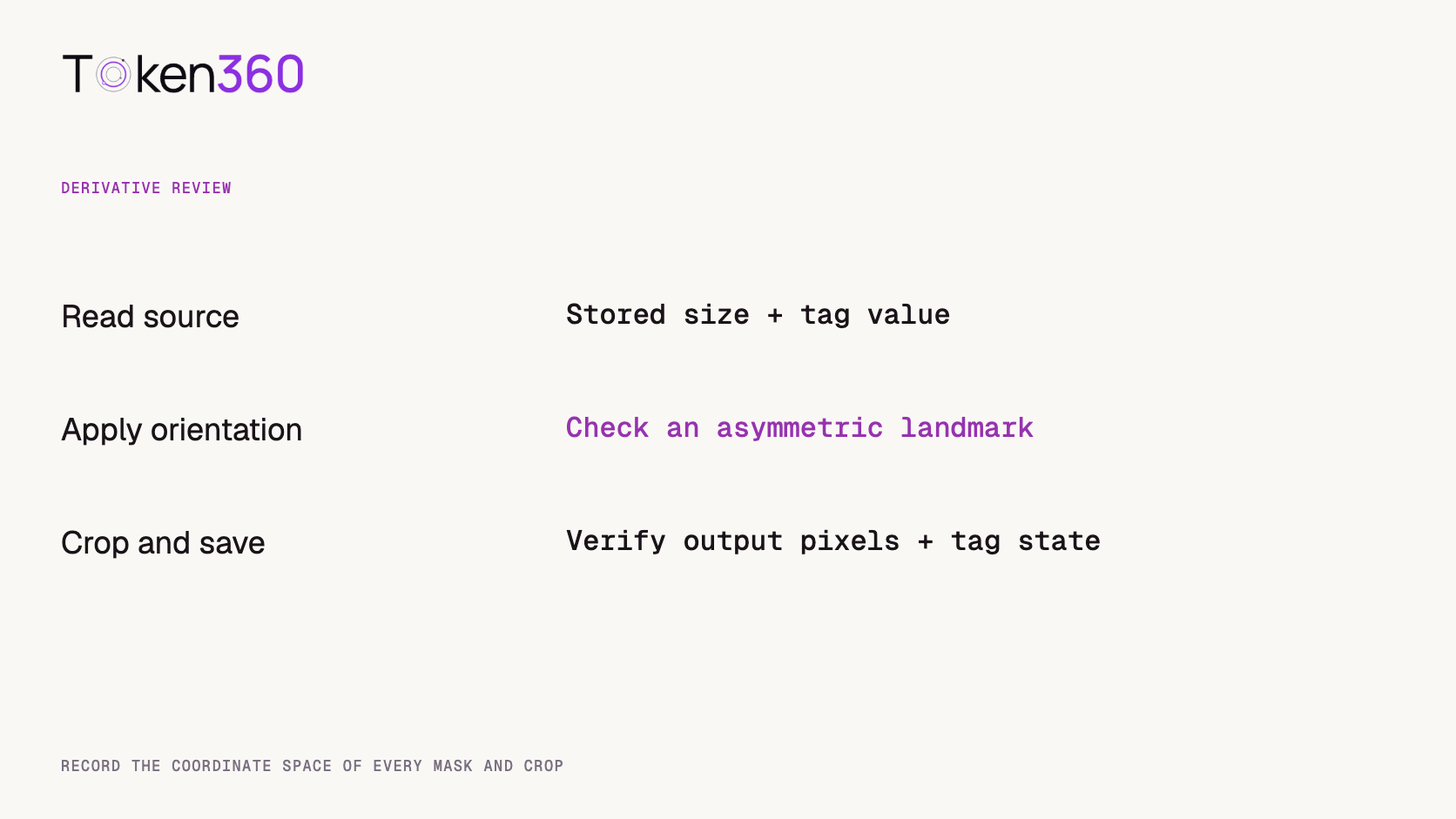
If your system stores bounding boxes, focal points or edit masks, label their coordinate space. A face box drawn on the preview cannot be copied onto the stored raster without accounting for the transformation between them. Recompute or transform the geometry with the image. A mask that misses the subject after upload can otherwise look like a failed instruction-following test.
How can you test an unfamiliar upload route?
Start with an asymmetric object and one orientation-sensitive decision. Our bottle works because the cap is visibly different from the base. Submit the three fixtures through the path you intend to ship, subject to the endpoint’s documented limits. Record which file was sent, whether the client re-encoded it, the route and the resulting asset or preview.
Inspect the earliest available derivative before rating a generated result. If the uploaded preview is already sideways, investigate client or ingestion processing first. If the approved preview is upright but an image-editing result turns it upside down, you have narrowed the problem. You still need to verify which derivative was actually passed to inference. A browser thumbnail and an inference input may be built by separate workers.
For an image-to-video pilot, keep the generation brief and settings fixed. Ask for a small neutral camera move and observe the orientation at the first visible frame. Record the evidence from the upload preview and the returned clip separately. A model can reinterpret the object even when the input was handled correctly. A changing output alone cannot localize an error to EXIF parsing. Token360’s evaluation framework.
What should a useful incident report contain?
Include a shareable fixture, its stored dimensions, orientation value, dimensions after processing and one visible landmark. “Value 6, 270 × 480 on disk, cap should point up after processing” is enough for another engineer to start. Include the software path and the final derivative’s orientation value if the issue involves double rotation.
Different hashes of the complete files are expected when their metadata differs. For a pixel comparison, hash buffers decoded by the same library under the same settings and record their shape and mode. For a byte-preservation check, hash the file itself. Choose the comparison that corresponds to the question you are asking.
Frequently asked questions
Does a width greater than the height prove the picture is upright?
No. The value-6 and value-8 outputs were both landscape. Looking at the cap distinguished their directions immediately.
Does deleting EXIF always fix rotation?
Inspect the stored picture first. If a tag is required to orient it correctly, apply the transformation before discarding the instruction.
Are values 6 and 8 the only cases worth testing?
They are a compact pair for opposite quarter turns. A complete ingestion suite should also cover other supported orientations, including mirrored cases, plus missing or malformed metadata.
Should I ask the model which side is up?
That can be an application-level check. For a reproducible ingestion diagnosis, inspect the source and derivative pixels first so you know what evidence the model received.
Does this test establish how every Token360 route processes EXIF?
The experiment ran locally with controlled JPEGs. Verify the exact client, endpoint and model route before making a route-specific claim.
What should I test after correcting orientation?
Check the visible landmark, derivative dimensions, tag state and any crop or mask alignment. Then validate the generated deliverable against the production brief.
Read next. Once the source and its orientation are verified, check the output you actually deliver. AI video output validation guide. More resources from Token360.
Editorial revision: November 4, 2026. Test dates and dated source snapshots remain as stated in the article.
Video Editing
Media Validation
Tutorial
Build faster with one AI API.
Use Token360 to call video, image, audio, and text models with one key and one bill.





 Comparison
 Guides
 Guides