Calculate Base64 image size and the JSON bytes your API receives. Compare three measured JPEGs and find the largest image that fits a request budget.
By Yuki Yu
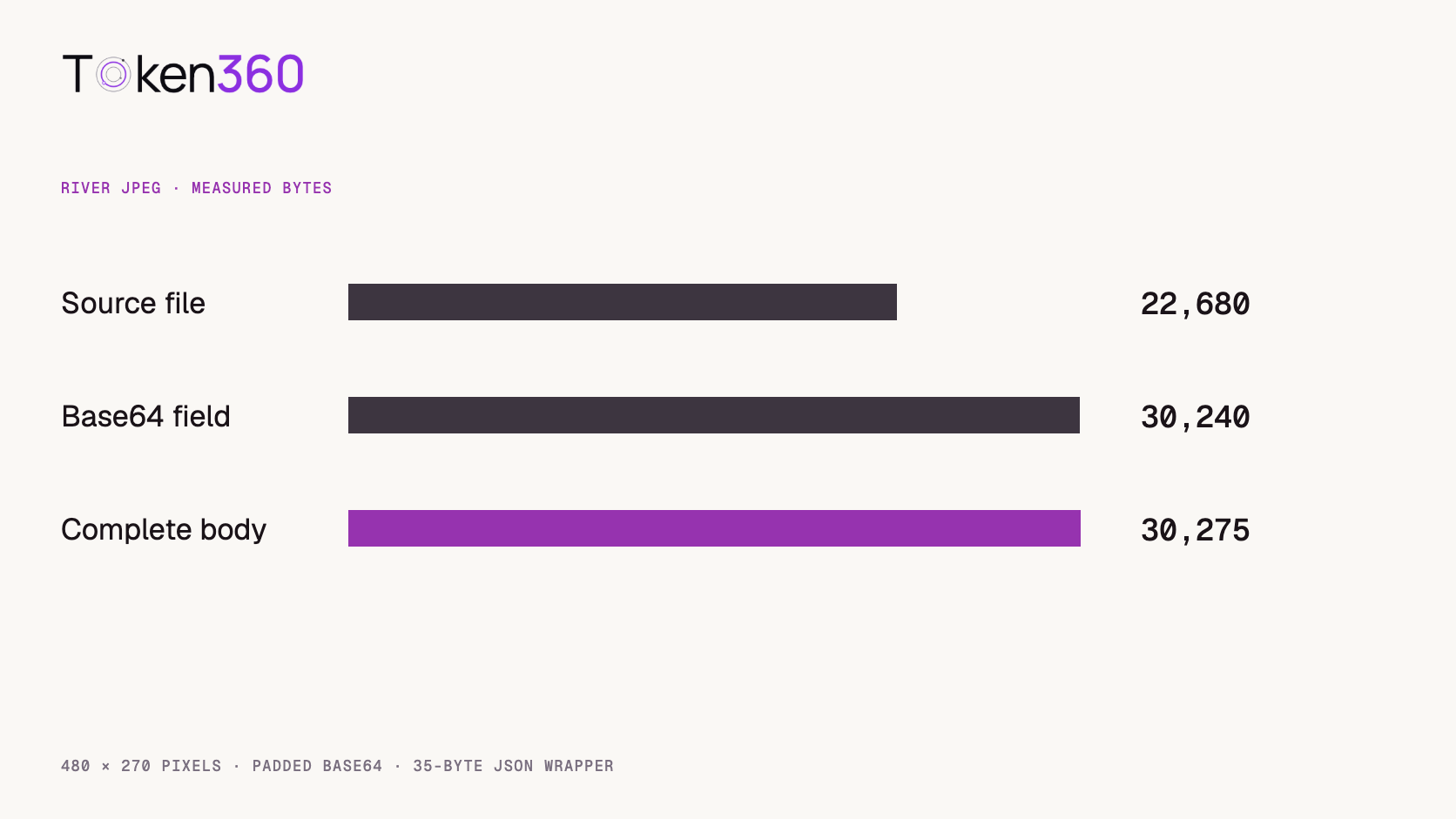
A developer checks a JPEG on disk: 22,680 bytes. The integration has a 30,000-byte test budget, so the image goes into the request. The completed JSON body measures 30,275 bytes. The picture still has exactly the same pixels. What changed was the representation that had to pass the size check.
For standard padded Base64 without line breaks, Base64 image size in characters equals four times the source byte count divided by three and rounded up before multiplying: 4 × ceil(source_bytes / 3). In a UTF-8 JSON body those Base64 characters each occupy one byte. The data URL prefix, JSON structure, prompt and other inputs also count toward a limit applied to the serialized body. We measured all three layers separately for three archived images.
Read first. Establish which image and model route your workflow accepts before choosing how to transport the source. Token360’s image-to-video API workflow.
Which size does the endpoint limit?
Identify the object named in the limit. A source-image limit applies to the uploaded or decoded file. A request-body limit concerns the representation sent in the request. A dimension limit concerns the width and height of the decoded image. All three can apply to a single call, and passing one check leaves the others open.
Imagine an upload component that rejects files above its configured raw-file threshold before a request exists. The application server may apply a second check after it builds a JSON document. A proxy in front of the model route may enforce another body limit. To investigate a rejection, record the exact route and request format, the original file byte count, and the serialized body byte count. A screenshot of the file’s dimensions cannot distinguish those cases.
Why does Base64 add bytes in steps of four?
The encoding groups up to three input bytes into a block and produces four output characters. Padding fills the final block when necessary. One, two and three input bytes therefore all need four characters in this padded representation. Four input bytes need eight characters. The familiar estimate of one third overhead approaches the actual ratio for large inputs and misses the jumps at block boundaries. RFC 4648, Base64 encoding.
The image file may already be compressed. Base64 encodes those existing bytes. Decoding the Base64 string correctly gives the original file back. Resizing the picture or re-encoding a JPEG at a different quality is a separate operation that can alter the delivered pixels. Keep the approved source available if you decide to try either one.
What did three real JPEGs cost in request bytes?
On November 3, 2026, we read three 480 × 270 JPEG frames from Token360’s video-poster archive. We encoded each with Python’s standard padded Base64 encoder, added the data URL prefix and serialized a compact one-field JSON object as UTF-8. The exact fixture shape was {"image":"data:image/jpeg;base64,..."}, where the ellipsis stands for the encoded bytes. The empty wrapper occupies 35 bytes. This is a measurement fixture that can be reproduced locally, independent of any provider’s request schema.
Archived JPEG
Source bytes
Base64 bytes in UTF-8
Complete JSON body
Bottle, early frame
20,578
27,440
27,475 bytes
Bottle, middle frame
19,156
25,544
25,579 bytes
River, early frame
22,680
30,240
30,275 bytes
The two bottle frames have the same dimensions and come from the same video, yet their JPEG sizes differ by 1,422 bytes. The larger river frame crosses the illustrative budget by 275 bytes. Receiving the image width and height alone would give the client no way to predict that difference. Reading the actual file length would.
Copy measure-image-request.py from the complete source below. Run python3 measure-image-request.py your-image.jpg. The script reads local files and prints lengths without making network requests.
import base64, json, sys
from pathlib import Path
def body(data):
    encoded = base64.b64encode(data).decode("ascii")
    fields = {"image": "data:image/jpeg;base64," + encoded}
    return json.dumps(fields, separators=(",", ":")).encode("utf-8")
if __name__ == "__main__":
    for name in sys.argv[1:]:
        data = Path(name).read_bytes()
        size = 4 * ((len(data) + 2) // 3)
        assert len(body(data)) == len(body(b"")) + size
        print(name, len(data), size, len(body(data)))
How much source image fits inside a fixed body budget?
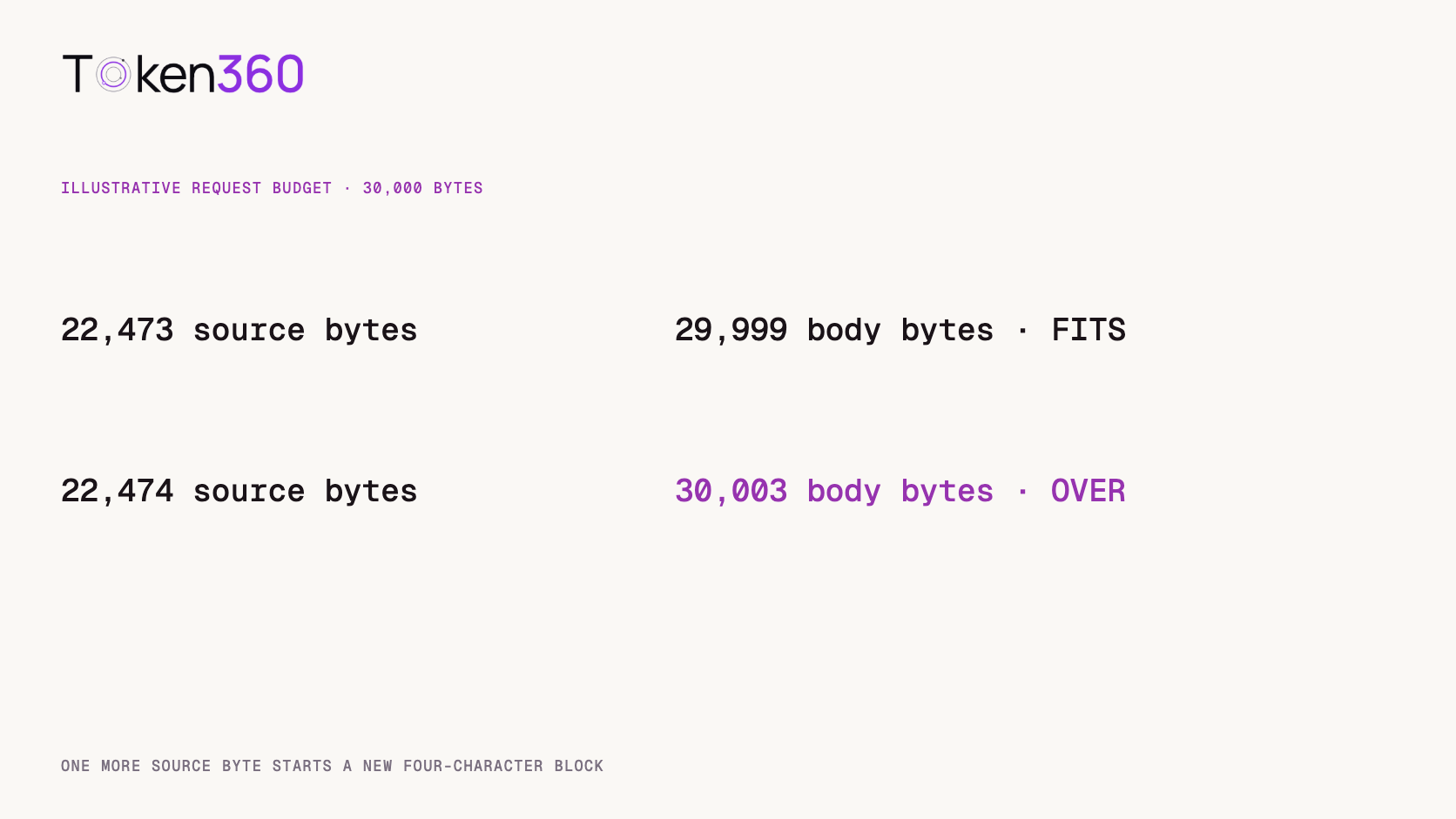
For a single inline image, subtract the serialized wrapper size from the budget, divide by four, round down, and multiply by three. With a 30,000-byte budget and our 35-byte wrapper, the largest source that fits is 22,473 bytes. That source produces a 29,999-byte body. One additional source byte starts a new Base64 block, taking the body to 30,003 bytes.
Worked budget: 30,000 bytes allows a largest source of 22,473 bytes with a 35-byte wrapper, producing a 29,999-byte body.
The calculation assumes the same compact wrapper, an inclusive limit and an uncompressed request body. When the wrapper alone exceeds the budget, even an empty source cannot fit. A production serializer may add whitespace or other fields. Measure your actual body just before transmission. For a text prompt containing non-ASCII characters, count the encoded body bytes after serialization. A character count from the editor may describe a different quantity.
If the contract specifies megabytes, first check how it defines the unit. One million bytes and 1,048,576 bytes lead to different admission decisions. Use exact byte counts in tests, especially for the case immediately below the threshold and the first case above it. The 30,000-byte figure in this article was chosen to show the boundary on small fixtures. No provider limit or production error rate was measured.
What changes when the request includes several images?
Apply the padded-length formula to each separately encoded image, then add the complete serialized wrapper for the array. Each string can have its own final padded block. Combining the raw sizes before rounding can underestimate the result. Two separate one-byte files need eight Base64 characters in total. Treating their two bytes as one block would predict four.
Also account for each repeated media prefix and the objects or delimiters around it. A useful implementation builds the same payload as the real client with each encoded field temporarily empty, measures that skeleton, and adds the independently computed encoded lengths. Compare that estimate against a fully serialized request in your regression tests. Recheck it whenever the SDK or your request template changes.
When should an application use another transport?
Choose among the mechanisms the exact endpoint supports. An inline image can be convenient for a small, self-contained request. A multipart upload carries a binary part with its own headers and boundaries. A file reference or URL makes the inference request smaller while introducing a separate upload or fetch step. Each path has its own limits, access rules and lifecycle.
A short URL alone tells you little about the bytes the receiving service must download. Verify that the destination can access the approved object, that the reference remains valid long enough, and that the decoded media meets the model’s requirements. If a reduced JPEG is the right solution, compare small lettering, thin edges and product details before replacing the source. Those details may be essential to a vision model’s task even when two previews look similar at card size.
What should an error report include?
For an HTTP 413 response, report the failing route, transport type, observed response, relevant configured limit and serialized body size. The status indicates that the request content exceeded what the server was willing or able to process. Determine which component returned the response before changing model parameters or regenerating an asset. MDN HTTP 413 reference.
Log lengths and a synthetic reproduction where possible. Recording the entire Base64 field can put a full source image into logs and make the incident harder to inspect. For a multi-image request, label the per-image sizes and include the final body total. If a smaller replacement succeeds, preserve both measurements along with what changed. Token360’s API observability guide.
Frequently asked questions
Is Base64 always exactly 33% larger?
The exact padded length is four characters for each group of up to three bytes. The ratio approaches four thirds for large files. Prefixes and JSON fields add further bytes.
Does Base64 lower JPEG quality?
Encoding and decoding preserve the file bytes. Quality can change if you also resize the image or re-encode it using a lossy codec.
Should the data URL prefix be included?
Include it in the byte budget whenever it appears in the actual body. Follow the endpoint contract on whether it accepts a data URL or a plain encoded string.
Does this calculation estimate model input tokens?
It estimates serialized body size. Model-side image accounting depends on the provider and model configuration. Check those rules separately.
Can HTTP compression change the result?
It can change the transmitted representation when the route supports it. Confirm whether each component enforces its limit before or after decompression. Our fixture measures the uncompressed JSON body.
How can I reproduce the measurements?
Copy the Python script above into the named local file and pass your local JPEG filenames as arguments. It prints the source, Base64 and complete JSON lengths and checks the formula against the actual serialization.
Read next. After the request succeeds, validate the resulting deliverable against the production brief. AI video output validation guide. Additional resources from Token360.
Editorial revision: November 4, 2026. Test dates and dated source snapshots remain as stated in the article.
API
Data Integrity
Tutorial
Build faster with one AI API.
Use Token360 to call video, image, audio, and text models with one key and one bill.


 Comparison
 Guides
 Guides