AI recoloring is worth testing for product color variants when the target colorway is real, the source product is correct and the team can verify the finished image against an approved reference. A convincing new color is not enough: the result must still depict the SKU the customer would receive.
For an enterprise buying image-model access, the practical question is whether the process can produce usable catalog assets without changing the product’s construction, material or identifying details. This guide focuses on colorway delivery for product listings. It is not a general image-editing tutorial, a lighting guide or a promise that a prompt can replace product photography.
Documentation reviewed November 24, 2026. The proposed checks below are not benchmark results. No recoloring API requests were run for this article, and no Token360-specific color-matching accuracy or dedicated recoloring feature is verified.
Are you changing the color or creating a different product?
A colorway edit should change only the components that differ between the real variants. Confirm that the source and target share the same construction before using one photograph as the starting point. If the target also changes its trim, texture, controls or packaging, list those differences instead of treating the job as a simple recolor.
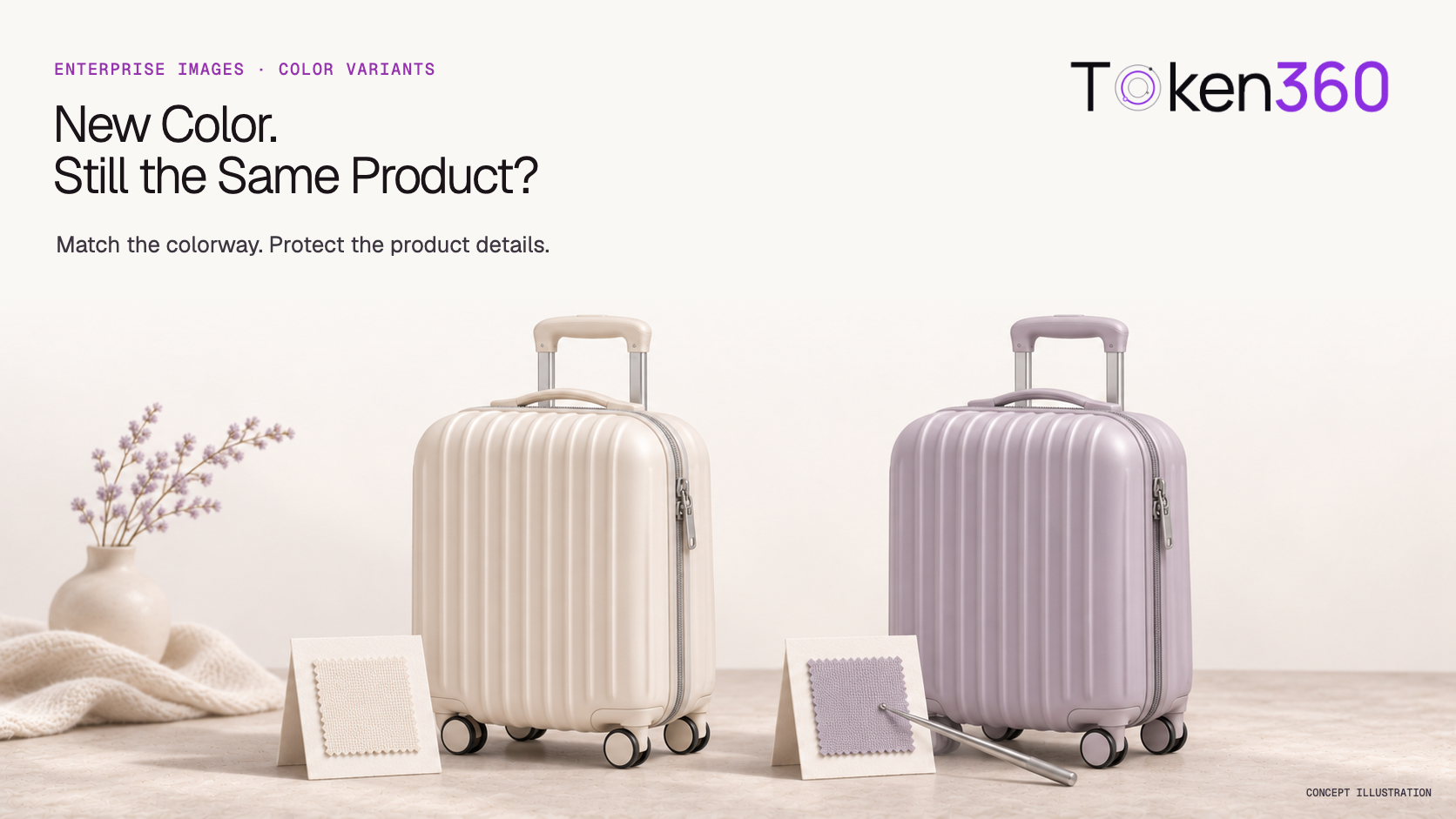
Consider an illustrative luggage brief. The ivory and lavender cases may share a shell shape, but the actual lavender SKU might also use different zipper tape or a different lining. Asking an image model to “make the suitcase purple” does not specify those boundaries. The merchandising team should supply a component-level description of the target.
As reviewed on November 24, 2026, fal’s FLUX.2 [flex] editing page includes a vase recoloring example with hexadecimal colors. That demonstrates how the category is presented, not a measured guarantee of exact physical-product color. Higgsfield’s Layers guide distinguishes local edits from color grading and shows a before-and-after product comparison. Those are useful distinctions for specifying a purchase; equivalent controls on Token360 still require confirmation.
Illustrative suitcase brief — proposed scope, not a test result| Component | Permitted change | Required reference |
|---|
| Outer shell | Change to the approved lavender colorway. | Target sample or approved product photograph. |
|---|
| Wheels and handle | No change unless the target SKU differs. | Construction details for both SKUs. |
|---|
| Zipper and trim | Follow the target specification, not an assumed global tint. | Close-up of the actual target components. |
|---|
| Logo and markings | Preserve approved shape, wording and position. | Source detail image or approved artwork. |
|---|
When the goal is a new artistic treatment rather than a faithful variant, use the separate product-photo style-transfer guide. A campaign concept can have a different approval boundary from a listing image that represents a purchasable item.
Is a hex code enough to specify a product color?
A hex code can communicate a requested digital color, but it is not enough to approve a photographed product variant. Supply an approved appearance reference and identify the intended material and finish. Review the image as a shaded object, including highlights and dark areas, rather than requiring every product pixel to equal one color value.
Keep three things distinct: the real product or sample, the reference image used for review, and the requested edit instruction. A fabric swatch may specify the color family without showing how the finished product reflects light. A studio photograph can show that appearance, but it still needs an agreed viewing and export workflow.
Adobe’s color-management documentation explains the role of profiles in translating color between devices. Agree on the working and delivery profiles with the receiving design team. Do not resolve disagreement by comparing unrelated screenshots on different displays and assuming the model is the only possible source of the difference.
For the supplier brief, provide the original full-resolution image, target reference, affected components and protected details. Identify each reference’s purpose. If a route accepts masks or multiple reference images, ask for its supported format and a demonstration; neither is assumed to be available simply because it appears in another platform’s editor.
If the source has a strong color cast or the target needs a different lighting setup, separate that task from recoloring. The product-relighting article covers illumination changes. Combining both changes in an initial trial makes it harder to decide whether a colorway is represented faithfully.
What should a recoloring pilot prove before you scale?
The pilot should show that the returned image represents the intended colorway while preserving the required product details. Compare it with the source and target references, not just with a color word in the prompt. Include representative materials and difficult component boundaries, and retain rejected outputs alongside the accepted deliverable for review.
Start with the same approved source for each target variant. Keep the model, settings and request with the returned file. If the creative team changes the approach after a failure, record that change rather than blending all outputs into a single unsupported claim about reliability.
Product-colorway acceptance checks| Review area | Question for the reviewer | Evidence to keep |
|---|
| Target appearance | Does the color and finish represent the approved variant? | Target reference and reviewer decision. |
|---|
| Edit boundary | Did the tint spill onto trim, background or other protected parts? | Close-ups of component edges. |
|---|
| Material | Did matte, glossy, woven or textured surfaces change unintentionally? | Comparison at the intended viewing size and detail level. |
|---|
| Construction | Are seams, ribs, fasteners, logos and proportions still correct? | Source/output comparison of protected features. |
|---|
| Catalog association | Is this file assigned to the right SKU and color label? | Approved filename-to-SKU record. |
|---|
Evaluate a conventional retouching workflow as a baseline for the same source and target. The baseline need not use the same tools; it must satisfy the same delivery requirement. Compare supplier charges, correction work and review effort separately. This article does not claim that AI will be faster or cheaper.
If the team applies a numerical color tolerance, have its color specialist define the reference, measurement conditions and method. No universal tolerance is supplied here. A single sampled pixel is not a complete test of a shaded or textured product, and a visually pleasing output does not override a failed product-accuracy decision.
When the result needs manual repair, keep that work visible in the evaluation. A retoucher can make the asset usable without proving that the API alone delivered the missing accuracy. Approve the combined workflow only if its scope and cost are acceptable.
How do you keep the right variant attached to the right SKU?
Maintain an explicit link between each source, target colorway, generated file and approved SKU. Review the exported catalog asset rather than only the model preview. Confirm crop, dimensions, color profile and naming with the receiving team, then check the storefront placement so an otherwise correct image is not attached to the wrong variant.
Use a small delivery record with the source ID, target SKU, approved color name, request ID, selected file and reviewer. This is an ordinary handoff requirement; a model does not know which stock item your commerce system will associate with the file. Keep draft concepts out of the approved listing folder.
Review the set together. A group of individually attractive variants may have inconsistent framing or may appear to use different materials. Decide whether shared framing, background and lighting are part of the acceptance requirements, then check them before the collection is delivered.
If an actual sample or approved target photograph is unavailable, label the result as a concept and obtain the appropriate internal approval for its use. Do not silently turn a speculative color exploration into evidence of a product that is ready to sell. When accurate representation cannot be established, photography or a verified product asset remains an option.
What should Token360 confirm in a colorway-image quote?
Ask Token360 to confirm a suitable image-editing route, its accepted references and the output package for your colorway brief. Quote the expected workload with its review and revision needs, not just the number of color names. A general image-model offering does not establish a dedicated recoloring endpoint or an exact-color guarantee.
Token360 focuses on enterprise model access across text, image, audio and video. For this purchase, request the specific model and endpoint, supported input formats, any masking or reference controls, and how returned files will enter your design workflow. This article has not verified Token360 support for the fal or Higgsfield controls described here.
Company-confirmed enterprise terms use tiered quotes: higher usage receives lower quoted rates, with no separate service fee. That does not make inference or repeated attempts free. Clarify the billing unit, the treatment of unsuccessful edits and any work beyond model access before forecasting a catalog project.
We need [number of source products] in [approved colorways], for [listing or campaign placement]. Attached are source images, target references and a component-change list. Please identify the proposed model, demonstrate the edit on representative products and quote the expected volume. State the delivered file specifications, any manual work and the treatment of revised or rejected outputs.
Send the brief to the enterprise team and make the approval gate explicit: the chosen image must represent the intended SKU, not merely look like a plausible new color. Agree on that gate before expanding to the rest of the catalog.
Frequently asked questions
Can I create a colorway from one product photo?
You can evaluate an edit from one photograph if the selected route supports it. That input alone does not establish the target SKU’s real color or hidden construction. Supply target evidence and approve the visible result before treating it as a listing asset.
Should recoloring change the product’s shadow?
Specify which visual changes are acceptable and review the result against the intended appearance. Do not approve a changed contact shadow, reflection or background automatically because the shell color changed. If different lighting is required, scope and test that separately.
Does matching a hex code guarantee the physical color?
No such guarantee is established here. A code is part of a digital instruction; product appearance also needs an approved reference and a controlled review workflow. Exact physical matching requires an agreed specialist evaluation, not simply a matching prompt value.
Can we use a global color filter instead of AI?
Compare conventional editing when it can deliver the required change while protecting other components. A global filter may affect areas that should remain unchanged, so inspect the same boundaries. The best procurement outcome is the accepted deliverable, not using a generative model by default.
Does one accepted recolor approve the entire catalog?
No. An accepted example covers that source, target and configuration. Include the materials, details and color changes represented in the actual workload, and retain review responsibility for delivered variants. This guide reports no catalog-wide accuracy or success rate.
About the author
Yuki Yu is Marketing Manager at Token360.


 Guides
 Guides
 Guides