How to Choose a Video Poster Image Before the Viewer Presses Play
Choose a video poster image that stays clear at card size. Compare six real frames, check the crop and use a consistent thumbnail URL in video metadata.
By Yuki Yu
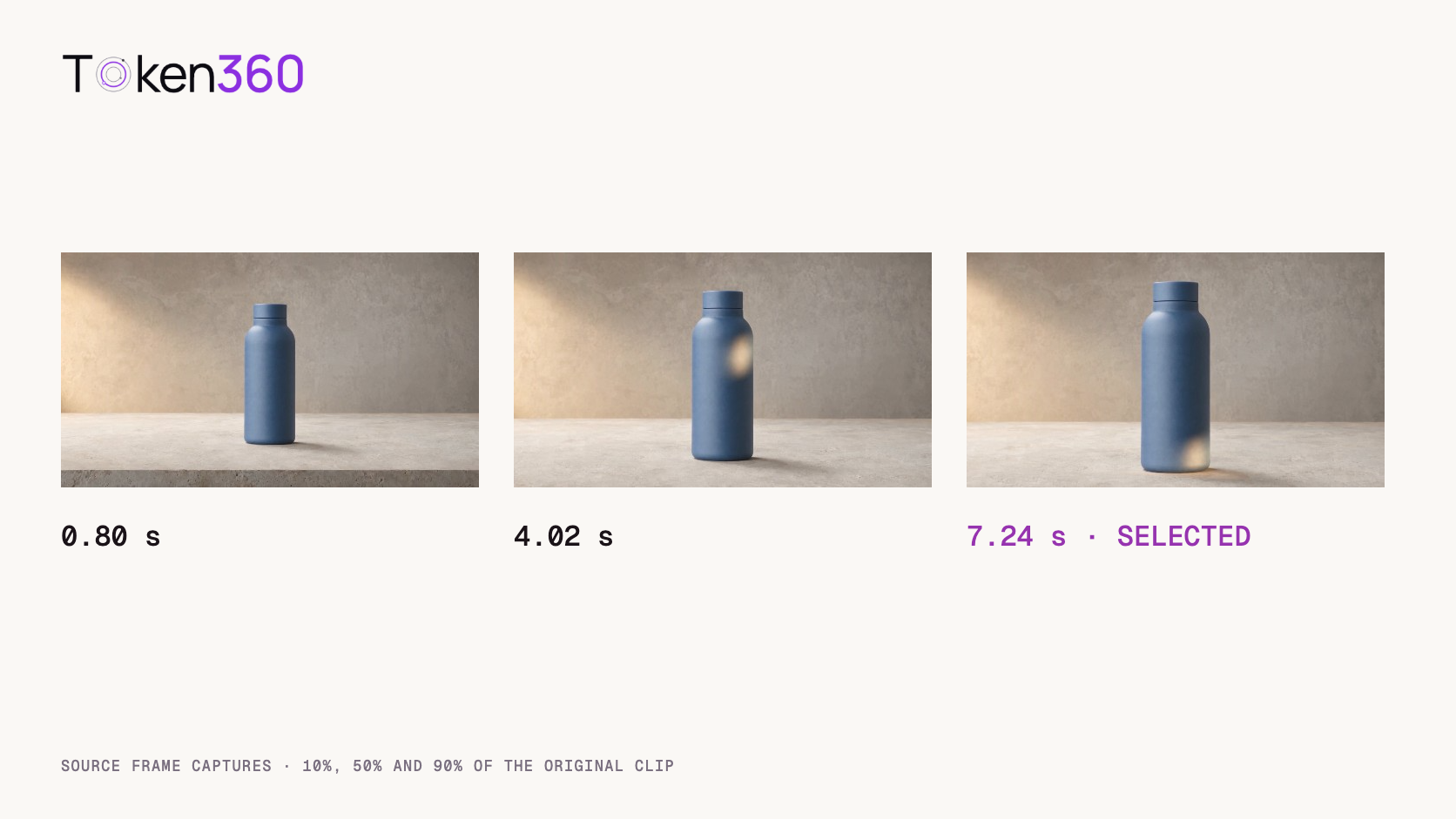
At 0.80 seconds, the blue bottle sits small and fully visible on a stone counter. At 4.02 seconds, its silhouette fills more of the picture, but a bright reflection has reached its shoulder. By 7.24 seconds, the reflection has moved to the base. All three stills come from the same product video. Which one belongs on the product page?
A good video poster image lets someone recognize the subject at the size where the player will appear. Choose a frame from the approved video, inspect it at the intended crop, and use the same approved asset wherever you describe that video to search engines. The timestamp that works for a product reveal may add very little to a landscape shot.
Read first. Confirm that you have the approved file and the intended version of the shot before extracting its poster. AI video output validation guide.
What job does a video poster image do?
It gives the player an image to display before playback begins. In HTML, a video element can reference that image with its poster attribute. This gives a publisher control over the still shown while the video is waiting to play. The image and the video are separate files, so an editor can change the poster without exporting the movie again. MDN video element reference.
A product page and a video library ask different things of that still. On the product page, a visitor may already know the bottle and want to see its finish. In a library of twenty small cards, the first job is distinguishing this clip from a kitchen scene or a landscape. Decide what the viewer should recognize before arguing about which frame looks best at full resolution.
What did we extract from the two archived clips?
We sampled two 1280 × 720 MP4 files from Token360’s editorial archive. Both played for about 8.04 seconds. Using the browser’s decoded video, we sought to 10%, 50% and 90% of each file’s duration, waited for the seek to complete and captured the displayed frame at 480 × 270 pixels. The requested positions round to 0.80, 4.02 and 7.24 seconds. The contact sheets below contain all six captures in chronological order.
This is an editorial comparison of two known shots. The positions give an editor a quick way to collect candidates and record their provenance. We did not measure clicks or run a viewer preference test. The recommendations below explain what we can see and which placement each choice would suit.
Which frame best represents the bottle reveal?
For a product card whose job is immediate recognition, our first candidate is the late frame. The bottle occupies more of the image, its cap and base remain visible, and the strongest warm reflection has moved away from the upper body. The bottle reads as a blue silhouette even when the card is small.
Original bottle reveal. The time labels identify the requested sampling positions.
For a page about materials, the middle frame deserves another look. The highlight near the shoulder draws attention to the curved surface. For a page about the entire shot setup, the early frame gives the viewer more of the surrounding counter and backdrop. Each candidate makes a different promise about what the viewer will see after pressing play.
Place the actual play control on top before approving the selection. In this shot the bottle stands almost exactly at center. A large central play button can cover its most recognizable detail. Try the still inside the real player at the smallest intended width. If a visible and accessible player control obscures the product, change the composition or the preview treatment before spending time polishing the highlight.
Why does the same timestamp rule produce a different result for the river?
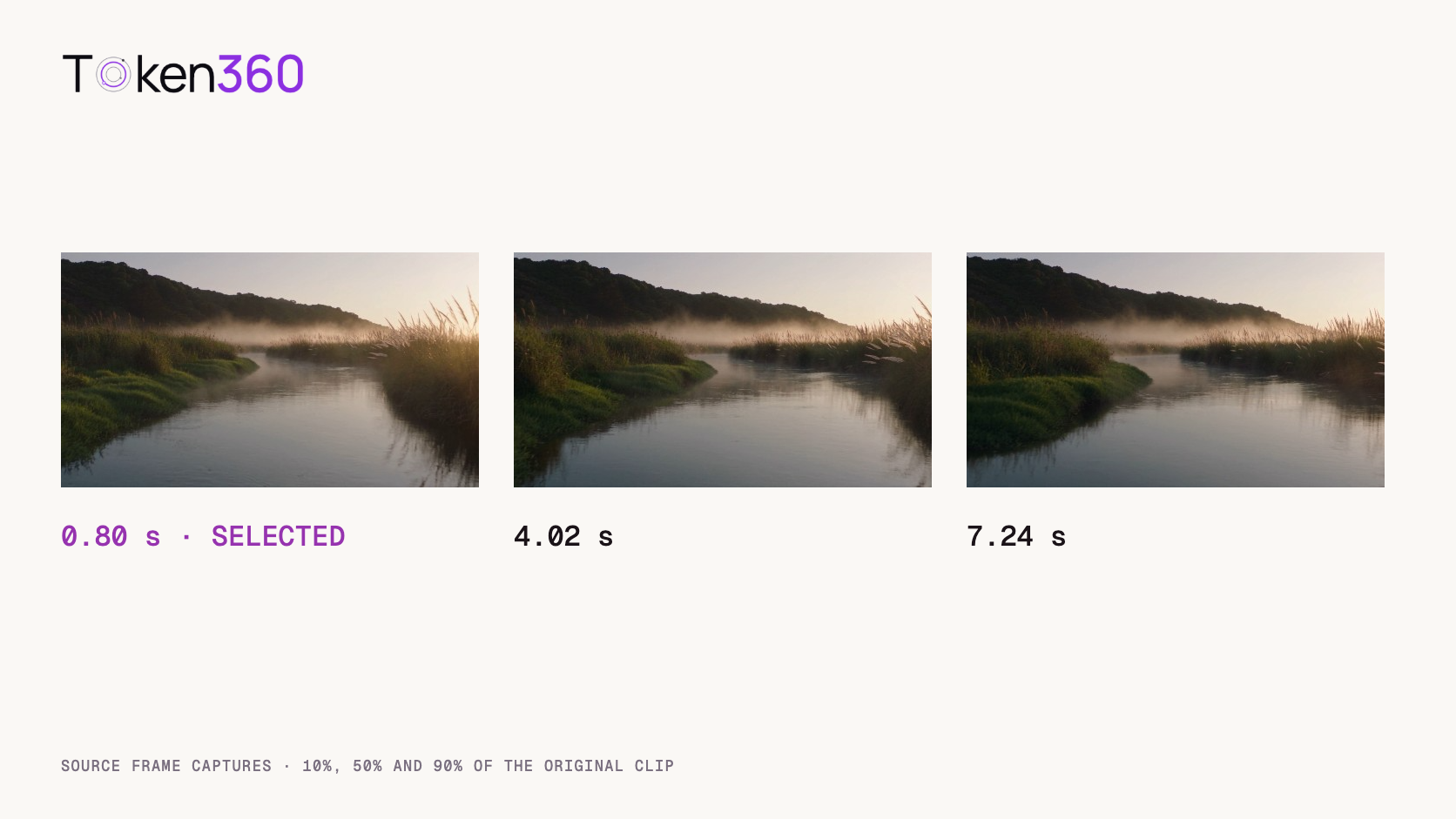
The river clip establishes its subject early. The dark ridge, soft mist and reflected sky remain recognizable across all three frames. For a wide landscape embed, we would start with the early frame. It already explains the setting, and the later samples offer smaller changes in the reading of the image.
Original river glide. Compare the shape of the open water and the position of the foreground reeds.
Now imagine the same clip in a square gallery tile. The central channel of water matters more because the side banks disappear. Look at where the water opens toward the horizon after the crop. A frame that looked interchangeable in widescreen can lose the visual route into the landscape when the sides are removed.
For these 1280 × 720 sources, a centered square crop retains 720 of the original 1280 horizontal pixels, or 56.25% of the width. It removes 280 pixels on either side. That calculation assumes a full-height center crop. A player using containment, letterboxing or a custom focal point produces a different result. Use the layout your audience will actually see.
How should a team automate poster selection?
Automate candidate extraction first. A service can return a single default frame, but the publisher still owns the decision about what the still communicates. For a small catalog, three candidates plus a quick card-size review may be enough. For a large catalog, save the candidates and the selection reason so reviews can focus on ambiguous shots.
Decision
What to record
Why it helps
Identify the source
Asset ID, file version and duration
A replacement clip can trigger a new extraction.
Generate candidates
Requested timestamp, dimensions and crop
An editor can reproduce the same preview.
Approve the poster
Placement and one sentence about subject visibility
The mobile card and wide player can be reviewed deliberately.
Deliver the image
Persistent asset URL and response type
The page and its video metadata can refer to the same file.
When comparing APIs, ask whether the endpoint accepts an explicit timestamp, how it handles frames near a boundary, and whether the returned URL expires. Test a clip with a fade-in and a clip with a quick product reveal. A system that works on the quiet river may return a nearly blank image from a fade. If the service provides a suggested frame, keep the timestamp and allow an editor to override the choice.
How should the poster be attached to a web player?
Reference a stable image URL on the video element and inspect the published page with playback paused. A minimal example for a 16:9 source looks like this. Replace both illustrative paths with your published assets.
Open the poster URL directly and check that it returns the image at the expected dimensions. Then inspect a small screen and a desktop screen. Does the player reserve the right space? Can you recognize the subject through the control overlay? Press play once. A jump from a tightly framed poster to a much wider opening shot can feel abrupt, even when the poster accurately represents the rest of the video.
If that jump undermines the intended reveal, use the earlier frame or choose a less aggressive crop. If the still loads promptly but playback itself takes time to start, investigate media delivery separately. MP4 fast start and playback metadata.
Which thumbnail should search engines receive?
Use the approved thumbnail consistently across the video metadata you publish. Google identifies the video element’s poster, a video sitemap thumbnail and the structured-data thumbnailUrl as ways to specify a preferred image. Its guidance calls for a stable thumbnail URL accessible to Googlebot and Googlebot Images. A supplied image influences the choice; eligibility and appearance depend on the page and other requirements. Google Search Central video guidance.
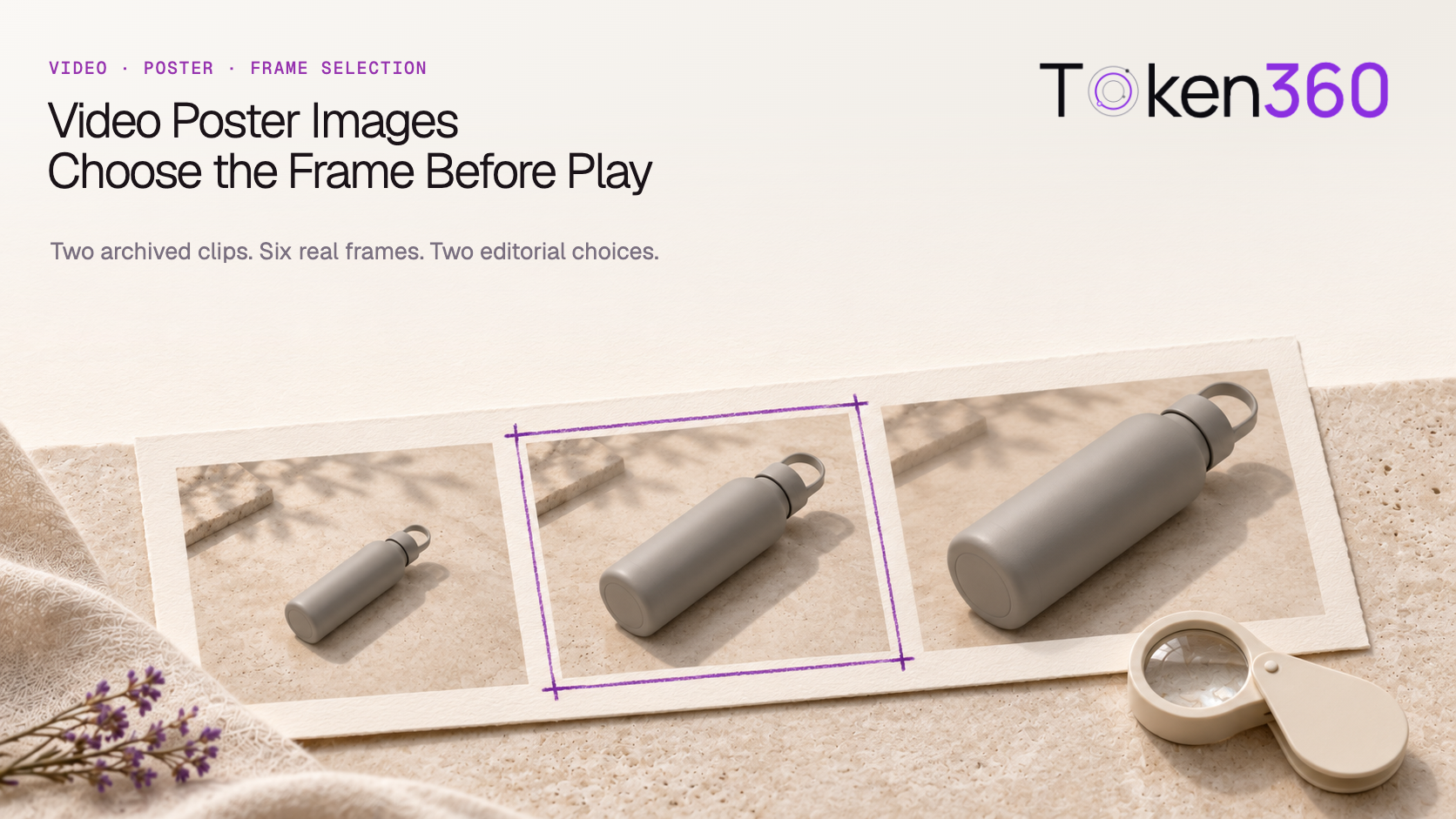
Keep the article cover and the underlying video poster distinct in the CMS. The cover at the top of this article represents an editorial discussion. The bottle still represents the bottle video. A CMS that copies the article’s social image into every video object could assign the same generic thumbnail to several different clips. Check the published markup for each video individually.
Frequently asked questions
Should I always use the first frame?
Use it when it clearly shows the subject and gives a good transition into playback. Sample a later frame when the opening contains a fade, obstruction or unusually wide view.
Is the last frame the best choice for a product reveal?
It is a useful candidate if the product grows clearer during the shot. Check for an end card, closing fade or lost detail before choosing it. The late bottle candidate here was sampled at 90% of runtime.
Can I use one image for a wide player and a square card?
Yes, when the subject survives both crops. Preview both placements and keep separate renditions when the aspect ratios require different framing.
Does changing a poster affect the video file?
An external HTML poster is separate from the media source. Updating its reference changes the displayed preview while the underlying video stays available at its existing URL.
Does a more representative frame improve click-through rate?
That requires a traffic test with comparable audiences and placements. The examples here assess subject visibility. They provide no click-through measurement.
What should I keep when a video is replaced?
Keep the old asset version and its approved poster together in your records. Extract and approve a candidate from the replacement before updating the player and its metadata.
Read next. For a repeatable handoff from generation to delivery, add poster selection after the clip itself has been approved. Text-to-video API workflow. More production references from Token360.
Editorial revision: November 4, 2026. Test dates and dated source snapshots remain as stated in the article.
Video
Media Delivery
Tutorial
Build faster with one AI API.
Use Token360 to call video, image, audio, and text models with one key and one bill.


 Prompt Library
 Insights
 Insights