Shot Boundary Detection: Did the Scene Cut or Did the Light Change?
Compare a hard cut, a flash and a dissolve using two source frames. See all 33 change scores and learn when a shot boundary needs editorial review.
By Yuki Yu
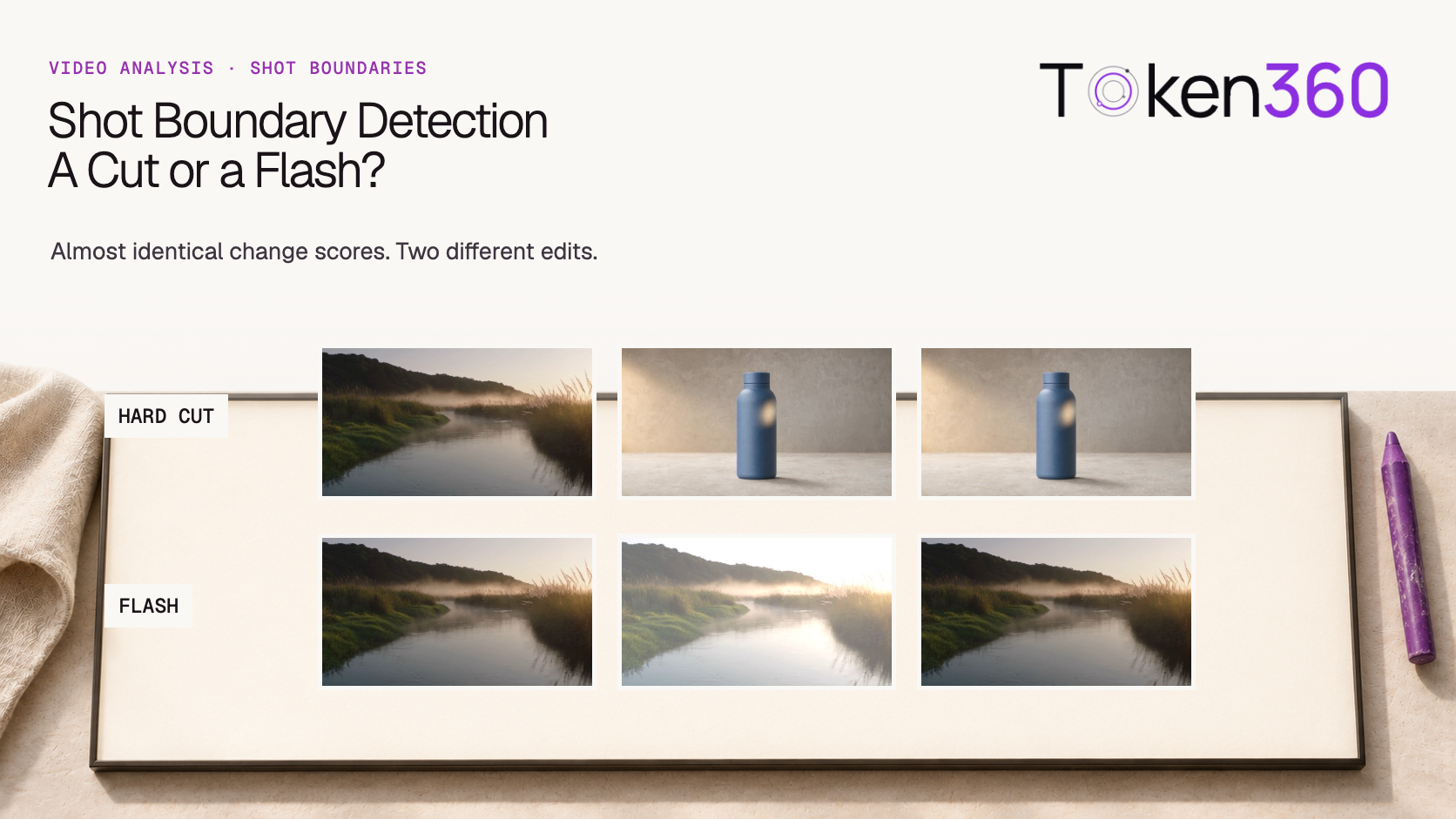
Put three pictures side by side. In the first sequence, a river gives way to a blue bottle and the bottle stays on screen. In the second, the same river brightens for one frame and returns. A viewer can name the difference immediately. A system that only asks how many pixels changed can give the two events almost the same score.
For shot boundary detection, a large change between neighboring frames is a candidate for review. To decide whether to split a clip, inspect what happens before and after that change. A sudden replacement, a brief exposure shift and a gradual dissolve leave different traces over time. We built one example of each from the same two source images and measured all 33 adjacent frame pairs.
Read first. Confirm that you are examining the expected version, dimensions and duration before interpreting a suspicious transition. Token360’s video output validation guide.
What should count as a shot boundary?
Start by defining what you want to deliver. For a shot list, a hard cut is usually a single boundary between two shots. A dissolve occupies an interval where the outgoing and incoming pictures are both visible. A flash within one continuous shot can be an important event to annotate while leaving the shot intact.
That choice has downstream consequences. Suppose an application extracts a poster from the middle of every detected shot. Splitting on both edges of a one-frame flash creates a tiny segment whose only candidate poster is overexposed. Missing a dissolve can put the poster on a blended image that represents neither shot well. Decide whether the output should contain a cut timestamp, a transition interval or a review marker before tuning a threshold.
How were the three test sequences constructed?
We used a 480 × 270 river still and a bottle still of the same size from two archived Token360 clips. Each constructed sequence contains 12 frames. Numbering starts at one. Holding the source pictures still makes the origin of every change known and keeps this experiment small enough to reproduce.
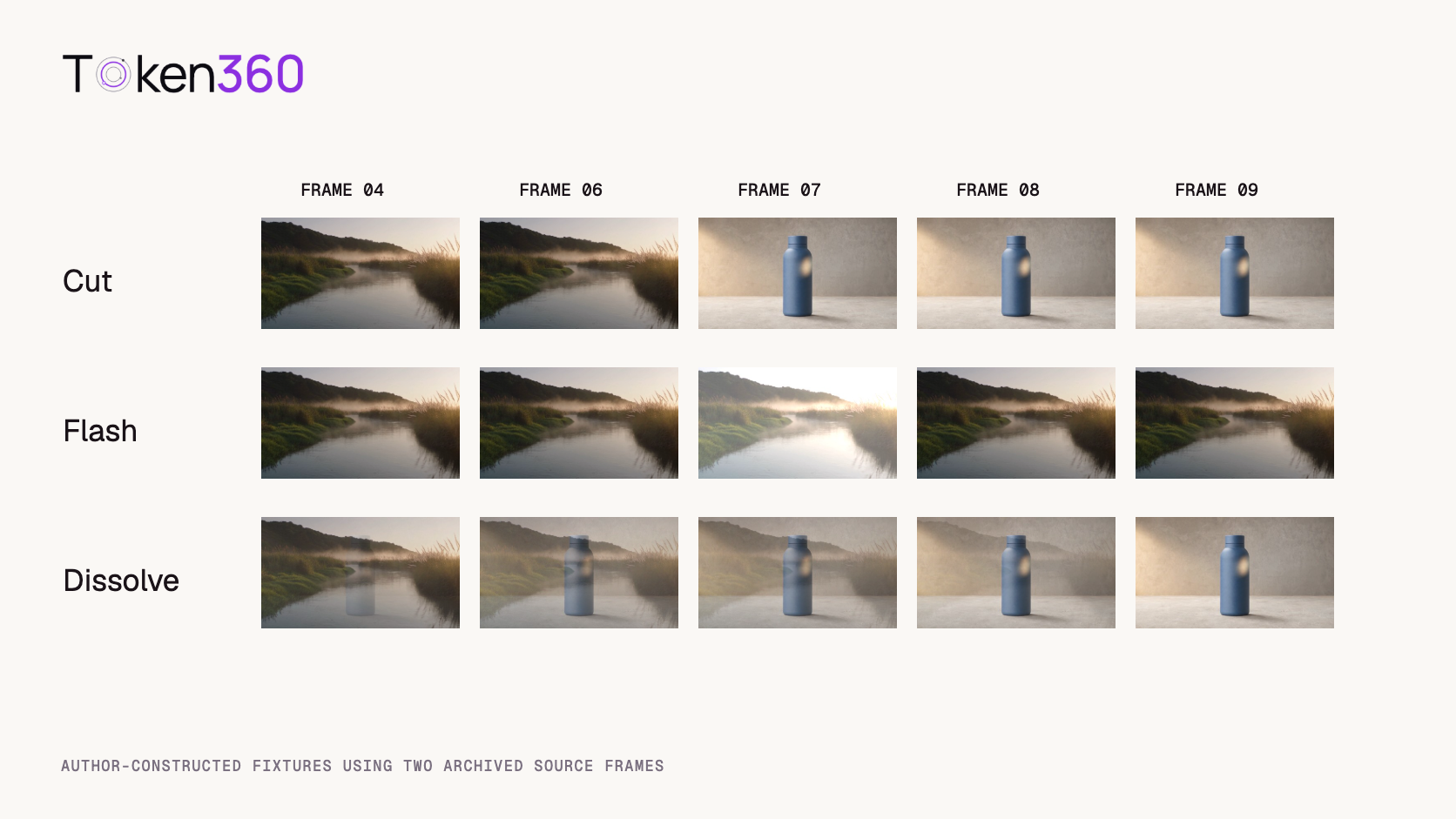
Hard cut. Frames 1–6 show the river. Frames 7–12 show the bottle.
Flash. All frames show the river. For frame 7 only, we added 95 to each red, green and blue channel and capped the result at 255. Frame 8 returns to the original.
Dissolve. Frames 1–3 show the river. Across frames 4–9, the bottle’s blend weight rises in six equal steps to 100%. Channel values are rounded to whole numbers. The remaining frames hold the bottle.
The sources are real captures. The transitions are deliberately authored fixtures. There are no changing camera positions, moving reflections, codec artifacts introduced by a new video export or human-labeled ambiguities in the test. Our measurements describe these fixtures. They do not estimate a detector’s accuracy on production footage.
Frames 4, 6, 7, 8 and 9 from each fixture. The same frame numbers appear in every row.
Why did the hard cut and the flash score so similarly?
Our simple score measures the size of a change and discards its direction. For each pair of adjacent frames, we took the absolute difference at each corresponding RGB channel and averaged those differences over all channels and pixels. Identical frames score zero. The maximum possible score on this scale is 255.
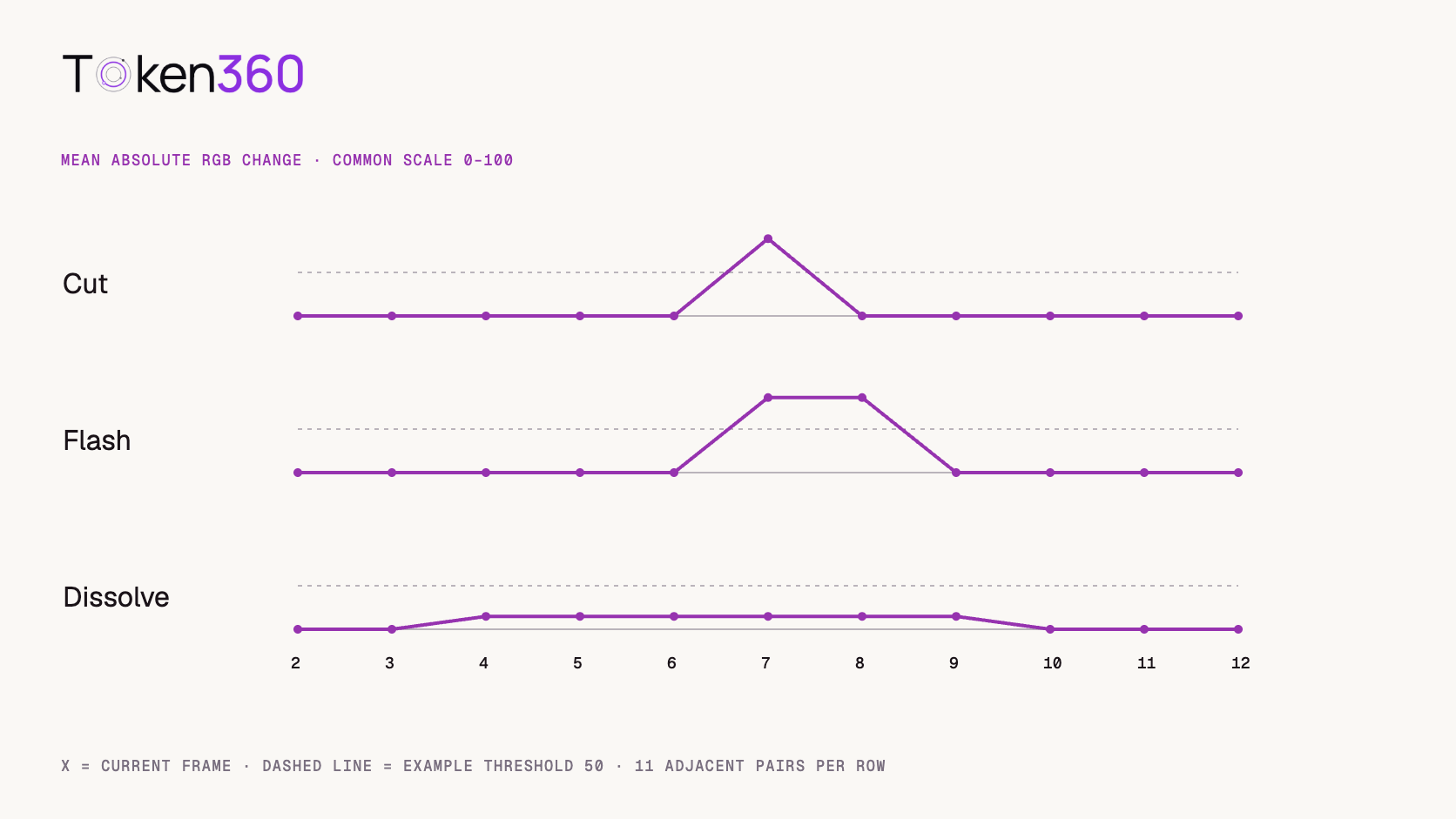
The hard cut produced a single change of 88.79 at frame 7. The flash produced a change of 86.23 at frame 7 and another 86.23 at frame 8. Adding 95 did not produce a mean difference of 95 because some bright source pixels reached the upper limit before the full increase could be applied. Returning to the original reversed the change and yielded the same absolute difference.
Fixture
Largest adjacent change*
Pairs exceeding 50
Editorial interpretation
Hard cut
88.79
1
New shot starts at frame 7.
Flash
86.23
2
One exposure event inside the same shot.
Dissolve
14.80
0
Transition reaches the bottle over six steps.
*Rounded mean absolute change on the 0–255 RGB scale. The example threshold is strictly greater than 50. The dissolve travels between the same endpoints as the cut. Spreading the change over six steps keeps every adjacent score below that threshold. Lowering the threshold to 10 would flag all six steps as well as both flash edges. A list of flagged frame pairs still needs to be grouped and interpreted.
Copy shot-boundary-test.csv from the complete source below
What should an editor inspect around a flagged frame?
Compare the picture immediately before the event with the picture after it settles. In the flash fixture, frames 6 and 8 are identical. In the cut fixture, frame 8 is the bottle and frame 6 is the river. That two-frame comparison adds exactly the piece of evidence that a single large score omits.
In moving footage, expect the two outer frames to differ. Look for stable relationships instead. Does a cap edge continue along the same path? Does the wall behind it retain the same geometry once exposure recovers? A whip pan can temporarily obscure the evidence. Extend the review window until the scene is legible again, and mark the result uncertain if the pictures could support more than one explanation.
For a dissolve, preserve the interval during which both pictures contribute. An editor selecting a thumbnail wants the first clean incoming image. An editor aligning music might want the perceptual midpoint of the transition. Both can use the same reviewed interval while choosing different timestamps for their jobs. Defining acceptance criteria for an AI workflow.
Which detection method should you try on actual footage?
Choose a method that reflects the transitions causing trouble in your material. PySceneDetect documents several options, including an HSV content-change detector, an adaptive detector using a rolling comparison, and an intensity-based detector for fades. Its numerical thresholds belong to those methods. The value 50 used in our RGB example has no direct calibration to their settings. PySceneDetect detector reference.
Build a small review set before making a detector responsible for publishing chapter markers. Include a clean cut, a fast pan, an exposure change and the gradual transitions your editors actually use. Ask a reviewer to mark the last outgoing and first incoming frames where possible. For a soft transition, store start and end positions and agree on the tolerance for matching a predicted boundary.
Keep two error lists. One should contain extra splits, where a continuous shot was broken. The other should contain missed boundaries, where separate shots stayed together. A detector that creates many review markers might be useful as an editor’s assistant. The same settings could create an unusable catalog if every marker automatically became a chapter. Record the action that follows a prediction along with the score.
What belongs in the handoff?
Keep the asset version, frame numbering convention, candidate timestamp, nearby frames and reviewer verdict. A note such as “frames 6–8, same composition after one bright frame, keep one shot” gives the next editor more to work with than “false positive.” For variable-rate footage, retain presentation timestamps alongside frame numbers.
When a source is generated, also review apparent transitions against the creative brief. A prompt requesting a continuous push-in can yield a sudden identity change that resembles a cut. The detector may correctly flag a visual break, while the producer needs to reject the generation rather than split it into two deliverables. Keep the technical observation and the production decision in separate fields.
Frequently asked questions
Is a large frame difference enough to identify a hard cut?
It is a reason to inspect that pair. A flash, fast motion or an obstruction can also change many pixels at once. Check whether the incoming image persists.
Why does one flash create two detections?
Entering and leaving the bright frame each changes pixel values. An absolute-difference score gives both changes a positive magnitude.
Why are there 33 measurements for 36 frames?
Each independent 12-frame sequence has 11 adjacent pairs. We compared within each of the three sequences and omitted comparisons between separate fixtures.
Should every dissolve have one timestamp?
Preserve the transition interval whenever the reviewer can identify it. A downstream feature can then choose a beginning, midpoint or endpoint for its specific purpose.
Does the test show which detector is most accurate?
It shows how one deliberately simple score behaves on three known cases. Tool selection requires representative footage, a labeling policy and a consistent matching tolerance.
Can I reproduce the threshold counts?
Copy the row-level CSV above into a local file and count scores above 50 within each sequence. Try 10 next and inspect which neighboring changes would need to be grouped.
Read next. Decide which shot boundaries and continuity requirements belong in the brief before generating the next sequence. Text-to-video production workflow. More resources from Token360.
Editorial revision: November 4, 2026. Test dates and dated source snapshots remain as stated in the article.
Video Editing
Media Validation
Tutorial
Build faster with one AI API.
Use Token360 to call video, image, audio, and text models with one key and one bill.


 Prompt Library
 Insights
 Insights