Character Offsets in AI Citations: Why the Highlight Lands One Character Early
Debug character offsets in AI citations with four Unicode fixtures. Compare byte, code-point and UTF-16 indices and test the highlight in your browser.
By Yuki Yu
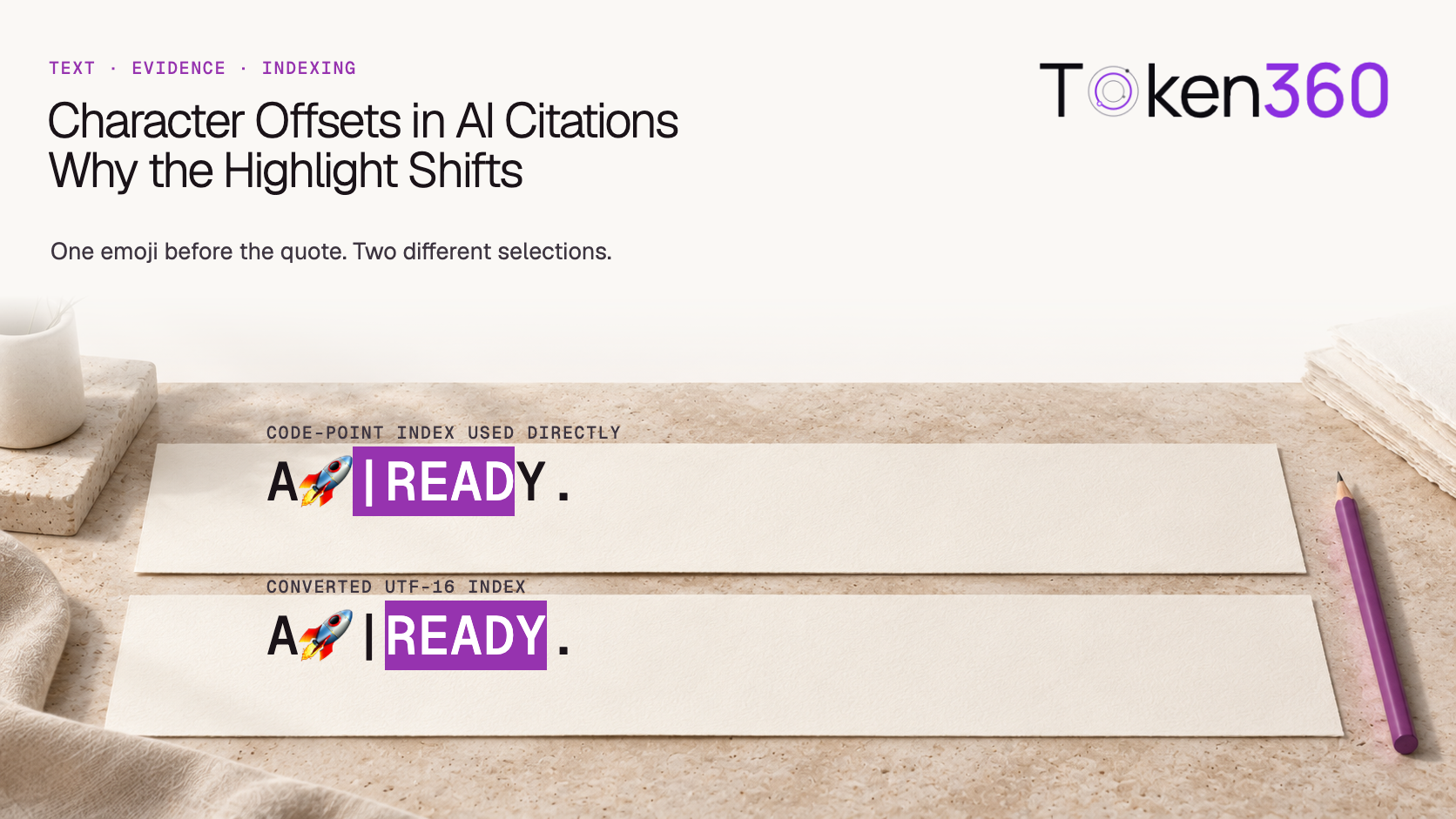
A support assistant quotes the word READY correctly. Click the citation and the source viewer highlights |READ. The quotation, document ID and span length all look plausible. The bug is in a smaller assumption: the service counted Unicode code points, while the browser used that count as a JavaScript string index.
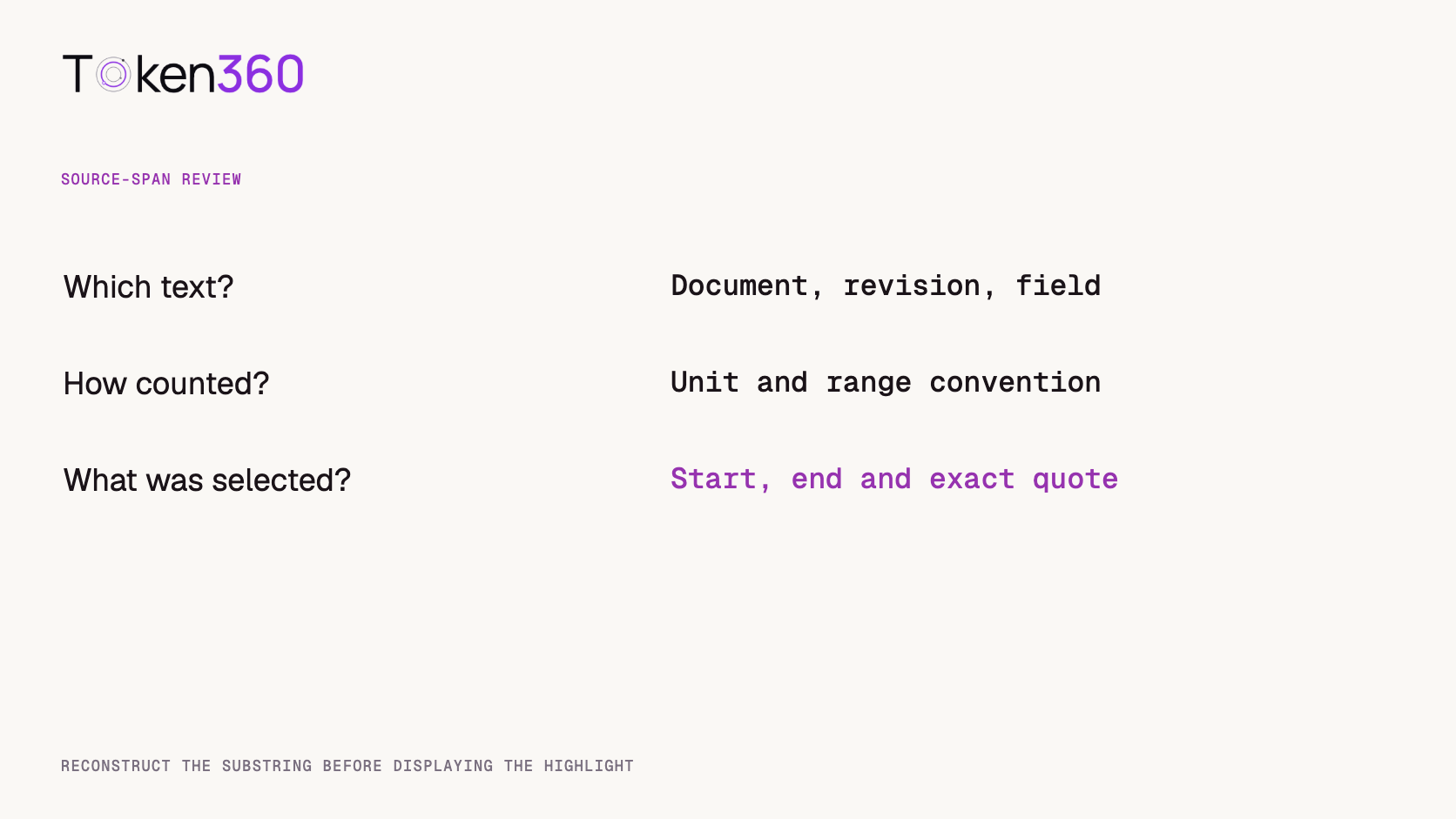
To use character offsets safely, record the exact source string, the unit used to count it and the endpoint convention for the range. Convert the range on that source before highlighting it. A plain English fixture can pass even when the conversion is missing. An emoji before the evidence can expose the error without changing a single letter of the evidence itself.
Read first. If a response supplies structured citation fields, check both their shape and the evidence they identify. Token360’s model evaluation framework.
What does a character offset actually count?
An offset describes a position measured from an agreed origin in an agreed unit. For this article, every range starts at zero and excludes its ending position. A UTF-8 byte offset counts encoded bytes. A code-point offset counts Unicode code points. A JavaScript string index counts UTF-16 code units. A grapheme-cluster offset groups code points according to text segmentation rules.
The difference shows up in everyday source material. A rocket emoji takes two UTF-16 code units but one code point. A lowercase e followed by a combining acute accent takes two code points and can form one grapheme cluster. The ASCII word READY occupies five units in all four systems. Choosing that word for the test lets us isolate what happens before the quote. MDN on JavaScript string length and Unicode text segmentation.
These conventions vary by interface. Microsoft’s Azure Language documentation, for example, describes a string-index option for features that return offsets, including code-point, UTF-16 and text-element choices. Read the contract for the endpoint you call and capture the setting with the response. An HTTP payload encoded as UTF-8 can still carry a span expressed in another unit. Microsoft’s offset and multilingual text guidance.
How did one emoji move the highlight?
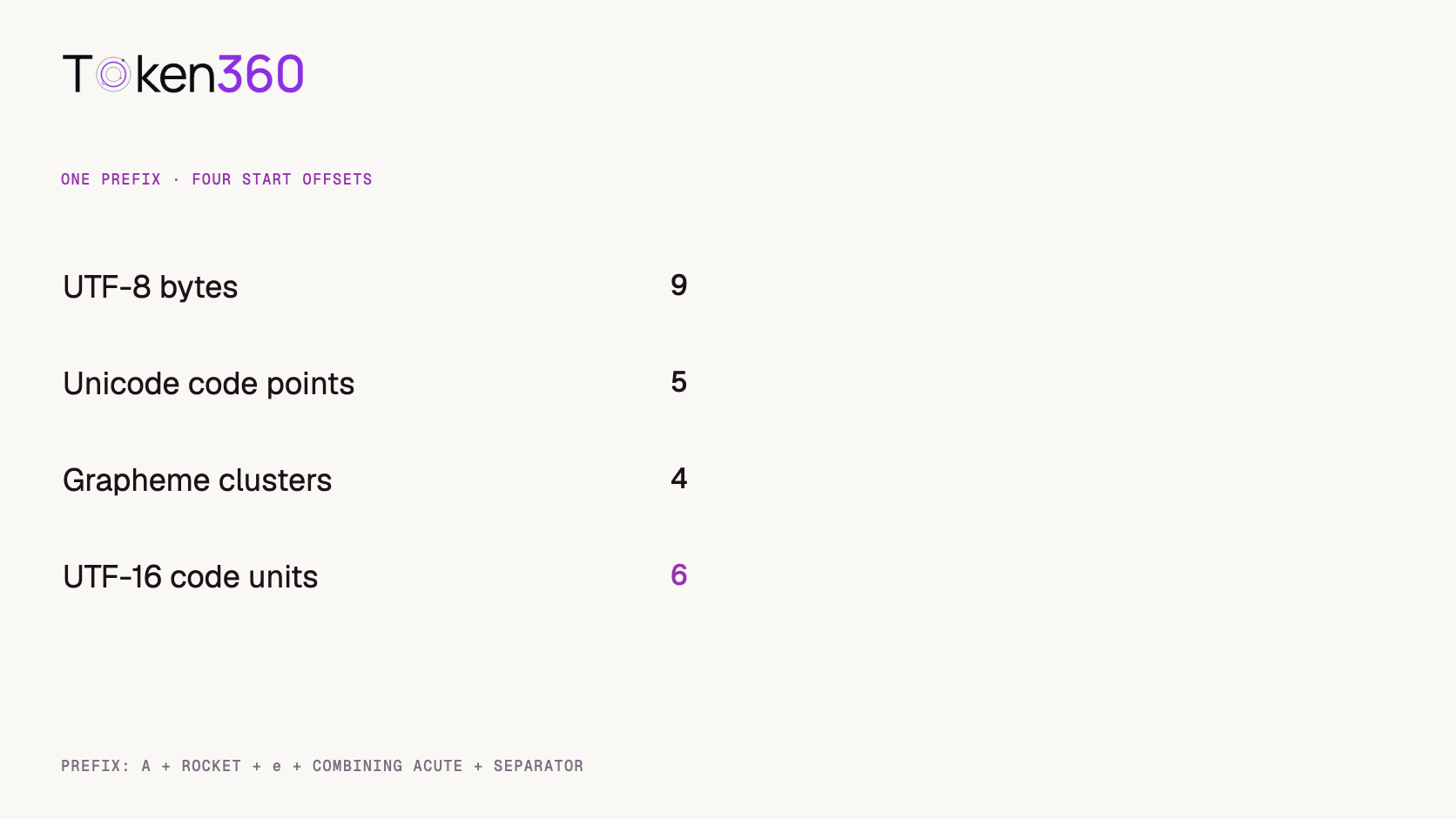
We constructed four source strings ending in |READY. and measured where the R begins in each. In the ASCII control A|READY., every counter returns 2. In A🚀|READY., R begins at code-point index 3 but UTF-16 index 4. Passing 3 directly to JavaScript’s slice(3, 8) selects the separator and four letters. The correct call on this exact string is slice(4, 9).
Prefix before READY
UTF-8 bytes
Code points
UTF-16 units
Grapheme clusters
A and separator
2
2
2
2
A, rocket and separator
6
3
4
3
A, rocket, e + combining accent, separator
9
5
6
4
A, rocket, precomposed é, separator
8
4
5
4
On November 3, 2026, we ran the fixtures locally using JavaScript iteration, string length, a UTF-8 encoder and Intl.Segmenter with grapheme granularity. Using the measured UTF-16 range recovered the expected quote in all four cases. Passing the code-point start directly to slice passed the ASCII control and produced |READ for the three other cases. These are deterministic string-processing tests with synthetic inputs. No model or paid API call was involved.
Static reproduction: for A🚀|READY., slice(3, 8) selects |READ, while slice(4, 9) selects READY. The table above records all four source fixtures.
Copy citation-offset-fixtures.json from the complete source below
Why can two identical-looking source views require different spans?
The two accented examples render similarly, yet one stores é as a single code point and the other stores an e followed by a combining mark. Their prefixes therefore differ by one UTF-16 unit and one UTF-8 byte. If one component computes a range before normalization and another applies it afterward, having the right unit is only half the contract.
Imagine a document viewer that normalizes text for search and then stores offsets into the search copy. The detail page opens the original upload and tries to highlight the result there. A document identifier can match, the visible sentence can match and a range inside that sentence can still be wrong. Keep the normalized representation with its own version and maintain a mapping back to the source if that is where readers will see the highlight.
Other transformations create similar bookkeeping problems. Trimming leading whitespace, converting CRLF to LF or removing Markdown syntax changes positions downstream. Record where these steps occur. If the API indexes a single retrieved chunk and the browser renders the whole document, the chunk also needs an origin in the document’s coordinate system.
How should a JavaScript client translate a code-point range?
Convert both boundaries on the original string. For a short diagnostic fixture, a direct implementation is easy to inspect. The function below accepts a zero-based, end-exclusive range in code points and returns the selected string. Its precondition is that the source is the representation used to produce the range.
function quoteFromCodePoints(source, start, end) {
  const points = Array.from(source);
  if (!Number.isInteger(start) || !Number.isInteger(end) ||
      start < 0 || end < start || end > points.length) {
    throw new RangeError("Invalid source span");
  }
  return points.slice(start, end).join("");
}
For a DOM highlight that needs UTF-16 coordinates, the code-unit start is points.slice(0, start).join("").length. Add the selected string’s UTF-16 length to get the exclusive end. Converting just the start and reusing the original length happens to work for READY. It breaks if the selected quote itself includes a supplementary character such as the rocket. For many spans on a large document, build and reuse a boundary map for that source revision.
A DOM range has another constraint. Text offsets belong to specific text nodes. A quote that crosses a bold tag or link can span several nodes even when the displayed sentence looks continuous. Index the rendered text nodes in order and locate both endpoints against that index. If the view inserts labels or hides parts of the source, the application needs an explicit mapping for those differences too.
What should the citation record retain?
Store enough information to reproduce the selection. A useful record includes the document and revision identifiers, the field or chunk, the range unit, whether the end is exclusive, the two boundaries and the expected quotation. For segmented units, include the relevant segmentation convention or version when the provider specifies one.
Before showing the highlight, compare the reconstructed substring with the expected source text when it is available. If they differ, inspect the source revision, encoding unit and preprocessing chain. Searching the page for the quoted phrase can land on the wrong occurrence: a support ticket might contain READY in both the user’s example and the server response. A match on the word alone does not tell the reader which one supports the answer.
A successful substring check establishes location. A reviewer still has to decide whether that passage supports the model’s claim. For incident analysis, keep the range metadata and the application version with the request identifier, subject to your normal content-retention rules. AI API observability guide.
Frequently asked questions
Why do my English-only tests pass?
Basic ASCII characters occupy one unit under each counting scheme in our fixtures. Include at least one supplementary character before the target and another inside a target to exercise both endpoints.
Does JSON escaping change where the highlight should land?
Work on the representation named by the endpoint contract. For offsets defined on decoded text, counting the literal characters of a serialized JSON escape measures a different string.
Can I use the model’s token count as an offset?
Token counts refer to the tokenizer’s segmentation. To highlight text, use a documented mapping back to source boundaries or obtain the source span directly.
Should I always normalize text first?
Pick the representation before computing ranges and keep it consistent across services. If another component needs a normalized copy, preserve the relationship between the two.
Is a grapheme cluster always the right highlighting unit?
Use the API’s declared unit to recover the intended source span. Separately decide how the interface should display selections that intersect a user-perceived character.
What makes a useful bug report?
Include a shareable minimal source, expected quote, actual selection, offset unit, range convention and string-processing steps. The four example fixtures provide starting cases.
Read next. When a document assistant needs context beyond a short excerpt, check how the application retrieves and preserves the relevant source. Long-context model evaluation. More production resources from Token360.
Editorial revision: November 4, 2026. Test dates and dated source snapshots remain as stated in the article.
API
Data Integrity
Tutorial
Build faster with one AI API.
Use Token360 to call video, image, audio, and text models with one key and one bill.


 Prompt Library
 Insights
 Insights