AI can generate patterns intended to repeat across a surface, but an attractive single image does not prove that it tiles cleanly. For brand wrapping paper or packaging backgrounds, evaluate the repeated artwork, motif scale and delivered file before buying production volume. Confirm dedicated tiling support rather than assuming any image generator provides a seamless pattern workflow.
A packaging team approves a decorative image on a small screen. When the designer repeats it across a sheet, a dark grid or broken motif becomes visible. The individual tile looked good; the repeated surface does not. This is a different acceptance problem from judging one campaign image.
This is a documentation-based buyer guide, not an original tiling experiment. Sources were reviewed on November 25, 2026. It does not verify a Token360 tiling endpoint, guaranteed seamlessness or a print-ready export service. The example brief and review method below are proposed evaluation tools.
Teaching case: a wrapping-paper repeat at a declared scale
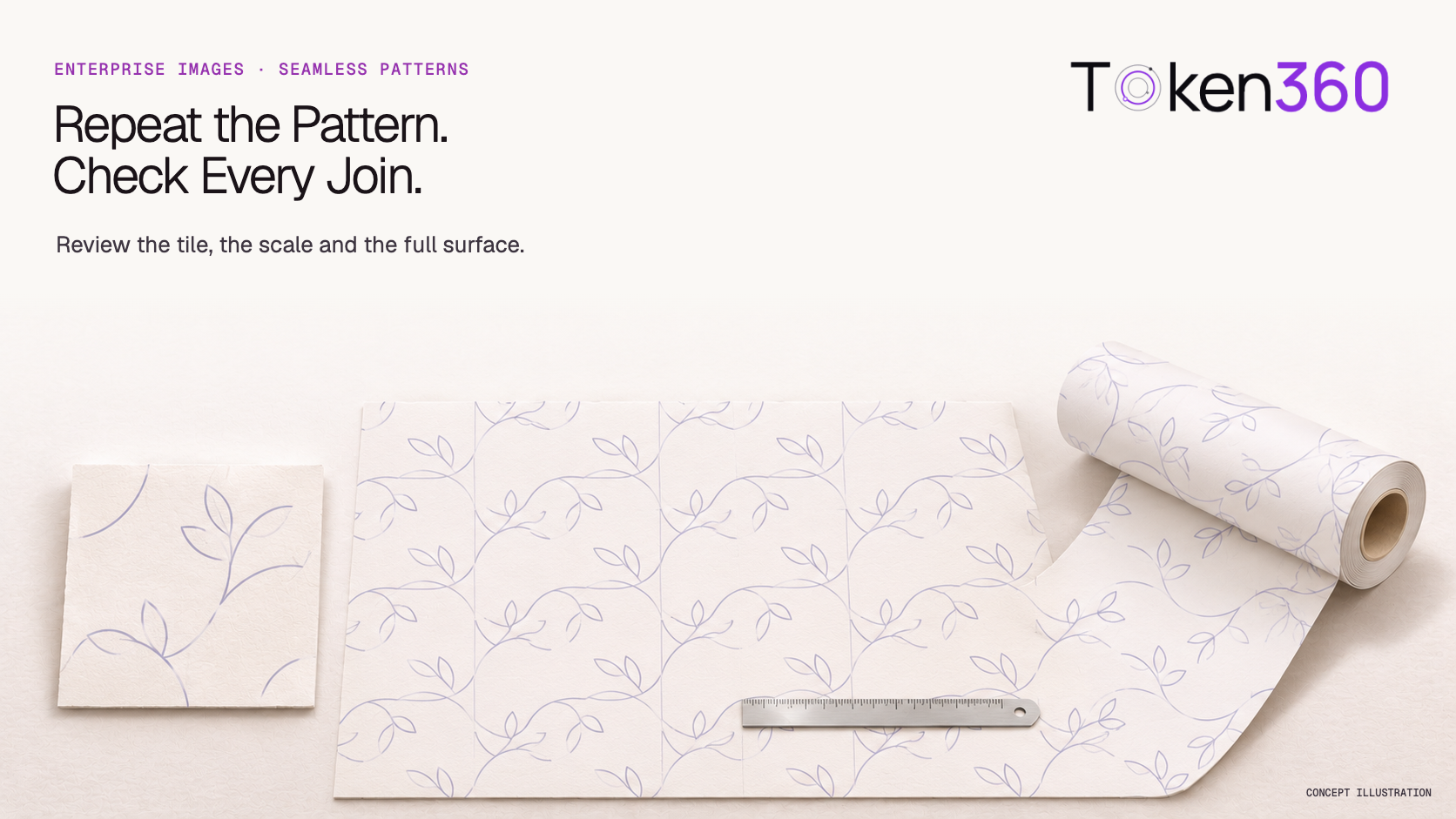
Use a fictional botanical wrapping-paper job with a 600 × 600 pixel straight-repeat tile. For this example only, the designer places one tile across 50 × 50 mm, so a three-by-three proof represents 150 × 150 mm. These are chosen brief values, not printer specifications or measured model output.
| Stage | Concrete review action | Decision rule |
|---|
| Single tile | Record file revision and repeat arrangement | Do not approve from this view alone |
| Three-by-three field | Place nine identical copies without gaps or resizing | Inspect every interior horizontal/vertical join |
| Four-corner junction | Enlarge where four tiles meet | Reject a gap or interrupted motif |
| Placement proof | View at the declared 50 mm tile scale | Ask whether motif density fits the package |
| Print handoff | Ask the production partner to confirm output requirements | No automatic print-ready claim |
If a dark leaf repeats as a visible diagonal stripe, record a composition rejection even when the edge connections pass. This example supplies a reproducible review setup; it does not establish that a generated tile passed it. Add the actual tile and repeated proof before presenting a completed pattern case.
Define the repeat ·
Prepare the brief ·
Inspect the tiled surface ·
Check the design handoff ·
Scope enterprise access ·
FAQ
What does a seamless-pattern model actually deliver?
A tiling workflow aims to produce an image whose edges connect when copies are repeated in the intended arrangement. The output may still be a raster image rather than editable artwork. Confirm the repeat layout, output type and permitted editing before treating a generated tile as a reusable brand-design asset.
fal’s Ideogram tiling documentation describes an endpoint for edge-matching patterns and textures. This is a more specific operation than general image generation. Its stated purpose is a reason to test it, not evidence that an unexamined result meets your production requirements.
Higgsfield’s design-generator page discusses creating brand graphics and exporting high-resolution images, while distinguishing those exports from editable layered files. The distinction applies to procurement: a design tool’s output can look useful without being the repeating, editable or production-prepared asset your team requested.
Do not use these deliverables interchangeably.| Deliverable | What it is for | What it does not establish |
|---|
| A decorative image | A single composition or background | Edges will connect when copied |
| A repeat tile | Building a larger patterned surface | The overall surface has no distracting rhythm or density changes |
| An editable pattern source | Changing individual motifs or colors | Every image endpoint provides vectors or layers |
| A packaging mockup | Visualizing artwork on an object | The underlying artwork is suitable for production |
The packaging mockup guide covers the last case. Here, the buyer is qualifying the artwork that repeats before placing it on a bag, box or wrapping sheet.
Also separate artwork continuity from a physical packaging seam. A tile can repeat perfectly and still meet awkwardly when wrapped around a particular object. The packaging layout and assembly need their own review after the pattern itself is approved.
What should a brand specify before generating a pattern?
Specify the motif, palette, intended surface, repeat arrangement and approximate physical scale before comparing outputs. Identify any elements that must remain exact, such as approved logos, and whether they will be added later by a designer. A request for a seamless pattern alone leaves important production choices unresolved.
Describe the motif in terms the design team can approve: abstract curves, botanical shapes or geometric marks, for example. Separate exploration from exact brand reproduction. If a logo must be identical to an approved master, placing that master in the design workflow may be more appropriate than asking a model to redraw it repeatedly.
State how the repeat will be used. A motif that works across a large wrapping sheet can look oversized on a small carton panel. The intended physical size should be recorded alongside pixel dimensions so the designer can evaluate the pattern at its actual placement scale.
Proposed evaluation brief—not tested API syntax: Create a sparse botanical repeat for a brand’s wrapping-paper concept, using the approved palette and a consistent motif size. No text or logos. The intended repeat is a straight grid with both horizontal and vertical continuity. Deliver the single repeat unit for inspection in the design application.
Do not assume the selected endpoint accepts palette values, reference images or a named repeat layout. Verify the exposed controls. A creative brief can define acceptance requirements even when the model cannot enforce them directly; that limitation must be reflected in the evaluation effort.
For a new campaign, keep the approved motif and palette brief consistent across the candidates being compared. Changing the layout, palette and density at once makes it difficult to identify why one result works better. That is a proposed comparison method, not a claim that fixed settings guarantee repeatable generations.
How do you test a pattern beyond the single tile?
Place copies of the delivered tile next to one another without gaps, resizing or decorative borders, using the intended repeat arrangement. Inspect a multi-tile surface at both close range and normal viewing size. Check edge continuity, corner junctions and the larger visual rhythm separately; each can fail even when another looks acceptable.
A simple initial check is a three-by-three grid in the design application. That is an illustrative review setup, not a vendor requirement or proof that every use is covered. It exposes interior joins and corners while showing how a distinctive motif repeats across the surface.
Look for interrupted lines and abrupt changes in tone where copies meet. Then look farther away: are dark patches forming obvious rows, or does one recognizable shape produce an unwanted diagonal rhythm? A technically connected edge can still produce a pattern that feels repetitive in the wrong way.
Proposed checks for a generated repeat, before production approval.| Check | What to inspect | Example issue |
|---|
| Horizontal and vertical joins | Motifs and tones crossing opposite edges | A leaf stem stops at every tile boundary |
| Corner junctions | Where four tiles meet | A small gap or dense knot appears at each intersection |
| Surface rhythm | Repeated features across the larger field | A dark motif creates unintended stripes |
| Motif quality | Individual shapes and unwanted marks | Malformed symbols become obvious when repeated |
| Placement scale | The pattern at the intended physical size | Fine details disappear on a small packaging panel |
| Brand fit | Palette, density and approved visual language | The artwork is seamless but outside the campaign brief |
If the design application introduces a hairline between tiles, first confirm that copies are aligned and scaled consistently. Distinguish an artwork defect from a preview or placement issue before regenerating the image. Check the actual exported layout as well as the editing view.
Review the deliverable after any repair. Cropping a border, rescaling a tile or changing an edge can affect the repeat. A tile approved before editing is not automatically approved afterward. Reassemble the repeated surface from the final file the next team will actually receive.
For use in print, assess an appropriate proof with the production partner. A screen preview cannot settle how the colors and fine details will reproduce on the chosen material. This is a separate production decision from whether the model produced matching edges.
What should the designer receive from the workflow?
Deliver the repeat unit, a repeated-surface preview and a short specification of the intended arrangement and scale. Confirm whether the source is raster, vector or layered, and retain the selected model settings where available. Keep production-layout requirements separate from image generation so the handoff does not imply capabilities the endpoint lacks.
The single tile is essential. A flattened preview of a large repeated sheet may be useful for approval but awkward to reuse at another size. Conversely, a tile without a preview hides how the composition behaves when repeated. Provide both when the workflow can produce them, or assign preview assembly explicitly to the designer.
Record the output dimensions and format. If the team expects to recolor individual motifs, ask whether the actual asset supports that edit. A PNG with a flat background is not an editable vector pattern simply because its lines look crisp.
The editable-layers guide explains the broader distinction between an image and a file with separately editable components. Do not let a promise of high resolution substitute for the source structure your designer needs.
Packaging details such as panel layout, bleed and the position of critical content remain part of the production workflow. A repeat tile is not a complete packaging file. Ask the design or print partner to approve those requirements rather than inventing universal settings in the model request.
Keep the approved version separate from experiments, with the source references and permitted uses recorded. If the pattern contains licensed elements, resolve their use in the intended application before production. No rights clearance is established by this article or by the appearance of a generated image.
What should an enterprise confirm with Token360?
Ask Token360 whether a currently available image workflow supports the required tiling task, controls and output structure. Supply the brand brief and intended repeat use, then evaluate a sample before committing volume. Compare the cost of accepted patterns, including review and repair, rather than assuming every generated image is a usable repeat.
Token360 focuses on enterprise model access across text, image, audio and video. Enterprise quotes are tiered, with higher usage receiving lower quoted rates, and Token360 does not charge a separate service fee. Those facts do not establish support for Ideogram tiling, vector pattern export or any specific seamless-pattern endpoint.
For qualification, specify expected pattern volume, output dimensions, reference requirements and whether the design team needs editable sources. Ask which requirements are supported by the model and which need a downstream design step. If a dedicated tiling operation is unavailable, a general generator should not be presented as an equivalent without evaluation.
For the quote, clarify the unit being billed, the number of candidates included in the plan and any distinct charges for later processing. Ask how unsuccessful requests and additional attempts are treated. The cost of repairing edges or rejecting a visually unsuitable repeat belongs in the workflow comparison, but no numerical acceptance rate is assumed here.
For confidential brand assets, scope the upload and data-handling requirements with the engagement. For scheduled launches, describe the required volume and deadline without treating a higher account limit as a capacity guarantee.
A focused enterprise request is: “Can you qualify a pattern-generation workflow against this brand brief and repeat test, and quote the model access we need?” That keeps the buying decision tied to a concrete deliverable.
Frequently asked questions
Does a prompt saying “seamless” guarantee matching edges?
No. Verify the selected workflow and tile the returned file yourself. A prompt describes the requested result; it is not a substitute for checking horizontal joins, vertical joins and corners.
Can a pattern be seamless but still look repetitive?
Yes. Connected edges do not ensure an appealing larger composition. Inspect a repeated field for conspicuous rows, dark clusters and recurring shapes before approving the design.
Is the output automatically vector or editable?
No. Confirm the actual format and structure. A raster repeat can be usable for some tasks but does not provide individually editable motifs or vector paths merely because it looks like vector art.
Is an approved tile ready to send directly to a printer?
Not necessarily. The production partner still needs to confirm the layout, physical scale, color handling and other delivery requirements for the material and job. A model-generated tile is only one input to that process.
Does Token360 currently offer a seamless-pattern API?
This article has not verified a dedicated endpoint. Confirm model availability, controls, output structure and commercial terms for your actual brief before building a production workflow around it.
About the author
Yuki Yu is Marketing Manager at Token360.


 Guides
 Guides
 Guides