How to Parse SSE Streams Without Corrupting UTF-8 Text
Replay 61 split positions in a 62-byte SSE fixture. See where UTF-8 breaks and how a fetch client can preserve text and event boundaries.
By Yuki Yu
The server sends three text fragments: A, 火 and B. A chat window displays A���B. The JSON is valid, all three events arrived, and the same request looks fine in a client that waits for the full response. Where did a single Chinese character turn into three replacement marks?
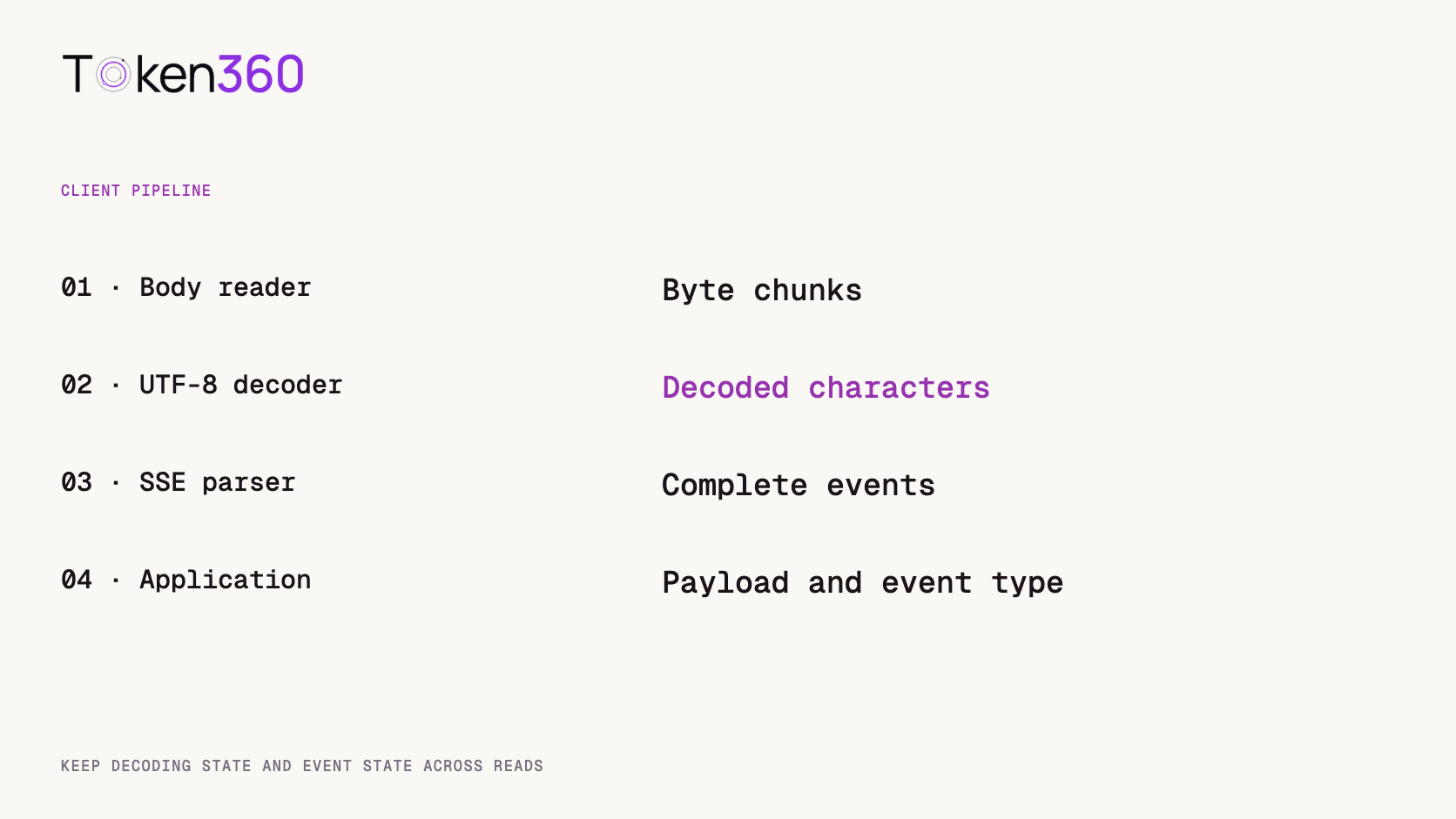
When you parse SSE streams from a response body, preserve two kinds of state. A UTF-8 decoder needs any incomplete character bytes from the previous read. The event parser needs any decoded text that arrived before the end of its event. In our 62-byte fixture, preserving both states recovered A火B at all 61 possible two-chunk split positions. Resetting the decoder between chunks corrupted the text at exactly two.
Read first. Check which response behaviors a client expects when switching routes, especially if its non-streaming path already works. Token360’s OpenAI-compatible API guide.
Why can a complete stream contain incomplete characters?
A read from a response body gives the client some bytes. The producer and transport can deliver a character, JSON field or event delimiter across multiple reads. A small successful test in which every read happens to contain one event can hide all three cases.
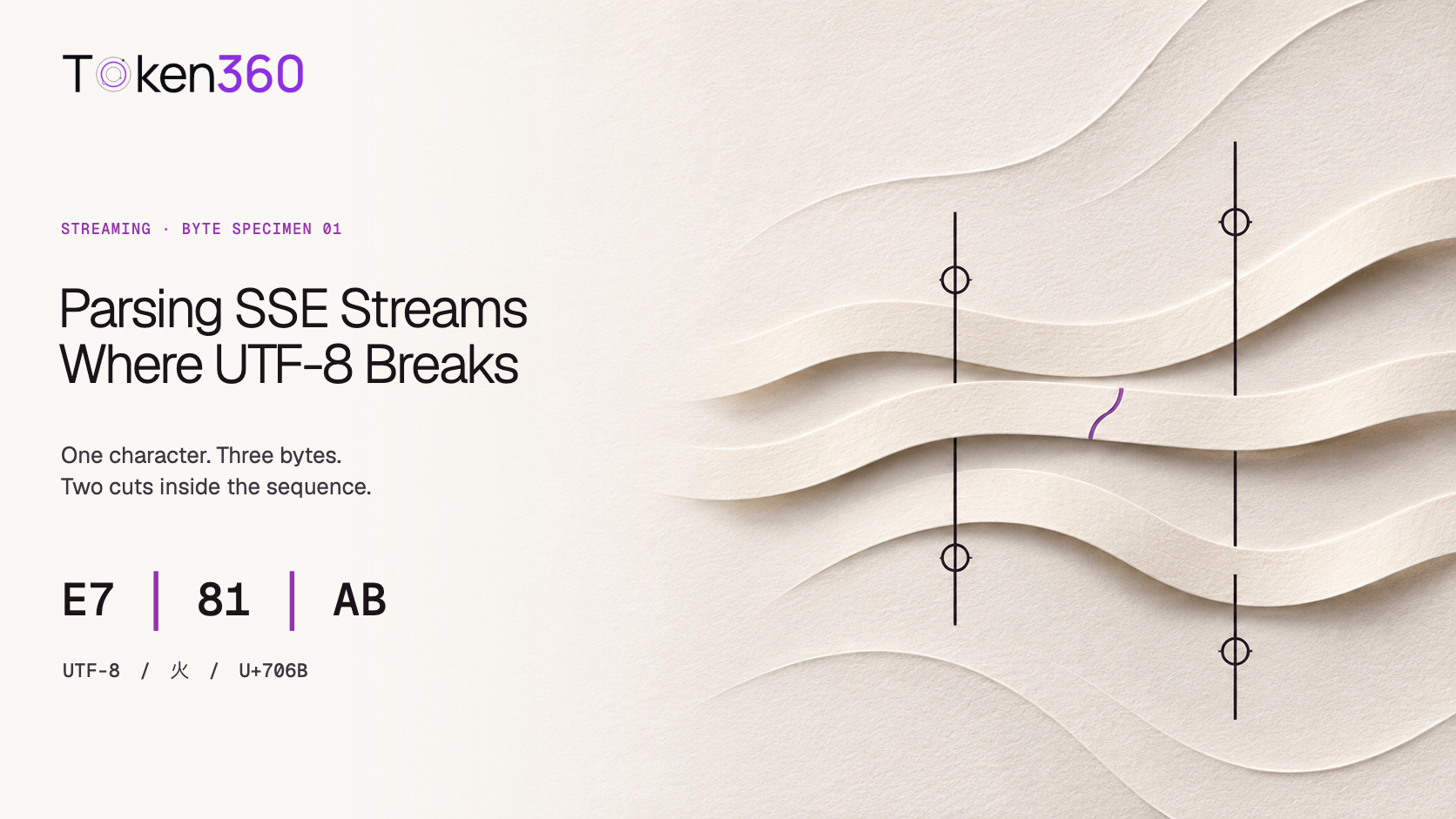
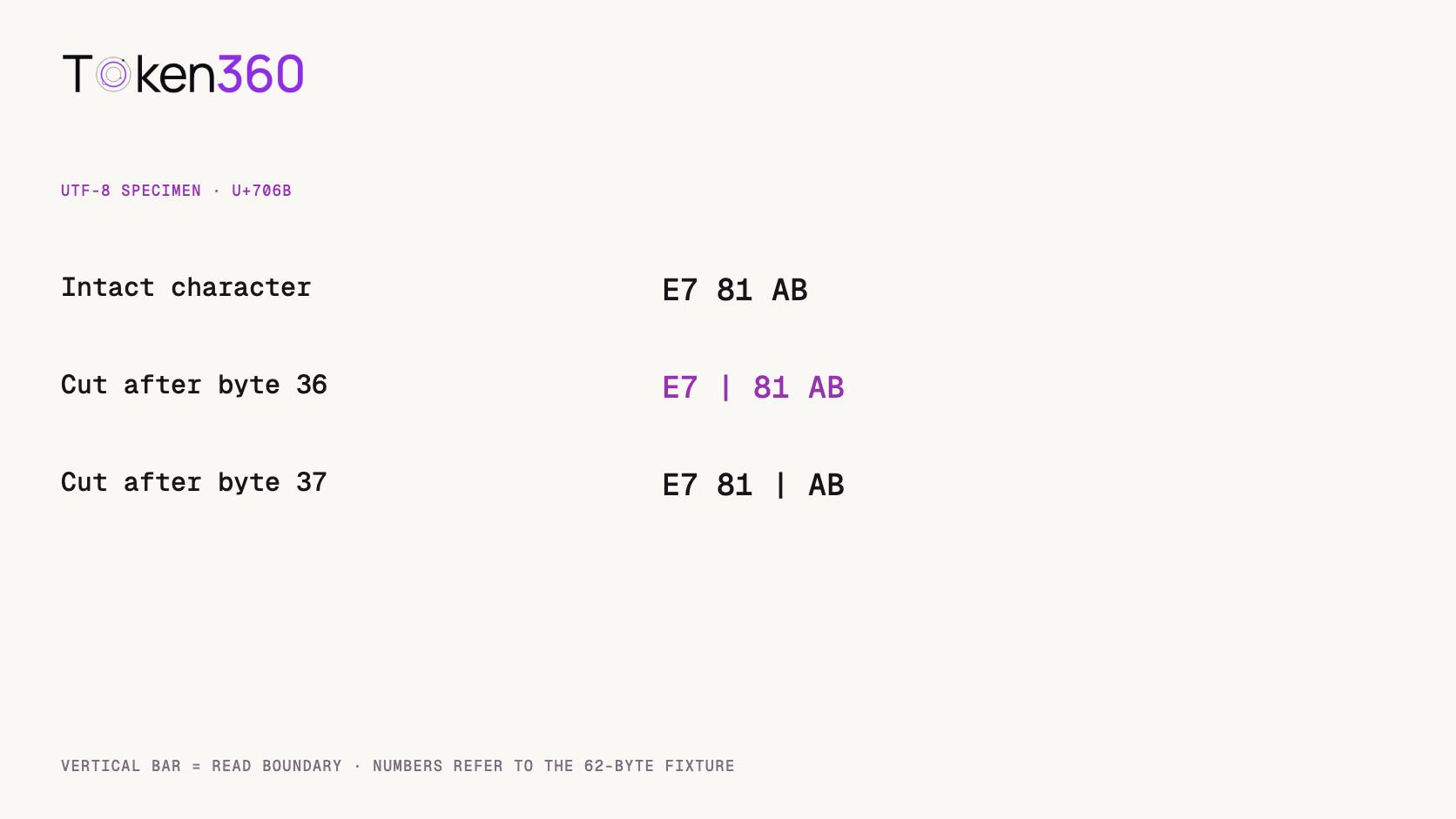
The character 火 is encoded as the hexadecimal bytes E7 81 AB. If the first read ends after E7, those bytes alone cannot identify a complete character. A decoder used in streaming mode can hold the prefix and finish the character after the next read. When a fresh decoder treats each read as a complete input, its default error handling can substitute the Unicode replacement character. Once that substitution has happened, joining the resulting strings does not reconstruct the original bytes. MDN’s TextDecoder.decode reference.
Notice what the application sees next. Replacement marks inside a quoted JSON string are ordinary Unicode text. The JSON parser can accept the damaged record. Counting parse errors alone would miss the defect even while users see broken text.
What did we test at all 61 split positions?
We authored three SSE records containing a JSON object with a single part field. Each record uses one data: line followed by a blank line. The delimiters in this fixture are LF characters, and a blank line also follows the last record.
On November 3, 2026, we encoded that fixture to UTF-8 locally. For each split after byte 1 through byte 61, we gave the parser the first slice and then the remainder. Both implementations buffered decoded text until they found a complete fixture record. The controlled difference was whether they carried UTF-8 decoder state across the two reads. We compared the assembled content with the exact expected string.
Delivery pattern
Decoder state preserved
Fresh decoder on each read
All 61 two-chunk cuts
61 exact matches
59 exact matches
Cut after 36 bytes
Exact match
Mismatch inside 火
Cut after 37 bytes
Exact match
Mismatch inside 火
62 one-byte reads
A火B
A���B
Here “after 36 bytes” means the first chunk contains 36 bytes, the next chunk starts at zero-based offset 36. The two failing cuts fall inside the three-byte sequence. The one-byte delivery is a separate stress case. The ratio two out of 61 belongs to this exact fixture and enumeration. It says nothing about how often a particular host splits a production response there.
Copy sse-utf8-replay.cjs from the complete source below. Run node sse-utf8-replay.cjs to print the failing offsets and both one-byte outputs.
const assert=require('node:assert/strict');
const wire='data: {"part":"A"}\n\ndata: {"part":"火"}\n\ndata: {"part":"B"}\n\n';
const bytes=new TextEncoder().encode(wire);
function replay(chunks,continuous=true){
 const decoder=new TextDecoder();let pending='',parts=[];
 function feed(text){pending+=text;let boundary;
 while((boundary=pending.indexOf('\n\n'))>=0){
  const record=pending.slice(0,boundary);pending=pending.slice(boundary+2);
  parts.push(JSON.parse(record.slice(6)).part);
 }}
 for(const c of chunks)feed(continuous?decoder.decode(c,{stream:true}):new TextDecoder().decode(c));
 feed(decoder.decode());return parts.join('');
}
let failures=[];for(let i=1;i<bytes.length;i++){
 const chunks=[bytes.slice(0,i),bytes.slice(i)];
 assert.equal(replay(chunks),'A火B');if(replay(chunks,false)!=='A火B')failures.push(i);
}
const single=Array.from(bytes,x=>Uint8Array.of(x));assert.equal(replay(single),'A火B');
console.log({bytes:bytes.length,splits:bytes.length-1,failures,naive:replay(single,false),oneByte:replay(single)});
Where does SSE framing enter the picture?
Feed the decoded characters to an event-stream parser that can retain an unfinished line and event. A blank line triggers dispatch according to the SSE processing rules. A read can contain half of one line, multiple complete events, or a complete event followed by the beginning of another. Dispatch and JSON parsing should follow the protocol boundaries.
The standard also accommodates CRLF, CR and LF line endings, comment lines and multiple data: fields in one event. Those data fields contribute lines to the event payload. The bare fixture runner downloaded above is intentionally scoped to our one-line JSON events with LF delimiters. Use the native event mechanism or a parser that supports the event format your endpoint actually sends. WHATWG event-stream interpretation rules.
If the browser already gives you an EventSource message, the browser has handled byte decoding and SSE framing. Start at the message-data layer. When the application reads a fetch response body itself, keep the decoder and event parser alive for the full response. Knowing which interface your code receives prevents an engineer from applying the same decoding step twice.
How should a fetch client preserve decoder state?
Create one decoder per response, decode each read with streaming enabled, then flush it once at normal end of input. The example below shows the handoff to an event parser. Its push and finish calls describe an adapter you supply for your chosen parser.
The example selects strict decoding so malformed input raises an error that the application can report. The comparison experiment used default replacement behavior to make the visible corruption reproducible. Neither error policy changes the need for a persistent decoder. Decide separately whether a partially displayed answer remains visible when the stream fails, and how the interface marks it as incomplete.
A normal transport close and an application-level completion signal can convey different information. If your endpoint documents a terminal event, check for it before recording success. A truncated JSON event or missing terminal marker deserves its own outcome in the request log. Treating every connection close as a complete answer can hide lost final text even in a stream containing perfect UTF-8.
Which regression cases catch more than an English demo?
Keep the expected sequence of events as well as the final text. Then vary the delivery boundaries without changing the underlying bytes. The text check catches corruption. The event check catches cases where two events accidentally merge or an empty heartbeat gets interpreted as output.
Character boundaries. Include a multibyte character in the payload and split inside it. Add emoji and combined characters for the languages your application supports.
Record boundaries. Split the final blank line, pack several complete events into one read, and test the line endings allowed by your parser.
Interruption. Stop inside a UTF-8 sequence and inside an unfinished event. Verify what the interface shows and what the application logs.
Application types. If the endpoint streams tool arguments, usage records or terminal signals, check their documented shapes separately from ordinary text fragments.
For a support ticket, a minimal synthetic stream is easier to share than a user conversation. Capture the byte lengths of the reads, the failing cut position, parser mode and expected event order. A screenshot of a replacement mark shows the symptom; an exact byte fixture lets another engineer replay the failure. Token360’s API observability guide.
Frequently asked questions
Is one HTTP body read one SSE event?
No. Use the event-stream format to recover events. A read can end at any of the boundaries illustrated in the fixture.
Why did the JSON parser report success?
The replacement characters landed inside a JSON string. That string remained syntactically valid while its content changed.
Should I parse every data payload as JSON?
Follow the endpoint contract. SSE transports text data. A payload may be JSON, plain text or an application-specific marker.
Can I reproduce this without credentials?
Yes. Copy the Node.js runner above into the named local file and execute it with Node. It constructs the exact fixture, enumerates the two-chunk cuts and checks the one-byte case.
Does this test benchmark a model’s streaming reliability?
It exercises client-side decoding and framing of synthetic data. It makes no live requests and measures no model latency or reliability.
What should I verify after fixing the decoder?
Replay the same bytes at different read boundaries, check event order and exact text, and test interruption before enabling the change for real traffic.
Read next. Put exact-output checks into the acceptance set alongside latency, cost and task success. AI model evaluation framework. More production resources from Token360.
Editorial revision: November 4, 2026. Test dates and dated source snapshots remain as stated in the article.
API
Data Integrity
Tutorial
Build faster with one AI API.
Use Token360 to call video, image, audio, and text models with one key and one bill.


 Prompt Library
 Insights
 Insights