Choose an AI background removal API by checking whether it produces reusable cutouts from your actual images. The subject must stay complete, fine edges must survive and transparency must work on the backgrounds you intend to use. Evaluate shadows, output files and correction work before comparing prices for a production purchase.
This is an enterprise evaluation guide, not a provider ranking or a generation test. Token360 background removal models, endpoints, transparency controls and related features have not been verified for this article.
Are you buying a transparent cutout or a finished image?
Specify whether you need a reusable transparent foreground, a separate mask or a finished image on a chosen background. Those deliverables are not interchangeable. A white-background preview can look correct while lacking usable transparency, and a mask alone may require additional processing before it becomes a publishable product image.
Define the deliverable before selecting an endpoint
| Deliverable | What the buyer receives | What to verify |
|---|
| Transparent foreground | Subject colors plus transparency information in a supported format. | Edges and partially transparent areas work when composited onto new backgrounds. |
|---|
| Mask | Information identifying which parts of the image to retain. | Your application can combine it with the appropriate foreground colors and preserve alignment. |
|---|
| Finished composite | A subject already placed on white, a solid color or another background. | The result meets the final layout, but may not remain reusable as a transparent cutout. |
|---|
Background removal is also different from generating a new scene. As reviewed November 23, 2026, Photoroom's introduction distinguishes its background removal offering from broader image editing. Do not assume removing the background also includes scene generation, relighting or every shadow control.
Require a file with actual transparency when that is the deliverable; do not accept a checkerboard pattern painted into the image. Likewise, a flattened JPEG on white is not equivalent to a transparent foreground. A PNG extension alone does not prove that the intended areas are transparent.
For deciding whether the task instead requires changing the image's content, use the image generation versus editing guide. This article concerns separating an existing subject from its background while preserving the subject.
Which details should a background removal API preserve?
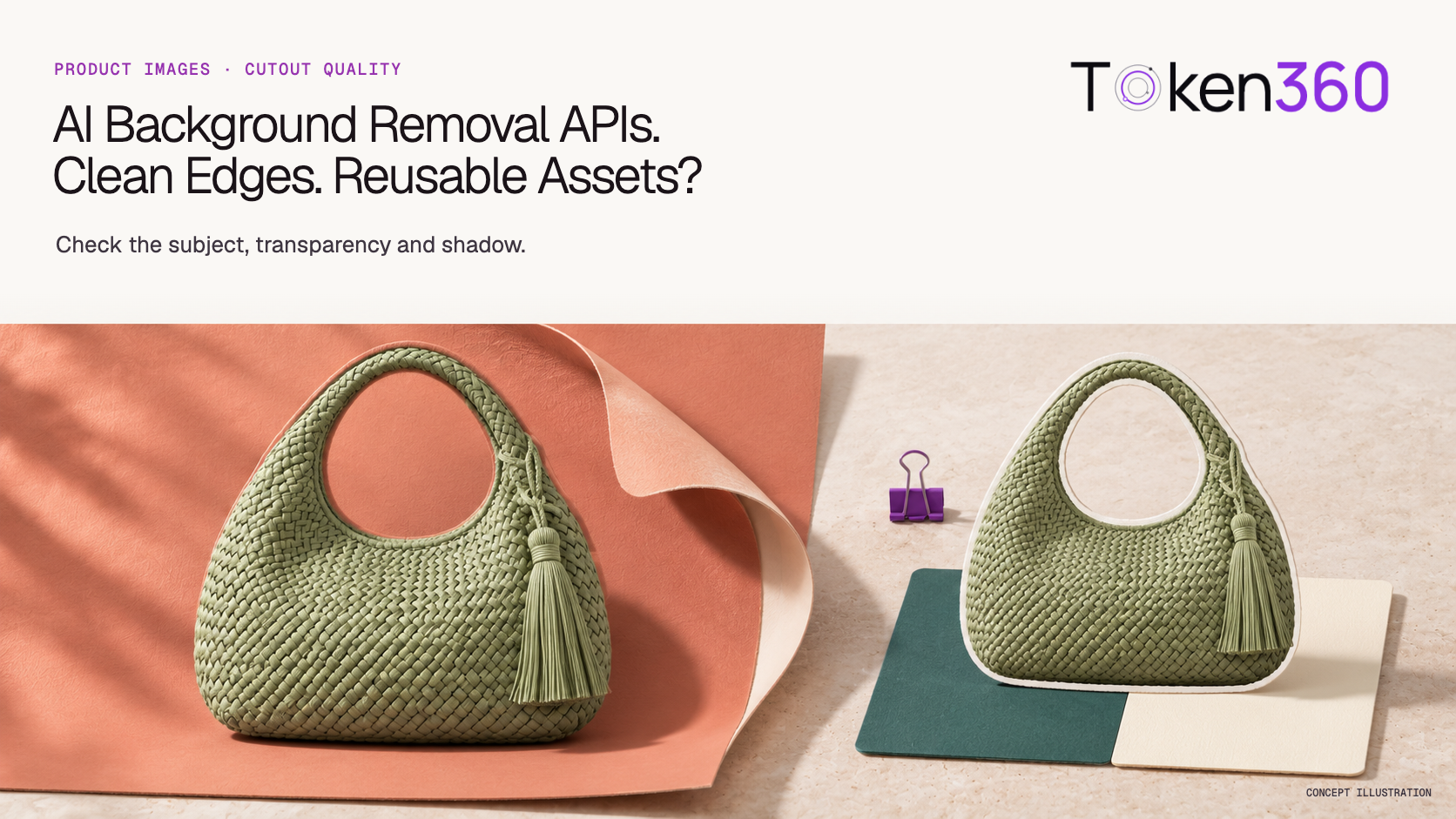
Test the edges and materials that make your images difficult, not only a solid object against a plain backdrop. Check fine structures, enclosed openings, low-contrast boundaries and partial transparency. A cutout that removes the background but also deletes part of the product has failed the task, even if its silhouette looks tidy.
Suggested product-cutout acceptance checks
| Image characteristic | Inspect | Example rejection |
|---|
| Hair, fur or tassels | Fine strands, soft transitions and the retained outline. | Fringe becomes a solid block or disappears. |
|---|
| Handles, spokes or mesh | Interior gaps as well as the outside contour. | Background remains trapped inside a handbag handle. |
|---|
| White product on pale background | Low-contrast edges and thin parts. | A pale sleeve or cable is removed with the backdrop. |
|---|
| Glass or translucent fabric | Partial transparency, highlights and residual background color. | Glass becomes opaque or retains a distracting patch of the old scene. |
|---|
| Multiple components | All intended accessories, straps and disconnected parts. | The main object remains but an included accessory is deleted. |
|---|
| Reflective surfaces | Reflections that belong to the subject versus surrounding background. | The product surface is damaged while attempting to remove reflected scenery. |
|---|
Use these as proposed review criteria, not claims that a particular model fails them. Decide in advance which objects belong in the cutout. For example, a support stand might be unwanted studio equipment, while a detachable strap is part of the product. A system cannot be approved against an ambiguous selection brief.
Transparency needs more than a clean outline. The remove.bg API reference documents both semitransparency and alpha-mask options, and notes that its edge processing also adjusts foreground colors. This is a concrete reason to inspect the final composite rather than judging a mask alone. It is not a claim about Token360's implementation.
For a transparent bottle photographed against a colored scene, decide whether an imperfect result is acceptable for the intended use. Do not assume the original scene can always be removed without visible traces. If the output cannot be verified or corrected economically, retain a manual exception route or obtain a better source image.
Should the API remove, preserve or create a shadow?
Specify the shadow outcome separately from the foreground cutout. A shadow can help a product sit naturally in a finished image, but it can also conflict with a new background or layout. Preserving an existing shadow and generating a new one are different operations and should have separate acceptance criteria.
For a reusable asset library, the team may want the product isolated so each destination can determine its own shadow. For a consistent white-background catalog, a finished image with a controlled shadow may be appropriate. Neither requirement follows automatically from the words “remove background.”
Ask whether the endpoint supports the requested treatment and how it affects the returned file. If a generated shadow is enabled, check contact, direction and consistency with the intended composition. If no shadow is requested, check that unwanted ground patches are not left beneath the object.
Keep generated shadows distinct from measured product evidence. They are presentation elements, not proof of the object's original lighting. The supplier's demonstration should use the same shadow setting you intend to buy, rather than comparing a polished composite with an uncomposited cutout.
How do you test whether a cutout is reusable?
Place each returned cutout on light, dark and relevant brand backgrounds, then inspect it at both delivery size and enlarged edge views. Check that the file contains the intended transparency and that the subject remains complete. A result should pass in the actual destination, not just in a supplier's preview.
Build a test set from approved images representative of your workload. Include easy cases and the difficult materials that recur in your catalog. Record source dimensions and source quality so results from clean studio images are not mistaken for evidence about compressed supplier photos.
- Define the keep/remove decision. Identify the subject, accessories, interior openings and shadow policy.
- Request the same deliverable. Match output dimensions, crop rules and transparency requirements across candidates. Log unsupported requirements instead of silently substituting another output.
- Test multiple backgrounds. Look for pale halos on dark surfaces, dark fringes on light surfaces and leftover color from the original backdrop.
- Check the complete asset. Examine both the outer contour and interior holes, disconnected pieces and semitransparent regions.
- Review the final export. Confirm that resizing, format conversion and compositing have not flattened the transparency or introduced a new defect.
- Record correction work. Separate automatic approval, manual correction, replacement input and rejection. Keep all attempted results in the evaluation record.
Use the blank cutout evaluation sheet template at the end of this article. It records material type, output settings, light/dark background checks, shadow decisions, correction time and approval. No supplier scores or measured results are included.
Crop behavior deserves an explicit test. Photoroom's crop documentation describes an option that crops to the cutout border. A tightly trimmed asset and one retaining its original canvas can both be valid, but they behave differently in a layout. Specify which you need and verify subject placement after export.
The broader catalog content workflow handles approval and publishing across assets. For background removal, the specific approval record should show which material categories and output conditions were tested. Do not extend approval from opaque boxes to glassware without evidence.
What should the price and integration evaluation include?
Compare the cost of cutouts approved for your intended use, not just the charge for a successful request. Confirm the quoted output size, operation and billing unit, then include correction work and repeat processing. Also check whether the service can return, store and deliver the required files within your production process.
Ask whether the price covers removal only or also compositing, shadows, resizing and other edits. Confirm how previews, failed requests, repeat requests and higher-resolution outputs are billed. A free or reduced-size preview should not be compared with a full-resolution production output as if the purchase were identical.
Track automatic passes separately from images that become usable after manual work. If one route requires substantial edge repair, that work belongs in the comparison. Conversely, manual correction for a small exceptional category may be preferable to paying more on every straightforward image. Use observed pilot results rather than inventing an expected approval rate.
For implementation, confirm accepted input formats, output dimensions, alpha support, image retrieval, retention, rate limits and version changes. Keep API credentials server-side. Ask who builds the connection to your media library or commerce system; purchasing a model operation does not itself supply that integration.
Test images large enough for the intended placement. If enlargement is separately required, assess it as another stage using the image upscaling API guide. Do not assume increasing resolution will repair a poor cutout. Inspect the final boundary after all processing stages.
What should Token360 confirm before an enterprise buys?
Ask Token360 whether an appropriate background removal model and endpoint are available for your subject types and output requirements. Request documentation, limitations and an evaluation route before committing to an integration. Keep transparency, shadow controls, batch handling and other unverified features outside the approved scope until they are explicitly confirmed.
Token360 provides enterprise model access across text, image, audio and video. That broad image-model scope does not establish a dedicated cutout service or compatibility with the provider examples cited here. No Token360 background removal endpoint was verified for this article.
Company-confirmed enterprise quotes use usage tiers, with higher usage receiving lower quoted rates, and no separate service fee. A background removal purchase still requires confirmation of availability, billing units and the applicable quote. These commercial facts do not establish a per-image price, automatic-pass rate or throughput commitment.
We need background removal for [subject and material types] using [typical source images and dimensions]. We require [transparent foreground / mask / finished composite], [crop and shadow rules], and [output size and format]. Please confirm an eligible endpoint, limitations, image-handling terms, evaluation access and pricing for [expected usage]. Please identify unsupported or unconfirmed requirements.
Use the enterprise inquiry page to discuss the brief. Approve the purchase only for the tested subjects and deliverables. A convincing white-background preview is a starting point; a reusable cutout needs to survive the actual composition and export workflow.
Evidence boundary: official documentation reviewed November 23, 2026. The article provides proposed buyer checks, not first-party model tests, measured savings or verified Token360 functionality.
Worksheet template
Asset ID,Source dimensions/quality,Subject/material,Keep/remove brief,Provider/model/version,Output size/format,Transparency verified,Crop rule,Shadow requirement,Fine edges,Interior openings,Light background review,Dark background review,Brand background review,Complete subject,Final export review,Observed charge/currency,Correction minutes,Approval or rejection,Reviewer
,,,,,,,,,,,,,,,,,,,
About the author
Yuki Yu is Marketing Manager at Token360.


 Guides
 Guides
 Guides