Sonilo Text to Music is now on Token360. Discover the new music integration, soundtrack use cases, and where to try your first brief.
Model launch · Added to Token360 on October 19, 2026 (UTC).
Sonilo Text to Music is now available on Token360. Describe the role, mood, and arrangement of a soundtrack, then generate an audio candidate through sonilo-text-to-music. The addition gives teams another way to explore music for a product story, an explainer, or a quiet background scene.
This announcement covers the new Token360 integration. For a detailed evaluation, including all original audio, the prompts used, timing records, and cost calculations, read our Sonilo text to music API guide and nine-run test.
Read before: the Multimodal API Guide introduces how different kinds of generated media fit into a broader workflow.
Bring a soundtrack brief into the model workflow
Music has a job in an edit. It can sit behind an explanation, build anticipation for a reveal, or give a scene space to breathe. Sonilo Text to Music lets you begin with that job in words and audition a generated candidate before deciding how it fits the project.
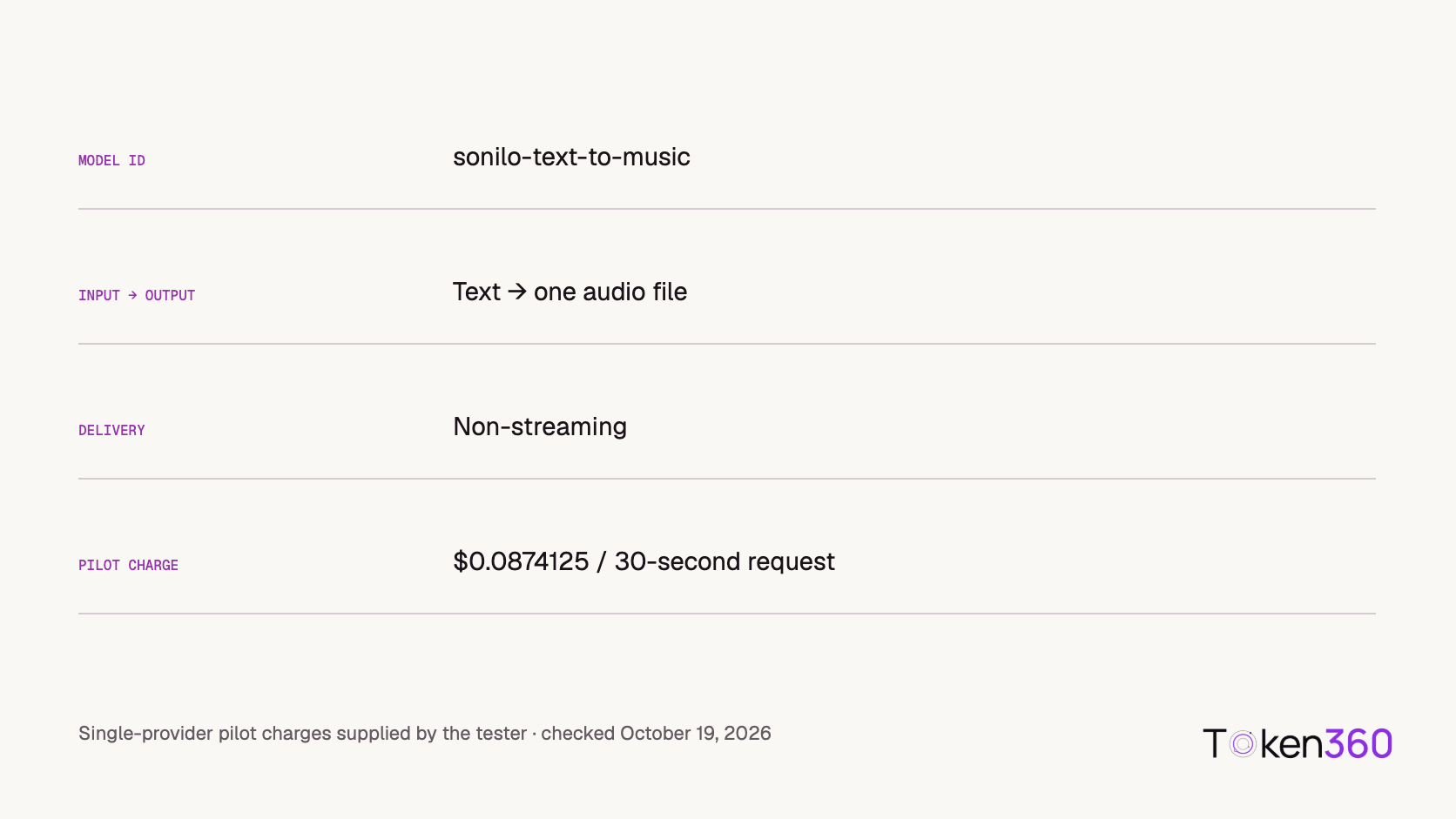
The new Token360 route returns one non-streaming audio output. Select Sonilo Text to Music in Playground, or use its exact model ID when implementing a verified integration. The model page is the place to check the current settings and rate.
This is music generation rather than spoken narration. A label in a platform’s internal audio category does not mean the model reads your brief aloud or creates a specific voice. If you need an isolated impact, environmental sound, or other acoustic event instead of an arrangement, choose Sonilo Text to Sound Effects.
Three creative starting points
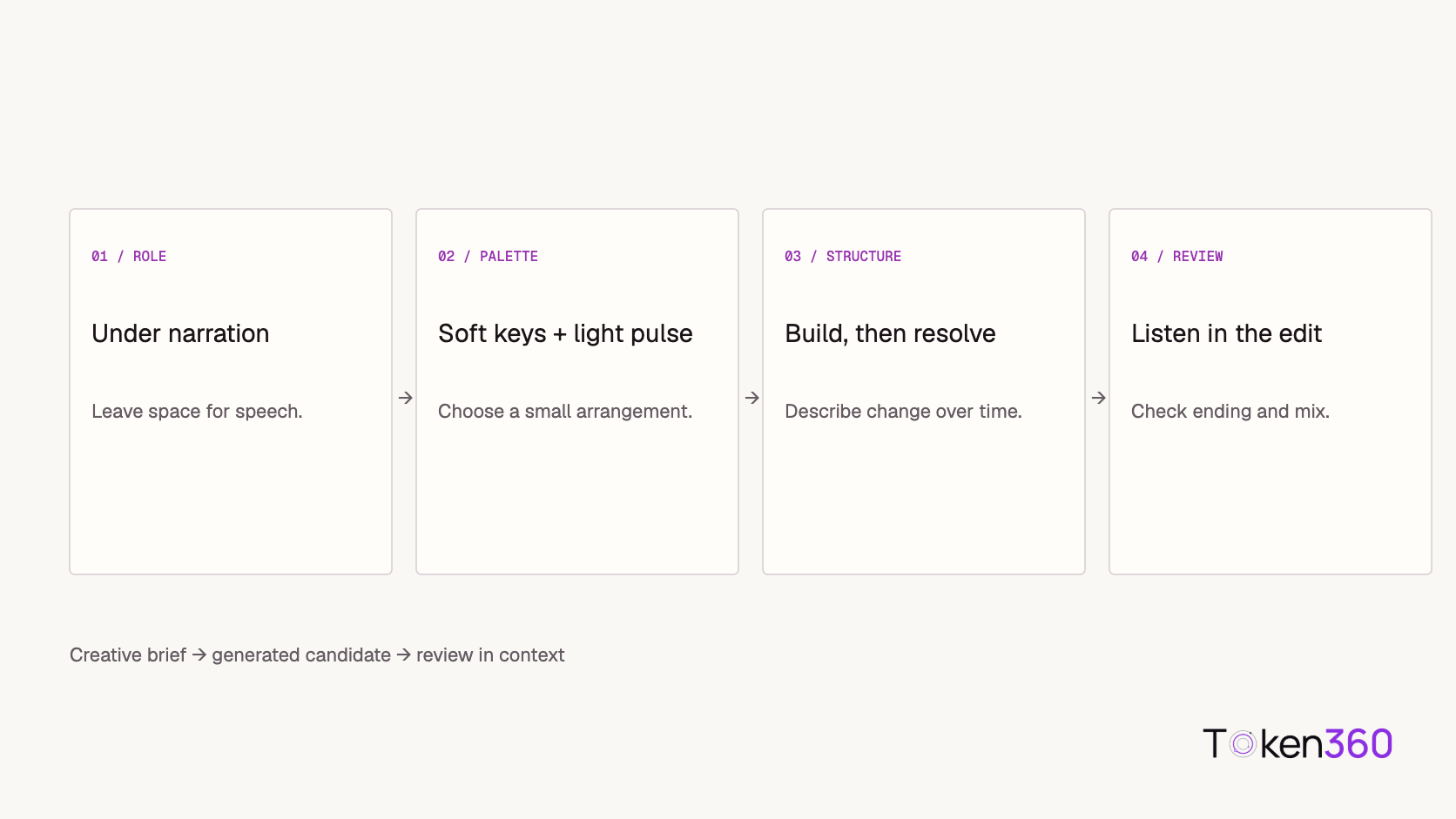
A restrained background bed. An explainer may need a sparse arrangement that leaves room for speech. Describe the instruments and energy, then listen with the intended narration before deciding that the mix works. A music-only test cannot establish speech intelligibility.
A product reveal. A cue can be briefed to move from a simple opening toward a fuller arrangement. Evaluate the change against the actual edit; broad musical development is not the same as guaranteed timing at a specific frame.
A quiet ambient scene. A spacious texture with a gentle ending can be a useful direction for a calm sequence. Listen through the final seconds to distinguish an intentional ending from an abrupt cutoff. A fade-out is not evidence of a seamless loop.
These are the three briefs we used in our initial pilot. They offer concrete starting points without assuming that one prompt or one musical style suits every project.
Early examples, with the full record available
In the nine-run pilot, the tester accepted all nine thirty-second candidates overall. That included three background beds, three reveal cues, and three ambient cues. One background candidate, bed-2, was described as more pop-like and more variable than bed-1. We retain that note alongside the acceptance judgment: usable outputs can still differ in character.
The excerpt below is the original reveal-1 file, accepted by the tester. The companion article provides every output so readers can compare the repeated attempts rather than hear only a selected example.
reveal-1 · Original thirty-second candidate · Accepted by the tester.
Every pilot request was reported at $0.0874125 USD. The median manual wait from clicking Generate to completion displayed was 13.48 seconds. One run took 69.11 seconds, bringing the mean to 19.75 seconds. These are user-timed observations from a small pilot, not instrumented API latency or a service guarantee.
The test supports a specific statement: these nine candidates met this tester’s overall requirements. It does not establish general musical quality, a universal acceptance rate, or superiority to another provider. For the complete evidence and methodology, read the music guide and test results.
Try your first music brief
Open the Sonilo Text to Music model page and choose the model in Playground. Set a duration explicitly, describe the music’s purpose, and specify a small set of instruments, the desired energy, and how the piece should end.
Save the original output with its brief and charge. Listen first for compliance, then for preference: a track you like most is not necessarily the only one that meets the brief. If the music needs trimming, fading, or mixing, record that work separately from accepting the raw generation.
For API integration, use the Token360 documentation and validate a successful request for the chosen route. Sonilo’s native music documentation describes options that are not automatically exposed by every integration. Do not assume that native streaming, multiple variants, stems, or timed segments are available through the Token360 route.
Before using a generated asset in a commercial release, confirm the terms that apply to your account and provider route. This announcement does not extend licensing claims from another service to Token360.
Launch FAQ
What is new on Token360?
Sonilo Text to Music has been added to the platform under sonilo-text-to-music. This is a Token360 availability announcement, not a claim that Sonilo has just released the underlying model.
Where do I get started?
Visit the model page and select Sonilo Text to Music in Playground. Set the requested duration and format, review the price, and generate from a written music brief.
What projects is this useful to explore for?
Background beds, reveal cues, and ambient music are practical starting points. Suitability depends on the returned track and the project’s mix and editing requirements.
Where can I hear more examples?
The music API guide and nine-run test contains all original samples and the exact prompts, with reported charges and manually timed waits.



 Launch
 Tutorial
 Tutorial