Sonilo Text to Sound Effects Is Now Available on Token360
Generate sound effects from text with Sonilo on Token360. Discover the new integration, who it is for, and where to try it.
Model launch · Added to Token360 on October 19, 2026 (UTC).
Sonilo Text to Sound Effects is now available on Token360. Describe an acoustic event or environment in words and generate a standalone audio candidate using the model sonilo-text-to-sfx. The new addition gives creators and developers a text-driven way to explore sound effects alongside the other models available on the platform.
This is an announcement of availability on Token360, not a new-model release announcement from Sonilo. For detailed parameters, prompts, all nine pilot samples, and cost calculations, see our Sonilo sound effects API guide and test results.
New to multimodal workflows? Start with the Multimodal API Guide, then choose a sound brief for your first run.
A new way to explore sounds from a written brief
A visual project often needs more than a soundtrack. An environment needs atmosphere; a movement needs a convincing sound; a product interaction may need a short acoustic cue. Sonilo Text to Sound Effects lets you describe the candidate you want to hear rather than start with a source recording.
That makes it worth exploring for editors developing ambience, designers testing the character of an interaction, and teams prototyping sound assets for an application. These are possible workflows, not a claim that every generated result is ready to ship. Listen to the whole output and evaluate it in the intended context before selecting it.
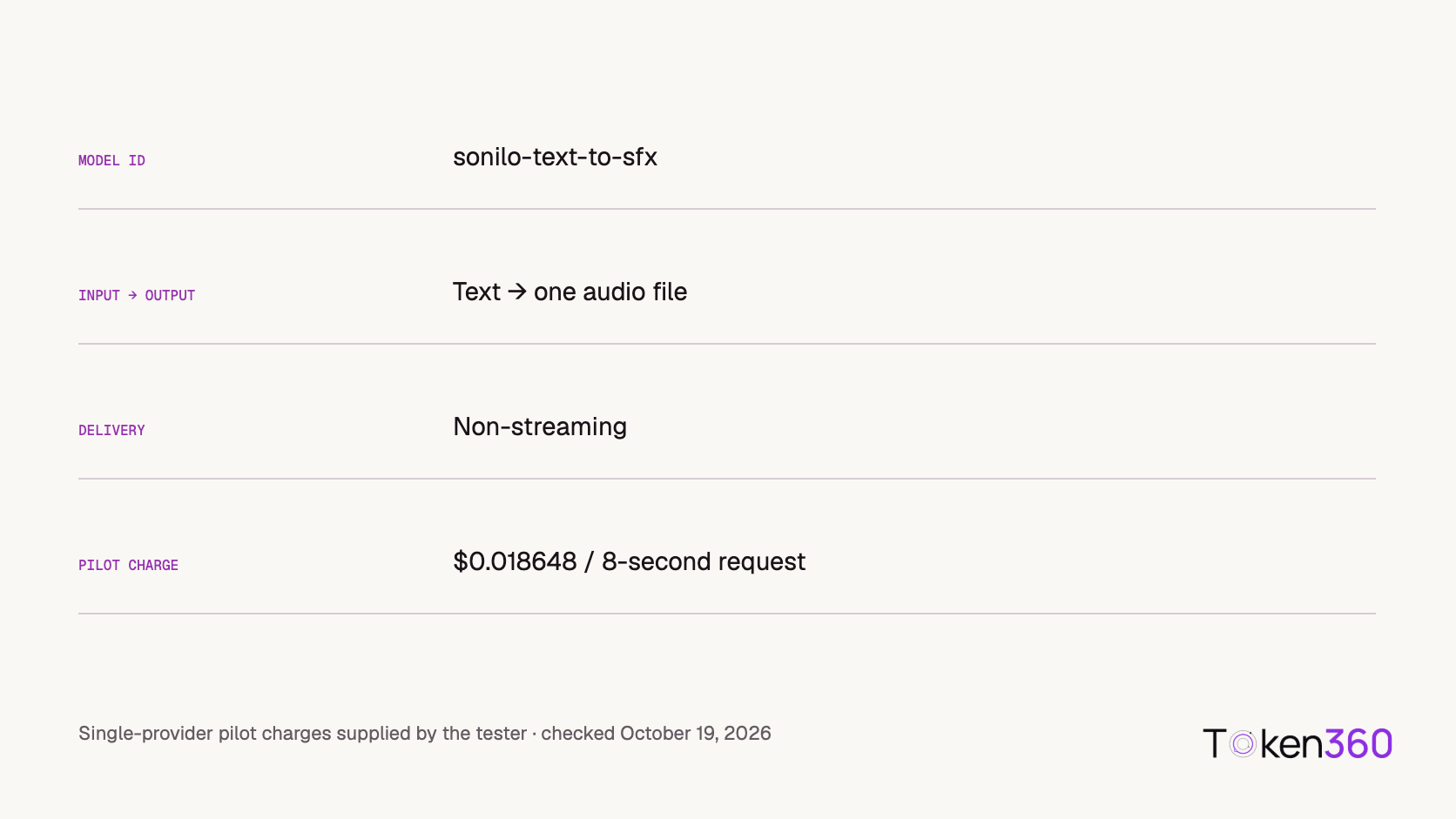
The new Token360 route accepts text and returns one audio output without streaming. Choose Sonilo Text to Sound Effects in the model selector; the exact model ID is sonilo-text-to-sfx. Current configuration and pricing are on the model page.
What our first listening pilot revealed
To make this announcement more concrete, we collected three attempts each for a cup contact, light rain, and three footsteps. Each request asked for eight seconds. The tester accepted all three rain candidates, one cup candidate, and none of the footstep candidates under the requested event-count requirement.
That distinction matters when choosing a first use case. In this small pilot, continuous rain ambience met the tester’s requirements consistently. Exact event counts were less dependable: the footstep outputs contained seven, nine, and ten steps rather than three. These results support evaluating ambience separately from precisely counted actions; they do not establish a general model success rate.
The sample below is one of the accepted rain outputs. It is included as an example, not as a substitute for the full record.
rain-1 · Original supplied audio · Accepted by the tester as steady and uninterrupted.
All nine reported charges were $0.018648 USD per eight-second request. This is an observed charge for the pilot, not a guarantee for every duration or account. The companion guide retains the rejected examples and explains the difference between generation cost and the cost of an accepted asset.
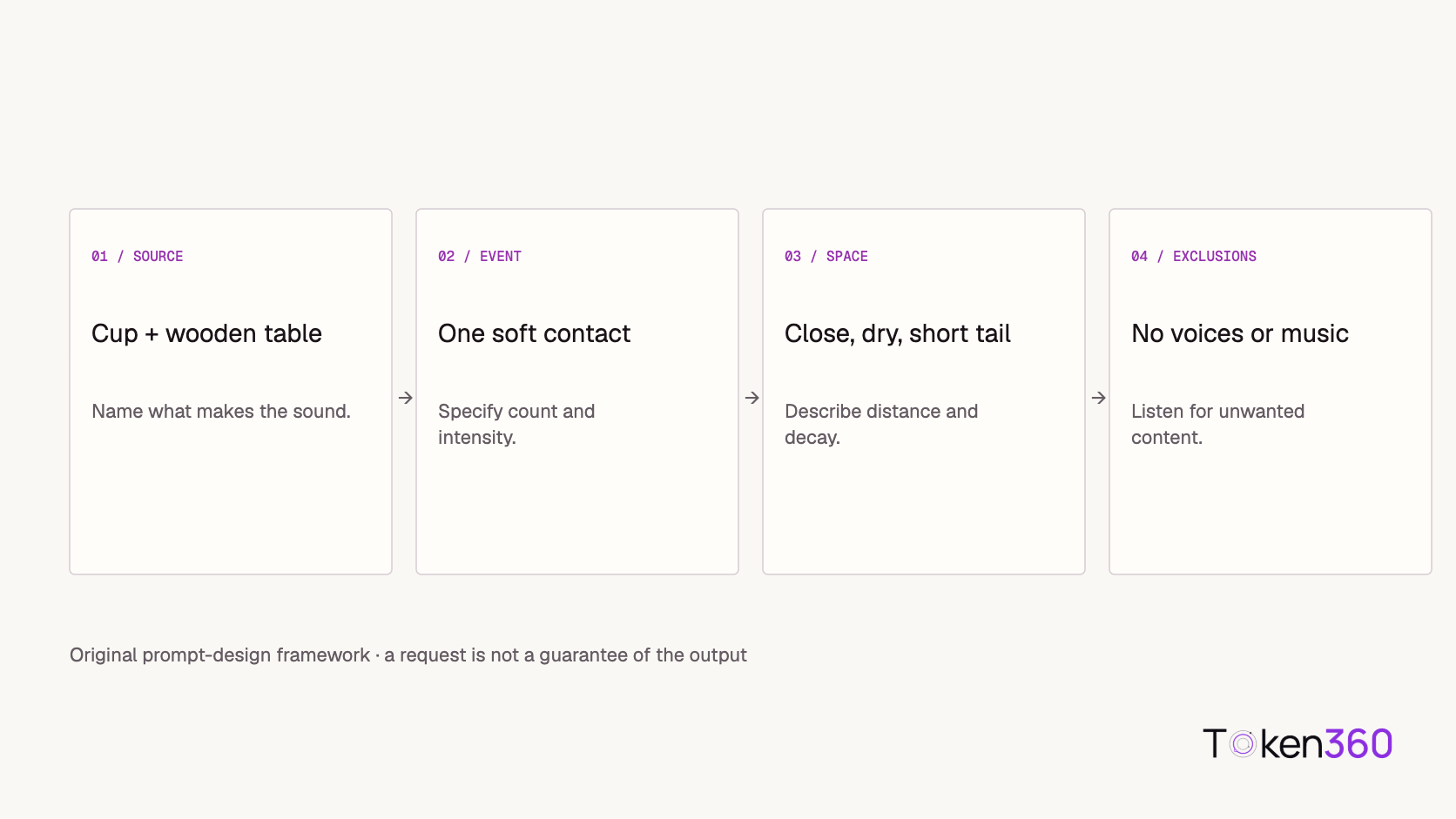
Open the Sonilo Text to Sound Effects page and select the model in Playground. For a first run, choose a single acoustic idea and set an explicit duration. Describe the source, action, acoustic space, and any unwanted content.
Before clicking Generate, decide what would make the result usable. For an ambience, that might mean an even texture without interruptions. For an isolated contact, it might mean one event followed by a natural decay. Keep the original output and the charge, including attempts you reject. A result can sound plausible while still missing a specific requirement.
For an application integration, consult the Token360 documentation and verify the request contract for this route. Sonilo also publishes its native text-to-SFX documentation; its field names and behavior should not automatically be treated as Token360’s interface.
Choose the right audio workflow
This route generates from a text description. It does not inspect your video to locate a visible action, so generated audio still needs placement and review in an edit. Sonilo’s sound-effects overview distinguishes text-driven sound generation from its video-driven workflows.
If your brief is about a musical arrangement, background bed, or soundtrack cue, explore Sonilo Text to Music instead. Both additions expand the audio options on Token360, but they solve different creative tasks. Before distributing an asset commercially, confirm the terms applicable to the route and account used to generate it.
Launch FAQ
What has launched on Token360?
Token360 has added access to Sonilo Text to Sound Effects under the model ID sonilo-text-to-sfx. The announcement concerns the platform integration, not Sonilo’s original release date.
Where can I try it?
Start from the model page and choose Sonilo Text to Sound Effects in Playground. Review the displayed settings and price before generating.
Who should explore this addition?
Creators, editors, and developers who need to audition sounds from a written brief. The first pilot makes continuous ambience a useful starting point to investigate; exact-count effects need closer review.
Where are the full examples and technical details?
The sound-effects API guide contains the prompts, original samples, timing method, individual observations, and cost calculations.



 Launch
 Tutorial
 Tutorial